Hyperagent

37 posts

Hyperagent

Hyperagent

@hyperagent

The complete system for building, deploying, and managing AGI-level agents. Built by the team at Airtable. Join the waitlist now.

San Francisco เข้าร่วม Mart 2026
2 กำลังติดตาม455 ผู้ติดตาม
ทวีตที่ปักหมุด
Hyperagent
Hyperagent@hyperagent·
The complete system for building, deploying, and managing AGI-level agents. Built by the team at @airtable. Cloud-native. Learns your tools. Remembers your context. Gets sharper with feedback. Join the waitlist. hyperagent.com
English
1
3
16
7.4K
Hyperagent รีทวีตแล้ว
Howie Liu
Howie Liu@howietl·
If you're rethinking your agent setup after the Claude subscription changes — we're opening @Hyperagent today. First 1,000 signups get $1,000 in bonus inference credits + a 2.5x cost subsidy on frontier models including Opus 4.6 (up to $15K/mo) for a year. If OpenClaw is Linux, Hyperagent is the Mac. Same autonomous power — cloud-native, isolated sandbox per session, real browser, shell, code execution, hundreds of integrations. No local setup, no managing a physical device, no infrastructure babysitting. Beautiful GUI built for how you actually want to use agents: rich visual output, skill learning that compounds over time, deploy agents into your company via Slack with one click, and a command center to manage your entire fleet. hyperagent.com/invite/FIRST10…
English
20
13
166
28.9K
Hyperagent
Hyperagent@hyperagent·
Customer support triage: Customer emails a question. Agent reads the message, looks up their account, drafts a response or escalates to the right person — and replies in-thread. Lead qualification: Prospect emails asking about your product. Agent researches their company, scores fit against your criteria, and replies with tailored pricing or books a call. Field notes to CRM: Sales rep emails a quick recap after a meeting. Agent extracts key details — next steps, objections, timeline — and updates the deal record in your CRM automatically.
English
0
1
2
540
Hyperagent
Hyperagent@hyperagent·
🚢 Ship Log — What’s New 4/10 ✉️ Invoke agents via email — Your agents can now be triggered by incoming emails. Set up an email address from your agent’s settings, and any email sent to it kicks off an agent run with the email content as input (attachment support coming soon). The agent can also reply directly to the sender. A few examples:
English
1
0
1
748
Hyperagent
Hyperagent@hyperagent·
🚢 Ship Log — What’s New 4/9 ✅ Connect Twitter/X — Twitter/X is now available as a native integration. Connect your account via OAuth in Settings > Integrations, and your agents can read and post to Twitter on your behalf. ✅Pin the sidebar open — Click the pin icon in the sidebar header on any thread page to keep it expanded instead of auto-collapsing on hover. Resize freely while pinned. Your preference persists across sessions. ✅Skill credentials from chat — When your agent discovers or provisions a skill that needs API keys, you’ll now see an inline card in chat showing credential status. Add keys right there instead of navigating to the Skills page. ✅Click to activate artifacts — Artifacts in the workspace now use a two-tier focus model. Scroll to browse, click to activate (shown by a blue ring). When activated, arrow keys navigate slide decks and embedded content becomes interactive. ✅Better webpage generation from markdown — When you pass markdown content to webpage generation, it’s now pre-converted to clean HTML before styling. The result is more accurate preservation of headings, lists, and formatting.
English
1
1
3
744
Hyperagent
Hyperagent@hyperagent·
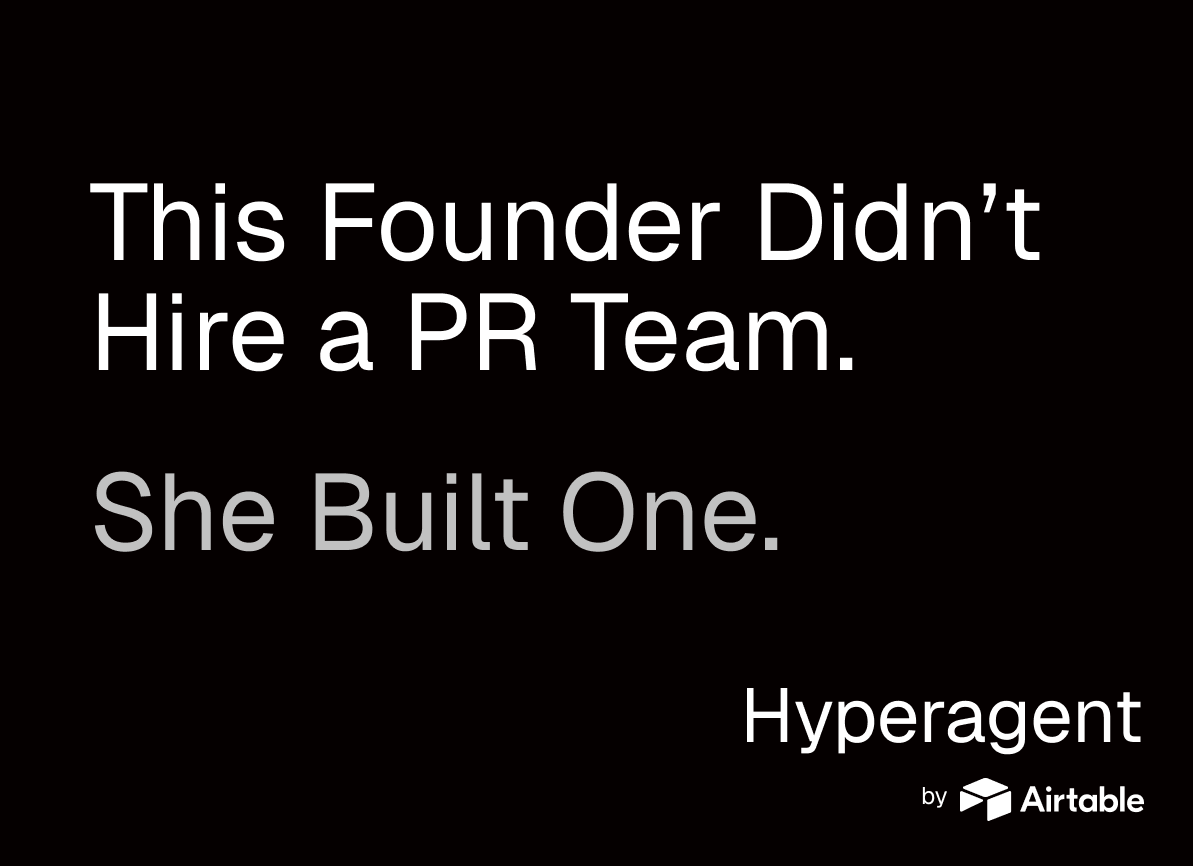
This founder booked five podcasts (and counting!) in a month without a PR agency, a publicist, or a budget. Instead, she built an agent, gave it a Gmail account, and put it to work. The results speak for themselves. tinyurl.com/4p8pczxa
Hyperagent tweet media
English
0
1
3
419
Hyperagent
Hyperagent@hyperagent·
🚢 Ship Log — What’s New 4/8 📝 Rich markdown editor for skill docs — Editing skill documentation now uses the same rich-text editor as agent system prompts — with toolbar formatting, live preview, and expand/collapse for long docs. 🖱️ Right-click menus + double-click rename — Right-click any thread, agent, or project in the sidebar for a context menu with quick actions like rename, archive, or move to project. Double-click a name to rename it inline without opening a menu. 🍞 Project breadcrumb in thread header — Threads that belong to a project now show the project name as a clickable breadcrumb above the title, so you always know where you are and can jump back to the project with one click.
English
0
0
0
269
Hyperagent
Hyperagent@hyperagent·
🚢 Ship Log — What’s New 4/7 👌 Slides update in place — Asking your agent to revise a slide deck now updates the existing artifact with version history instead of creating a duplicate. ✏️ Skill changes now preview before saving — When your agent creates or updates a skill, you’ll see an inline preview card in chat instead of the change saving immediately. Click through to review the full config — name, description, scripts, credentials — and confirm before it persists. Same draft-and-review flow you’re already used to with agent configs. 🔗 “View skill” from agent builder — Skill cards in the agent builder now have a “View skill” link in both the overflow menu and the detail dialog, so you can jump straight to the full skill page without leaving the editor. ⚡️Live HTML preview while writing — When your agent writes an HTML file, you’ll now see a live preview update in real time as it streams, instead of waiting for the full file to finish.
English
0
0
2
263
Hyperagent
Hyperagent@hyperagent·
Inbound triage: Lead created in CRM on Airtable. Invoke agent to enrich the lead with web research, score fit, route to the right rep, and draft personalized follow-up in Gmail. Recruiting: Candidate reaches the interview stage in Airtable, triggering a Hyperagent to generate interview prep materials for your panel specific to that candidate + scheduling information sent via email. Hyperagent-to-Hyperagent invocation: Chief of Staff agent flags a competitive opportunity in your daily briefing, then invokes Growth Marketer agent to spin up a campaign to capture market opportunity.
English
1
0
1
224
Hyperagent
Hyperagent@hyperagent·
🚢 Ship Log — What’s New 4/6 🌟 Invoke agents via webhooks — Your agents can now be triggered by external webhooks. Create an endpoint from your agent’s settings, POST any JSON payload to the generated URL, and your agent runs with that payload as input. A few examples we're experimenting with:
English
1
0
4
254
Hyperagent
Hyperagent@hyperagent·
🚢Ship Log — What’s New 4/3🚢 ✨ Connect multiple accounts per integration ✨ — You can now connect more than one account for the same integration — for example, both your personal and work Gmail, or multiple GitHub orgs. Each agent can be pointed at a specific account, so your marketing agent uses one Gmail, while your support agent uses another. (Multiple account support for Slack coming soon.) 🍫 Customize your toolbar before you start — The new thread screen now shows all available tools organized by category — Research, Data, Interactive, and Media. Toggle off anything you don’t need, and optionally click “Save as default” so every new thread starts with your preferred setup. ⬇️ Scroll-to-bottom button — A pill button appears at the bottom of the chat when you’ve scrolled up, letting you jump back to the latest message with one click. 🪗 Resizable sidebar — Drag the right edge of the sidebar to resize it. Your preferred width persists across sessions. Double-click the handle to reset to default. 📱 Mobile thread header cleanup — On mobile, the Settings/Learning/Usage buttons now collapse into a dropdown menu, giving the thread title more room to display.
English
0
0
1
348
Hyperagent
Hyperagent@hyperagent·
🚢 Ship Log — What’s New 4/2 🏃“Run Now” for scheduled agents — You can now manually trigger any scheduled invocation on demand without waiting for the next scheduled time. Look for the “Run Now” button on any schedule’s detail page. ⚡️ Faster Slack responses for @mentions — When you directly @mention your agent in a passive-mode Slack channel, it now responds immediately instead of first running through the relevance prescreen. Direct requests get answered faster. ⏭️ Move thread to agent after creation — When you create a new agent from a thread, you’ll now be asked if you want to move the originating thread into the new agent — keeping your conversation history organized. 📊 Command Center in sidebar — Now accessible directly from the Agents section in the left sidebar. Access Command Center to review the performance of all your agents.
English
0
0
3
414
Hyperagent
Hyperagent@hyperagent·
🚢 Ship Log — What’s New 4/1 ✅ Browser sessions are more reliable — the most common class of errors (silently dead connections) is now auto-recovered ✅Generated webpages have proper text margins and no longer create publication credits in the footer ✅Agents now use real photos more often when researching real-world subjects ✅Integration and skill import errors now surface the real message instead of generic 500s
English
0
1
3
481
Hyperagent
Hyperagent@hyperagent·
Airtable's finance team saves 5 hours each week with an agent that delivers numbers leadership can actually trust. Not a draft. A published artifact with charts, commentary, and trend analysis, delivered straight to to the team in Slack. Watch Leroy Zhang explain the agent below, and read on how to learn how they did it: hyperagent.com/blog/finance-a…
English
0
1
3
384
Hyperagent
Hyperagent@hyperagent·
🚢 Ship Log — What’s New 3/31 👀 Slack agents follow threads without repeated @mentions — A new “passive in threads” trigger mode lets you require an @mention to start a conversation in a channel, but once the agent has replied in a thread, it automatically responds to all follow-ups — no more tagging it on every message. You can optionally add a content filter so the agent still stays selective about which thread messages it engages with. ⏭️ Agents offer to bring the source thread along — When you create a new agent from a thread conversation, you’re now prompted to move that originating thread into the agent. Previously the thread stayed orphaned and you had to reassign it manually — or just lost track of it entirely.
English
0
0
2
230
Hyperagent
Hyperagent@hyperagent·
🚢 Ship Log — What’s New 3/30 ✅ Named agents ask before creating vs. modifying themselves — When you tell a named agent something like “send me this every morning” or “add Slack,” it now knows its own identity and asks whether you want to modify itself or create a separate agent. Previously it always defaulted to creating a new one — confusing when you expected your existing agent to just pick up the new behavior. 📝 Large integration responses no longer silently truncated — When integrations like Gmail return results exceeding 20K characters, the response was being cut off with no way for the agent to access the rest. Now the full output is transparently recovered and made available as a local file so the agent can read the complete data. 📱 Artifact navigation always visible on mobile — The artifact strip that lets you switch between webpages, slides, and other generated content was hidden on mobile due to a flag that defaulted to off. It now shows unconditionally whenever artifacts exist, matching the desktop experience.
English
0
0
1
221
Hyperagent
Hyperagent@hyperagent·
*we used dummy data for the video 😉
English
0
0
0
133
Hyperagent
Hyperagent@hyperagent·
The data team built this themselves on @hyperagent . No engineering project. No months of infra work. The people who understand the data built the agent that uses it. Read the full deep dive → hyperagent.com/blog/airtable-…
English
1
1
0
176
Hyperagent
Hyperagent@hyperagent·
Airtable's data team deployed an agent that saves them 200 hours/week answering ad-hoc questions. In production. In Slack. All day long. Here's what actually made it work tinyurl.com/2vb3xuhx
English
1
0
0
236