MSI USA Tech Support

353 posts

MSI USA Tech Support banner
MSI USA Tech Support

MSI USA Tech Support

@msiUSA_Tech

Twitter Tech Support for @msiUSA We can also be reached via phone! 1-626-271-1004 Mon-Fri, 9 am - 6 pm

Industry, California เข้าร่วม Mayıs 2019
2 กำลังติดตาม2.1K ผู้ติดตาม
Iggy 🏳️‍⚧️
Iggy 🏳️‍⚧️@IgnaciousIRL·
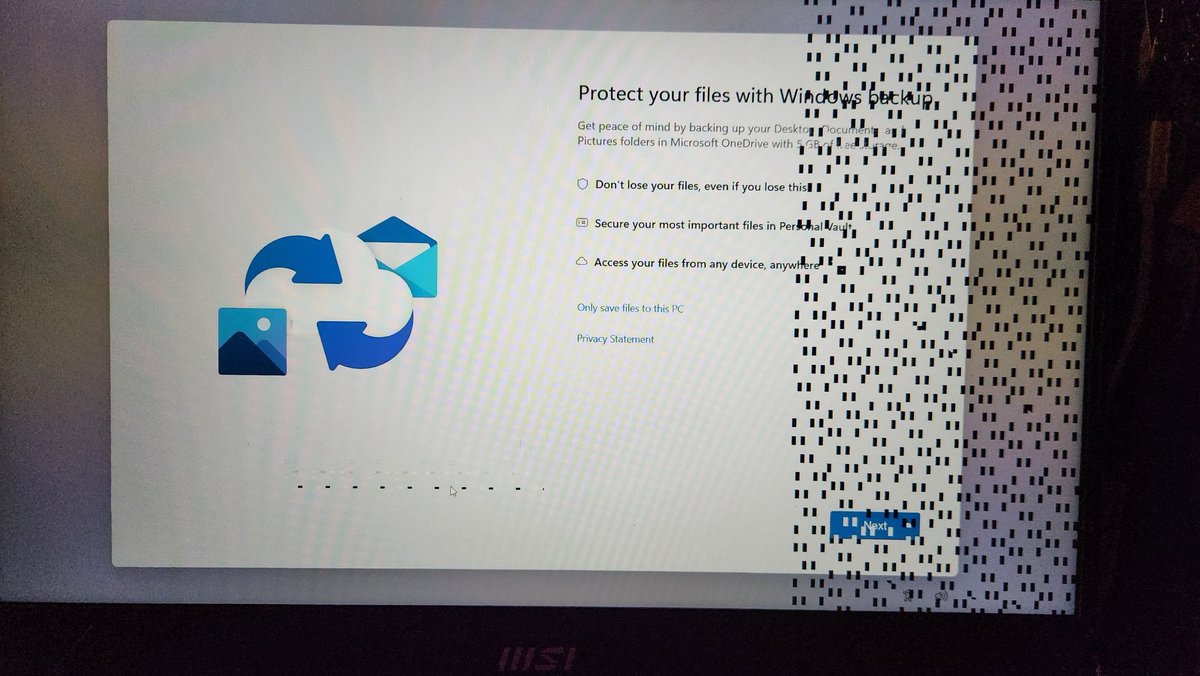
So @msiUSA_Tech I just got a laptop back from the shop and it looks like the issue I sent it for is persisting.
Iggy 🏳️‍⚧️ tweet media
English
1
0
0
98
Mako Shironari
Mako Shironari@MakoShironari·
@msiUSA_Tech I just sent my graphics card for repair back in March. Not even 3 months later it’s already stopped working again. I went through the proper rma service that was supposed to fix this problem. Please advise?
English
1
0
0
192
Rodel Rufo
Rodel Rufo@gladel·
@msiUSA_Tech My GF75 Thin updated to Windows 11, but I want to reset it to make it fresh. What is the proper way to do to make a fresh Windows 11?
English
1
0
0
283
MSI USA Tech Support
MSI USA Tech Support@msiUSA_Tech·
@ItsChaseShumway Please reach out to our customer service team by phone to request for an accessory order . 1 (626) 271-1004 M-F 9AM-4PM
English
0
0
0
366
MSI USA Tech Support
MSI USA Tech Support@msiUSA_Tech·
@nddbulldog If the issue is happening on a non MSI USB DAC as well as well as the onboard audio headers, it sounds like an issue with the headset.
English
1
0
1
417
Nelson Deese Nutz
Nelson Deese Nutz@nddbulldog·
@msiUSA_Tech I have a MSI Carbon Max Wifi x570 and I get pops whenever I listen to audio and watch videos. No pops when there is no audio. It occurs with a usb DAC and from the audio jacks on the mother board too.
English
1
0
2
454
MSI USA Tech Support
MSI USA Tech Support@msiUSA_Tech·
@OnlySxnaggy If you just got the monitor, i'd bringing it back to the store you purchased it from or start a return.
English
0
0
0
382
chris
chris@chris2tuffy_·
@msiUSA_Tech my monitor has a green line up and down the screen i had it for not even more then 24 hours
English
1
0
1
476
MSI USA Tech Support
MSI USA Tech Support@msiUSA_Tech·
@retrovgamer Can you clear CMOS and try again? If the board is this unstable, I would suggest reseating everything one more time. IF the system is still unstable after the CMOS clear, you may want to speak with your retailer to request for a replacement.
English
1
0
2
253
Retro
Retro@retrovgamer·
@msiUSA_Tech Now it's not booting at all and just shows -- as a code. 😱
English
1
0
1
298
Retro
Retro@retrovgamer·
@msiUSA_Tech Working on setting up my Godlike Max. Having a problem with the RAM it will only work if i have 2 sticks in the 2 far right slots. if I add the other 2 sticks of ram it won't start and I get an error code 55. help?!
English
1
0
1
386
Retro
Retro@retrovgamer·
@msiUSA_Tech Yep that's what I tried this morning
English
1
0
1
153
Retro
Retro@retrovgamer·
@msiUSA_Tech When i try to put them in the 2nd and 4th slots like they are supposed to be i get the following codes on the motherboard 00 12 28 4c 55 they cycle a few times and hang on 55
English
1
0
0
140
Retro
Retro@retrovgamer·
@msiUSA_Tech cleared the CMOS and was able to get 1 stick running but 2 won't work
English
1
0
0
109
MSI USA Tech Support
MSI USA Tech Support@msiUSA_Tech·
#mem" target="_blank" rel="nofollow noopener">us.msi.com/Motherboard/ME… Assuming you're using a 12th,13th or 14th gen Intel K series CPU, the memory kit you are using isn't listed on our QVL list at this time. Since this board has just released, it could likely be that the BIOS does not support the memory frequency at this time.
English
1
0
0
137
Retro
Retro@retrovgamer·
@msiUSA_Tech Msi godlike max F5-7800J3646H16GX2-TZ5RK model number of ram
Indonesia
1
0
0
131
MSI USA Tech Support
MSI USA Tech Support@msiUSA_Tech·
@retrovgamer Can you please DM us the full motherboard name and full model number of the memory sticks?
English
1
0
1
107
Brian 🇬🇧
Brian 🇬🇧@brian_tollan·
@msiUSA_Tech Just got the msi Optix mag281urf been playing on it 3 hours max and the screen keeps going black I’m on ps5
English
1
0
0
212
Margaret Donovan
Margaret Donovan@MargaretDo88543·
@msiUSA_Tech hiii my laptop goes maroon and unresponsive after I login what should I do 🐒
English
1
0
0
152
MSI USA Tech Support
MSI USA Tech Support@msiUSA_Tech·
@Agesilaus687096 Have you attempted a clean reinstall of the driver using DDU? What model of graphics card are you testing in that slot to confirm?
English
0
0
0
116
John Toland (Temptor)
John Toland (Temptor)@Temptor10·
@msiUSA_Tech Regarding the MAG Z790 Tomohawk MAX. If I install a NVME M.2 SSD into M2_1 slot my RTX 3080 GPU will only run at x8? I must be reading this wrong. hoping you guys can clear this up :)
John Toland (Temptor) tweet media
English
1
0
0
158
MSI USA Tech Support
MSI USA Tech Support@msiUSA_Tech·
Just picked up a high refresh rate monitor but not sure if you're running at that speed? Here's a quick step-by-step on how to adjust your refresh rate whether you're running an AMD Radeon or NVIDIA GeForce graphics card in your system. youtu.be/dwr7tV-KLio
YouTube video
YouTube
MSI USA Tech Support tweet media
English
34
4
19
0