QuickPod

19 posts

QuickPod banner
QuickPod

QuickPod

@quickpodio

Low-cost GPU and CPU solutions for creators.

Raleigh, NC USA เข้าร่วม Temmuz 2024
70 กำลังติดตาม267 ผู้ติดตาม
ทวีตที่ปักหมุด
QuickPod
QuickPod@quickpodio·
console.quickpod.io #QuickPodIO 4090s available now! 🚀 Rent GPUs at low prices. Perfect for AI hobbyists running short training sessions for personal models. We’re growing fast, so check it out and start training today!
English
2
2
6
2.5K
QuickPod รีทวีตแล้ว
enigmatic_e
enigmatic_e@8bit_e·
As silly as this concept is, I’m super proud of it 😅
English
21
43
398
22.3K
QuickPod รีทวีตแล้ว
Moei
Moei@0xMoei·
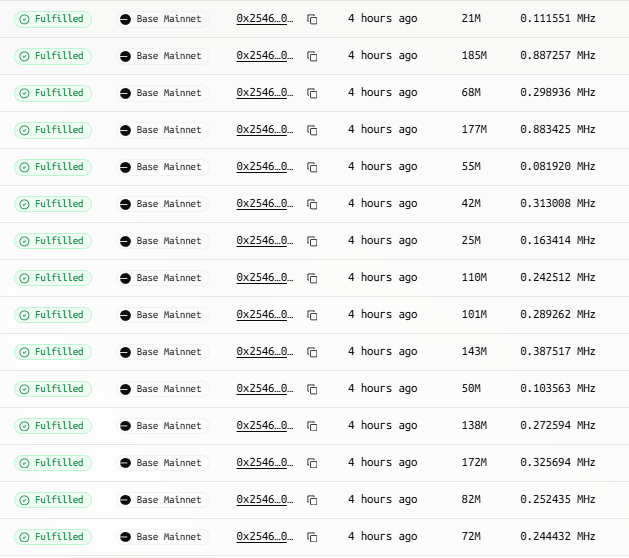
From PoW mining like Bitcoin to prover-based mining like Boundless, the competition was not always about the power of hardware but the ability of the miners in optimizing the source code Boundless offered an opensource binary code to enable miners with coding knowledge to compete My prover currently locks >20 orders per hour, and while my GPU cluster is a factor, my real advantage comes from code optimization that allows me to lock orders faster Anyway, the team is aware of this and has mentioned that there might be new updates to make the system more accessible for non-techy users
Moei tweet media
English
30
3
77
6.4K
QuickPod รีทวีตแล้ว
Andrej Karpathy
Andrej Karpathy@karpathy·
Diffusion video models but now - **realtime**! Simple video filters are real-time but can only do basic re-coloring and styles. Video diffusion models (Veo and friends) are magic, but they take many seconds/minutes to generate. MirageLSD is real-time magic. Unlike simple video filters, diffusion models actually *understand* what they are looking at, so they can style all parts of the feed intelligently (e.g. putting hats on heads, or light sabers into hands, etc.). And they are arbitrarily steerable, e.g. by text prompts. Customizable, intelligent video filters unlock many cool ideas over time: - transform camera feeds into alternate realities - direct and shoot your own movies, acting out scenes with props. Realtime => instant feedback/review. - vibe code games around just simple spheres/blocks, then use a real-time diffusion model to texture your game to make it beautiful. - style and customize any video feed: games, videos, ... e.g. Skyrim but "MORE EPIC"? DOOM II but modern Unreal Engine quality with just a prompt? Horror movie but "cute, pink and bunnies only"? I don't know! - zoom call backgrounds+++ - real-time try on clothes virtually - glasses: e.g. cartoonify your vision in real time? - we can now build Harry Potter Mirror of Erised, showing the "raw feed" of you in the mirror but augmented with your deepest desires (as inferred by the AI). - I don't know, I'm probably missing the biggest one, so many things! (Disclosure I am (very small) angel investor in Decart, I was excited because imo this technology will get very good very fast and it feels general, powerful but it's also technically very difficult. Congrats on the launch to the team!)
Decart@DecartAI

Introducing MirageLSD: The First Live-Stream Diffusion (LSD) AI Model Input any video stream, from a camera or video chat to a computer screen or game, and transform it into any world you desire, in real-time (<40ms latency). Here’s how it works (w/ demo you can use!):

English
134
425
3.5K
463.6K
BlockSage
BlockSage@BlockSage_bi·
@quickpodio @boundless_xyz Now getting orders but the issue is after locking the order it is not proving. Could you please check the template once
English
1
0
0
46
BlockSage
BlockSage@BlockSage_bi·
@quickpodio @boundless_xyz As many are reported this is not working in base mainnet as this template are not getting any orders
English
1
0
0
66
Scribbler
Scribbler@Defi_Scribbler·
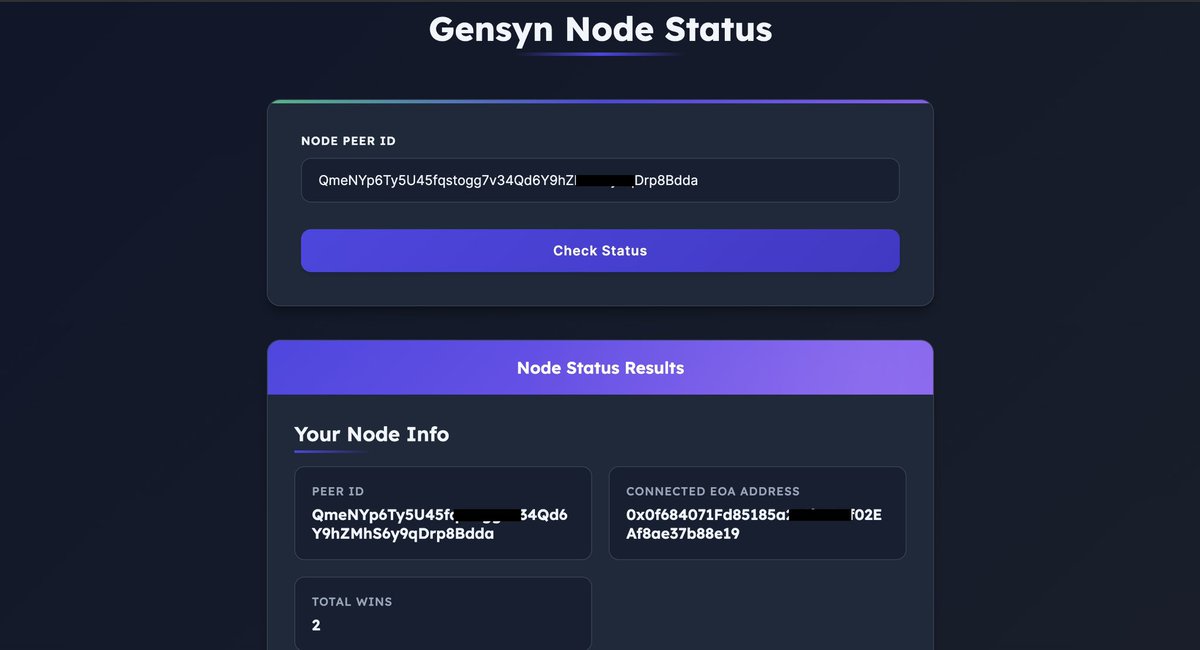
Simple guide to set up @gensynai node using Quickpod Gensyn Protocol is a layer-1 trustless protocol for deep learning computation that rewards participants for their compute time. They raised $50.6M in funding rounds led by a16zcrypto and others To get started: ▫️Create Account on Quickpod - Visit: console.quickpod.io/?affiliate=143… - Sign up using your email address - Check your email and verify your account ▫️Fund your Account - Click on “Add” to deposit funds into your account - Deposit via Crypto or Card Payment ▫️Rent GPU - Go to the “Templates” section and select Ubuntu 22.04 jammy - Look for RTX 4090 GPU and click Create POD - Click “Connect” and copy the SSH Command ▫️Connect to Pod - Open Termius App and paste the ssh command in the search bar and click “Connect” ▫️Install Dependencies - Run the following commands below to install needed dependencies: apt update && apt install -y sudo sudo apt update && sudo apt install -y python3 python3-venv python3-pip curl wget screen git lsof nano unzip iproute2 - Remove the brackets () in the URL before running the command below: curl -sSL https://raw.githubusercontent(.)com/zunxbt/installation/main/node.sh | bash ▫️Create a screen session using the command below: screen -S gensyn ▫️Run the swarm using the command below (remove the bracket in the URL): cd $HOME && rm -rf gensyn-testnet && git clone https://github(.)com/zunxbt/gensyn-testnet.git && chmod +x gensyn-testnet/gensyn.sh && ./gensyn-testnet/gensyn.sh - You will be prompted to visit a URL that ends in loca.it, password is your GPU IP address - Sign in with email - When asked “Would you like to push models you train in the RL swarm to the Hugging Face Hub? [y/N]”, Type N and press Enter ▫️ Back up swarm.pem - Open a new screen session and paste the command below (remove the brackets () in the URL: [ -f backup.sh ] && rm backup.sh; curl -sSL -O https://raw.githubusercontent(.)com/zunxbt/gensyn-testnet/main/backup.sh && chmod +x backup.sh && ./backup.sh - Copy the first link that ends in swarm.pem and open it in a browser to download your swarm.pem file ▫️Check Wins - Visit: gensyn-node.vercel.app - Enter your Peer-ID - check the first screen session where your node is running - Peer ID looks something like this: QmeNYp6Ty5U45fqstogg7v34Qd6Y9hZMhS6y9qDrp…. Note: If you see 0x0000000000000000000000000000000000000000 in Connected EOA Address Section, that means your contribution is not being recorded - Create another screen and run the swarm command, use a different email to sign in and delete existing swarm.pem file. If your node is running smoothly, you can detach it by pressing CTRL + A and D To re attach the screen and check logs, run the command below: screen -r gensyn Done.
Scribbler tweet media
English
47
11
90
29.1K
JaspeeX
JaspeeX@Jaspee_X·
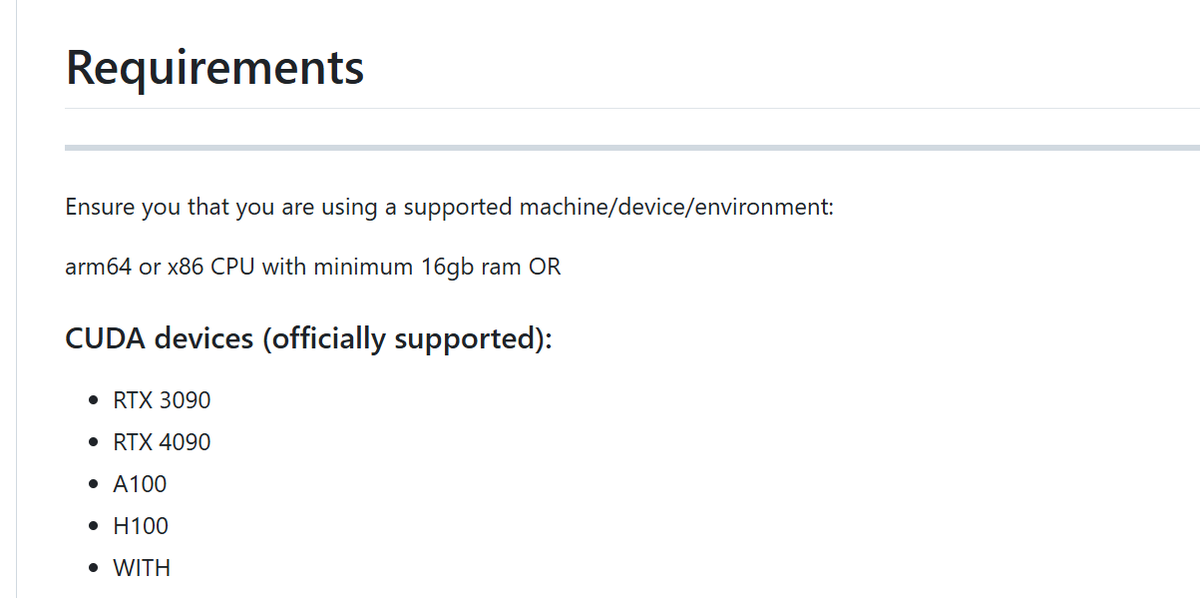
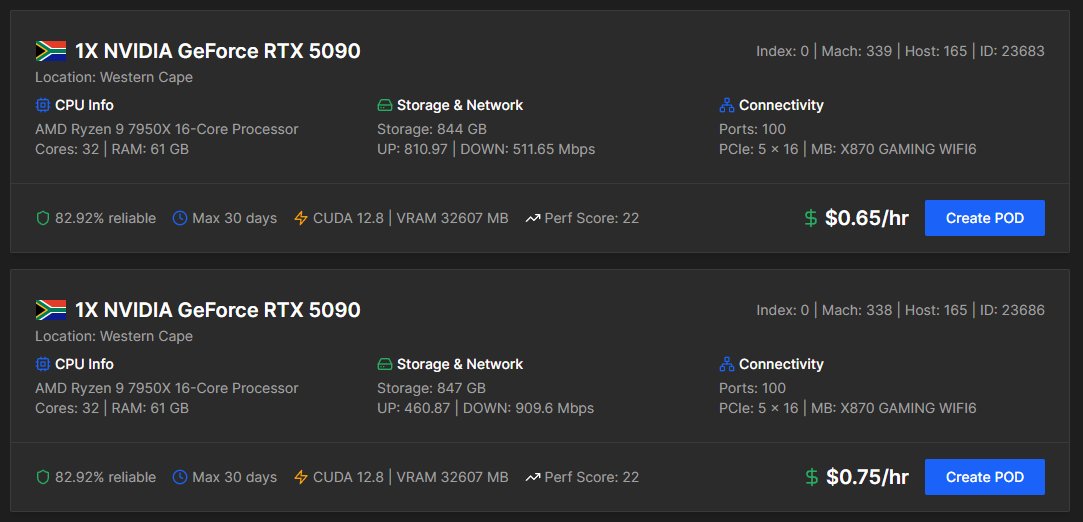
@mztacat @Zun2025 if i can't access any GPU of these specs on @quickpodio , what other options do you think i could go for. all GPU listed below are mostly unavailable🥲
JaspeeX tweet media
English
1
0
0
56
QuickPod รีทวีตแล้ว
Tsarathustra
Tsarathustra@tsarnick·
NVIDIA CEO Jensen Huang announces the GB10 superchip GPU+CPU package for use with workstations packing 1 petaFLOPS of compute and a 4TB SSD
English
57
141
1.1K
131.6K
Marco Mascorro
Marco Mascorro@Mascobot·
Apparently I have been using @runpod a lot (top 10% of Runpod users), not even close to @nearcyan tho Big part of this was for training models for the @arcprize
Marco Mascorro tweet media
English
4
0
12
904
Daniel Levine
Daniel Levine@daniel_levine·
Anyone need GPUs? Somehow I've got a lot of them... seriously
English
103
5
289
59.5K
QuickPod
QuickPod@quickpodio·
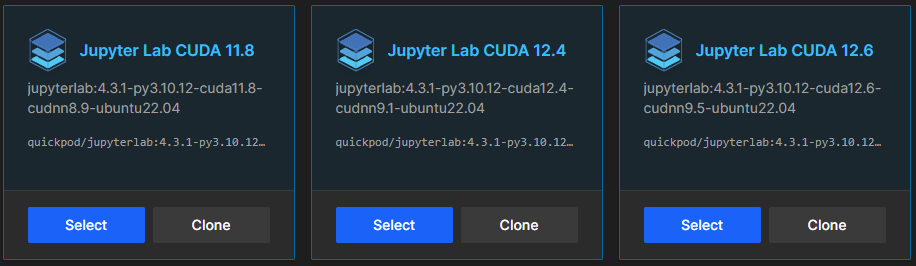
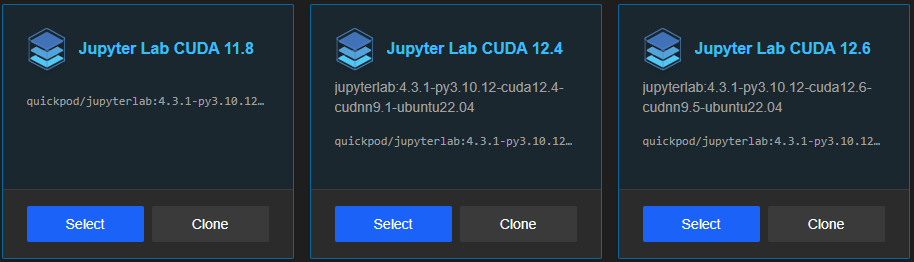
@donvito Thanks for trying out our service Melvin! We have released JupyterLab templates for CUDA 11.8,12.4,12.6! Tested with RunPod AI scripts from popular creators. If it works on RunPod, it works on QuickPod. Files stay safe, and you’re only charged for storage when pods are stopped.
QuickPod tweet media
English
0
0
1
93
Melvin Vivas
Melvin Vivas@donvito·
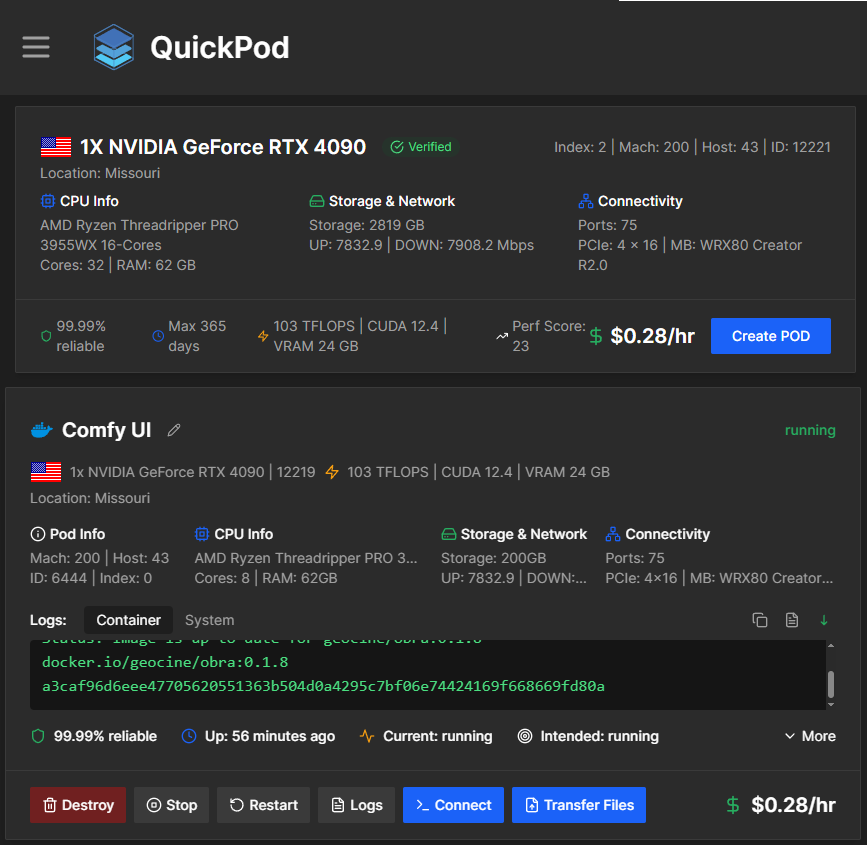
I've trained several Flux LoRA models using Quickpod's GPUs at $0.28/hr - the lowest rate I've found. With $1, I am able to train 3-4 LoRA models. They just require a minimum $1 top-up. If you decide to give it a try, you can use my referral link below. Disclaimer: I get a small credit. 🙂 console.quickpod.io/?affiliate=4a1…
Melvin Vivas tweet media
English
2
1
32
1.9K
QuickPod
QuickPod@quickpodio·
New JupyterLab templates for CUDA 11.8, 12.4, and 12.6 are here! Tested with RunPod AI scripts from popular creators. If it works on RunPod, it works on QuickPod. Files stay safe, and you’re only charged for storage when pods are stopped. console.quickpod.io
QuickPod tweet media
English
0
0
0
453