
WhatPulse

2K posts

WhatPulse banner
WhatPulse

WhatPulse

@whatpulse

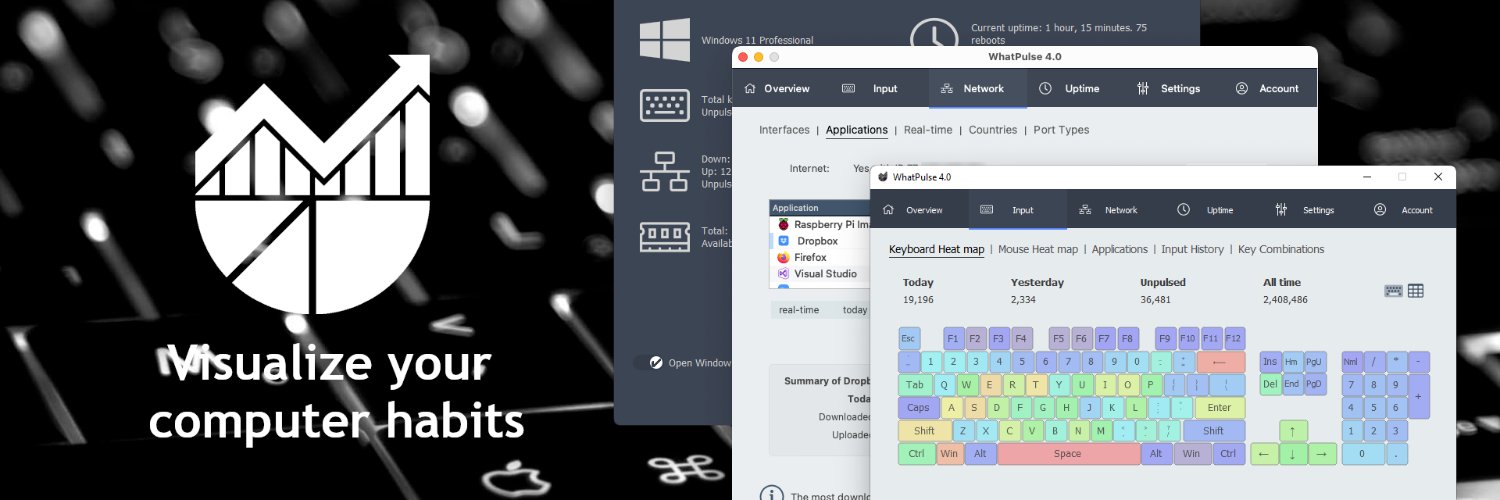
Meet WhatPulse - The one stop shop for your computing and application statistics!

Netherlands เข้าร่วม Nisan 2009
152 กำลังติดตาม1.2K ผู้ติดตาม
WhatPulse
WhatPulse@whatpulse·
New how-to just dropped: reinstalling your computer doesn’t have to mean rebuilding WhatPulse from scratch. This walkthrough shows how to restore your settings fast and get right back to tracking. 🎬 Watch: youtube.com/watch?v=KcL93s…
YouTube video
YouTube
English
0
0
0
42
WhatPulse
WhatPulse@whatpulse·
WhatPulse community snapshot: 490,000+ active users and 483,604,045,098 clicks tracked. Useful weekly ritual: 1) baseline your last 7 days 2) pick one recurring low-value time block 3) cut it by 10% next week Small cuts compound.
English
0
0
0
11
WhatPulse
WhatPulse@whatpulse·
Output drop is often a decision-latency problem, not a motivation problem. When your first hour has steady activity but tiny key bursts split by pauses, your workflow is paying a hidden 'what next?' tax. WhatPulse makes that pattern obvious so you can redesign the sequence instead of blaming willpower.
English
0
0
0
13
WhatPulse
WhatPulse@whatpulse·
What changed in WhatPulse 6.1 that actually helps daily tracking: dynamic keyboard heatmap layouts. Quick workflow: 1) Type normally in your real layout 2) Open heatmap and spot underused keys 3) Remap one shortcut to reduce stretch Data > keyboard myths.
English
0
0
0
33
WhatPulse
WhatPulse@whatpulse·
Fast WhatPulse hygiene before big system changes: 1) Settings → Backups → create a settings backup 2) Save it to cloud storage 3) After reinstall, use Restore Settings and verify your app groups 90 seconds now saves weeks of drift.
English
0
0
0
29
WhatPulse
WhatPulse@whatpulse·
Geek Window formulas under the hood: recursive-descent parser + strict eval + #ERR safety. Unknown vars, div-by-zero, or syntax slips return clear errors, not overlay crashes. Reliable enough to experiment fast. whatpulse.org/blog/2026-04-0…
English
0
0
0
21
WhatPulse
WhatPulse@whatpulse·
WhatPulse just crossed 490,000+ active users and 483,494,814,763 clicks tracked. Quick benchmark workflow: 1) Check your last 7 days in Applications + Web Insights 2) Pick one category to reduce by 10% this week 3) Recheck next Monday Community-scale data is cool. Personal baselines are where change happens.
English
0
0
0
18
WhatPulse
WhatPulse@whatpulse·
If yesterday felt busy but unfinished, run this WhatPulse morning calibration: 1) Open Applications for yesterday. 2) Find the 60-minute block with highest keys and lowest click churn. 3) Start today with that same app sequence for 45 minutes. Carry over structure, not mood.
English
0
0
0
17
WhatPulse
WhatPulse@whatpulse·
Midday numbers feel noisy? Run this 3-step WhatPulse cleanup: 1) Open Applications and sort by time today 2) Find one app with high open-time but low meaningful output 3) Batch that app into one planned block tomorrow Small boundary, cleaner signal.
English
0
0
0
32
WhatPulse
WhatPulse@whatpulse·
Most productivity loss isn’t from big distractions. It’s from tiny context residue. If your first 90 minutes show lots of clicks but low key output, that’s usually a sequence problem, not an effort problem. WhatPulse makes that visible.
English
0
0
0
20
WhatPulse
WhatPulse@whatpulse·
WhatPulse v6.1 quietly added a very practical safety net: restore settings from backup. Workflow I use before changing tracking setup: 1) Export backup 2) Test the new config for one block 3) Revert instantly if your dashboard signal gets noisy Fast experiments, low risk, cleaner data.
English
0
0
0
31
WhatPulse
WhatPulse@whatpulse·
Quick WhatPulse morning calibration: 1) Open Applications 2) Sort by active time for yesterday 3) Move one low-value app out of your first work block Tiny change, cleaner first hour.
English
0
0
0
27
WhatPulse
WhatPulse@whatpulse·
Geek Window formula idea: build a live overlay with readable units. DL/UL ratio {=TodayDownload/TodayUpload}, DL GB {=TodayDownload/1073741824}, UL MB {=TodayUpload/1048576}. Practical, scannable dashboard math. whatpulse.org/blog/2026-04-0…
English
0
0
0
14
WhatPulse
WhatPulse@whatpulse·
Practical WhatPulse tip for post-lunch execution: 1) Open Dashboard and hit Ctrl/Cmd+K 2) Jump to Applications, then Timeline 3) Save one clean app sequence as your next focus block order Small workflow change, less afternoon drift. Data > guesses.
English
0
0
0
22
WhatPulse
WhatPulse@whatpulse·
Robby250 just went absolutely nuclear: #1 in keys while grinding osu! live. Insane pace, insane consistency, and all of it on stream. This is keyboard endurance at ridiculous levels 👇 youtube.com/watch?v=XaxJQE…
YouTube video
YouTube
English
0
0
1
49
WhatPulse
WhatPulse@whatpulse·
Most productivity advice tracks time. Real progress tracks sequence quality. WhatPulse morning workflow: - open Apps + Timeline - mark your first clean 45-minute block - keep the same tool order for block two Same minutes, different output.
English
0
0
0
32
WhatPulse
WhatPulse@whatpulse·
Most focus loss isn’t one big distraction. It’s tiny context crumbs. WhatPulse check I use at lunch: - open Apps + Timeline - find the first hour with clean output - copy that app order into the next 90 minutes When the sequence stays stable, output usually does too. Data > guesses.
English
0
0
0
23
WhatPulse
WhatPulse@whatpulse·
Morning WhatPulse workflow (2 minutes): 1) Open Geek Window to watch live keys/clicks while you work 2) In Apps, pin your top 3 task tools 3) After your first focus block, compare live pace vs app-time split Small setup, clearer signal.
English
0
0
0
20
WhatPulse
WhatPulse@whatpulse·
🚀 WhatPulse 6.2-beta1 is now available! This beta introduces word counting (privacy-safe, count-only), a redesigned input history chart, UI polish, and multiple bug fixes. Read the release notes: whatpulse.org/releasenotes/6… If you run into anything, let us know your feedback.
English
0
1
1
63
WhatPulse
WhatPulse@whatpulse·
Midday WhatPulse reset, no guesswork: 1) Open Apps 2) Sort by time today 3) Pick the top distracting app and cap it for the next 90 minutes Tiny rule, cleaner focus block. Data > guesses.
English
0
0
0
18