
WPBeginner

61.6K posts

WPBeginner banner
WPBeginner

WPBeginner

@wpbeginner

WPBeginner is the largest unofficial #WordPress resource offering WordPress tips, tricks, and tutorials. Run by @syedbalkhi part of @awesomemotive family.

West Palm Beach, Florida เข้าร่วม Mayıs 2009
77 กำลังติดตาม198.2K ผู้ติดตาม
ทวีตที่ปักหมุด
WPBeginner
WPBeginner@wpbeginner·
Take a look at the top WordPress plugins that we use everyday. These must-have WordPress plugins can help your site grow faster! wpbeginner.com/showcase/24-mu… Here’s what we recommend: · WPForms (@easywpforms): The best WordPress contact form plugin · AIOSEO (@aioseopack): The OG and most popular WordPress SEO plugin · Duplicator (@duplicatorwp): Most reliable WordPress backup and site migration plugin · @SeedProd: One-stop and powerful WordPress site builder · @MonsterInsights: The top WordPress Google Analytics plugin Click on the link above for a full list of our recommended WordPress plugins!
WPBeginner tweet media
English
7
16
41
13.5K
WPBeginner
WPBeginner@wpbeginner·
@MNovofastovsky Sure. We appreciate you coming in and sharing your thoughts. Keep doing it! :D
English
0
0
0
3
Quttera - eCommerce Security
Quttera - eCommerce Security@MNovofastovsky·
@wpbeginner Thanks for the summary! Fast consecutive releases can look alarming at first, but this shows how seriously WordPress takes site security.
English
1
0
0
6
WPBeginner
WPBeginner@wpbeginner·
WordPress made history by releasing three updates in just 30 hours! Curious about why? Let's break it down for you: 1️⃣ WordPress 6.9.2: Launched to tackle 10 security concerns, ensuring your site stays secure. 2️⃣ WordPress 6.9.3: Hot on its heels, this update addressed the white screen of death some websites encountered, rolled out just 5 hours later. 3️⃣ WordPress 6.9.4: Final fix to comprehensively resolve all lingering security issues from 6.9.2, released the following evening. If you noticed multiple update emails, this is why! 😅 But don't worry, no immediate action is needed from you. Stay in the loop! WordPress 7.0 is on the horizon, and we're ready to bring you all the insights and highlights. Subscribe us at @WPBeginner for more updates! 📈✨
English
1
0
2
266
WPBeginner
WPBeginner@wpbeginner·
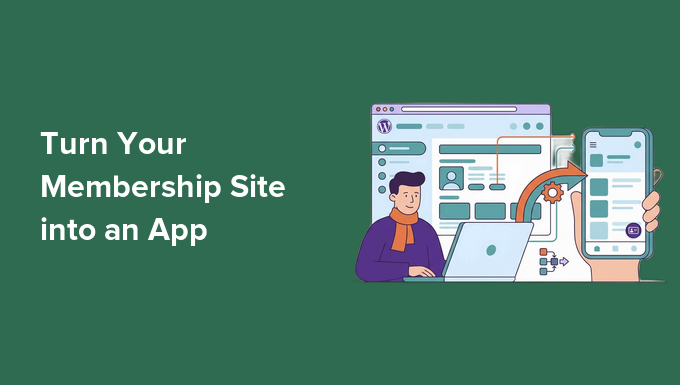
Did you know that "friction" is one of the leading causes of membership site churn? 📉 If your members have to open a mobile browser, type in your URL, and repeatedly log in just to access your content, they are going to visit less often. A native mobile app solves this completely but custom development can easily cost upwards of $10,000. The smarter solution? You can turn your existing WordPress membership site into a fully branded app in under 3 hours using MemberPress AppKit! Here is why this is a game-changer for your community: · Zero-Code Setup: Transform your site into an iOS and Android app without writing a single line of code. · Always Logged In: Keep your members permanently logged in directly on their home screens to remove all friction. · Free Push Notifications: Use Google Firebase to send real-time alerts to your members (for free!) whenever you drop new content. · Automatic Syncing: Any new courses, videos, or posts added to your WordPress site automatically sync directly to the app. Stop losing members to a clunky mobile browser experience. Read our full guide on how to launch your app today 👇
WPBeginner tweet media
English
1
0
3
185
WPBeginner
WPBeginner@wpbeginner·
Stop upgrading your WordPress hosting plan just because you ran out of storage. You don't need a bigger server. You just need to stop digital hoarding. Here is the hard truth: WordPress is secretly duplicating every image you upload. You upload one 2MB photo. The system instantly creates five to ten hidden size variations to fit different theme grids and mobile screens. That single upload is now taking up 4.5MB of server space (approx.). Most of these extra files are never actually used on your live site. They just sit there. • Eating your storage limits. • Slowing down your site backups. • Forcing you to buy more expensive hosting tiers. You are literally paying to host digital trash. The fix is easy. 1. Install the WP Media Cleanup plugin — duplicator.com/wp-media-clean… 2. Run a scan for unused image variations. 3. Bulk-delete the sizes your theme doesn't use. It is completely safe for your website. The tool only targets the hidden thumbnails nobody is looking at. Your original source files, customizer settings, and site logo are fully protected. It even keeps an automatic 30-day backup of your deleted files just in case. The result? Instantly smaller backups and zero need to upgrade your hosting tier. Keep your website lean, and keep your hosting bill low.
WPBeginner tweet media
English
1
2
6
421
WPBeginner
WPBeginner@wpbeginner·
Day 24/100: Fixing Your Website. 🛠️ Is your WordPress menu cluttered with plugins? Overloading your site with too many WordPress plugins can slow it down, cause conflicts, and open security risks. But don’t worry, there’s a solution! The Better Approach: Use WPCode.com to consolidate and manage functionality with fewer plugins. Streamline with WPCode.com: · Consolidate Features: Replace multiple plugins with one, handling small functionalities through easy-to-use snippets. · Rich Snippet Library: Access over 100 pre-built snippets for tasks like SVG uploads, disabling comments, and more, all without extra plugins. · AI-Powered Customization: Customize your needs with AI if you can't find a snippet in the library. · Boost Speed & Security: Reduce plugins & enhance your site’s performance and safety. Make your site faster, safer, and easier to manage. Explore WPCode.com today, your all-in-one plugin solution. Follow @wpbeginner for more tips in our 100-day series!
English
1
1
3
838
WPBeginner
WPBeginner@wpbeginner·
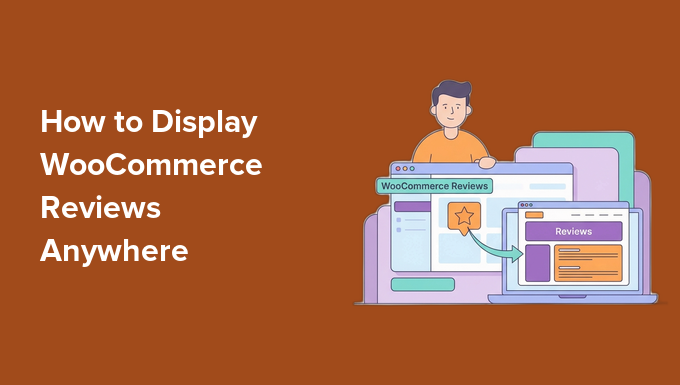
Did you know that over 90% of consumers read reviews before making a purchase? Yet, most WooCommerce stores hide their best social proof at the very bottom of individual product pages. 📉 If a visitor lands on your homepage and leaves, they never see your glowing testimonials! Bring your social proof to the forefront to instantly build trust and boost your store's conversions. Let us help you with exactly how to display your WooCommerce product reviews anywhere on your site using SmashBalloon.com Here is what you will learn: ✅ Automated Syncing: Pull reviews from your WooCommerce store automatically without touching a single line of code. ✅ Smart Filtering: Showcase reviews by specific best-selling products, entire categories, or custom tags. ✅ Flexible Design: Customize layouts (like carousels, grids, or masonry) so they perfectly match your brand's aesthetic. ✅ Ultimate Social Proof: Combine your WooCommerce product reviews with Google, Yelp, and Facebook testimonials all in one feed. Stop letting your best reviews go unnoticed. Learn how to set this up step-by-step 👇
WPBeginner tweet media
English
1
0
3
300
WPBeginner
WPBeginner@wpbeginner·
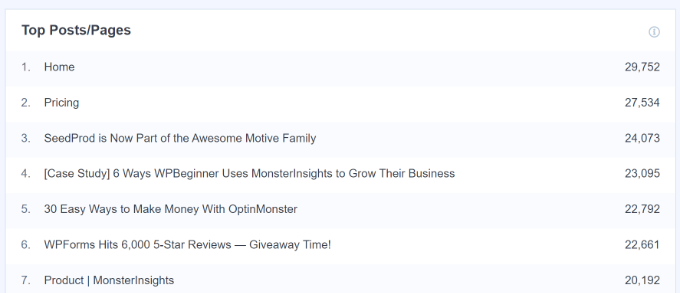
Next thing you need to do is to identify your top-performing posts in terms of traffic and engagement. These articles have already proven they resonate with readers, which makes them strong candidates for your book.
WPBeginner tweet media
English
0
0
1
211
WPBeginner
WPBeginner@wpbeginner·
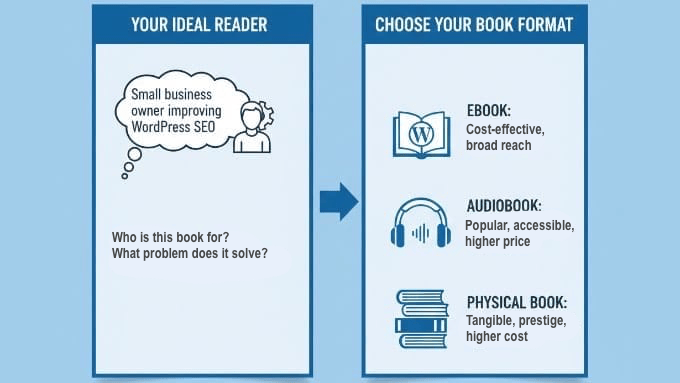
The first step is to determine your audience. You’ll need to identify your ideal reader and the specific problem your book will solve. Think about how the book will appeal to both your existing audience and potential new customers interested in your niche.
WPBeginner tweet media
English
1
0
2
391
WPBeginner
WPBeginner@wpbeginner·
Sitting on dozens (or even hundreds) of evergreen blog posts? You might be missing out on a massive opportunity to build your authority and create a brand-new revenue stream. 📚 The challenge most creators face is figuring out how to write a book without starting from scratch. The solution? Transform the content you’ve already created into a publish-ready eBook, audiobook, or physical book! Our latest guide walks you through the exact process of packaging your WordPress blog posts into a cohesive, professional book. Here are a few key steps to get you started: · Find Your Big Idea: Audit your analytics to identify top-performing posts and group them into a central theme. · Bridge the Gaps: Combine your posts and use AI or manual editing to write smooth transitions so it reads like a true book, not a blog feed. · Automate the Compilation: Save time by using WordPress plugins like Beacon to automatically compile and format your pages. · Sell Direct: Keep more of your profits by selling your new book directly on your WordPress site using Easy Digital Downloads or WooCommerce. Ready to finally become an author and monetize your expertise? Check out the complete, step-by-step guide here 👇
WPBeginner tweet media
English
2
2
3
688
WPBeginner
WPBeginner@wpbeginner·
You can automate backups on your WordPress sites using Duplicator.com @DuplicatorWP is the best WordPress backup plugins. You can recover your site in 1-click!
English
1
0
4
306
WPBeginner
WPBeginner@wpbeginner·
Did your site get effected with the latest WordPress updates?
English
2
0
3
793
WPBeginner
WPBeginner@wpbeginner·
@wpcharitable Our favorite donation plugin just got even better for nonprofits.
English
0
0
1
57
Charitable
Charitable@wpcharitable·
FEATURE ALERT! Keep your donors engaged with the upcoming Campaign Updates add-on for Charitable Pro! 🚀 Check out the video and learn more at WPCharitable.com! 💻 💖 Compassion Through Action 💖 #WordPress
English
2
0
7
516
WPBeginner
WPBeginner@wpbeginner·
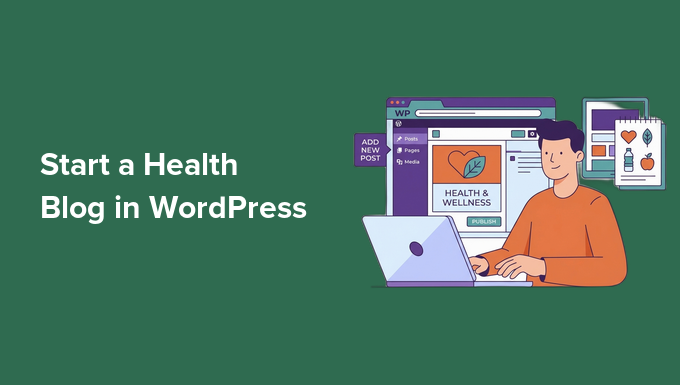
Think you need a medical degree to start a successful health and wellness blog? 🩺 The truth is, millions of people are searching for simple, relatable advice and shared experiences online, not confusing medical jargon! If you have a passion for wellness and love sharing what you learn, you already have what it takes to build a loyal audience. Lets walks you through exactly how to launch a professional health blog on WordPress from scratch, even if you have zero technical experience. Here is what you will learn how to do: · Pick a Profitable Niche: Focus your content on specific areas like nutrition, mental health, or women's wellness to attract the right audience. · Set Up Your Site: Get your domain name and web hosting sorted quickly (no coding required!). · Protect Yourself Legally: Learn which medical disclaimers and privacy pages are absolute must-haves for health creators. · Install Essential Tools: Add the right plugins for SEO, site speed, and email list building to grow your traffic fast. Ready to share your health journey, build a community, and open new revenue streams? Read the complete step-by-step tutorial here 👇
WPBeginner tweet media
English
1
0
2
305
WPBeginner
WPBeginner@wpbeginner·
Want a free tool that reveals your website's keyword rankings, identifies security issues, and checks indexation problems? Look no further than Google Search Console! Here's how you can easily connect your website and access these insights: 📈 Steps to Get Started: 1. Google Search Console: · Simply search for it online and log in with your Google account. 2. Connect via AIOSEO.com Plugin: · Install the All in One SEO (@aioseopack) plugin from the WordPress repository. · Navigate to Search Appearance > Webmaster Tools. · Click to connect Google Search Console and let it fetch your website data directly. 3. Manual Connection Method: · Add your website URL in the URL prefix section on Google Search Console. · Choose HTML tag verification, copy the tag, and paste it into the All in One SEO (@aioseopack) miscellaneous settings. Save, and you’re verified! If you’re not using Google Search Console yet, this is your sign to start and maximize your website's potential! 📊
English
0
0
5
356