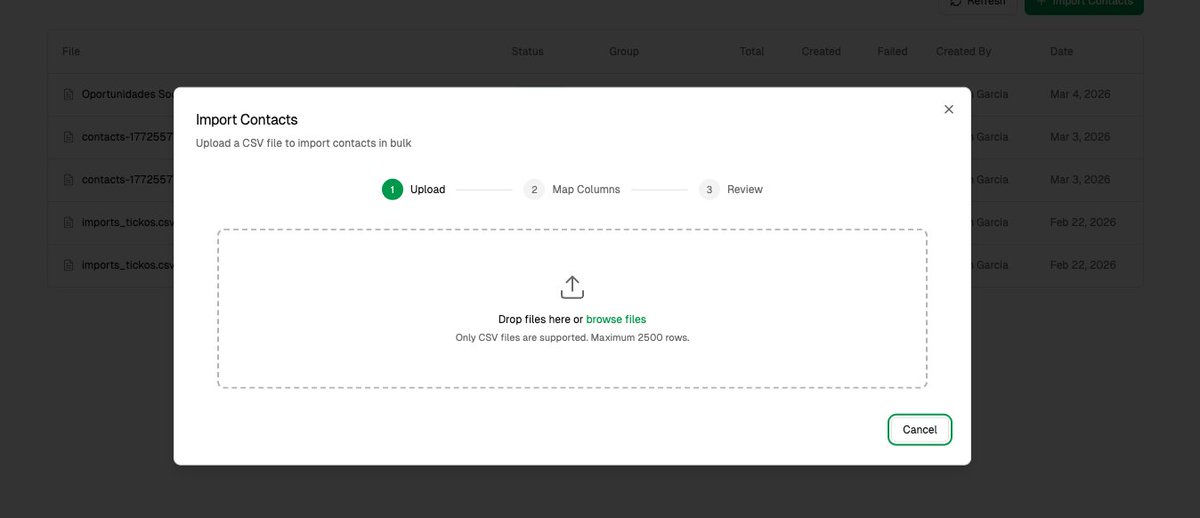
No free CSV import tool handles relationships.
Your CSV says "Acme Corp". Tapix checks if the company exists. Links it. Or creates it.
One line:
->relationship( model: Company::class, matchBy: ['name'], behavior: MatchOrCreate )
BelongsTo, MorphToMany, create-or-link. All handled.
I’ve sent them NUMEROUS feature requests and asked for updates through multiple channels and just nothing.
They’ve got plenty of time to shitpost on the internet though @SleeperHQ
@PMThebuilder With CSV import it is not just the code. Biggest challenge is helping users running those imports.
Real new flow:
- dm @viacsv
- get a free ai-assisted csv importer built for you app asap
A PM needed to add bulk CSV import for customer segments.
Old workflow: write spec (1 week), engineering builds (2 sprints), discover edge cases in QA, push to sprint 3.
New workflow:
1. Wrote 4 sentences describing the user problem
2. Claude Code scaffolded the upload UI + parsing logic in 45 min
3. Tested with real customer CSVs
Found 4 issues in 45 minutes that would've been sprint 2 discoveries:
→ UTF-8 encoding broke on Excel exports
→ Duplicate emails silently overwrote segments
The prototype didn't ship. But the spec that came after it was bulletproof.
Build first. Spec second. Ship third.
We are integrating CSV import experience into @importto , and adding 1-click migration to @ViaCsv. Very soon importing data from files or other software will be the same button.
A lot of CSV problems are not “data” problems.
They’re import problems:
- wrong encoding
- broken delimiters
- messy rows
Once you detect the actual cause, cleanup gets much easier.
What breaks CSV imports most often in your workflow?
@lightfld@ProductHunt 2,400 companies is real traction. But CRM migration is brutal — everyone hates their CRM yet nobody switches because data transfer pain > daily annoyance. CSV import is table stakes. The real unlock is making the switch feel invisible.
Lightfield is live on @ProductHunt.
Over 2,400 companies signed up since we launched last November. Now that you can import your existing CRM data, we're ready to open the doors wider.
Connect your inbox, upload a CSV with records from your old CRM, and get a fully functional AI-native CRM in minutes.
Ask it anything in plain English and get answers from your actual conversations.
Then put it to work - draft follow-ups, create board decks, build proposals, and more with a single prompt.
Sign up today with the code from our launch and get 3 months free.
producthunt.com/products/light…
After releasing Shiori a few weeks ago, some power-bookmarkers imported thousands of links and I racked up a pretty decent X API + Claude bill. I probably over-reacted and raised prices too fast + nerfed the free plan too aggressively.
As a result, the free plan ended up feeling ~useless, even for casual bookmarkers.
So I pushed some changes this morning that make the free plan actually usable + added an approachable middle paid tier.
New free tier:
• save unlimited links
• subscribe to unlimited feeds
• rich content extraction on all links
• natural-language search
• access to all apps, API, CLI, and MCP
Better!
There are also some fun new features I added last weekend and this morning:
🤖 Shiori MCP server
Connect to any agent, like Claude, to integrate your bookmarks into your AI workflows (nice for research!)
💻 Shiori CLI
Same thing: all your bookmarks are now hyper-legible to LLMs so you can build tools or workflows on top of your library.
📨 Email inbox (pro)
Get a private Shiori email address to automatically save your favorite email newsletters.
📰 Subscribe to feeds and channels
Automatically bookmark new content from your favorite sites and YouTube channels. These links are also enriched and transcribed on the Plus and Pro plans.
🔒 Sign in with email/password
Many people told me they don't like Google auth, so I've added email/password as a second sign in method
🪟 Windows desktop PWA
For Windows users, you can grab the Shiori PWA by installing the website via Chrome. Not quite a proper Windows app, but I'll get there...
Check out the updates and send me feedback!
shiori.sh
@miriamkdaniel Welcome, nice to meet you! I love Google Maps. :)
One of the amazing features I use regularly is to import a CSV if properties for sale - those having an open house on a particular day and then using that custom map to navigate to properties! Couldn’t do it without maps.
Hi, X! I’m Miriam, VP and GM of Google Maps and I just wanted to introduce myself. Excited to be here and share more information and insights about the latest updates to Maps, new ways to use our features, and more!
Meine ersten Freunde testen sie gerade live mit ihren Date und geben Feedbacks.
Gibt noch einiges zu tun, aktuell struggle ich mit den csv Import damit die User nicht alles manuell eingeben müssen und aktuell können nur wenige User pro Stunde sich anmelden, das muss auch behoben werden :D
Welche App nutzt ihr um eure Ausgaben zu tracken?
Ich habe einen zeitlang mal MoneyPro genutzt, das aber irgendwie wieder schleifen lassen
Denke zur Selbstkontrolle und Reflexion ist sowas schon sinnvoll
@creem_io@sudoferraz How does it make any sense that products created on TEST MODE can't be moved to Live Mode? i have to manually recreate all my products again? terrible user experience.
@brian_lovin I like it so far, my wishlist:
- Automatic categories
- Grid view with image previews
- Import CSV, Excel, etc
- Combine double entries automatically
I made a bunch of improvements last weekend to shiori.sh—
X bookmarks sync: added support for backfill-importing as many bookmarks as you want with a usage-based credit system. Improved the stability of the sync and folder-based filtering, added support for edge cases like reposts and image-only posts (and yes, these also get analyzed by AI for summarization so you can find posts with photos later on).
Notion sync: now syncs more data to Notion, like a link's archive status, deletions, and title/summary edits. Added a system to automatically set up the ideal database schema and keep your properties in sync with Shiori as new features come out.
PDF and audio upload: you can upload PDFs or audio files (like podcasts) to get full content extraction and summarization. Combined with the in-app AI chat feature, you can now chat with a PDF/podcast in Shiori.
Shiori AI: added chat threads, deeper embeddings to improve search quality, web search with quick-save so you can find related links on the web and add them to your reading list in one click. Shiori AI will also proactively suggest follow-up questions if you're chatting about a link you saved.
Data export: export everything, including any files you've uploaded. If Shiori isn't right for you, it's easy to keep your data and move elsewhere.
Import Safari Reading List: for the Safari users out there! If you're looking for a more powerful read-it-later solution, Shiori can import your entire Safari Reading List (including the history of everything you've already read).
Quality of life: added a trash can with rolling auto-delete, improved link preview cards with rich media (including YouTube thumbnails and X photos), juiced up the content extraction pipeline for all kinds of links to make summaries and AI search more powerful, made signing in to the extension and desktop app instant (no more 3x Google auth), ability to edit titles + summaries, bug fixes, performance improvements across the board, and so much more...
So far people have saved over 30,000 links to Shiori, with the most popular domains being X and YouTube.
We’ve added a tournament feature and a roster feature! Now you can manage your entire event using just this tool!
With the roster feature, you can import a CSV from external tools and instantly reflect matchups for both singles and team battles in the overlay!
Most people overthink CSV imports.
It’s just:
– upload
– validate
– map
– store
The chaos comes from skipping setup.
Fresh Laravel project.
Breeze.
Then we build.