

Julius Koivistoinen
1K posts
Julius Koivistoinen
@midigrade
Cinematographer, Steadicam operator, and developer of #MIDIGrade.
Sydney, New South Wales شامل ہوئے Kasım 2010
74 فالونگ159 فالوورز
@PeterMSanders @KristyReading your ABC article about lack of available film crew in Aus is extremely ill timed. The past year and a half have been the worst period this entire industry has experienced in _decades_. Look it up. I'm one of the affected. abc.net.au/news/2024-05-0…
English

Controlling MIDIGrade with virtually any MIDI device will soon become a thing. Working on some really exciting stuff that I have finally been able to wrap my head around - - after literally years. #MIDIGrade
English
@_FightTheEmpire @Blackmagic_News @Akai_Pro @SoftubeStudios As of now the only MIDI controllers compatible with MIDIGrade are Midi Fighter Twister and X-Touch Mini.
My goal is to develop a feature that lets users to add their own controllers. No ETA yet.
English
Just released #MIDIGrade 4.3.0 with a new feature: Adjust Coordinates. This one has been on my to-do list since 2020!

English
@editblog @funwithstuff Yeah I have, but not recently. It could actually work with Loupedeck CT quite well. I know it struggles with the Color page in Resolve so a collab could be nice. I helped them beta test the original Loupedeck; that’s already a potential point contact there.
English
@midigrade @funwithstuff Have you ever thought about making it work with a Loupedeck product? Specially something like the Loupedeck + which was designed for Lightroom and already has a lot of color specific knobs build into it?
English

Looks great! If anyone wants something similar for Final Cut Pro, you want CommandPost.io (My fave cheap MIDI device for FCP grading is the KORG nanoKONTROL 2.)
Julius Koivistoinen@midigrade
Works wonders. Gamepad control will be released in the next #MIDIGrade update. #DaVinciResolve
English
@funwithstuff @editblog I’ve made User Manual available on the website; there’s a lot of additional info in it. Please have a look if you’re interested!
English
@editblog @midigrade This is the first I've heard of it, but I'm sure @midigrade can answer your questions!
English
@funwithstuff @editblog I’m working on a feature which lets users to program their own controllers to work with MIDIGrade. No ETA though because it’s a lot of work and lots on to-do list. Higher on priority is to let people add their own custom coordinates into MIDIGrade so it can be used elsewhere too.
English
@funwithstuff @editblog Works with Midi Fighter Twister which is expensive but awesome build quality, X-Touch Mini which is affordable and has playback slider, Xbox/PlayStation gamepads using a 3rd party app, and can even be used with keyboard only (or keyboard + mouse combo if you’re on Windows).
English
I’ve just released #MIDIGrade Demo. Free to download; has limited features, but all you need for testing system compatibility.
English
@red_apple_edits @ormcolorgrading @miditrol Gamepad MIDI is to my understanding an Ableton only plugin. I’ve been successful in my tests with MIDITROL so will stick with it.
English

@midigrade @ormcolorgrading @miditrol Ah I'm still on Big Sur. I guess I won't upgrade yet lol there's another one called game pad that might work.
English
Works wonders. Gamepad control will be released in the next #MIDIGrade update. #DaVinciResolve
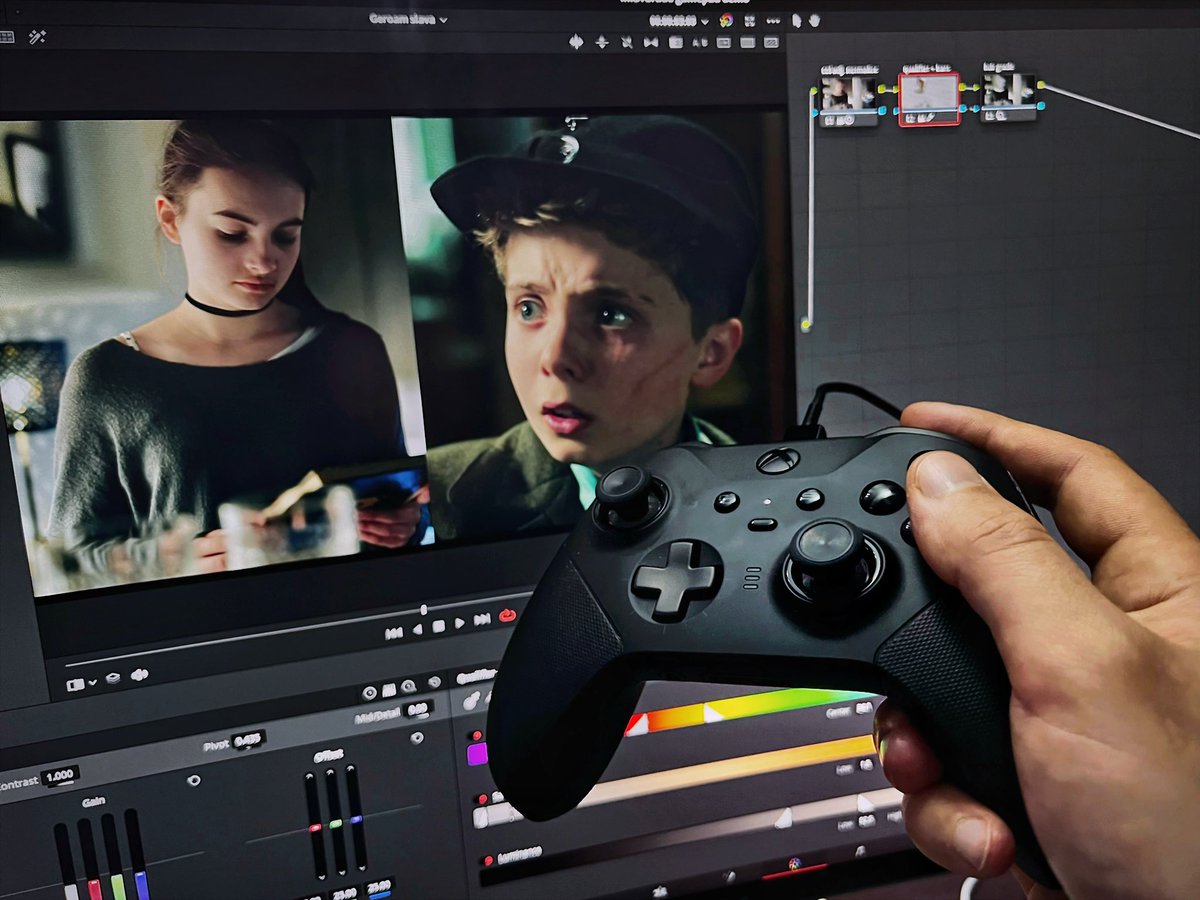
English
@red_apple_edits @ormcolorgrading @miditrol Controlly doesn’t seem to support newest macOS. That’s a bummer!
English
@ormcolorgrading @midigrade @miditrol There's a few apps out there but I used "controlly" to map out the Nintendo switch. It doesn't have multiple profiles though. I have the speed editor for Resolve so I mainly use the switch on the color page so I don't have to keep remapping it.
English

@midigrade @miditrol Of course, I’ll like to know your ideas for improvement. Currently there’s no way to share presets, that could be a nice feature. I’ll look at some options to achieve that.
English
@luiscript are there any plans to make @miditrol available on macOS?
English
@luiscript @miditrol I spent yesterday programming and everything's working great! From that I got a couple of ideas for improvements if you're interested...
Also, is there a way to export/import presets? I'd like to create a preset which others could then simply import in their apps.
English
@midigrade @miditrol Thanks Julius, I appreciate that. I’m glad that it worked.
English
@luiscript @miditrol Works like a charm!
If all goes right I'll be sending people towards your app to use #MIDIGrade with a gamepad.
English
@juliousfi @miditrol If you connect your iOS device with USB you can activate the MIDI-mode on Applications-Utilities-Audio & MIDI Settings. Open the Audio window you should see your device, activate it. Now MacOS should get MIDI messages from the device. It also works with wifi network.
English
@luiscript @miditrol That's nice to hear! I read somewhere on the forums that it's possible to import those MIDI messages from an iOS device to macOS as well. Do you have any tips on how to do this?
English
@juliousfi @miditrol Yes, is on the roadmap. AFAIK you can install the iOS version on the Mac but I would like to make a custom GUI for the desktop.
English