Procreate

60.2K posts

Procreate banner
Procreate

Procreate

@Procreate

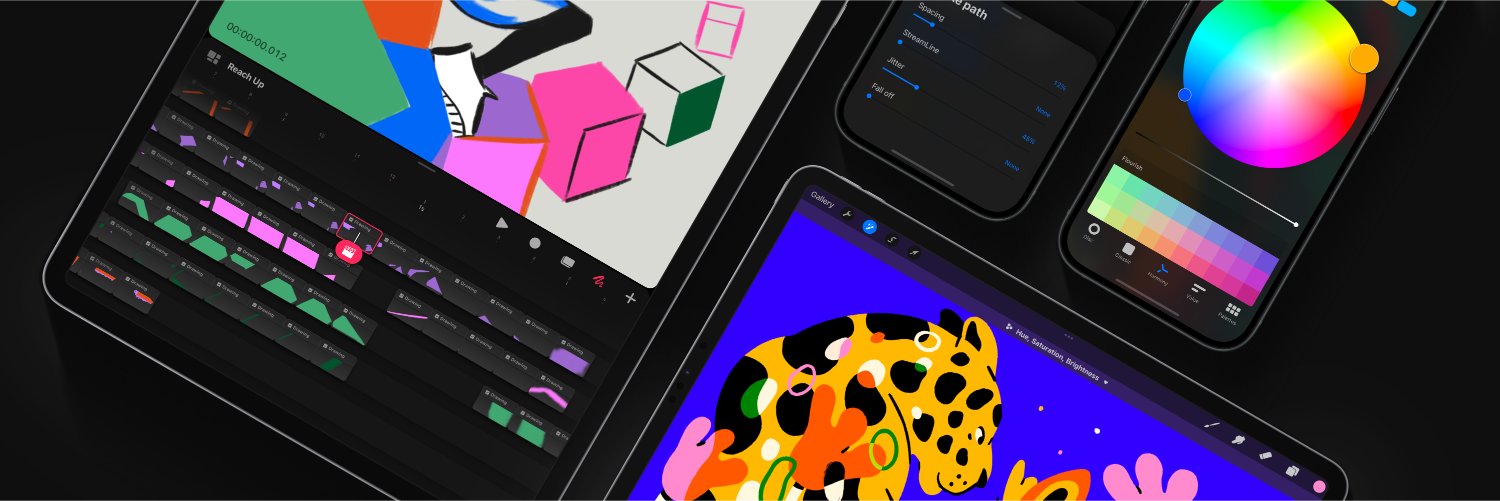
Unleash your creative potential with our powerful illustration and animation apps, Procreate and Procreate Dreams.

Australia شامل ہوئے Nisan 2013
720 فالونگ314.9K فالوورز
پن کیا گیا ٹویٹ
Procreate
Procreate@Procreate·
Find out about everything arriving in the free Procreate Dreams 2 update, available now. Head to our YouTube channel for the full video. #ProcreateDreams #Procreate
English
26
179
1.4K
591.4K
Procreate
Procreate@Procreate·
Hi there — If you have Not uninstalled your Procreate app recently, it should definitely keep an internal backup of all the brushes you had made or installed in the app before the update to Procreate 5.4; you can go to Actions (wrench 🔧) > Help > Repeat brush upgrade - this should restore all previous brushes. In case this is not working for you, please message us directly via the Support Form at procre.at/support to assist you further 🙏 - Regarding the brushes disappearing, it could happen because the iPadOS is deleting the copy of your brushes in Files app, whether you chose the local storage or iCloud. It is also possible that Procreate could not correctly save the copy of your brushes locally in Files app, in case it detected that the iPad's local storage was too full. If your device is low on space, the iPadOS may offload apps and files. To help you avoid different performance issues, regardless of whether you are saving your brushes in iCloud or the local storage, it is always recommended to have at least 15 to 20 gigabytes of storage space available in your iPad so apps can run smoothly and save files.
English
0
0
9
2.5K
tarzella is 👌🏽OK at drawing
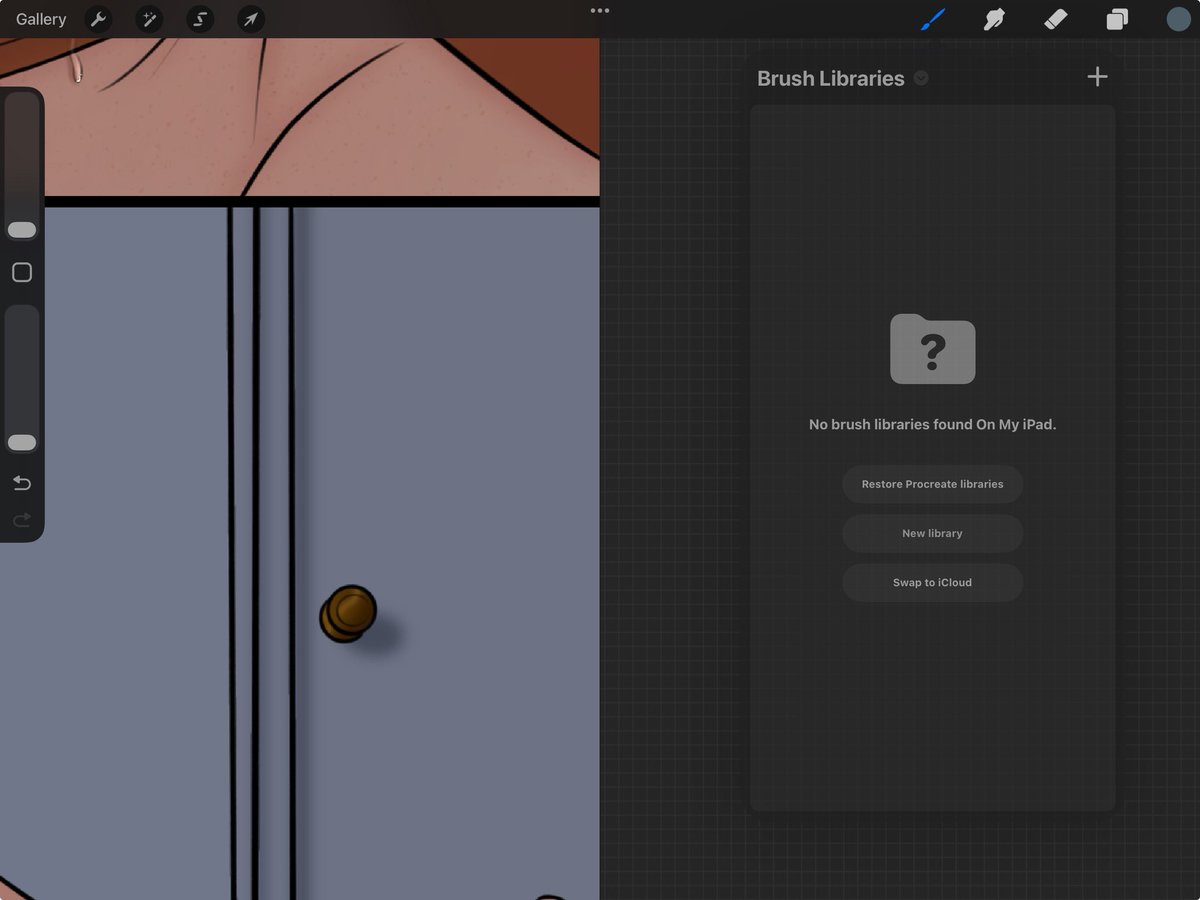
I’m too scared to click restore bc what if it deletes all my custom and purchased brushes??????? 🧍🏽‍♀️PROCREATE I HAVE PEOPLE TO FEED
tarzella is 👌🏽OK at drawing tweet media
English
2
0
3
3.9K
Procreate
Procreate@Procreate·
Hi there! Our Product Quality Specialists are aware of a brush-duplicating behaviour, and they are fully investigating it, to fix it in a future update. On our tests, this seemed to occur after moving brushes from iCloud back to the local storage, and making changes in Brush Studio, which created a duplicate named 'original' - you can manually delete the duplicated brushes for now 🙏. - For any different issues or queries, you can message us anytime via the Support Form at procre.at/support - we are always happy to help however possible!
English
1
1
20
4.6K
Procreate
Procreate@Procreate·
Hi there! Our Product Quality Specialists are aware of a brush-duplicating behaviour, and they are fully investigating it, to fix it in a future update. On our tests, this seemed to occur after moving brushes from iCloud back to the local storage, and making changes in Brush Studio, which created a duplicate named 'original' - you can manually delete the duplicated brushes for now 🙏. - For any different issues or queries, you can message us anytime via the Support Form at procre.at/support - we are always happy to help however possible!
English
0
0
0
132
30 YEARS trans infernapes
My procreate brushes keep duplicating themselves and I think it’s bloating the app even more. They’re literally procreating
English
1
0
9
7.7K
Procreate
Procreate@Procreate·
@arzoozoozoo @kivicube Thanks for sharing this idea on AR with us 🤗 We have recorded it as requested, and we will include future votes for it as well.
English
0
0
1
674
designerd
designerd@arzoozoozoo·
Hi @Procreate - can y'all create an accessible AR app too? like @kivicube but without the subscription model.
English
1
0
0
675
Procreate
Procreate@Procreate·
If you saved your brushes on iCloud, it could be expected that these stop being synced and appear temporarily gone while you sign out from the Apple Account linked to your iCloud Drive files. If the brushes are not showing after you signed back into the same Apple Account, you can try the following: * From a Procreate canvas, go to Actions (wrench 🔧) > Prefs > turn off the option 'Store brushes in iCloud'. * If the brushes are still missing after this step, go back to Actions 🔧 > Help > Repeat brush upgrade - this will restore *all* the custom and default brushes you had in the app before updating the app to version 5.4. We never recommend uninstalling Procreate, as it would delete all your canvases unless you have previously shared a copy of them, and we will be able to help you resolve issues in the app without deleting it as well 🙏. For future queries, you can laso message us anytime via the Suport Form at procre.at/support - we are always happy to assist!
English
0
0
1
1.3K
ミン. | Min
ミン. | Min@stilldreams·
Sigh... I had to sign out my apple id to check something, signed it in again... then all of a sudden my @Procreate brushes are all gone, including the default ones for some reason. Already did some troubleshooting to no avail... My artworks are still there, the brushes are just
English
2
0
2
1.3K
Jonathan Zawada
Jonathan Zawada@JonathanZawada·
So excited to have my work shown on the @SydOperaHouse as a part of Apple’s 50th birthday celebrations! All of my animation was made frame by frame in @Procreate - the 1st piece of software since blender I’ve fallen for. Thanks @tim_cook for sharing!
Tim Cook@tim_cook

Now this is breathtaking! Amazing to see the sails of @SydOperaHouse lit up with Australian artists’ designs made with @Procreate on iPad. We’re proud to support the next generation of Aussie talent and continue to champion creativity. #Apple50

English
6
0
16
1.5K
Procreate ری ٹویٹ کیا
Tim Cook
Tim Cook@tim_cook·
Now this is breathtaking! Amazing to see the sails of @SydOperaHouse lit up with Australian artists’ designs made with @Procreate on iPad. We’re proud to support the next generation of Aussie talent and continue to champion creativity. #Apple50
English
332
669
7K
389.4K
Procreate
Procreate@Procreate·
@ZardaHexx @kyletwebster That is a shame to hear! Can you please DM us a screenshot of what you see in your Procreate app? Please also go to your Files app > iCloud Drive > tap and hold your Procreate Brushes folder > select Get info > and screenshot what you see here. We'll help however we can. 🙏
English
1
0
0
68
zarda🔺
zarda🔺@ZardaHexx·
@Procreate @kyletwebster Hii. I did both the steps and still a lot of my brushes seem to be still not there every time i open procreate.. what could be the problem?
English
1
0
0
25
Procreate
Procreate@Procreate·
@Challenger19078 We can note this down as a suggestion! Thank you for sharing your idea. 🤗
English
1
0
0
22
frisk(dm’s closed rn)
frisk(dm’s closed rn)@Challenger19078·
Yes, but stamp brushes are static and can be really specific. Sometimes. I just think it would be good if we had a way to just make our own poses so that if we need random poses like someone tumbling forward towards the camera then that would be awesome. It is just a suggestion though and they do know that coding is really really hard but I hope that you hear me out on this.
English
1
0
0
20
Procreate
Procreate@Procreate·
Find out about everything arriving in the free Procreate Dreams 2 update, available now. Head to our YouTube channel for the full video. #ProcreateDreams #Procreate
English
26
179
1.4K
591.4K
Procreate
Procreate@Procreate·
@scott_malin2 Hey, thanks for your feedback! We've noted this down 🤗
English
0
0
21
1.9K
EVIL Scott Malin
EVIL Scott Malin@scott_malin2·
If @Procreate added a “reference ALL layers” option I don’t think I’d ever use another program🤧
English
3
2
57
4.3K
Jacopo Lanza
Jacopo Lanza@idrawanimation·
@Procreate I can confidently say that Procreate and an iPad have significantly changed my life. 👏
English
1
0
1
126
designerd
designerd@arzoozoozoo·
@Procreate wowwwwww!! thank you for never adding ai to procreate <3
English
1
0
1
107