置顶推文

Build a Hormozi-like YOUTUBE CULT with less than 5 hrs/week and Unlock INSANE LEVERAGE
• YT strategy
• Video creation
• Convert views into leads
• Scale & Outsource
Step-by-step breakdown:
Real quick:
this thread is for entrepreneurs that already want to build a brand on YT.
If you're not sure of YT yet:
Read my thread on the 8 reasons why you should (or should NOT) start with YouTube to grow your business.
I'll post it in the first comment.
--- --- ---
1. YT strategy - (position)
The niche is you.
Go all-in on your personal brand.
It will pay dividends.
Position yourself effectively by creating a clear value proposition,
and crafting a core message that shows how you help people move from pain to pleasure.
Identify your narrow field of competence and stick to it,
That's where you can excel and gain an edge over your competitors.
--- --- ---
2. YT strategy - (what content?)
Long form video is enough to build a proper YT CULT.
Start with posting 1 long form x week.
Videos can be divided in 2 categories:
Top of funnel and Nurturing.
Top of funnel are shorter (6-12min) and more appealing to a broad audience.
Combine them with nurturing videos:
longer (from 12 min even up to 30 min) and more detailed like case studies or full guides.
--- --- ---
3. YT strategy - (progression)
Focus on top of funnel at the start (80% of your videos).
Then progressively increase the length of videos as they get better and you raise more awareness.
Ever seen Hormozi posting client interviews and testimonials?
No, because they are boring and not made for a cold audience.
They will fuck up the algo and decrease your total reach.
You can get the same result by still doing them but keeping them unlisted, only to be embedded in your funnel/emails.
--- --- ---
4. YT strategy - (get started)
Create a fresh channel.
Use Canva to make a quick banner.
Find out your 5 biggest competitors,
write them down, study them.
Then use the process that I will outline in step 6 to draft your first 5 video ideas.
Don't take more than 1 day to do this.
--- --- ---
5. Video Creation - (gear)
Choose you level and gather the gear to record:
- Zero friction level ($0):
Loom / OBS screen recording + wired apple earphones (for the Mic)
- Beginner level ($15):
iPhone + boya by-m1 wired lavalier microphone
- intermediate level (≈€1k):
canon M50 mirrorless camera + Sigma 16mm f1.4 lens + softbox lighting kit + MAONO AU-PM422 USB microphone
The content itself is what ultimately matters,
I suggest to start from beginner or zero friction level.
--- --- ---
6. Video Creation - (Video idea)
Use notion to create a list of 50-100 video ideas,
then Ask friends, customers, employees which one is most interesting / Remarkable.
Trim down to 5 video ideas.
You want your idea to do 2 things:
- Be interesting for as many people as possible
- Stay in your narrow field of competence to be remarkable in that market.
The 2 balance each other. Find the sweet spot.
Nobody will watch a video on how to become a billionaire if you’re not a billionaire.
But nobody will watch your video if it’s not remarkable / interesting to a specific group of people.
You want to be somewhere in between:
good size of the market + competence to talk about that topic.
Top of funnel ideas will be on the lower end of this spectrum, Nurturing ideas will be on the upper end
--- --- ---
7. Video Creation - (Title)
Write down a large volume of titles starting from your video idea.
A good title must raise interest and give a reason to click.
You do this by finding the combination of words that trigger in the viewer:
- emotion
- curiosity
- predicted value
Draft about 20 titles and choose the best one.
Quantity leads to quality.
--- --- ---
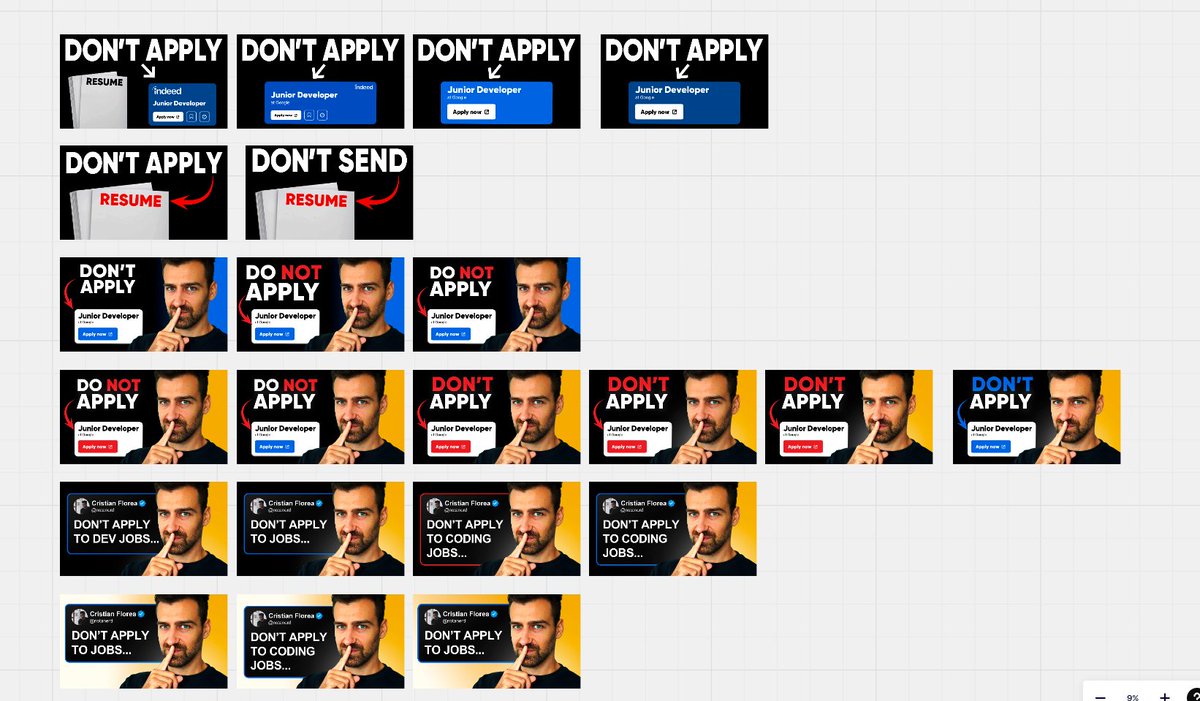
8. Video Creation - (Thumbnail)
Use inspiration from successful videos in your niche to find the perfect formula.
Find patterns in what works and steal like an artist.
Use photoshop or Photopea (free) to create your thumbnail. Avoid Canva.
Or outsource to high quality talent (more on how to do that later).
Always create your packaging before recording.
Use thumbsup. tv to see how the video will look and improve it from there.
--- --- ---
9. Video Creation - (Script & Record)
Structure your videos like this:
- Hook (max 30 seconds)
- Intro (optional, 30 seconds to introduce the topic / yourself / tell a story)
- Value
- CTA / outro (max 20 seconds)
Crush the recording. Keep your energy high.
Imagine talking in front of a sold-out stadium packed with 10,000s of Ideal Customers, that's YouTube.
--- --- ---
10. Video Creation - (Edit & Post)
if you don’t want to edit:
Outsource or use Descript (AI transcript based video editor)
if you want to edit yourself:
use a timeline based video editor like Premiere Pro or CapCut (easier and free)
--- --- ---
11. Video Creation - (Repurpose)
(optional)
I don’t suggest to post short form on YouTube at the start,
but if you also post content on other platforms you can get some short form for these pretty easily.
Use Descript to add “karaoke” subtitles, or alternatively use opus clip to repurpose with AI.
--- --- ---
12. Video Creation - (how to get results)
The process that I outlined here is the basic process to get your First series of Videos out. (your MVP)
But here’s the thing:
if you don't improve from here, you won’t get results.
More on how to improve and Scale your Reach + Leads in the final part on Scaling.
--- --- ---
13. Convert views into leads - (Lead Getting)
Give away free value in public, sell in private.
This will grow your brand faster and give you the highest quality leads.
Plug lead magnets or a free Skool community under your videos.
--- --- ---
14. Convert views into leads - (Lead Magnets)
Lead magnets are the most effective way to sell in private on YT.
You don’t even need to have an opt-in page,
just link the resource in the description with a CTA in the video.
Include a CTA to book a call at the end and beginning of your lead magnet,
Then use Calendly Workflows to have a sequence that automatically warms leads prior to the call using:
- Nurturing YT videos
- Unlisted client interviews
- Testimonials.
This will skyrocket your close rate + show up rate.
--- --- ---
15. Scale & Outsource - (Outsource editing)
The first thing to outsource is the editing, you want to do this ASAP.
Best places to find a video editor:
- YT jobs (paid, A-players)
- Upwork (low cost, low quality)
- Network & YT community posts
Use frame. io to give feedback on edits.
Start by “copying” someone else’s editing style and slowly develop your own.
Suggested budget: $100-$300 x video
--- --- ---
16. Scale & Outsource - (Outsource thumbnails)
Thumbnail design is one of the highest ROI things you can outsource,
but watch out for “fancy thumbnails” that look good and don’t convert (90% of thumbnail designers around).
If you hire a thumbnail guy,
ask him to create 3-4 variations and A/B test thumbnails using tube buddy or thumbnail test.
Suggested budget: $30-$60 x video
Never ask video editors to also make thumbnails,
the 2 skills are completely different and often NOT compatible.
--- --- ---
17. Scale & Outsource - (How to Scale content)
Essentially you can scale 2 things to make more money through YT:
- you can scale total monthly Views
- you can scale views --> leads conversion rate.
--- --- ---
18. Scale & Outsource - (Scale Views)
To grow your views, find your constraint and work on it.
The most common constraints for people not growing in views:
- boring video ideas
- unremarkable packaging
- not enough volume / consistency
- not enough value / inauthentic content
- boring content (work on speaking and editing)
How do you improve each one?
Keep learning, improve by 1% on each new video.
--- --- ---
19. Scale & Outsource - (Trust & authority)
The process that brings a new viewer to become customer has multiple steps,
that's what I call a YT funnel.
The goal is to have as much new viewers as possible to become customers.
And the highest ROI thing you can do to do this is to build more trust and authority,
because it increases conversions in every single step.
You do this by giving more value, and asking less.
--- --- ---
20. Scale & Outsource - (YT funnel Conversion Rates)
Then you can optimize these single conversion rates to get even more people down the funnel:
- Thumbnail CTR
- First 60 second viewer retention
- from CTA view to Lead Magnet view / join skool group
- From Lead magnet view to booked call
- Show up rate
Track each one of these conversion rates and work on the constraint.
--- --- ---
That's a wrap!
If you enjoyed this Tweet:
1. Follow me @CTRcatalyst for more content about YT
2. Repost to share this Tweet with your audience

English