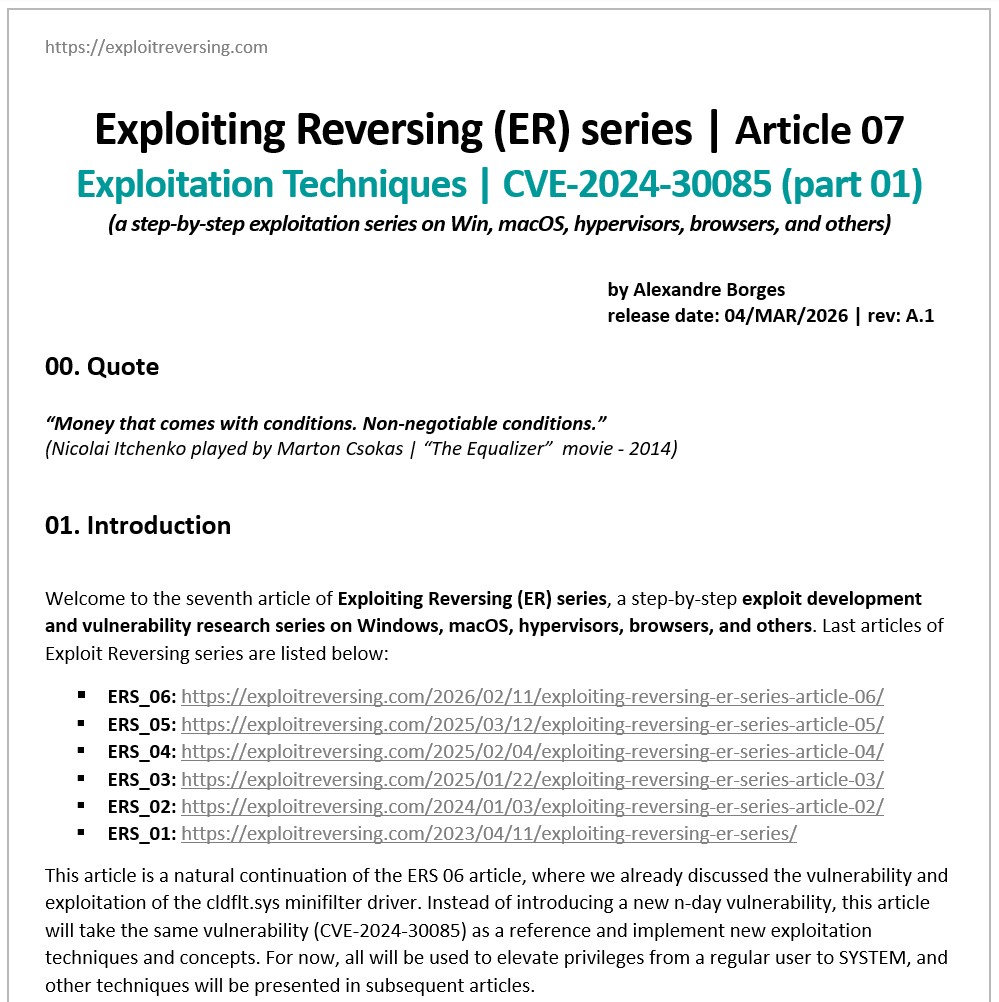
I am excited to release the seventh article in the Exploiting Reversing Series (ERS). Titled “Exploitation Techniques | CVE-2024-30085 (part 01)” this 119-page technical guide offers a comprehensive roadmap for vulnerability exploitation:
exploitreversing.com/2026/03/04/exp…
Key features of this edition:
[+] Dual Exploit Strategies: Two distinct exploit versions using Token Stealing and I/O Ring techniques.
[+] Exploit ALPC + PreviousMode Flip + Token Stealing: elevation of privilege of a regular user to SYSTEM.
[+] Exploit ALPC + Pipes + I/O Ring: elevation of privilege of a regular user to SYSTEM.
[+] Solid Reliability: Two complete working and stable exploits, including an improved cleanup stage.
[+] Optimized Exploit Logic: Significant refinements to the codebase and technical execution for better stability and predictability.
The article guides you through the two distinct techniques for exploiting the CVE-2024-30085 Heap Buffer Overflow vulnerability.
I would like to thank Ilfak Guilfanov (@ilfak on X) and Hex-Rays SA (@HexRaysSA on X) for their constant and uninterrupted support, which has helped me write these articles over time.
I hope this serves as a definitive resource for your research. If you find it helpful, please feel free to share it or reach out with your feedback!
Enjoy your reading and have an excellent day.
new tool
PEGA-PEGA
Multi-protocol request logger and catcher. Listens on 14 protocols, logs every incoming request, and displays them in a web dashboard and terminal UI.
github.com/caioluders/peg…
@PyroTek3 Maybe not news to many, but I found it nice that using msDS-ReplValueMetadata we can find out for instance when users were added to groups, a nice forensics trick when no other tooling is available :)
@PyroTek3 I just learned a new thing! Cool stuff @PyroTek3. You should also mention that the attribute can be fetched via LDAP directly (without the need for the cmdlet) by just querying the msDS-ReplAttributeMetaData attribute. msDS-ReplValueMetadata may also hold interesting info :P
In Active Directory, there is a method that’s been around for many years which changes the password last set date but not the actual password. This is what I call a “fake password change” since the account appears to have a recent password when scanning for old passwords based on password last set, but the underlying password hasn’t actually changed.
I spoke about this in my 2015 @BSidesCharm talk which was my first conference talk.
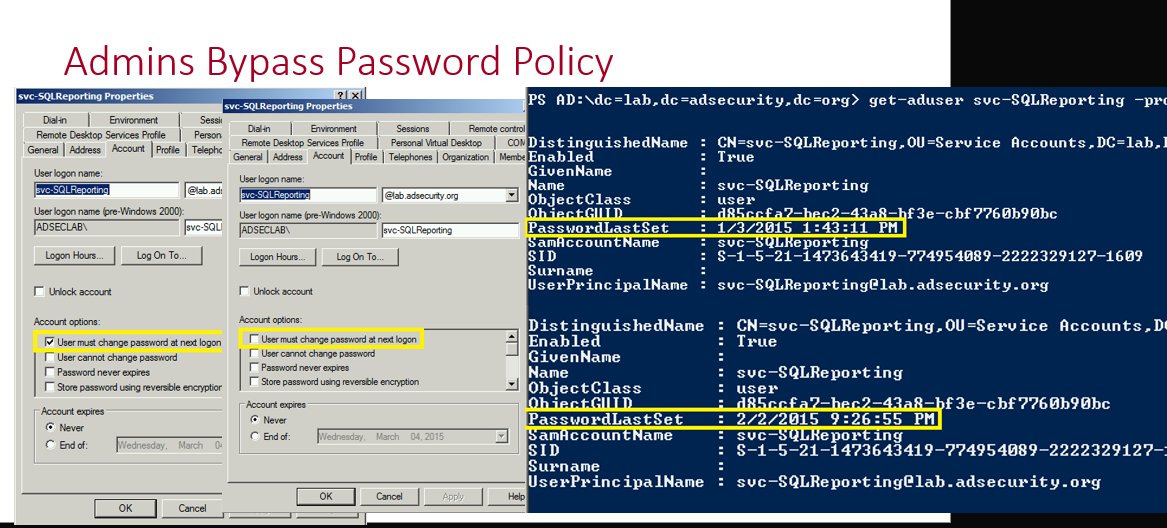
More details including step-by-step screenshots are here: adsecurity.org/?p=4969
Why does this happen?
There are times where service account (or admin accounts) need to have password changes, but someone doesn’t want to do the work to change them. The ability to fake a password change requires modify rights on the pwdLastSet attribute which provides the ability to check/uncheck the setting “User must change password at next logon”. This setting is enabled when you want the user to change their own password when they logon.
How does this work?
This is simple to do when you have rights on the target account (in this example the password last changed in August 2025).
We open up Active Directory Users and Computers (ADUC), double-click on the target account to open up the account properties and then click on the Account tab. From here we check the box for “User must change password at next logon” and click Apply.
The PasswordLastSet date is now blank. Which makes it seem like the account has never had a password set.
We continue with our process where we uncheck the box for “User must change password at next logon” we checked and then click Apply.
After performing this action, the password change date has now been set to the current date and time even though the password itself hasn’t been changed since August 2025. We have successfully faked a password change!
Why does this happen?
This happens because the “User must change password at next logon” option is used to force a user to change their password at next logon. With it checked, Active Directory is waiting for the user to attempt to logon which is when the user is directed to change their password. During this time the PasswordLastSet value is blank since it is waiting for a new password. Once the user changes their password, the checkbox is effectively removed and the current date and time are set for the user’s passwordlastset property (technically this is the “pwdlastset” attribute, but the AD PowerShell cmdlets use that property).
An attacker could use this technique for an account with an old password they discover and have control of the account (with the ability to flip this bit). This would show that the password changed without it actually changing.
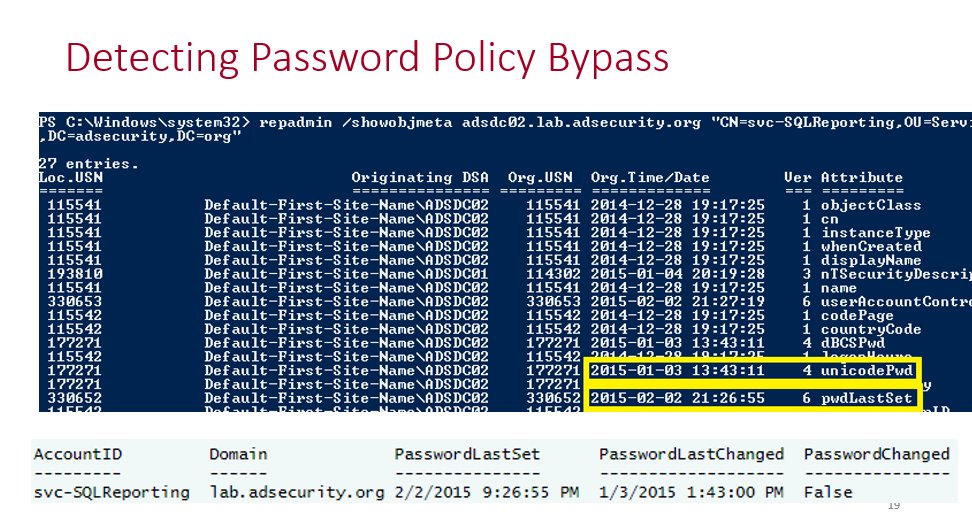
Detect fake Active Directory password changes at scale
I wrote a PowerShell script that will scan either the Active Directory Admins or All Users in the domain to see if there’s a fake password change that has been performed on them.
github.com/PyroTek3/Activ…
ok gang, I should probably goto sleep....
> My little PoC seems to be working:
> it requires domain user rights running from a domain joined machine
> it uses ADSI
> It can be audited
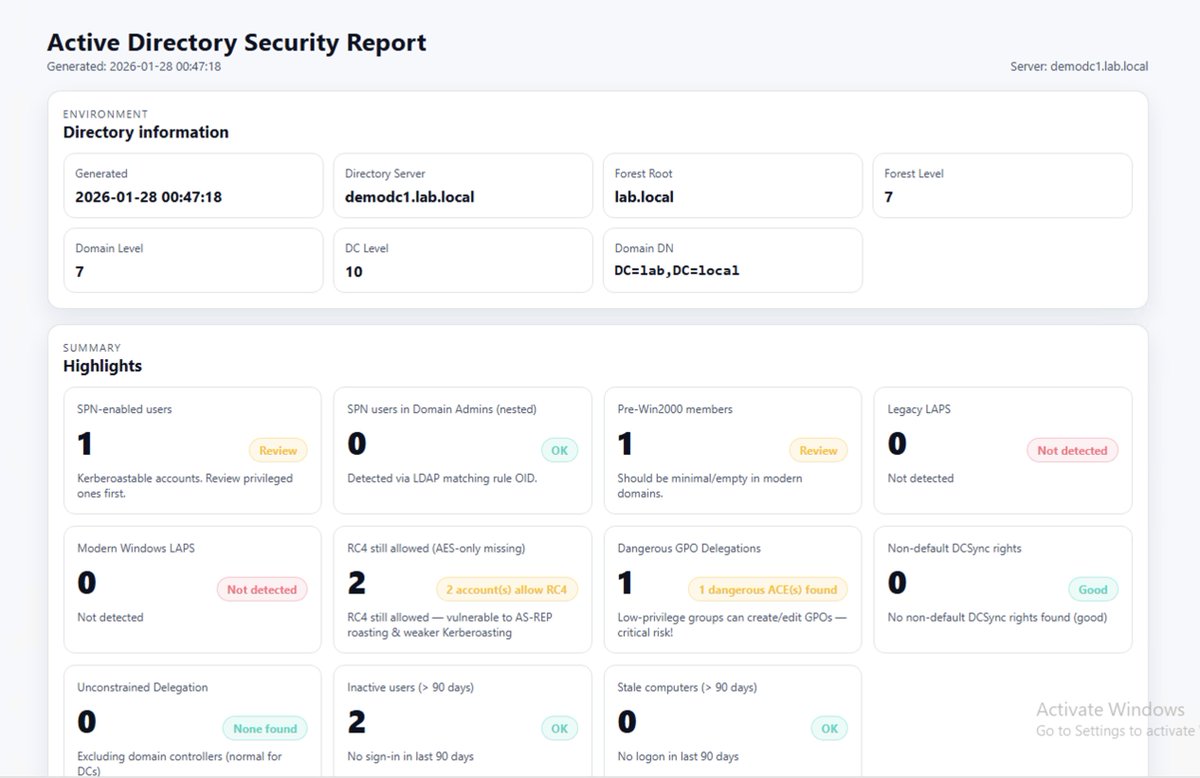
This is not meant to find every single vulnerability, this is to find the stuff ransomware actors commonly abuse to attack Active Directory.
#Cyber#Security#BlueTeam
@rad9800 Of course if you use a client tool that *only works with LDAPS* and actually checks the cert. interception wouldn't work either, even if I implemented an ldaps listener for that case too
@rad9800 It can probably be done, but it would be a lot of work and the user would have to provide the same credentials he provided to ADExplorer as cmdline args to the tool...
it's been surprisingly fun/interesting fingerprinting different LDAP enumeration tools🦍
one is bloodhound py - the other adexplorer.
which and why
hopefully -? doesn't take more than 15 seconds.
@rad9800 It does work with an LDAPS backend port (it exposes the unencrypted port locally and encrypts the connection to the target) - the issue is that ADExplorer *always* uses encryption with GSSAPI/NTLMSSP, and to be able to process/forward that I'd have to implement active decryption
@JimSycurity Eventually I think it would make sense to start reviewing SharpHound's code instead. Even though it's a bit harder to read, the code itself is much cleaner and more elegant...