Readwise

585.8K posts

Readwise banner
Readwise

Readwise

@readwise

Save your best highlights from Kindle, Twitter, Pocket, Instapaper, iBooks, and 30+ others. Then revisit, search, organize, and export them seamlessly.

Beigetreten Ekim 2017
3.2K Folgt212.9K Follower
Teknium (e/λ)
Teknium (e/λ)@Teknium·
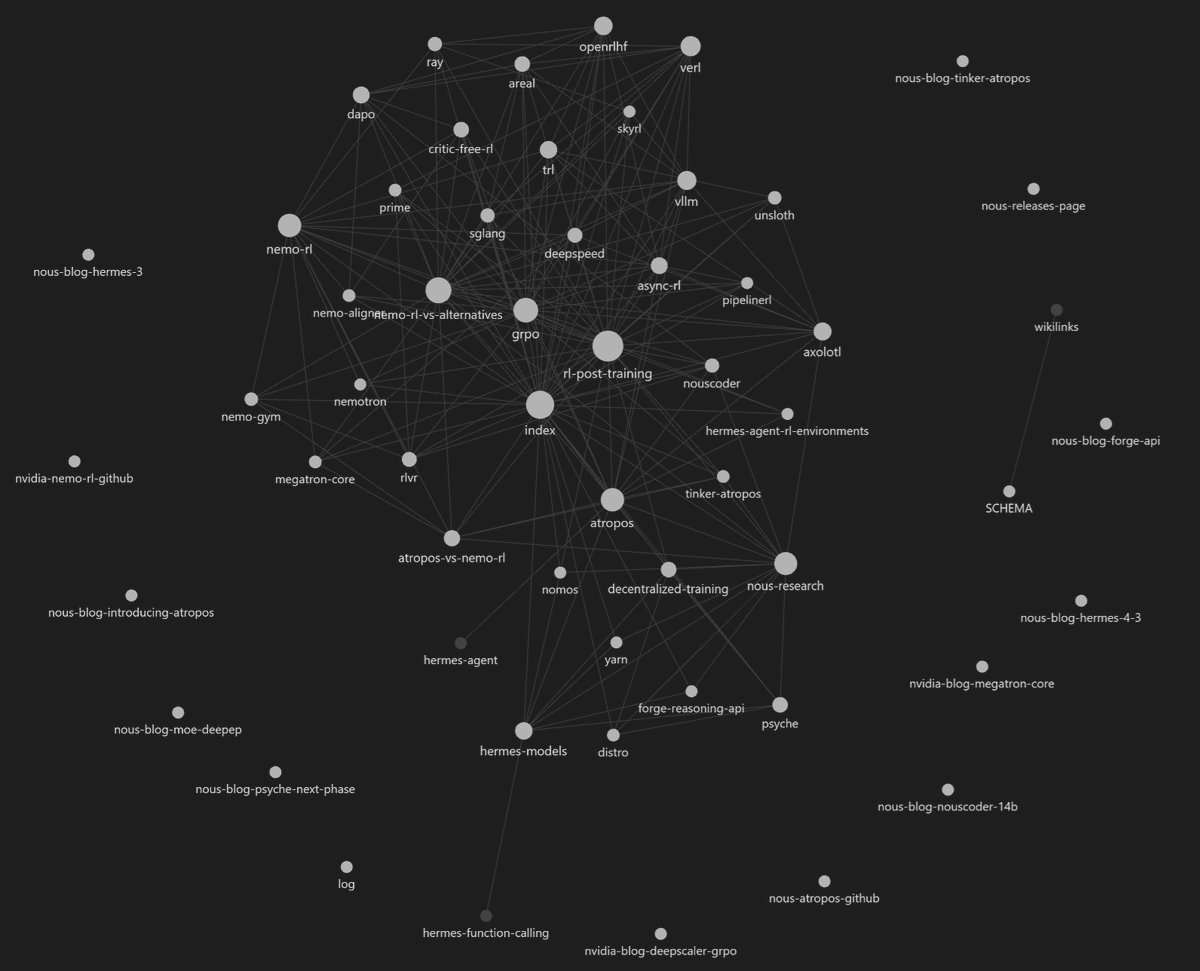
Hermes Agent now comes packaged with Karpathy's LLM-Wiki for creating knowledgebases and research vaults with Obsidian! In just a short bit of time Hermes created a large body of research work from studying the web, code, and our papers to create this knowledge base around all of Nous' projects. Just `hermes update` and type /llm-wiki in a new message or session to begin :) github.com/NousResearch/h…
Teknium (e/λ) tweet media
English

157
306
3K
314K
Muhammad Ayan
Muhammad Ayan@socialwithaayan·
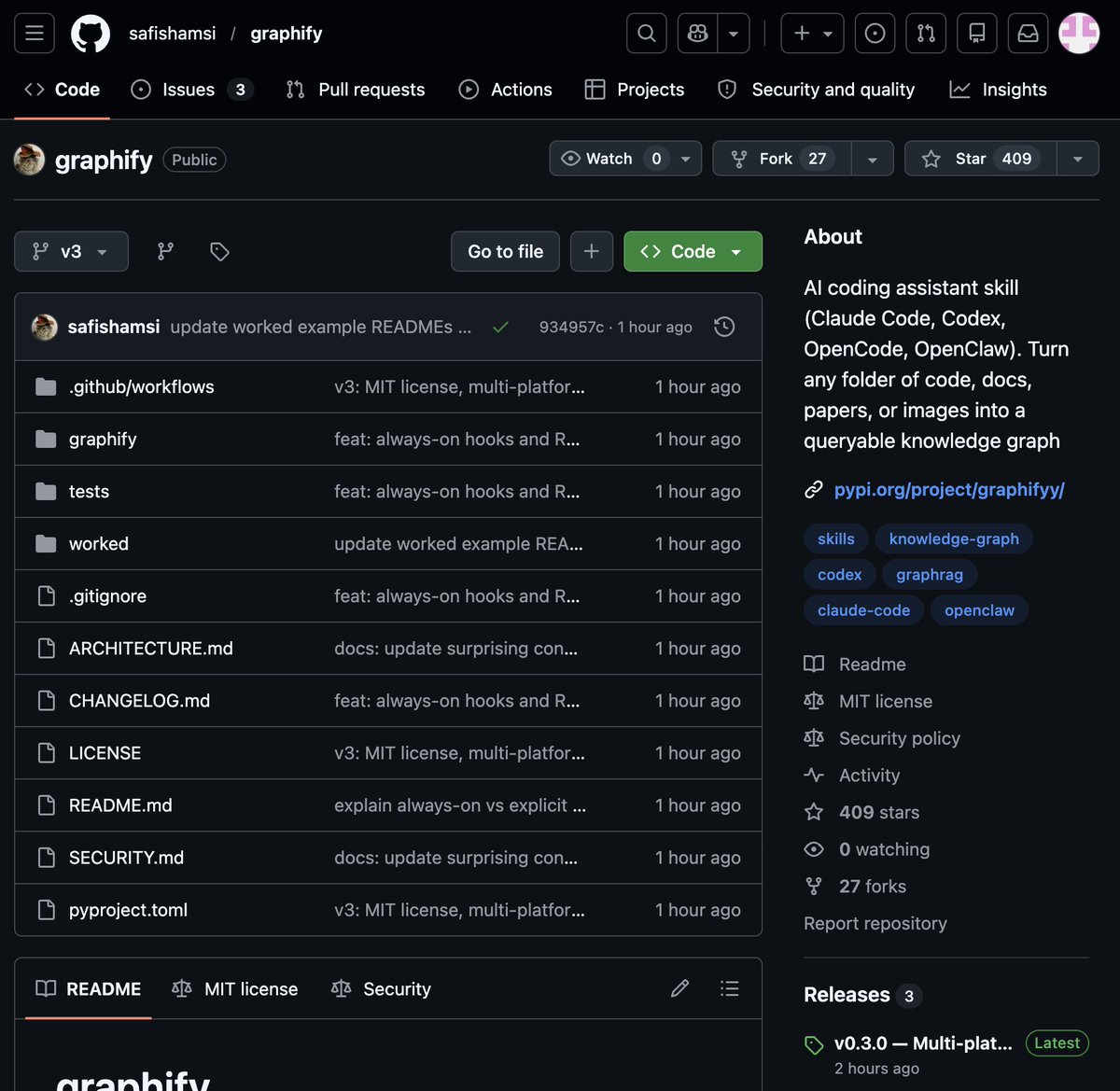
🚨 BREAKING: Someone just built the exact tool Andrej Karpathy said someone should build. 48 hours after Karpathy posted his LLM Knowledge Bases workflow, this showed up on GitHub. It's called Graphify. One command. Any folder. Full knowledge graph. Point it at any folder. Run /graphify inside Claude Code. Walk away. Here is what comes out the other side: -> A navigable knowledge graph of everything in that folder -> An Obsidian vault with backlinked articles -> A wiki that starts at index. md and maps every concept cluster -> Plain English Q&A over your entire codebase or research folder You can ask it things like: "What calls this function?" "What connects these two concepts?" "What are the most important nodes in this project?" No vector database. No setup. No config files. The token efficiency number is what got me: 71.5x fewer tokens per query compared to reading raw files. That is not a small improvement. That is a completely different paradigm for how AI agents reason over large codebases. What it supports: -> Code in 13 programming languages -> PDFs -> Images via Claude Vision -> Markdown files Install in one line: pip install graphify && graphify install Then type /graphify in Claude Code and point it at anything. Karpathy asked. Someone delivered in 48 hours. That is the pace of 2026. Open Source. Free.
Muhammad Ayan tweet media
English

232
1.2K
11K
744.7K
Michiel Bakker
Michiel Bakker@bakkermichiel·
🚨📄 New preprint! We find the “boiling the frog” equivalent of AI use. In a series of RCTs, we show that after just 10 min of AI assistance people perform worse and give up more often than those who never used AI. w Grace Liu @brianchristian Mira Dumbalska and Rachit Dubey 🧵
Michiel Bakker tweet media
English
3
23
102
9.3K
Farza 🇵🇰🇺🇸
This really exploded. You can download Clicky below. I'm seeing people already use it for stuff like: - Learning Blender - Getting live coaching in a chess game - Getting design feedback in Lovable Enjoy! github.com/farzaa/clicky/…
Farza 🇵🇰🇺🇸@FarzaTV

I built this thing called Clicky. It's an AI teacher that lives as a buddy next to your cursor. It can see your screen, talk to you, and even point at stuff, kinda like having a real teacher next to you. I've been using it the past few days to learn Davinci Resolve, 10/10.

English

65
37
985
72.2K
Robert Greene
Robert Greene@RobertGreene·
Immerse yourself in the world or the industry that you wish to master.
English

112
357
2.8K
53.1K
Kurt Mahlburg
Kurt Mahlburg@k_mahlburg·
Finland tracked every gender-referred adolescent in the country for up to 25 years. Their psychiatric needs didn't improve after 'gender reassignment'. They surged. A landmark peer-reviewed study just dropped. Here's what it found. 🧵
Kurt Mahlburg tweet media
English
302
6K
19.8K
988.2K
Venu
Venu@Venu_7_·
I ran Peter Lynch's 6-rule stock screen across the entire US market. Out of thousands of stocks, only 16 passed every filter. The top name trades at 4x forward earnings with a PEG of 0.04 - you either own it or you've been watching it. $MU Here are all 16 names - some will surprise you. Follow this thread 🧵
Venu tweet media
English
24
59
562
125.3K
Gomovies
Gomovies@Gomovies_x·
The Best Action Movies of 2026 (So far) 🎬 🔥 1. Sinners (2025) 2. The Naked Gun (2025) 3. One Battle After Another (2025) 4. Reflections in a Dead Diamond (2025) 5. Bullet Train Explosion (2025) 6. Diablo (2025) 7. Predator: Killer of Killers (2025) 8. Ballerina: From the World of John Wick (2025) 9. Nobody 2 (2025) 10. Heads of State (2025)
Gomovies tweet mediaGomovies tweet media
English
5
90
371
21.4K
Sukh Sroay
Sukh Sroay@sukh_saroy·
OpenAI and Anthropic engineers leaked a prompting technique that separates beginners from experts. It's called "Socratic prompting" and it's insanely simple. Instead of telling the AI what to do, you ask it questions. My output quality: 6.2/10 → 9.1/10 Here's how it works:
English
14
35
367
103.7K
Andrej Karpathy
Andrej Karpathy@karpathy·
LLM Knowledge Bases Something I'm finding very useful recently: using LLMs to build personal knowledge bases for various topics of research interest. In this way, a large fraction of my recent token throughput is going less into manipulating code, and more into manipulating knowledge (stored as markdown and images). The latest LLMs are quite good at it. So: Data ingest: I index source documents (articles, papers, repos, datasets, images, etc.) into a raw/ directory, then I use an LLM to incrementally "compile" a wiki, which is just a collection of .md files in a directory structure. The wiki includes summaries of all the data in raw/, backlinks, and then it categorizes data into concepts, writes articles for them, and links them all. To convert web articles into .md files I like to use the Obsidian Web Clipper extension, and then I also use a hotkey to download all the related images to local so that my LLM can easily reference them. IDE: I use Obsidian as the IDE "frontend" where I can view the raw data, the the compiled wiki, and the derived visualizations. Important to note that the LLM writes and maintains all of the data of the wiki, I rarely touch it directly. I've played with a few Obsidian plugins to render and view data in other ways (e.g. Marp for slides). Q&A: Where things get interesting is that once your wiki is big enough (e.g. mine on some recent research is ~100 articles and ~400K words), you can ask your LLM agent all kinds of complex questions against the wiki, and it will go off, research the answers, etc. I thought I had to reach for fancy RAG, but the LLM has been pretty good about auto-maintaining index files and brief summaries of all the documents and it reads all the important related data fairly easily at this ~small scale. Output: Instead of getting answers in text/terminal, I like to have it render markdown files for me, or slide shows (Marp format), or matplotlib images, all of which I then view again in Obsidian. You can imagine many other visual output formats depending on the query. Often, I end up "filing" the outputs back into the wiki to enhance it for further queries. So my own explorations and queries always "add up" in the knowledge base. Linting: I've run some LLM "health checks" over the wiki to e.g. find inconsistent data, impute missing data (with web searchers), find interesting connections for new article candidates, etc., to incrementally clean up the wiki and enhance its overall data integrity. The LLMs are quite good at suggesting further questions to ask and look into. Extra tools: I find myself developing additional tools to process the data, e.g. I vibe coded a small and naive search engine over the wiki, which I both use directly (in a web ui), but more often I want to hand it off to an LLM via CLI as a tool for larger queries. Further explorations: As the repo grows, the natural desire is to also think about synthetic data generation + finetuning to have your LLM "know" the data in its weights instead of just context windows. TLDR: raw data from a given number of sources is collected, then compiled by an LLM into a .md wiki, then operated on by various CLIs by the LLM to do Q&A and to incrementally enhance the wiki, and all of it viewable in Obsidian. You rarely ever write or edit the wiki manually, it's the domain of the LLM. I think there is room here for an incredible new product instead of a hacky collection of scripts.
English
2.6K
6.2K
52.7K
18.1M
Reads with Ravi
Reads with Ravi@readswithravi·
Competition happens at the bottom. The people at the top are collaborating.
English
46
166
942
23K
看不懂的SOL
看不懂的SOL@DtDt666·
港陆无损汇款全链路拆解 兄弟们,港美股投资、跨境消费最头疼的就是港陆转钱:手续费高、到账慢、中间行扣钱,踩坑无数。 关于港陆无损汇款的完整链路把成本降到0。 首先是核心跨境通道: 内地→香港无损汇款(2 大主力行) 1. 中银体系:同名互转的 “稳中之王” 链路:内地中国银行 ↔ 中国银行(香港) 内地→香港:购汇转出,全程免手续费,同名账户秒级到账,是目前跨境圈最稳的大额通道。 香港→内地:资金转回内地中行,同样免手续费,结汇直接到账人民币 适配场景:港美股大额入金、家庭资金调拨、长期跨境理财 关键提醒:内地转出购汇环节占用每人每年 5 万美元便利化额度,香港转回结汇不占用额度;转账用途建议填「旅游、亲友往来」,避免敏感词触发风控 2. 兴业寰宇人生:汇率友好的 “出海利器” 链路:内地兴业银行(寰宇人生借记卡)→ 香港汇丰银行 核心优势:购汇转出免手续费,兴业换汇汇率贴近中间价,点差远低于大行,配合汇丰作为结算行,真正做到无损到账 适配场景:追求换汇成本、需要大额跨境转账的投资者 注意事项:部分网点对跨境额度有要求,可提前联系网点提额;免手续费政策以银行最新公告为准 香港本地资金流转:FPS 转数快,免费秒通全港 资金到港后,通过香港本地FPS(转数快) 实现银行间零成本秒转,原图明确 3 家银行互通: 中银香港 ↔ 汇丰香港:转数快,免手续费,秒级到账 汇丰香港 ↔ ZA Bank:转数快,免手续费,秒级到账 核心价值:资金到港后,可自由在 3 家银行间调拨,无需额外成本,灵活适配不同场景 港卡使用场景:不止转账,全场景覆盖 资金到港后,对应卡片可覆盖消费、投资、全球支付全需求,完全对应图标注: 1. 内地消费无缝衔接 中银香港信用卡 / 借记卡、汇丰香港万汇借记卡(蓝狮卡):可直接绑定内地微信 / 支付宝,日常消费直接用港币账户扣款,自动购汇,不用提前换现金,内地消费和本地卡无差别 2. 港美股投资出入金 汇丰香港账户:直接支持各券商出入金,是港美股投资者的主流结算行,入金出金高效稳定 3. 全球支付全覆盖 ZA Bank 账户: 对接 PayPal:支持线上跨境支付,海淘、跨境电商收款 / 付款一步到位 对接 Wise:全球小额支付零手续费,汇率透明,覆盖全球超 70 个国家和地区 完整链路总结(严格对应原图) 大额资金:内地中行→中银香港(免手续费),或内地兴业→汇丰(免手续费) 香港本地调拨:中银 / 汇丰通过 FPS 免费秒转 ZA Bank,灵活分配资金 消费 / 投资:中银 / 汇丰卡绑定内地微信支付宝,汇丰卡用于券商出入金,ZA Bank 用于全球线上支付 资金回流:中银香港→内地中行,免手续费秒到账
看不懂的SOL tweet media
中文
9
52
199
16.1K
Kyronis
Kyronis@kyronis_talks·
🚨BREAKING: Andrej Karpathy just killed coding forever. He calls it "VIBE CODING" Describe what you want in English, and AI builds the entire app. No syntax. No debugging. No $150K CS degree. Here are 9 Claude prompts that turn anyone into a software engineer:
Kyronis tweet media
English
53
86
238
36.4K
meng shao
meng shao@shao__meng·
需求澄清 -> 规范固化 -> 增量实现 -> 端到端验证 @reactive_dude 分享的这四个 Skills,实现了一条从"想法"到"可运行软件"的可靠闭环,先用 grill-me 澄清需求,再用 write-a-prd 固化共识,接着用 tdd 指导实现,最后用 agent-browser 进行端到端验收。 1. grill-me — 需求澄清的"苏格拉底式拷问" 用单线程追问根治"需求理解偏差" · 设计树遍历:像解耦依赖一样,逐个决策点深挖,而非广度发散 · 代码优先验证:能用代码库回答的问题,绝不问用户 · 强制对齐:通过无情追问达成共享心智模型 skills.sh/mattpocock/ski… 2. write-a-prd — 从模糊想法到可执行契约 将口头需求转化为工程规范 · 深度模块:寻找"接口极小、实现极深、极少变更"的抽象,封装复杂度 · 行为描述:PRD 只描述"用户能做什么",绝不涉及具体代码路径 · GitHub Issue 格式:文档即代码,规范即工单 skills.sh/mattpocock/ski… 3. tdd — 垂直切片的行为验证 纠正"先写全测试再写代码"的水平切片误区 · 追踪弹:单测试→单实现→快速迭代,用真实代码反馈指导下一测试 · 测试即规格:好测试在重构后仍通过,只验行为不验实现 · 拒绝批量:测试必须响应刚写出来的代码,而非预先想象的结构 skills.sh/mattpocock/ski… 4. agent-browser — Agent 的感官与手脚 为 AI 提供可靠的 Web 交互能力 · 引用系统(Refs):@ e1、@ e2 等稳定标识符,比 CSS 选择器更抗页面变化 · 状态持久化:Auth Vault、Session、State File 三重机制,解决登录态难题 · 差异检测:diff snapshot/screenshot 自动验证操作效果,支持视觉回归 · 安全边界:Domain allowlist + Content boundaries,防止恶意页面劫持 Agent skills.sh/vercel-labs/ag…
meng shao tweet media
andrej@reactive_dude

What are your favorite agent skills? I'll start: > grill-me (brainstorming) > write-a-prd (specs) > tdd (the best way to code with agents rn) > agent-browser (great for debugging/qa)

中文
2
18
71
8.4K
Corey Ganim
Corey Ganim@coreyganim·
Best OpenClaw breakdown I've seen from someone actually running a serious business on it. The 80/20: 1. Two memory layers (daily logs + curated long-term memory) 2. Pre-meeting briefs 60 min before every call 3. Post-meeting action items auto-routed to Todoist 4. Weekly self-improvement loop (the agent researches upgrades itself) 5. LLMs for reasoning, scripts for everything else 6. Morning/evening WhatsApp briefs He's managing a fundraise with 100+ LP contacts through this system. 605K views for a reason.
Ryan Sarver@rsarver

x.com/i/article/2041…

English
11
17
157
21.4K
Raúl | Productividad & IA
ÚLTIMA HORA: Claude ahora puede acabar con la procrastinación como David Goggins elimina las excusas (¡gratis!) Aquí tienes 6 prompts ingeniosos de Claude que te ayudarán a diagnosticar por qué procrastinas y a rediseñar todas esas tareas que sigues evitando (Guárdalo para más tarde)
Raúl | Productividad & IA tweet media
Español
24
131
716
55.2K