Dropshare

2.1K posts

Dropshare banner
Dropshare

Dropshare

@dropshare

Development diary of Dropshare, an 💻📱 app for uploading anything to many storage providers and share with a link. https://t.co/Se3JpFAVKd

Made in Germany Beigetreten Şubat 2014
1 Folgt660 Follower
Angehefteter Tweet
Dropshare
Dropshare@dropshare·
Hi there! This is the development diary of @dropshare, a macOS and iOS app for sharing files with just a link through many supported storage providers. Be sure to activate the 🔔 to not miss any updates on new features (also pre-release). Glad to have you here!
English
5
0
4
3.9K
Dropshare
Dropshare@dropshare·
If you want to move your file-sharing workflow to the EU, Dropshare makes that easy. Because it supports many storage providers, you can build an EU-focused setup with services like @Hetzner_Online Object Storage, @KoofrNet and other EU-based providers. dropshare.app/blog/posts/14-…
English
0
2
3
647
Dropshare
Dropshare@dropshare·
I also think this matters more than feature checklists do: good Mac software should disappear into your routine. Keyboard shortcuts. Finder workflows. Screen recordings. Uploads that just happen. Links ready when you need them. Less ceremony, more flow.
English
1
0
0
37
Dropshare
Dropshare@dropshare·
A thing I’ve believed for a while: file sharing on the Mac should feel way more native than it usually does. Too many workflows are still: take screenshot → find file → upload manually → wait → copy link → send link That’s too much friction for something people do all day.
English
1
1
1
1.1K
Dropshare
Dropshare@dropshare·
I really don’t want to buy a touch MacBook… 🫠
English
0
0
2
94
Ivan
Ivan@dzimica·
@dropshare You’re so awesome!
English
1
0
1
37
Dropshare
Dropshare@dropshare·
Update day - Dropshare 6.10 is out, including: - support for MEGA Object Storage - MCP server - 5 new landing page designs and bug fixes: - full screen recordings using the wrong screen - floating captures appearing on wrong screen Full changelog: dropshare.app/changelog/?v=6…
English
1
0
2
159
Dropshare
Dropshare@dropshare·
@dzimica Made it work - will be in the next update. :)
English
1
0
1
16
Ivan
Ivan@dzimica·
@dropshare Thank you so much. I hope you can add an option is some of the next releases to upload it straight with one shortcut. Same as "Upload from clipboard" currently
English
2
0
0
26
Dropshare
Dropshare@dropshare·
@dzimica I'll look into if that is even possible without using ancient accessibility API…
English
0
0
1
14
Ivan
Ivan@dzimica·
@dropshare Thank you. Can you please let me know if there's any way I can assign shortcut which will upload selected file in Finder, instead of dragging it?
English
2
0
0
22
Dropshare
Dropshare@dropshare·
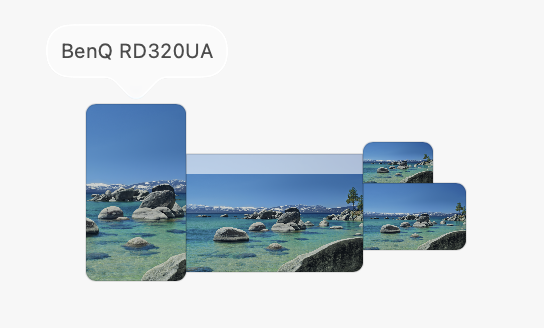
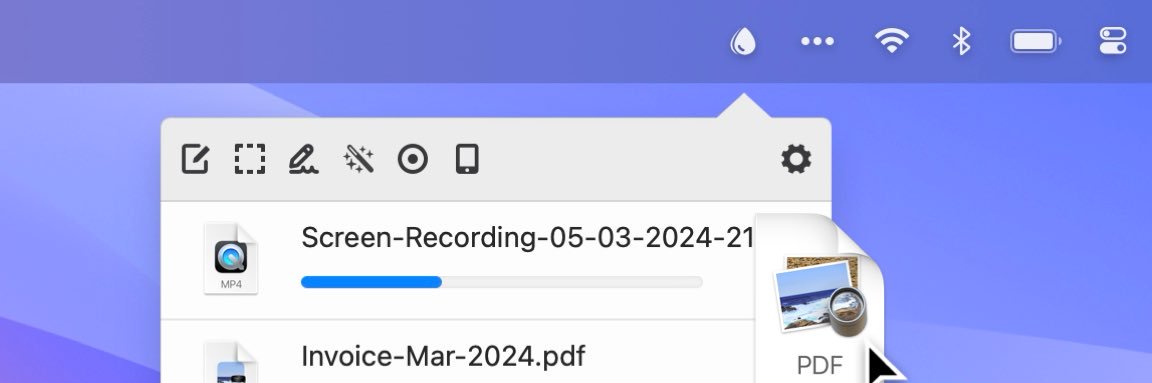
@dzimica Yes; two options: - use the "upload from clipboard" shortcut and do CMD+C and then the shortcut - use Shortcuts.app and do something like this:
Dropshare tweet media
English
0
0
1
22
Wes Bos
Wes Bos@wesbos·
@dropshare FWIW I'm trying to record on the main display - the second one here. But it always records the left most one.
Wes Bos tweet media
English
2
0
1
57
Wes Bos
Wes Bos@wesbos·
@dropshare Hey - when recording an entire screen, how do I select which one? It's recording the wrong one when I press enter or click. Also would love if you either displayed the input name, or allowed selecting the input. Sincerely, a guy who just recorded the wrong screen and mic
English
2
0
0
3.2K
Dropshare
Dropshare@dropshare·
@mohbii @wesbos Bro I'm all in for promoting your own products but at least make your affiliation clear in your promo tweet. I'm just a small indie dev trying to make a living here…
English
1
0
1
67
mohbi
mohbi@mohbii·
@wesbos @dropshare Multi-monitor recording is such a pain. Browser-based ones like reqo.me let you pick the exact screen/tab from Chrome's native picker - no wrong monitor issues.
English
1
0
0
162
Dropshare
Dropshare@dropshare·
@wesbos There were some issues indeed and I think (hope) I got all of them. Also added the name of the Mic Input Device to the button. I pushed a beta build (6.10 6166), appreciate your feedback if you got the time. Screen selection is not neat UX yet, will improve that further..
English
0
0
0
24
Dropshare
Dropshare@dropshare·
@wesbos Okay, I just checked: It always records the main screen. That's a bug; I'll look into that now. Thanks for letting me know and sorry for the hassle.
English
1
0
1
34
Dropshare
Dropshare@dropshare·
@wesbos Hey Wes! Sorry about that. Hm. It should record the screen on which Dropshare was last active on; if in doubt, click the Dropshare icon in the menu bar on that screen before starting the recording. It uses the system default input. Showing which one this is is a good idea. 👍
English
2
0
0
112