Pinned Tweet

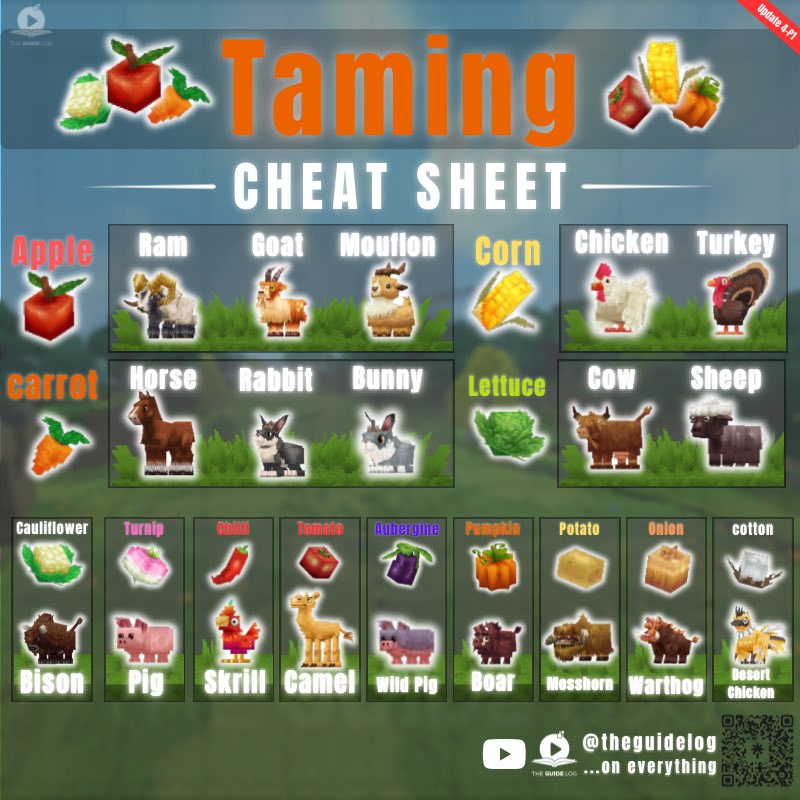
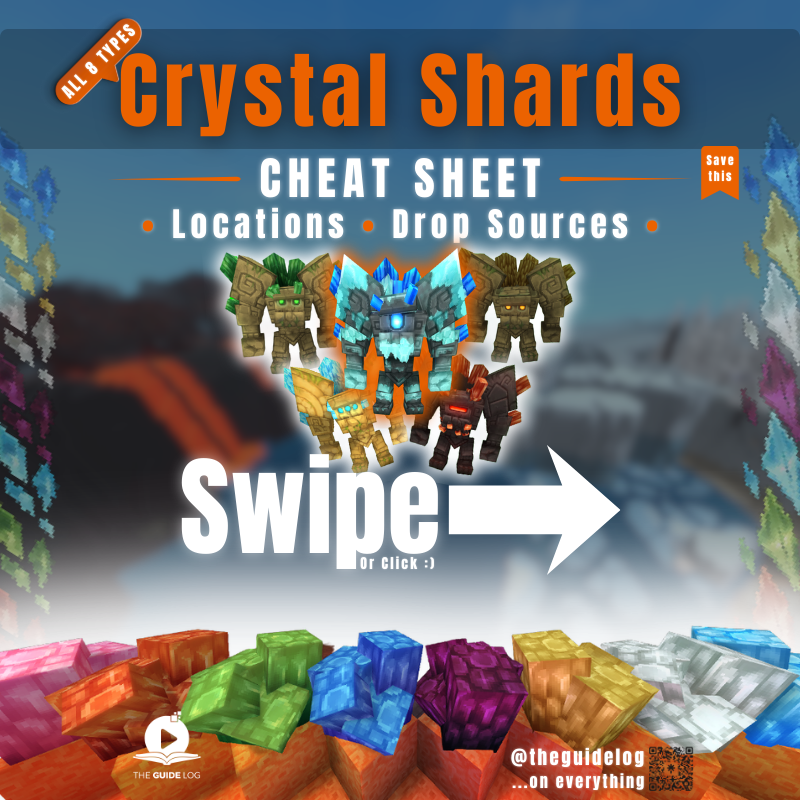
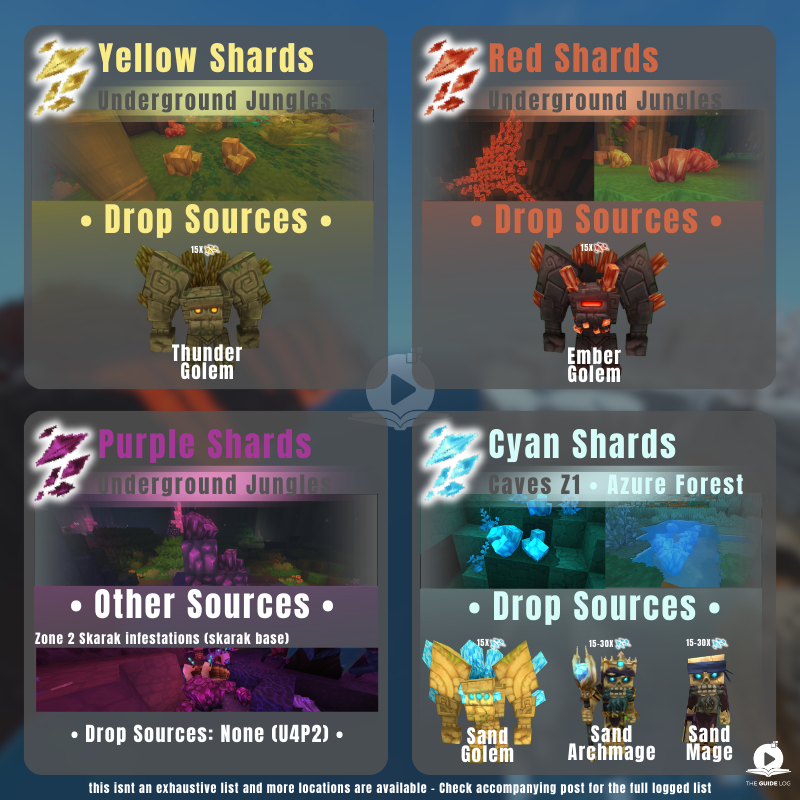
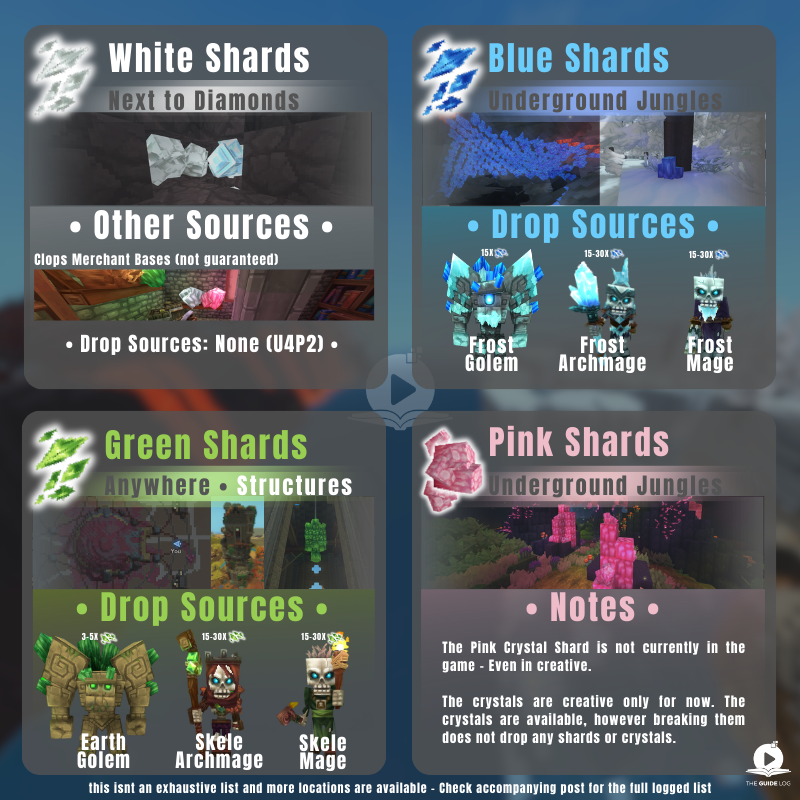
Updated Taming Cheat sheet - Hope it saves you some time 😍
bookmark & share it - it'll come in handy #hytale #hytaletaming
English
TheGuideLog
139 posts

@TheGuideLog
I do Quick No-BS Hytale content... basically i don't farm you for watchtime.


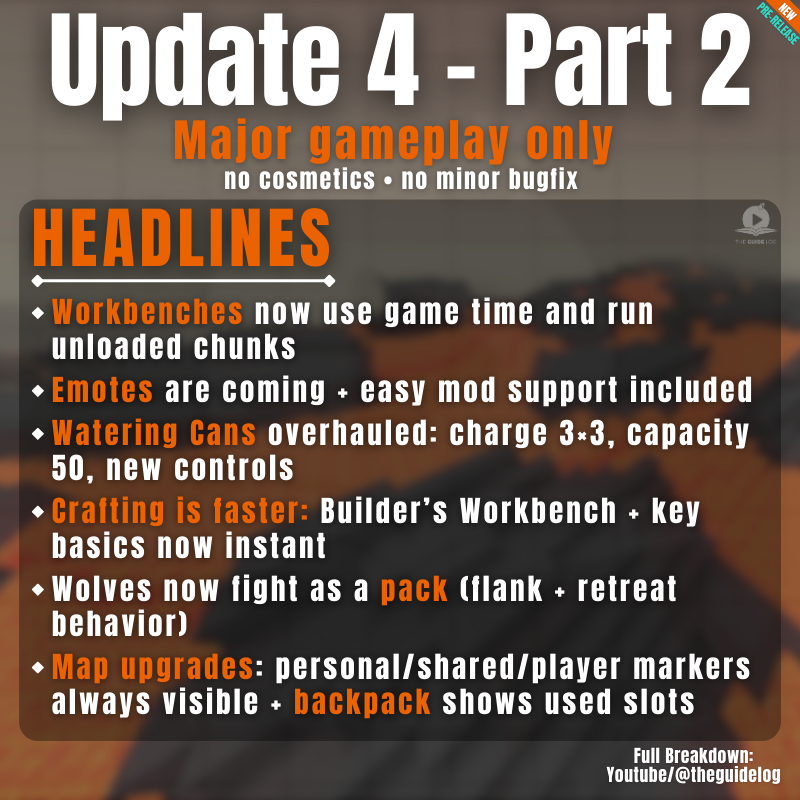
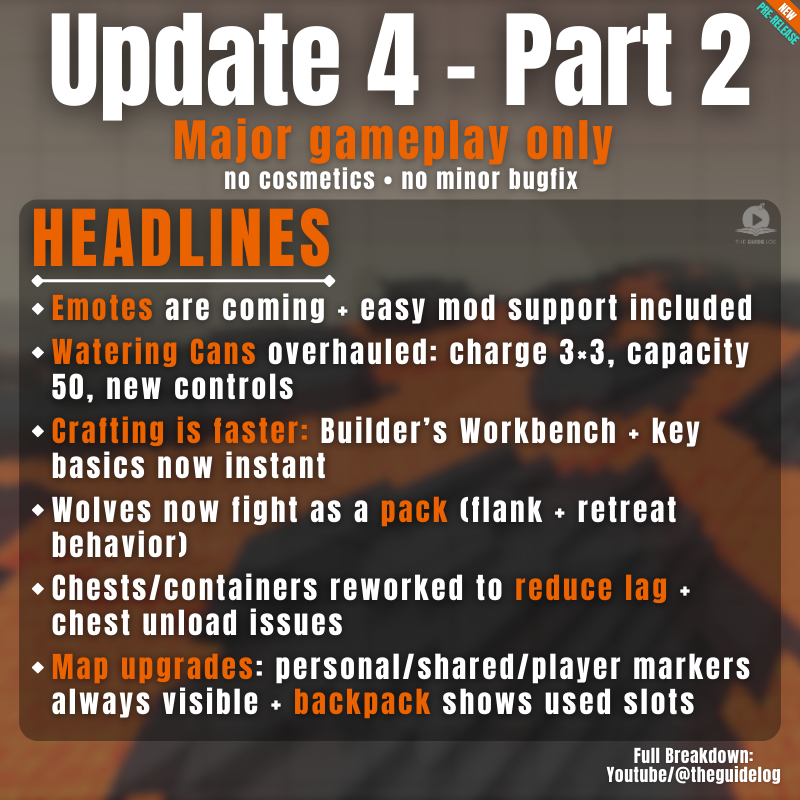
Pre-Release Patch Notes (Feb 26, 2026) Update 4 (Part 2) Enable via Launcher → Settings → Pre-Release Headline Features - Added an Emote Wheel! Express yourself in-game by holding down the ‘X’ key. This keybinding can be changed in the Settings menu. - Added a new Creative Tool: Revolve. This new tool allows you to paste rotations of your current selection any number of times or fully around a center point. - Overhauled the /replace command: - Moved swap and regex from flags into subcommands, allowing each variant to use arguments without conflicts - Added block mask support to the ‘from’ argument, enabling spatial mask syntax like >Block or !Block - Added additional validation. - Black and white wolves will now fight as a pack, periodically attempting to flank their prey and attempting to retreat when injured. - Implemented dual source blending with a center source to improve the audio experience with the Headphones (Stereo) setting. Positional audio should now feel less in one ear. Avatar & Cosmetics - The player Avatar will now face the camera when using free camera or third person camera modes. - The player Avatar will now animate differently when falling from a great height. - Added the ‘Chicken’, ‘Kill’, ‘Laugh’, ‘Punch’ and ‘Tongue’ emotes. - Added the ability for some emotes to loop. Items & Equipment - Numerous changes to how Watering Cans function: - They now use a Template parent and have configurable width and depth for area of effect watering - They can now be charged to water a 3x3 area - Their capacity has increased from 20 to 50 - They can be placed on the ground when crouching, returning empty Watering Cans if broken - They now water exclusively with the Secondary interaction key for consistency with the Hoe. - The Builder’s Workbench has had its crafting time reduced from 2 seconds to instant. - The Campfire, Crude Bedroll and Wooden Chest have had their crafting time reduced from 1 second to instant. - The Crude Torch has had its crafting time reduced from 0.5 seconds to instant. - ‘Seaweed - Middle’ is now referred to as ‘Stacked Seaweed’. - ‘Red Cobble Blocks’ are now referred to as ‘Red Sandstone Cobble Blocks’. - ‘White Cobble Blocks’ are now referred to as ‘White Sandstone Cobble Blocks’. - The previews for the ‘Crude Bed’, ‘Crude Repair Kit’ and ‘Iron Repair Kit’ have been updated. - The entity stat MagicCharges has been hidden from item tooltips. World & Blocks - Improved handling of extreme coordinates. - Reworked item containers to block components, reducing lag and preventing issues with chests when unloading. - Workbenches will now continue processing items even if their chunks are unloaded. - Workbenches will now resume processing items if their full output slot is emptied. - Workbenches will now use the world game for their calculations instead of real time. - Workbench assets are now configured to have a BenchBlock component, rather than exist with a ‘crafting’ state. NPCs & Encounters - Reduced the number of checks required to be performed whether an NPC was able to breathe. - Skrill can now lay eggs. Audio - Recording and restoring memories now plays sound effects. - Zone 1 mountain ambience will now differ based on the player’s altitude. - Placeholder music and ambience has been added to Zone 4 caves and sewers. UI & Quality of Life - Implemented support for CJK fonts. - Added localization support for the Machinima tool. - Personal, shared and player markers will now always be visible on the Map. - The backpack in the Player Inventory now shows how many item slots are currently being used. - Moved the Noesis UI folder from Game/ to Shared/ - Moved the Fonts/ folder into the Noesis UI project folder UI/ Modding & Tools - Error messaging has been added to the /copy command for when too many blocks are selected. - Added the ‘/pedit back’ command to quickly alternate to and from the prefab editor world. - Empty brush and tool edits no longer get registered to the tool history, or trigger notifications. - The deselect command will now be registered to the tool history. - Fluid changes now contribute towards the block count when saving Creative Tool edits to history. - The Laser Pointer tool may now be used to direct others’ attention towards the sky. - The Selection Tool will now allow you to select a region without holding down the left mouse button. - Updated the Selection Tool’s Rotation Gizmo to make rotating selections more intuitive. - Updated the size scaling and made it easier to select various Creative Tool Gizmos. - The ‘.mach speed’ command will now only target the active actor. - Added ‘Time of Day’ and ‘Weather’ to the Creative Mode Quick Settings menu that will adjust the environment for the client only. - Added a ‘Reset Environment’ button to the Creative Mode Quick Settings menu that resync’s the client and server’s environmental settings. - Added PlayerRemovedFromWorldEvent that allows plugin developers to create customisable, optional messages that can be broadcast when someone leaves the world. - Added ‘Spawn’ settings to the PortalType asset, including SpawnProviderOverride, allowing developers to specify where a return portal is placed. - Started work to move the server to use the JOML math library. - You can now use any unique substring of a command argument to access that command argument. For instance, if there are only the arguments ‘--cat’ and --dog’, ‘--at’ will return the former. - Players can now select which mods folder to create their asset pack in. - Added item HUD UI support, allowing for Custom UIs to be created for all items. - Significantly improved the performance of the Creative Tool’s previews. Accessibility - Implemented support for Windows ClickLock feature. Bug Fixes Combat & Item Fixes - Wheat is no longer edible. - Stacked Seaweed can no longer be eaten to cause a missing interaction error. - Placed Cane Ornaments are no longer unbreakable. - Ammo is no longer consumed in Creative Mode. World & Block Fixes - All half blocks should now stack correctly and drop the correct number of items when broken. - Fixed Tamed Chickens not being recognised by Chicken Coops, they will now lay eggs in them just like their untamed counterparts. - Fixed a NPE that can occur when a Crafting Bench is broken whilst in use. - Mounts will no longer be able to sprint indefinitely in fluids. - NPCs will no longer follow items at an infinite range. - Gravel blocks made up of two vertical Gravel slabs will no longer unexpectedly break if adjacent blocks are broken. - Player avatars will now enter Minecarts instead of Minecarts teleporting under the player. - Fixed a bug where some encounters did not properly inherit the weather of surrounding areas. - Chunks will now correctly generate cave networks within Zone 4. - Lava will now correctly burn entities as entity effects no longer incorrectly overwrite themselves. - Portal devices will now refund fragments if the portal worlds fail to generate. - Decayed tilled soil will now update correctly once it has fully decayed. Creative Tool, Modding & Plugin Fixes - Fixed a crash that could occur when attempting to use Creative Tools with invalid or missing data. - Fixed a bug causing players to die in the Crossroads if the player exited out of the prefab editor. - Fixed a bug with the prefab editor menus causing players to sometimes be teleported to the wrong location. - Fixed a bug causing prefab anchors to incorrectly despawn. - Players can no longer find themselves rotated and translated with the Selection Tool. - Fixed interpolation issues with the Brush tool on the axis plane. - The Selection Tool’s selection box will now remain stationary when rotating its contents. - The Selection Tool’s Rotation Gizmo position will now correctly reset to center after undoing an action. - Fixed a bug where incorrect blocks would appear when rotating or translating fluids. - Fixed a bug with Single Player worlds and image importing permissions. - Fixed a bug preventing the .mach speed command from applying to the whole scene. - Fixed a bug preventing NPC scaling with the Entity Tool. UI & Display Fixes - Fixed a crash that could occur with nameless map markers. - Fixed a crash that can occur with Entity UI elements. - The Player Backpack is now hidden in Creative Mode. - Fixed various issues with localized text extending outside of the default UI. - Fixed plural localization for mod and asset packs that failed to load or are outdated. - Fixed map markers sometimes not appearing on the compass. - Cleared first person animations when mounting NPCs. - Fixed an issue where certain inputs could result in item stacks being dropped from the inventory rather than single items. - Fixed an issue with the Utility item wheel being offset when dragging and dropping stacks within the wheel. - Fixed an issue where player marker toggle settings didn’t persist across sessions.

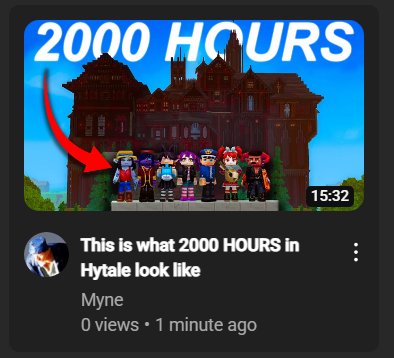
Words cant describe how much I hate the current state of Hytale YouTube. It's just Minecraft people coming over and doing A SINGLE FORMAT. There is ZERO originality and all of these videos are the exact same. The worst part is that they're all like 2-3 hours. Excuse me?