Splashtop

6.7K posts

Splashtop banner
Splashtop

Splashtop

@Splashtop

Empowering our customers with secure remote access and support, while delivering an in-person experience users need, and security IT teams can trust.

Cupertino, CA Inscrit le Aralık 2008
1.4K Abonnements5.2K Abonnés
Tweet épinglé
Splashtop
Splashtop@Splashtop·
This is your sign to start your Splashtop free trial! 🔗splashtop.com/trial/choose?f…
Sher@SherSlyc

@Splashtop I’ve been using TeamViewer for 9 years. I’ve been looking for a replacement since notified my “forever license” wasn’t forever anymore. I’m 3 hours into my trial with you & it’s a done deal! Your Bus Pro is phenomenal & exactly what I need. Awesome price as well. Thank you 😊

English
0
1
1
1.6K
Marv Dorner
Marv Dorner@bebizzy·
When I travel on short trips I usually carry a tablet, but occasionally I need more compute power. @Splashtop has saved me many times by being able to log into my computer at home through my tablet and get what I need. referral.splashtop.com/mQFMH0F
English
1
1
2
184
Splashtop
Splashtop@Splashtop·
@bebizzy Glad we could be part of your tech stack!
English
0
0
0
32
Splashtop
Splashtop@Splashtop·
Patch Tuesday dropped! Time to review severity ratings, test compatibility, and prioritize deployment. Splashtop has you covered with a quick breakdown for March: splashtop.com/blog/patch-tue…
English
0
1
0
148
Jason B. Smith
Jason B. Smith@TallJasonPDX·
@JJEnglert Or just buy Splashtop and remote to your PC any time. (not a paid promotion:)
English
1
0
2
91
JJ Englert
JJ Englert@JJEnglert·
Yesterday I dropped a guide on setting up Claude Cowork that blew up. One question kept coming up: how do I use all of this on my phone? Cowork doesn't have a mobile app yet. But there's a simple workaround. Push your Cowork workspace to a private GitHub repo. Open Claude Code on the Anthropic mobile app. Connect the repo. Done. Now every skill file, brain file, and writing style you built for Cowork is accessible on the go. No coding. 5 minutes to set up. Two things to know: This syncs your files and skills, not your connectors (Slack, Gmail, etc.) When you update files locally, push to GitHub to keep mobile current Full walkthrough below. Original Cowork setup guide (with the prompt to build your own system) is reposted below as well. Enjoy!!
JJ Englert@JJEnglert

Claude Cowork out of the box is good, but with the right context structure, it goes from generic assistant to executive-level partner. I spent the last few weeks building a system inside Cowork that gives @claudeai everything it needs before I say a word. Who I am. How I write. What I'm working on. My team. My calendar. My priorities. All of it. Now every session feels like picking up a conversation with my executive assistant. The difference is context. Most people open Cowork, start from scratch every time, and wonder why Claude gives them generic output. It's not a Claude problem. It's a setup problem. Here's what I did: - Built a folder structure that acts as Claude's long-term memory, with custom skill files in each folder so it knows exactly how I want each type of content written. -Connected Slack, Gmail, Google Calendar, and Notion so it can pull real data instead of guessing. -Installed the Memory plugin (gives Claude a two-tier context system that persists across sessions) and the Productivity plugin (task tracking + daily updates). That combination changed everything. Content drafts that used to take 3 rounds now land on the first try. Meeting prep, email replies, task management. All better because Claude already knows the context. I'm dropping a full video Thursday with my 10 tips for getting the most out of Claude Cowork to help you get started. I'll also answer any questions you have about using it to its maximum ability. Comment below. Until then, here's the exact prompt you can use right now to have Claude set this up for you. Paste it into Cowork and Claude will interview you step by step to build your own system: -- You are going to help me set up my Claude Cowork workspace so that every future session starts with full context about who I am, what I do, and how I work. We're building a "brain" that makes you useful from the first message. Here's how this works. You're going to interview me in phases. Ask me questions, then build the files based on my answers. Don't rush. Don't assume. Ask before you build. Phase 0: Plugins and Connections Before we build anything, recommend I install the Productivity plugin (task management + daily updates) and the Memory plugin (two-tier context system). Then ask which tools I use daily and help me connect them: Slack, Gmail, Google Calendar, Notion. The more tools connected, the more useful this system becomes. Phase 1: About Me Interview me to create an about-me.md file. Ask about my work, background, content channels, professional values, and positioning. Create the file, show it to me, and get my approval before moving on. Phase 2: Brand Voice Analyze any content I've already created. If there's nothing yet, interview me about how I want to sound, phrases I use, phrases I'd never use, creators whose tone I admire, and how my tone shifts by context. Create a brand-voice.md file with voice rules, tone by context, dos and don'ts. Get approval. Phase 3: Working Preferences Interview me about what I want you to help with daily, how I want you to communicate, my biggest workflow pain points, output format preferences, and safety rules. Create a working-preferences.md file. Get approval. Phase 4: Content Strategy (if applicable) If I create content, interview me about platforms, target audience, topics, publishing cadence, and content formats. For each platform, ask if I have existing skill files. If not, offer to create them. Create a content-strategy.md file. Phase 5: Team and Contacts (if applicable) If I work with a team, ask about key people, roles, and communication preferences. Check connected tools for team data. Create a team-members.md file. Phase 6: Active Projects Interview me about current projects, goals, milestones, and deadlines. Create individual project files in a Current Projects folder. Phase 7: Memory System Update CLAUDE.md with a hot cache of everything we've built. Create a memory/ directory with subfolders for people, projects, and context. Add a glossary.md for acronyms and internal terms. Phase 8: Skill Files Review everything. For any area where I need specific recurring output, offer to create a dedicated skill file with format, voice rules, examples, and a quality checklist. Rules: Interview me one phase at a time. Show each file before saving. If unsure, ask. Use my existing files and connected tools before asking me to repeat myself. Keep files concise. File names: lowercase, hyphens, .md format. Save everything to my workspace folder. Start with Phase 0.

English
12
12
244
54.2K
Splashtop
Splashtop@Splashtop·
@RJDanjr Apologies for any delay, we have a full support team ready via phone or chat to support you.
English
0
0
0
5
Robert Daniels
Robert Daniels@RJDanjr·
@Splashtop anyway to get a live person on the phone? Is there just one support person?
English
1
0
0
56
Splashtop
Splashtop@Splashtop·
what's the craziest support ticket you've seen this week?
English
0
0
0
243
Splashtop
Splashtop@Splashtop·
Breaking news around a remote support vulnerability reinforces one thing: Security models matters. Splashtop delivers: • SSO + MFA enforcement • Role-based access controls • Secure remote access without added infrastructure complexity If you’re evaluating tools, now’s the time
English
0
0
0
258
Splashtop retweeté
K12 SIX
K12 SIX@K12SIX·
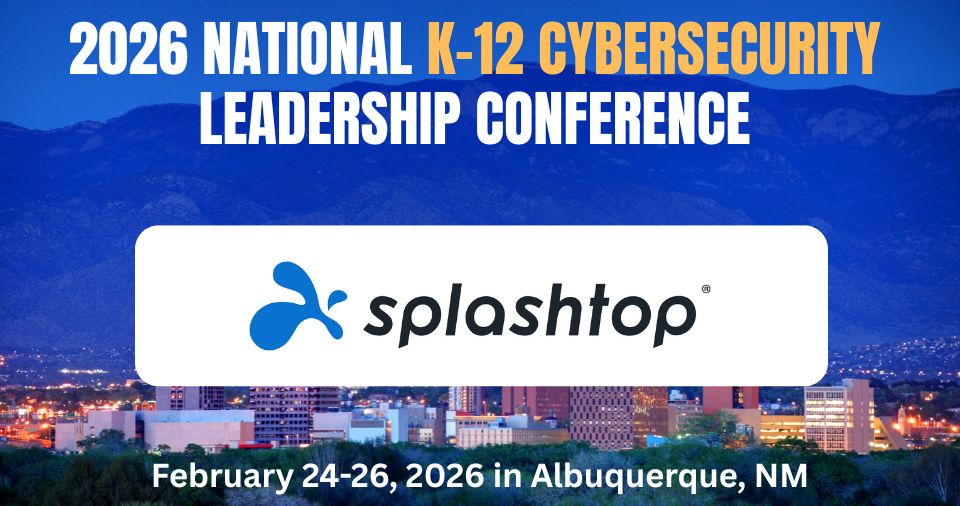
Thank you to Defender level sponsor @Splashtop for supporting the 2026 National K-12 Cybersecurity Leadership Conference. This event is designed for K-12 cybersecurity practitioners to identify and share solutions and best practices to better defend school communities from emerging cybersecurity threats, including ransomware and data breaches. Last year, K12 SIX analysts observed 220 successful ransomware attacks from groups like Qilin and SafePay. Incidents often combine encryption with data theft, forcing institutions to choose between prolonged recovery efforts and costly negotiations under operational pressure. These threats are not diminishing, and we must work together to defend ourselves. Join us in Albuquerque, NM, February 24-26, 2026. Learn more: k12six.org/2026-k12six-co…
K12 SIX tweet media
English
1
1
2
160
Splashtop
Splashtop@Splashtop·
@doctorme4 It’s not currently on the 2026 roadmap, but feedback like this is always helpful. I’ve sent it over to our Product team. Appreciate you taking the time to share it!
English
0
0
1
23
Doctorme4
Doctorme4@doctorme4·
@Splashtop , is there any chance of a Linux version of Xdisplay? I've been using it to turn an old iPad 2 into an extra screen, but im about ready to switch off Windows to Linux Mint.
English
1
0
1
49
Splashtop
Splashtop@Splashtop·
while you're update to iOS 26.4 don't forget to update your Splashtop Business App to version 3.8.04!! 🫵
English
1
0
1
260
Gabe Cowan
Gabe Cowan@makraiii·
@_notnotjake I'm using Splashtop on my desktop / phone. Can control or checkin from anywhere.
English
1
0
1
61
Jake Go
Jake Go@_notnotjake·
wish codex had a mobile app that just connected to codex app running on your Mac. I like codex app but miss being able to ssh into claude sessions from my iPhone
English
68
5
475
40.5K
Splashtop
Splashtop@Splashtop·
🚨 We’re LIVE on Reddit! The Splashtop Product Team is answering your questions in a real time AMA. Remote access. Security. Performance. What’s coming next. Nothing’s off the table. Join the AMA now: reddit.com/r/Splashtop_Of…
English
0
0
0
131
Splashtop
Splashtop@Splashtop·
#non-profit-form" target="_blank" rel="nofollow noopener">splashtop.com/solutions/nonp…
ZXX
0
0
0
193
Splashtop
Splashtop@Splashtop·
For non-profit organizations looking to stretch their IT budgets a bit further: Eligible 501(c) & 501(c)(3) orgs may qualify for special Splashtop pricing. ⬇️ Link in the comments.
English
1
0
0
204
Splashtop
Splashtop@Splashtop·
Microsoft down....be nice to your IT dept today!
English
0
0
1
475
Windows Latest
Windows Latest@WindowsLatest·
Microsoft says remove the Windows 11 January 2026 Update if it breaks Outlook Classic. Or switch to webmail. Microsoft is in damage-control mode after this year's first major Windows Update caused issues. According to early reports, reported issues include: - Black screen on some PCs. - Wallpaper reset - desktop.ini stopped working (used for Explorer tweaks) - Outlook crashes or hangs - Shutdown and Sleep mode issues. - Remote desktop failure Microsoft also confirmed that some apps might become unresponsive when saving files to cloud-backed storage.
Windows Latest tweet media
English
166
176
1.6K
342.4K
Splashtop
Splashtop@Splashtop·
Never wonder what's going on with your Splashtop account again! We got you covered with a Splashtop Status Page tagged in comments!
English
1
0
1
201