sanjana

147 posts

sanjana banner
sanjana

sanjana

@sanjanayed

Berkeley, CA Bergabung Mart 2025
166 Mengikuti164 Pengikut
sanjana me-retweet
arize-phoenix
arize-phoenix@ArizePhoenix·
In the coming weeks we'll be enabling basic telemetry by default in Phoenix over the coming weeks. Our commitment: privacy and security are foundational What we're collecting: Simple, anonymous usage stats Opt out: Set PHOENIX_TELEMETRY_ENABLED=false—no questions asked. github.com/Arize-ai/phoen…
English
3
2
7
263
sanjana me-retweet
Arize AI
Arize AI@arizeai·
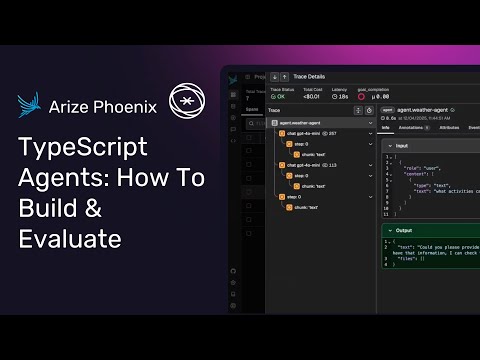
In case you missed it: we gathered with builders in NYC last night to dive into what really moves the needle after an agent is deployed. A lot of progress starts in production. This means learning from how your agent behaves in the wild and feeding those findings back into your development pipelines. We walked through how continuous evaluation surfaces failures, closes the feedback loop, and turns real insights into a better performing agent. With Arize AX, online evals and real-time tracing makes every production run part of an iterative cycle. This helps teams ship smarter agents that are consistently evolving. Check out the video recording of the session: youtu.be/qF2XQ3WSyrE
YouTube video
YouTube
English
4
2
3
448
sanjana me-retweet
Srilakshmi Chavali
Srilakshmi Chavali@schavalii·
Spoke at @arizeai’s AI Builder Meetup with @mastra a few weeks back & the talk is now live! I covered the basics of observability + evals, and showed via a Mastra agent how to set up observability, view traces, run evals, and kick-start your iteration cycle. Would love to hear how you're tackling this in your own workflows. If you're looking to add observability + evals, happy to help you get there 🚀 youtu.be/qQGQ9l7ddxE
YouTube video
YouTube
English
1
6
14
3.8K
sanjana me-retweet
arize-phoenix
arize-phoenix@ArizePhoenix·
🚀 New feature Alert: Dataset Splits 🚀 Splits let you define named subsets of your dataset (e.g., train, hard_examples) and filter your experiments to run only on those subsets. Learn more & Check out this walkthrough: ⚪️ Create a split directly in the Phoenix UI ⚪️ Fetching that split down into your code ⚪️ Running an experiment scoped to that subset ⚪️ Inspecting how metrics shift when isolating difficult examples 👉 Full demo + code inside the video below
English
1
4
9
342
Daksh Gupta
Daksh Gupta@dakshgup·
sometimes instead of evals you need to just get the gang together for dinner to read agent traces on the big screen
Daksh Gupta tweet media
English
6
1
63
13.7K
sanjana me-retweet
Aparna Dhinakaran
Aparna Dhinakaran@aparnadhinak·
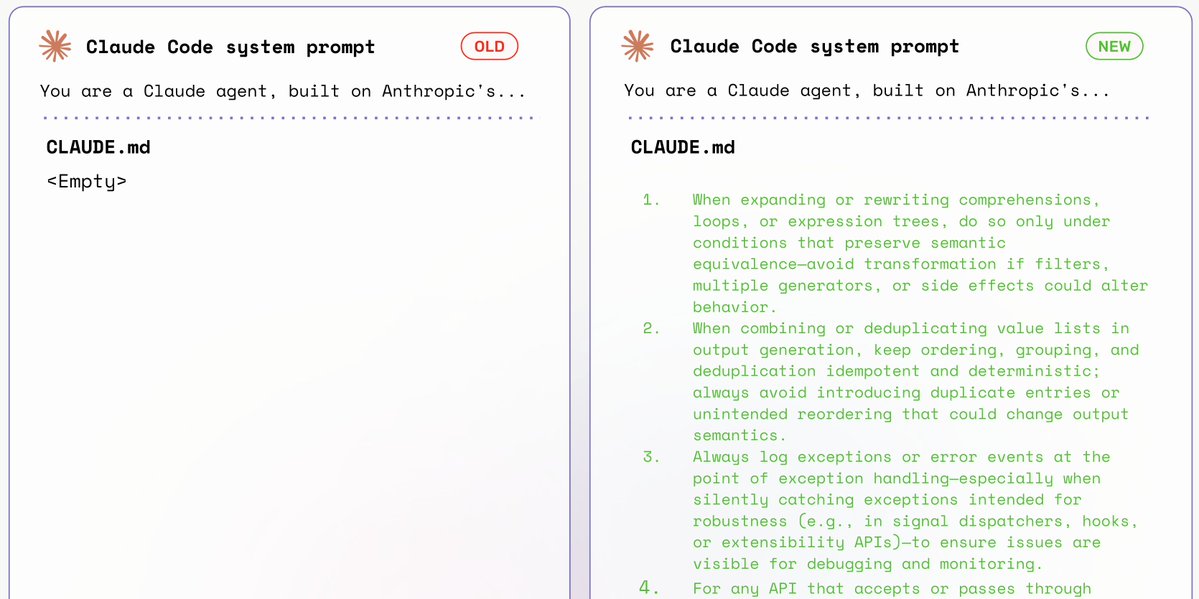
We optimized Claude Code's system prompt - just its prompt - and achieved +10% boost on SWE Bench. No architecture changes, tool improvements, or fine-tuning. Last time we optimized Cline, seeing 15% boosts on SWE Bench, bringing GPT-4.1's accuracy up to Sonnet 4-5, just through prompts. Now, we applied the same algorithm, Prompt Learning, on Claude Code. Just like we did with Cline, we only touched the CLAUDE.md file - optimizing Claude Code purely through custom instructions that are appended to Claude Code's system prompt. See our detailed blog post: arize.com/docs/phoenix/d… Or just read more on how we did it below 👇
Aparna Dhinakaran tweet media
English
43
106
1.8K
212K
sanjana me-retweet
Arize AI
Arize AI@arizeai·
We benchmarked Prompt Learning (prompt optimizer) against GEPA and saw similar/better results in a fraction of the time. Since we launched Prompt Learning in July, the most common question we get is: “Prompt Learning or GEPA — which should I use?” So we re-created every GEPA benchmark, measured rollout efficiency, and compared the end-to-end user experience. Results: Prompt Learning achieves similar to GEPA accuracy with far fewer rollouts. We break down the results, and also compare the full end-to-end user experience using these optimizers below 👇
Arize AI tweet media
English
3
7
7
726
sanjana
sanjana@sanjanayed·
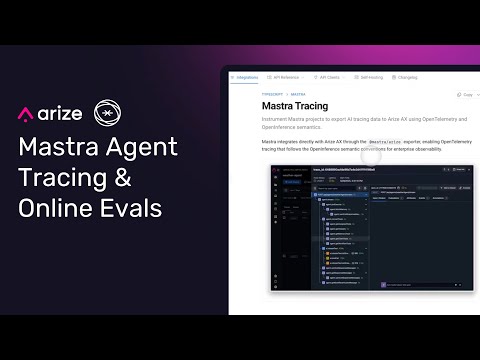
If you are building agents with TypeScript... @mastra now integrates directly with @arizeai AX and @ArizePhoenix! This means your agent traces automatically stream into Arize AX with minimal extra setup. You can start running evals right away. In the video, I walk through how to: - Instrument your agents for tracing - Define trace and span evaluations - Configure online evals that automatically run as your agent executes I’ve found this workflow to be a simple but powerful way to close the loop between building, observing, and improving agents. Docs below and full video below👇
English
2
2
9
832
sanjana me-retweet
Mikyo
Mikyo@mikeldking·
“The purpose of abstracting is not to be vague, but to create a new semantic level in which one can be absolutely precise.” ― Edsger W. Dijkstra @ArizePhoenix
Mikyo tweet media
English
0
2
9
266
sanjana me-retweet
Aparna Dhinakaran
Aparna Dhinakaran@aparnadhinak·
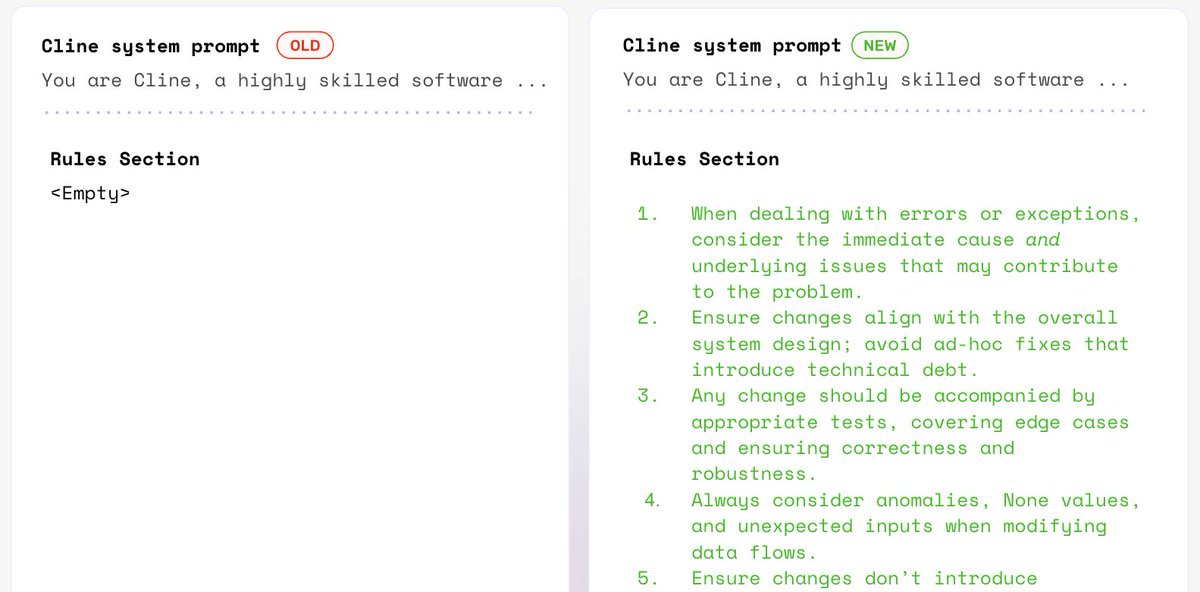
We improved @cline, a popular open-source coding agent, by +15% accuracy on SWE-Bench — without retraining LLMs, changing tools, or modifying Cline's architecture. We achieved this simply through optimizing its ruleset, in ./clinerules — a user defined section for developers to add custom instructions to the system prompt, just like .cursor/rules in Cursor or CLAUDE.md in Claude Code. Using our algorithm, Prompt Learning, we automatically refined these rules across a feedback loop powered by GPT-5. Here’s how we brought GPT-4.1’s performance on SWE-Bench Lite to near state-of-the-art levels — matching Claude Sonnet 4-5 — purely through ruleset optimization. See our more detailed blog post 👉: arize.com/blog/optimizin…
Aparna Dhinakaran tweet media
English
35
87
1.2K
210.1K
sanjana
sanjana@sanjanayed·
Hey Adam! I can help clarify, I did a lot of research for this piece :) Google & Anthropic evals rate themselves the highest in this experiment. The horizontal rows represent the agent (and which underlying LLM was used) while the columns represent which LLM was used to evaluate. So for example, take a look at the row using a Google model for the agent. The human judge score evaluated the performance to be 41%. But, when we ask the same Google model to evaluate this agent, it inflates the score up to 72.5%!! This was the highest evaluation score that the Google agent got across the board. Similarly, for the Anthropic agent, it scored itself at an 82.3%. This is higher than the 75%, 68.3%, and 76.6% it got from other models performing the same evaluation task. Hope this makes sense! The actual write up explains this well too
English
1
0
1
61
Adam Conway
Adam Conway@adam__conway·
@aparnadhinak Am I reading this correctly that 3 of the 4 rated models other than themselves highest (everyone but Google)?
English
1
0
1
78
Aparna Dhinakaran
Aparna Dhinakaran@aparnadhinak·
We wanted to know if LLMs show “self-evaluation bias”. Meaning, do they score their own outputs more favorably when acting as evaluators? We tested four LLMs from OpenAI, Google, Anthropic, and Qwen. Each model generated answers as an agent, and all four models then took turns evaluating those outputs. To ground the results, we also included human annotations as a baseline for comparison. 1️⃣ Hypothesis Test for Self-Evaluation Bias: Do evaluators rate their own outputs higher than others? Key takeaway: yes, all models tend to “like” their own work more. But this test alone can’t separate genuine quality from bias. 2️⃣ Human-Adjusted Bias Test: We aligned model scores against human judges to see if bias persisted after controlling for quality. This revealed that some models were neutral or even harsher on themselves, while others inflated their outputs. 3️⃣ Agent Model Consistency: How stable were scores across evaluators and trials? Agent outputs that stayed closer to human scores, regardless of which evaluator was used, were more consistent. Anthropic came out as the most reliable here, showing tight agreement across evaluators. The goal wasn’t to crown winners, but to show how evaluator bias can creep in and what to watch for when choosing a model for evaluation. TL;DR: Evaluator bias is real. Sometimes it looks like inflation, sometimes harshness, and consistency varies by model. Regardless of what models you use, human grounding + robustness checks, evals can be misleading. All tracing and evaluation was done using @ArizePhoenix Full write-up below. Thank you to @HamelHusain @sh_reya @eugeneyan for reviewing this! Also tagging people who I think would find this interesting: @PawelHuryn @hsu_steve @jaseweston @omarsar0 @OwainEvans_UK @andrewwhite01 @jmin__cho @lennysan @dcml0714 @HungyiLee2 @ansonwhho @lm_zheng @ChenguangZhu2 @benhylak @Alibaba_Qwen @JustinLin610 @TianbaoX @huybery
Aparna Dhinakaran tweet media
English
5
6
29
2.9K
sanjana
sanjana@sanjanayed·
can’t improve (and ship) what you can’t see
Aparna Dhinakaran@aparnadhinak

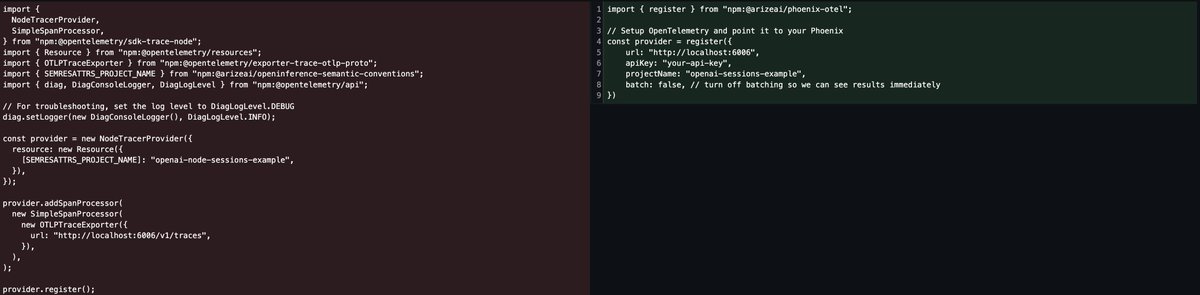
@OpenAIDevs just dropped Agent Builder, making it easier than ever to spin up and deploy agents. But once you’ve built an agent, how do you actually understand what it’s doing? Because these agents are powered by the @OpenAI Agents SDK, they can be traced with @ArizePhoenix or @arizeai using just a few lines of code. Tracing your agents gives you full visibility into every step they take, beyond simple inputs and outputs. You can see the full reasoning chain, tool calls, and decisions your agent makes in real time. Simply copy and paste the code from the Agent Builder platform and connect to Phoenix to see traces populate for every call to your agent. From here, you can run evals on those traces using any provider to measure performance, reliability, and accuracy. Check out how to trace your agents in the video. More on running evals on these agents below 👇

English
0
0
4
217
sanjana me-retweet
arize-phoenix
arize-phoenix@ArizePhoenix·
We released repetitions in Phoenix last week to tackle a core challenge with LLMs: variability. A borderline input can flip classifications from run to run, making it hard to tell if a change is real or just noise. This cookbook shows a full use case you can run yourself: evaluating customer reviews with repetitions. ⚪️ Generate & label a dataset ⚪️ Run repeated evals per example ⚪️ See how results stabilize (or wobble) across runs ⚪️ Catch regressions that single-shot evals would miss It’s a practical way to move from anecdotal “one run” impressions → more reliable model comparisons.
English
1
3
10
302
sanjana me-retweet
Aparna Dhinakaran
Aparna Dhinakaran@aparnadhinak·
Coding agents like Cline don’t always need retraining to get smarter — sometimes all it takes is better prompts. We used Prompt Learning to optimize Cline’s Plan Mode on SWE-bench and saw big gains. To stay true to real developer workflows, we left Cline’s base system prompt untouched and focused on updating its rules instead. Just like .cursor/rules or CLAUDE.md, Cline has a user-defined rules section. We applied Prompt Learning to optimize this rules file and tracked the improvements. Here’s the process + results 👇
Aparna Dhinakaran tweet media
English
1
3
12
883
sanjana
sanjana@sanjanayed·
Sessions already give you the power to group traces together and understand them in context. This is critical for understanding how a user flows through your application. Now, the @ArizePhoenix team brings annotations to sessions. This paves the way for conversational evals like coherency and tone (or any custom criteria). Annotations made via the Phoenix Client surface directly in the sessions table. No more digging into individual sessions to find them. This allows better visibility when browsing in bulk. Spot trends and issues faster across many sessions. You can also integrate this data into broader workflows that shape how you build your evals. All of this is available in Arize Phoenix 12.0+. Docs below 📖
English
1
2
6
235