고정된 트윗

A Deep Dive into Mobile Forensics
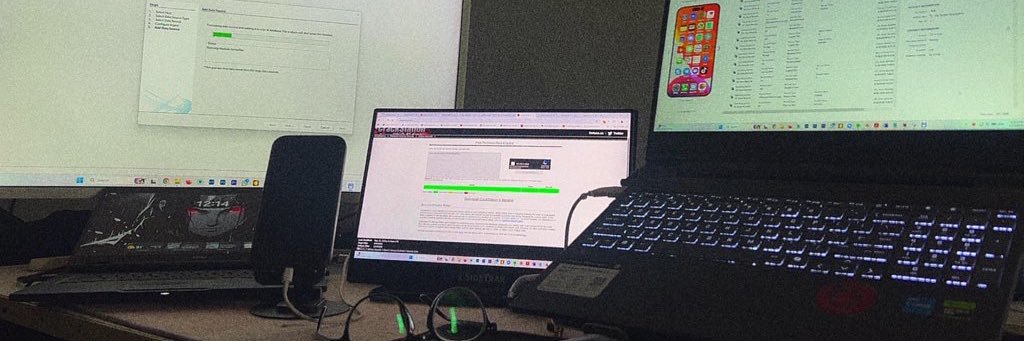
I recently completed a full mobile forensic analysis on an iPhone 13 Pro and it was a powerful reminder of how much a device actually remembers.
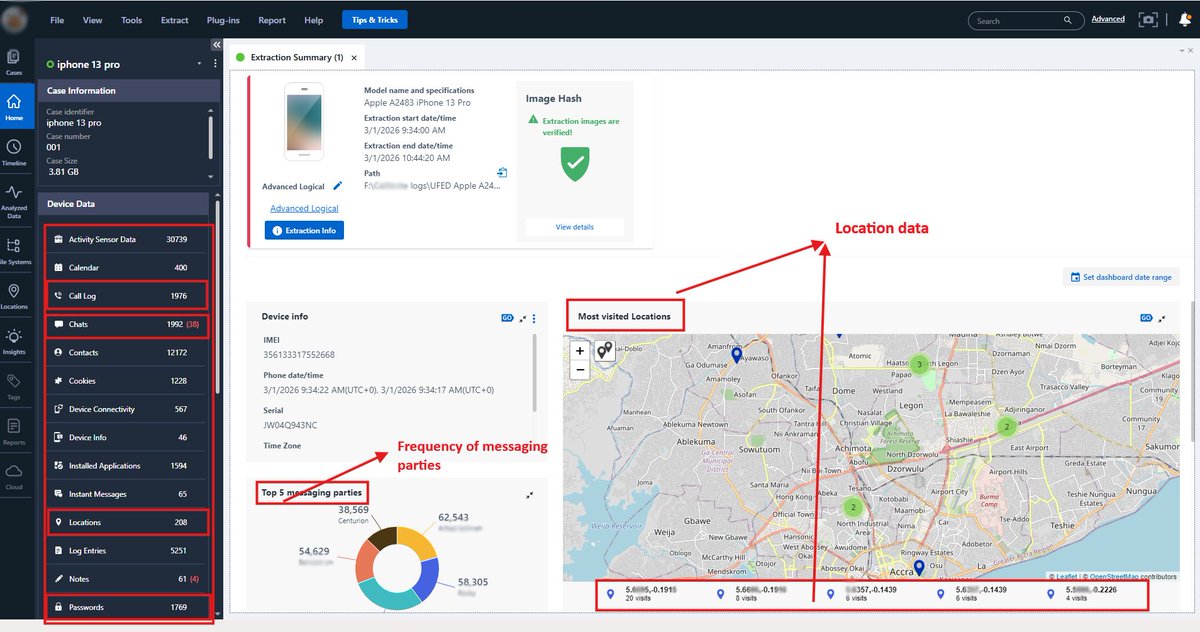
This was an advanced logical extraction with verified image integrity. Even without diving into content, the metadata alone told a story.
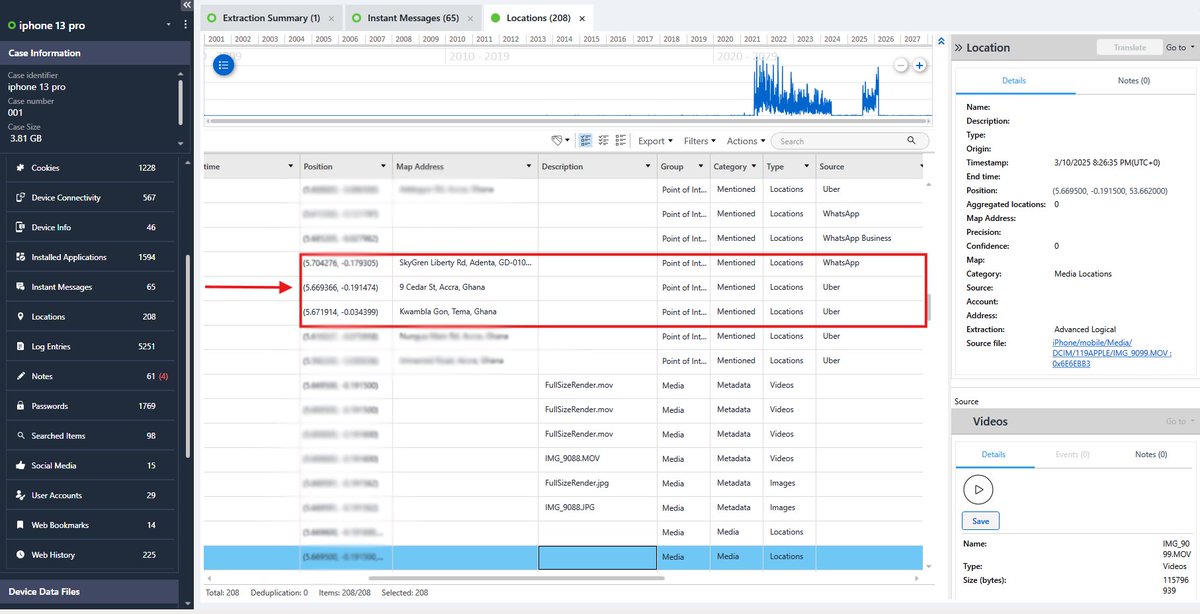
From location artifacts, I reconstructed where the device had been, the routes it traveled and the exact timestamps tied to those movements. But more importantly, I could see how those locations were generated.
Some coordinates were tied to ride activity such as uber and bolt. Others came from navigation searches. Some were linked to shared live locations inside messaging apps.
Each source leaves a different footprint. A searched address tells a different story than an active trip. A shared live location suggests intentional disclosure. The coordinates are only part of it, the behavior behind them is the real evidence.
The “most visited locations” view made patterns obvious. Certain coordinates appeared repeatedly, building a clear picture of routine and frequency over time.
On the communication side, interaction volume alone highlighted the primary contacts. Without even reading conversations, it was immediately clear who the highest frequency messaging relationships were. Volume builds pattern. Pattern builds context.
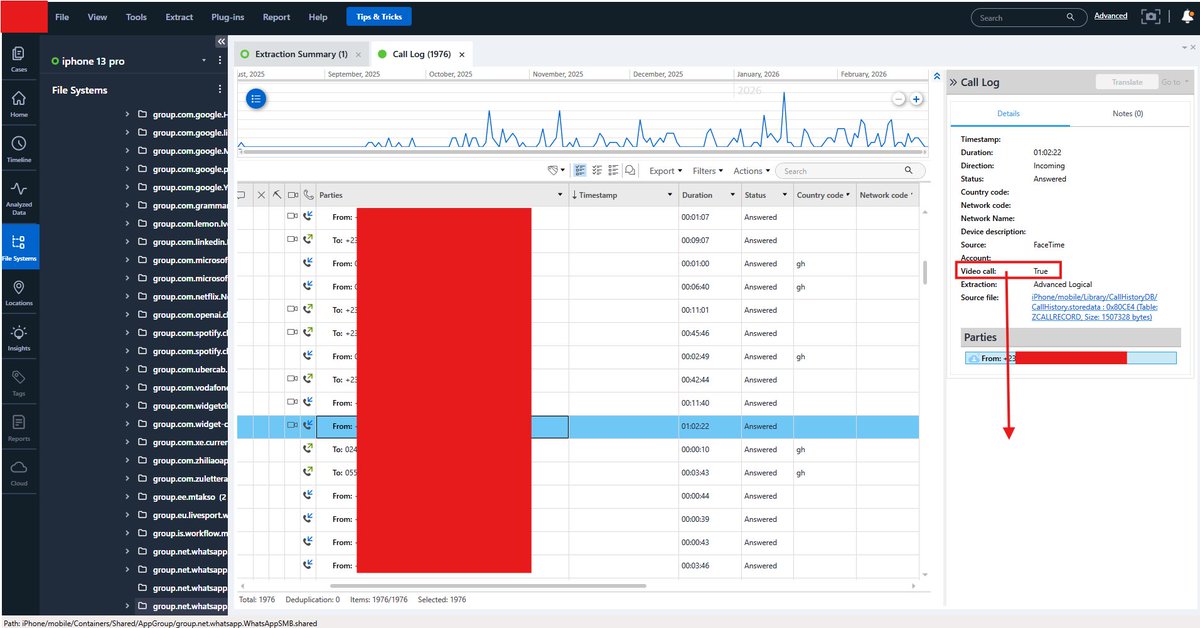
Call analysis went just as deep. Even when call entries were deleted, I could still determine whether interactions were audio or video, which platform they occurred on, how long they lasted, and whether they were answered, missed or rejected. Deleting a visible log doesn’t erase the underlying artifacts.
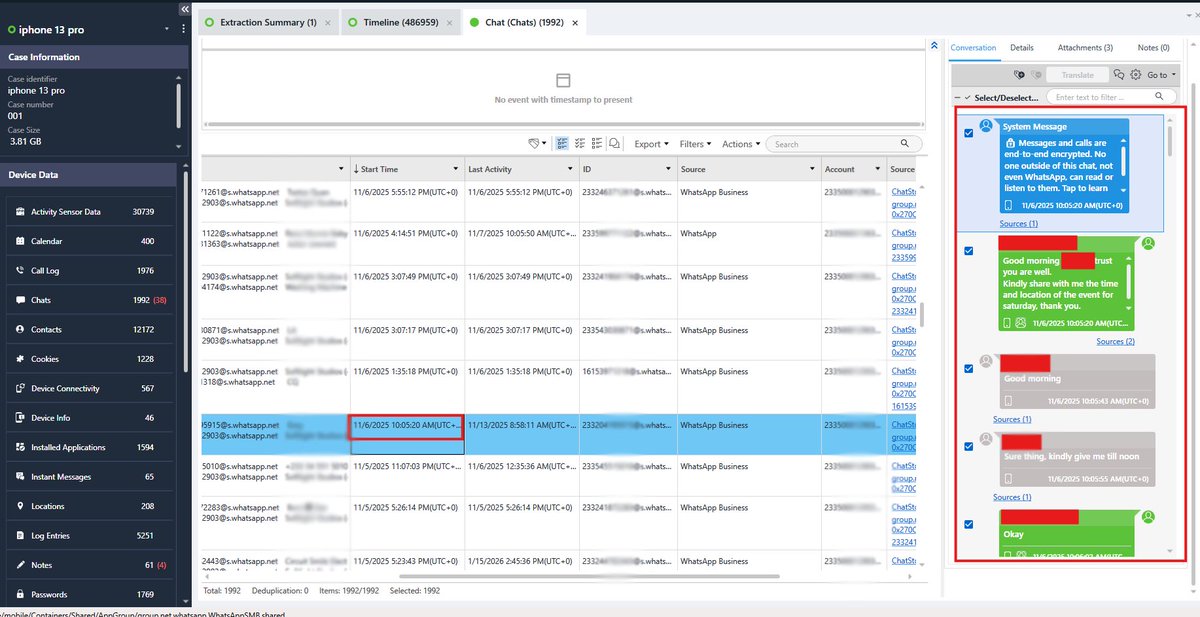
I was also able to recover delivered media, expired content, deleted messages and metadata tying everything to specific timestamps and user actions.
Here’s what stands out. Phones don’t just store content. They store behavior.
They store routine. They store intent.
Files can be deleted. Logs can be cleared. But the artifacts remain.
#digitalforensics #DFI #mobileforensics #cybersecurity
English