
editready
539 posts

editready
@editready
Easy, Fast and Powerful Transcoding for Video Professionals
가입일 Mart 2014
136 팔로잉496 팔로워
@editready is there a way to tag ProRes RAW recorded in V-Log / V-Gamut on a Panasonic as V-Gamut? Currently its passthrough is tagging it as Rec 2020 PQ
English
@restlesspix @3fld Because of some weirdness of the PRR decoder, we always get samples back in linear/2020... however you can use the "Color Conversion" additional option to have us convert into a log profile. We don't have v-log/gamut in the list currently, but it'd be easy to add
English
Since @Blackmagic_News Resolve doesn’t support ProRes RAW, I’ve been fiddling with the various ways to get a project we shot in Ibiza in RAW out of #FCPx as simply as possible (0 Transcode) and to preserve the quality of the RAW as best as we can… here’s what I found.
English
@baezfelipe @restlesspix @hedgeforvideo is there anywhere we could put that metadata that NLEs would read (and use in color rendition)? it's easy to write it to a generic text field.
English

@restlesspix I wonder if the guys at @hedgeforvideo could find a way to bring that metadata to a rewrapped MOV via @editready, that would be amazing.
English
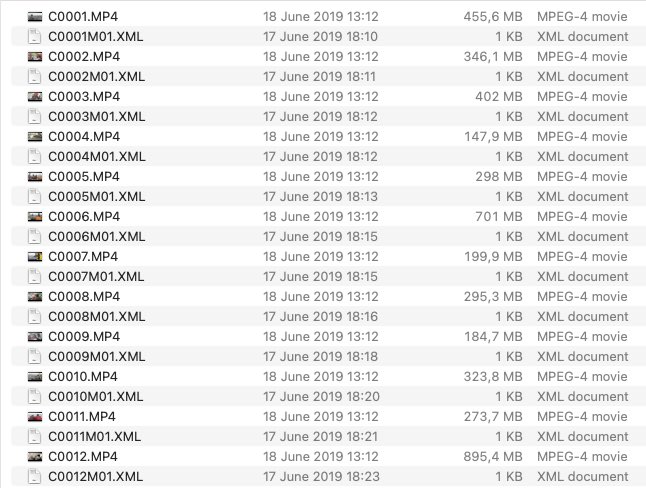
Sony shooters, please never let your files like this. If your camera doesn’t support unique files names, immediately on copying from the card rename them. While you’re at it, rewrap the MP4 with that “hacked” TC so we can have timecode burned in the metadata in the right place.
English
@restlesspix @DominicCarterLA Not yet, but at some point in the future for sure :)
English

Yo I’m so tired of the chokehold Sony A7SIII & above long GOP files have on my computer. Would I lose anything by converting to ProRes when it comes to color & editing? I’d probably lose the camera metadata that catalyst browse can see? cc: @restlesspix
English
editready 리트윗함
@restlesspix @chrisatlatenite @alisterrobbie The fix for a project that’s already half way is what @alisteirrobbie is already doing, creating new “masters” where the timecode is the same as the wrong one. The easy way to avoid this is to pass any Sony files through a rewrap on @editready, then you get the right timecode.
English
@MartinSautter Hi Martin - When you have a moment, give this build <dropbox.com/s/kw2apg97tjkq…> a try. It should resolve your issue. We're still having a bit of conversation about how we want to implement this going forward, but this should be the right direction.
English
@MartinSautter Great thanks - that makes more sense. I've reproduced the issue and I think I see what's going on. We'll do some thinking on the best fix and then get you an update.
English
New today - EditReady 22.2 with enhanced color support for RAW, and Sony X-OCN support!
blog.hedge.video/editready22-2/

English
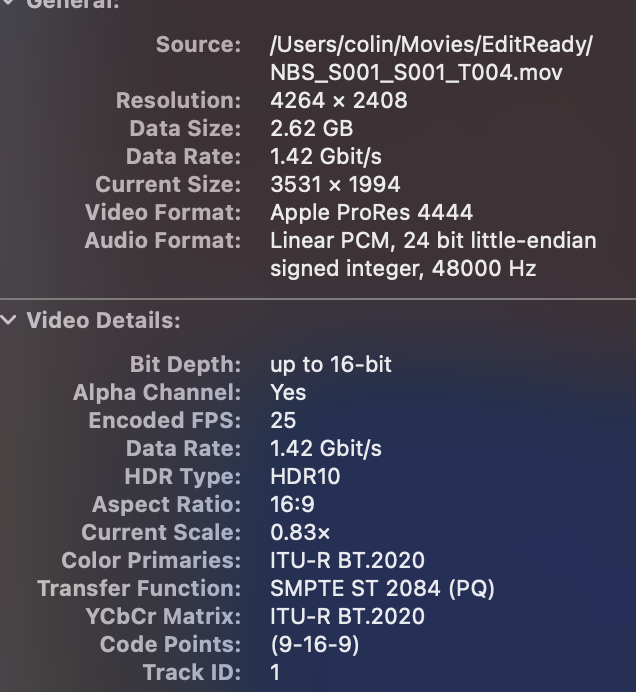
@MartinSautter Hey Martin - I converted your file to ProRes 4444 using EditReady here and I got the value I'd expect - see attached. I'm wondering if I'm misunderstanding something about your setup - what version of MacOS are you on?
English

@MartinSautter Hi Martin - would you be able to share a source file with us? When transcoding from PRRaw, we copy across the transfer function (the 9 in that string) that the PRRaw decoder hands us. Apple doesn't define "9" though, so I'd love to poke at your source to see what's going on.
English
@MartinSautter Lets us check with engineering and get back to you. It looks like you converted into two different formats (4444 and 4444 XQ), is that on purpose?
English
editready 리트윗함

EditReady 22.3 is here 🚀
✨ @CanonUSApro RAW support
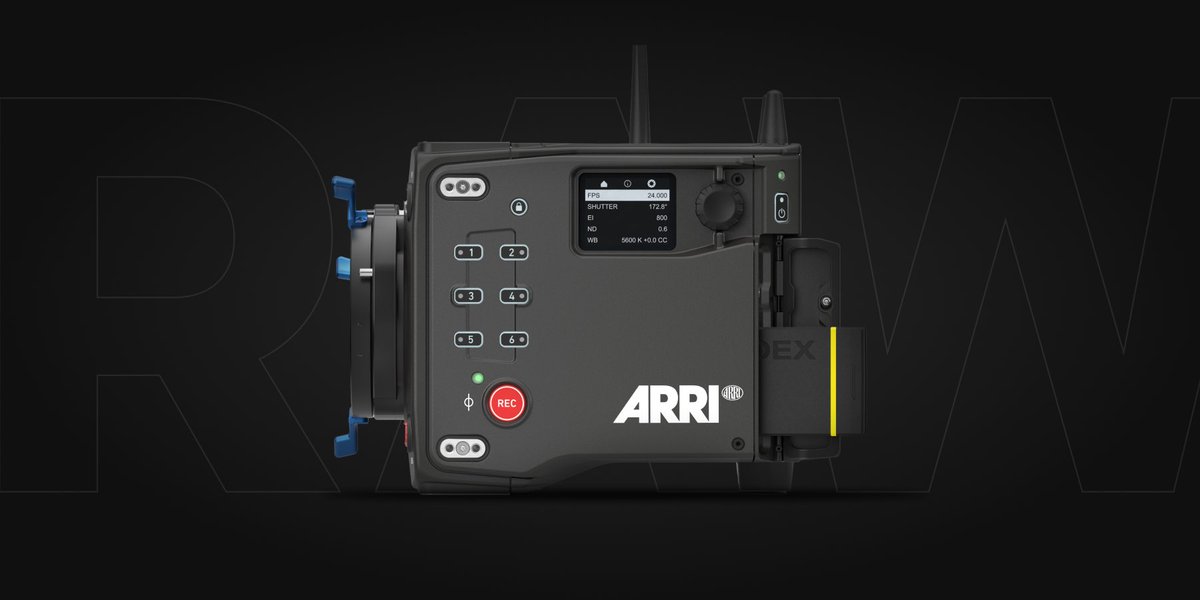
✨ @arrichannel ALEXA 35 support
✨ Even better @Blackmagic_News RAW speeds
✨ @leica_camera SL2-S BRAW support
Read all the ins and outs: blog.hedge.video/editready-cano…
Download: hedge.video/editready
English
@editblog @joeydanna @hedgeforvideo @vexed The destination pop up only works with dnx codecs, and like everything else is locked when in an existing preset… make a new custom preset, choose a dnx flavor, and it should be available
English
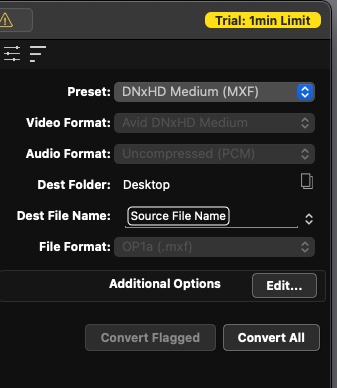
English
Hey Avid @MediaComposer folks … current suggestion for the best external transcoding app that can create Avid media folder compliant Op-Atom DNx MXF files?
I think @lesspainsoft Kyno can but since @Signiant bought them and seems to have killed it I hesitate to recommend anymore
English
EditReady 22.2.1 released with tons of speed and stability improvements to Sony Raw/XOCN and fixes for color processing edge cases! -- docs.hedge.video/editready/rele…
English
@AlexisKobalt Thanks for the feedback, playback is still TBD. Though I’m surprised audio isn’t working.
English

@editready Thanks. Yes, HFR clips recognised. Yes, thumbs generated almost immediately from networked (350MB/s) RAIDs. Yes, playback of Sony RAW clips BUT for only for 2-3 seconds, then it chokes. No scrubbing. If audio track present, video still frozen, but audio makes ticking sound.
English
@photogdustin Definitely, it's next on the list and already being worked upon.
English

@editready I love @editready and use it for all kinds of tasks. I'm enthused by increased RAW capabilities, but I'm a Canon shooter. Any chance we can expect Canon RAW support soon? Thanks.
English
@AlexisKobalt We're working on a build to address some of these SONY issues, DM (or email hello@hedge.video) and we can make sure you get a copy to test.
English
@editready Also, no playback of Sony RAW, no matter the file size or local/networked location. Only get a black screen with timeline needle moving.
English
@AlexisKobalt hmm, so the larger the file the longer the thumbing? are these files local or on networked storage?
English
@editready 59GB and 48GB clips took 1:03 and 0:43 to generate thumbnails, respectively. I upgraded my license just before performing this new test just in case the "Only the 1st minute will be processed" limitation was the bottleneck. Nope. These are not HFR files either.
English
@AlexisKobalt HFR was an easy fix... when you say previews are slow, you mean thumbnails? how long?
English
@AlexisKobalt Downloading an F65 HFR clip now to try to reproduce... I'll let you know.
English