Exceljet

714 posts

Exceljet banner
Exceljet

Exceljet

@exceljet

Quick, clean, and to the point. Practical resources to help you work faster in Excel. 100% human.

Salt Lake City 가입일 Aralık 2012
108 팔로잉2.1K 팔로워
Exceljet
Exceljet@exceljet·
@CyrusShepard @ZebraBI We've been reporting ZebraBI's AI content as spam for a while now with no results so far. It's not in Google's interest to promote, since the user experience is poor. What is the right channel to report?
English
0
0
7
317
Cyrus SEO
Cyrus SEO@CyrusShepard·
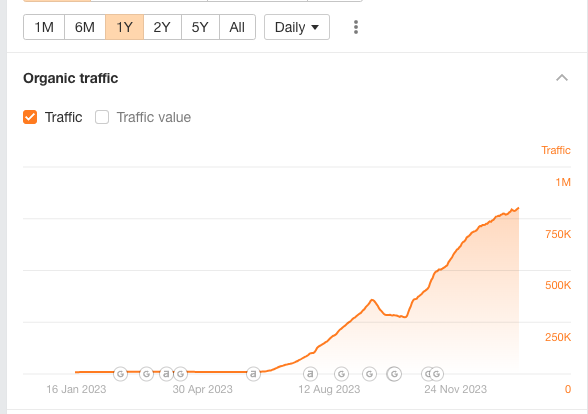
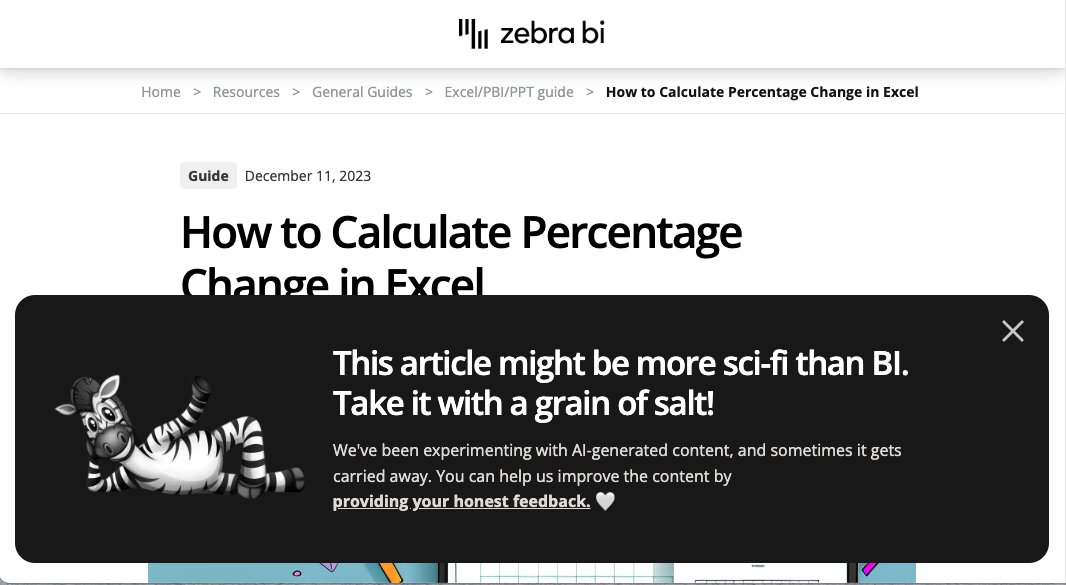
Interesting 0 to 1M case study @ZebraBI scales 1000s of AI-generated articles—almost exactly like the infamous SEO "heist"—and even adds a disclaimer to all articles "Take it with a grain of salt!" (basically, don't trust us) But Google seems to be rewarding it as high E-E-A-T
Cyrus SEO tweet mediaCyrus SEO tweet media
English
36
21
144
27K
Exceljet
Exceljet@exceljet·
On Bing, the same article is on page #3, FWIW.
English
0
0
0
456
Exceljet
Exceljet@exceljet·
See your instructions here:
Exceljet tweet media
English
1
0
0
577
2025 Wealth Strategies | 📈 Investor Advocate & Ed
Paginated report in #Excel A picture tells a thousand words. This is what we want to achieve. It is only “kind of” a paginated report because it works only on the application (Excel) but not for printing. 😅 With dynamic array and new functions in Excel 365, this task is not difficult at all. Only two functions involved. They are CHOOSEROWS and SEQUENCE functions. The spin button is not something new. It’s been in Excel for too long. Just that you may not have a chance to use it before. Let’s watch it in action 365-my.sharepoint.com/:x:/g/personal…
GIF
English
2
0
1
117
MF Wong
MF Wong@wmfexcel·
Just realized that some of my contents had been used by @MSExcelPro without my consent, not even citation of source. They just copied and pasted as if they are the content creators. Is there a way to report it ?
English
2
0
0
214
Exceljet
Exceljet@exceljet·
@MikeBlazerX As the 10-year-old site "featured" in Jake's case study (but not credited) - we think it's bad for all of us if good content is out-ranked by a flood of AI-gen spam. The Excel articles on Causal's site are garbage. Example - x.com/exceljet/statu…
Exceljet@exceljet

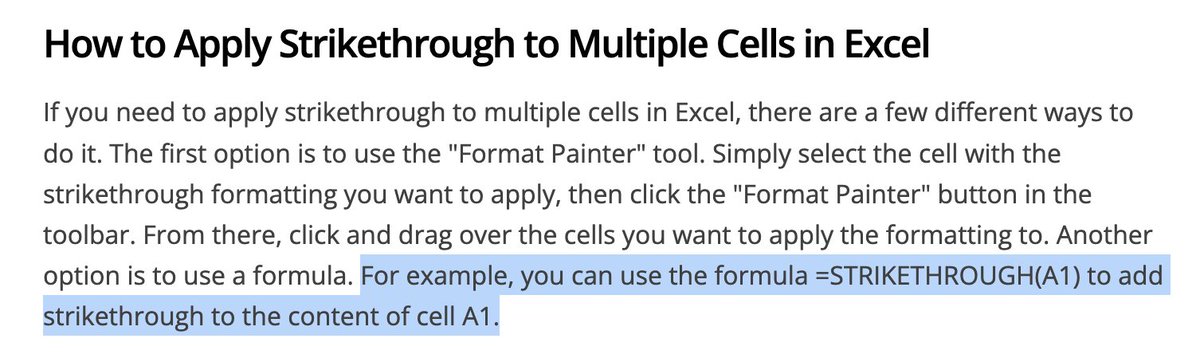
Look carefully at these steps to "change your row labels" in #Excel. It's not that these steps are wrong in some small way. It's that they actually describe a feature that does not exist in Excel. And yet it ranks as a "featured snippet" in Google's search results.

English
1
0
3
206
Exceljet
Exceljet@exceljet·
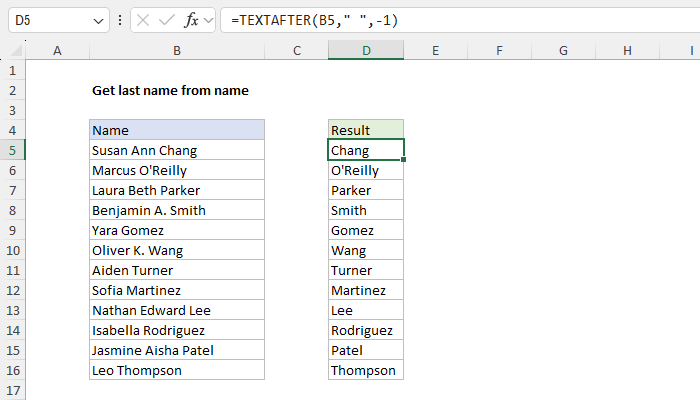
The cool thing in the example is the *negative* instance number in TEXTAFTER. This tells TEXTAFTER to get all text after the *last* space. Excellent feature, useful in many situations.
English
0
0
0
455
Exceljet
Exceljet@exceljet·
The new functions in #Excel are useful. The "old" formula to get the last name: =MID(B5,FIND("*",SUBSTITUTE(B5," ","*",LEN(B5)-LEN(SUBSTITUTE(B5," ",""))))+1,100) The "new" formula: =TEXTAFTER(B5," ",-1) We like the second option :)
Exceljet tweet media
English
1
1
3
794
Exceljet
Exceljet@exceljet·
@CyrusShepard ZebraBI is running a very similar project, spraying out thousands of crappy AI-gen Excel articles with overlapping titles, many now ranking #1 as featured snippets. Is it possible to count these articles?
English
1
0
2
484
Cyrus SEO
Cyrus SEO@CyrusShepard·
Many SEOs may learn the wrong lesson from this AI content "heist" Wrong: You can't win with AI-generated content Truth: Never, ever publicly make Google look bad
Cyrus SEO@CyrusShepard

English
21
15
144
28.3K
Exceljet
Exceljet@exceljet·
Bottom line: at over 2000 words, this article is mostly just AI-generated fluff. Yet, for some reason, Google is ranking it #1. Please do better Google! There are many great Excel sites out there. More words <> more quality. cc @JohnMu
English
0
0
5
382
Exceljet
Exceljet@exceljet·
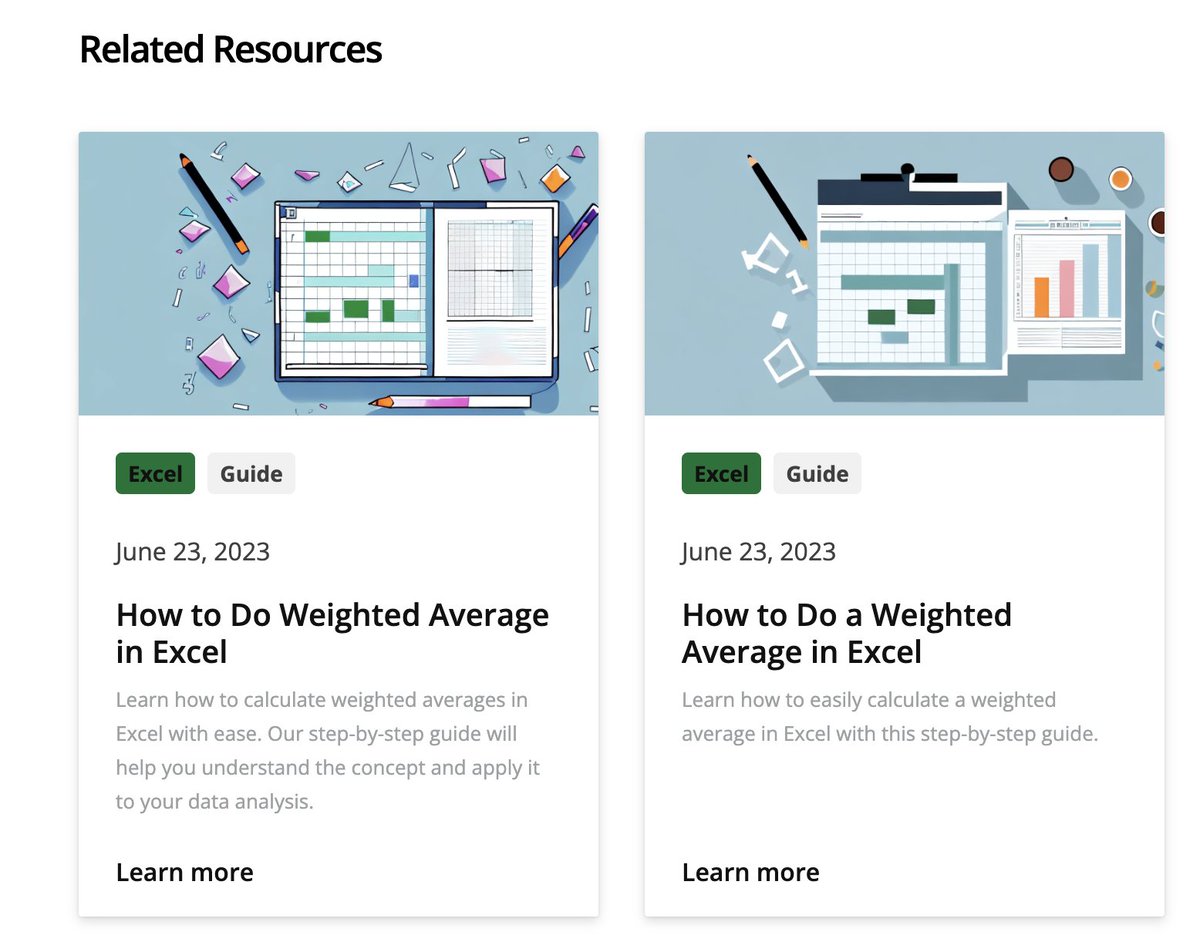
Not helpful? Here are two more articles on the same topic:
Exceljet tweet media
English
1
0
1
433
Exceljet
Exceljet@exceljet·
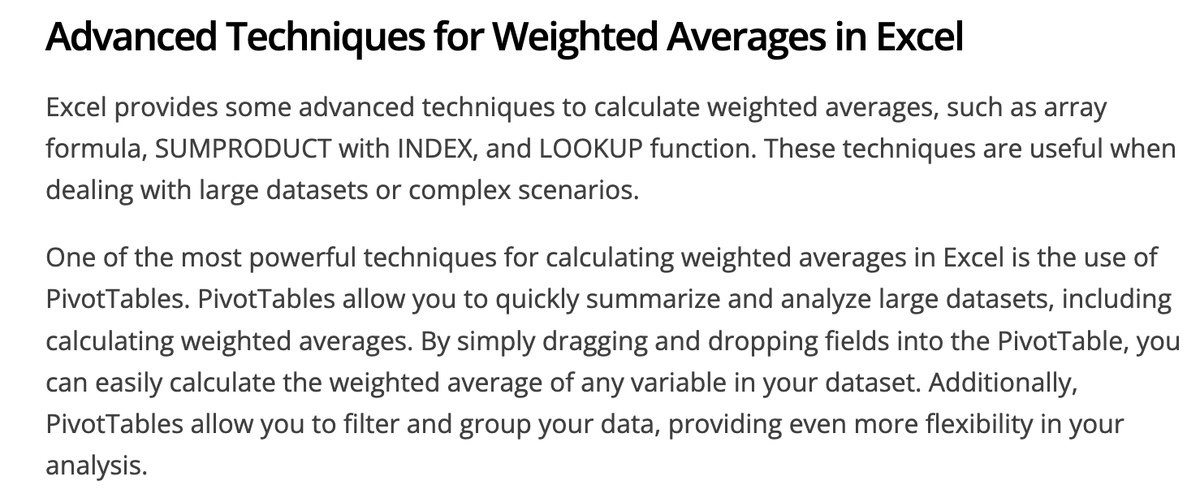
What about advanced techniques?! They have it covered. Check out this word salad:
Exceljet tweet media
English
1
0
1
483
Exceljet
Exceljet@exceljet·
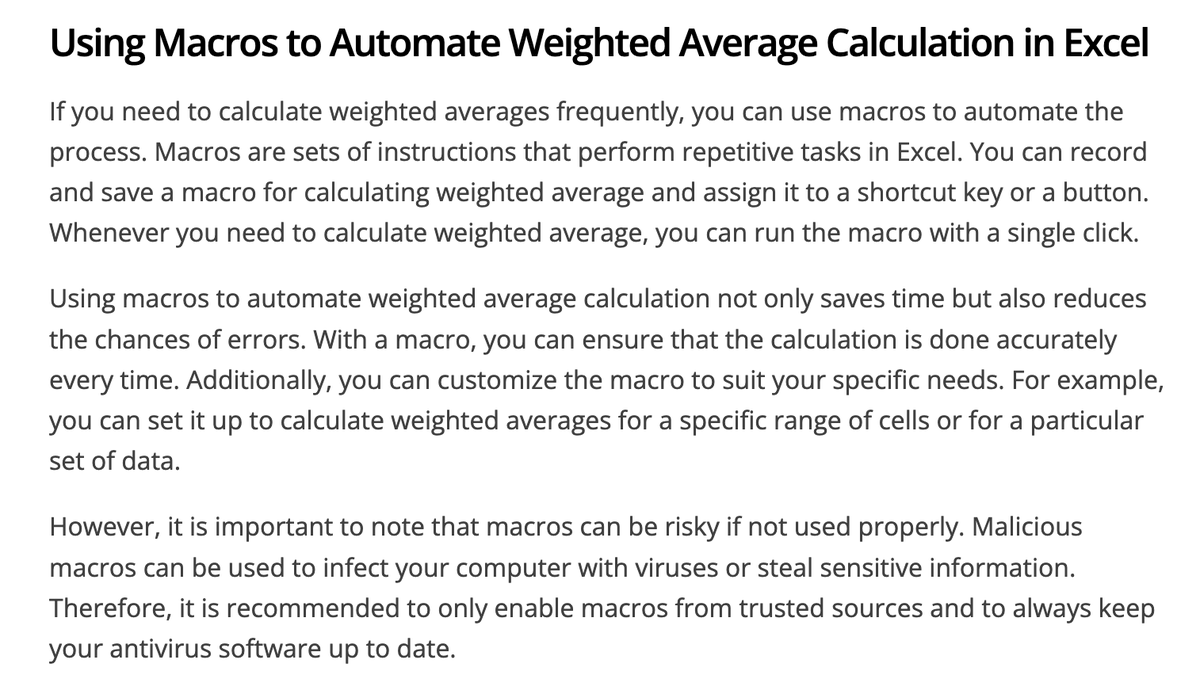
Plus, you can also use macros to automate the process! Yes. But do be careful if you go this route, because "macros can be risky". Actually, there is no code or instructions, so most people probably won't try macros?
Exceljet tweet media
English
1
0
1
306
Exceljet
Exceljet@exceljet·
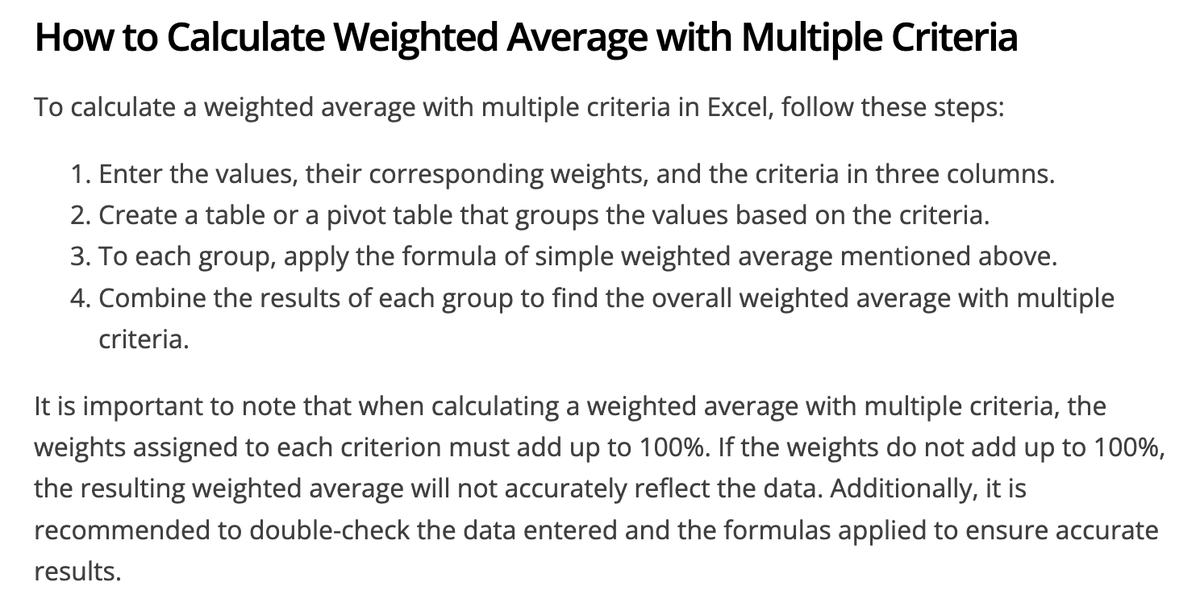
Followed by some nonsense about creating a weighted average with multiple criteria. Seriously, give these 4 steps a try, and let us know how it goes!
Exceljet tweet media
English
1
0
1
276
Exceljet
Exceljet@exceljet·
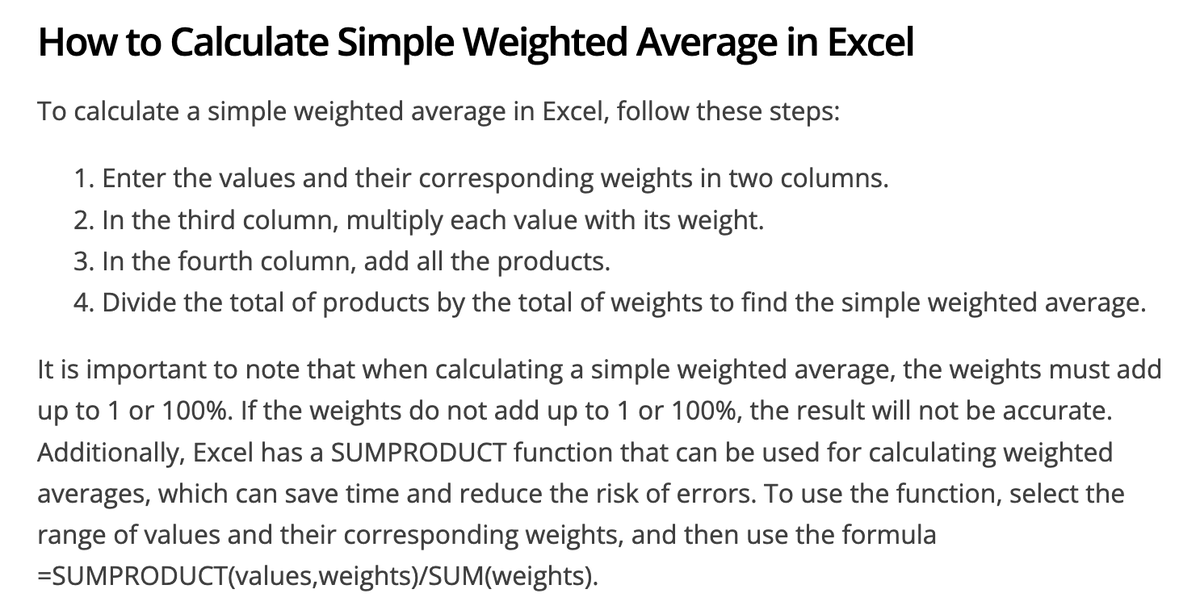
Maybe the most interesting thing about this article is that there is not a single working formula or screenshot. The closest we get is this how-to:
Exceljet tweet media
English
1
0
2
242
Exceljet
Exceljet@exceljet·
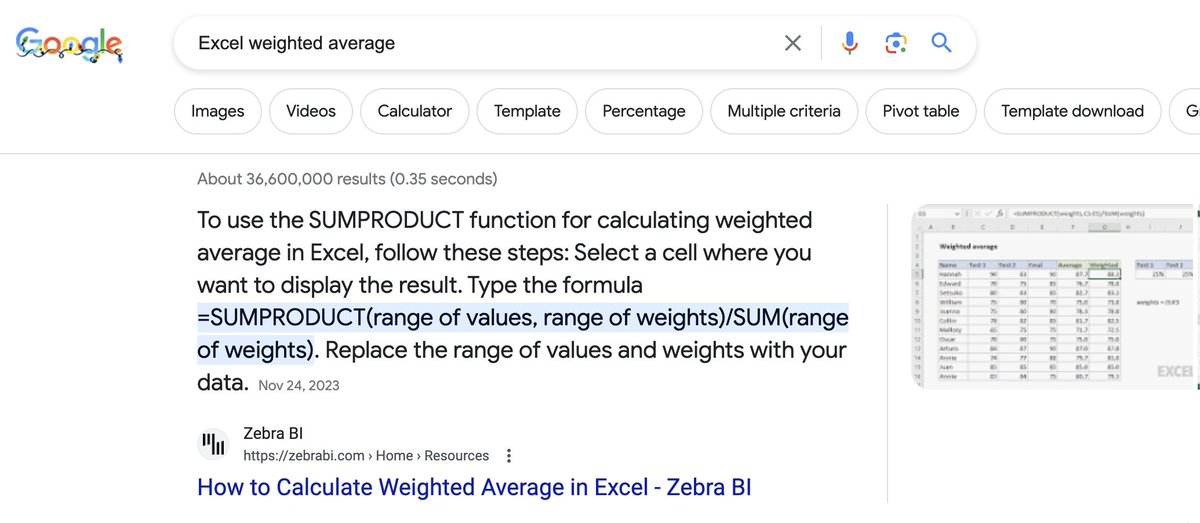
Another fluffy AI-generated article from @ZebraBI, currently ranking #1 as the "featured snippet" for "Excel weighted average" on @Google. (The screenshot comes from Exceljet, but that's for another day)
Exceljet tweet media
English
2
2
10
964