UserOrient

335 posts

UserOrient banner
UserOrient

UserOrient

@userorient

Stop guessing what to build. User feedback SDK for @FlutterDev 🩵

가입일 Haziran 2024
2 팔로잉262 팔로워
고정된 트윗
UserOrient
UserOrient@userorient·
💙 Launched UserOrient for Flutter! After 3 months of internal use in real apps, UserOrient is ready for the #Flutter Community! Built with Flutter web, it’s here to help product owners and indie app developers collect feature requests from users within their apps and decide what to build next based on user votes. Key features include: - Prioritize Features – let users vote on features matters them the most. - Collect Ideas – collect feature requests and feedbacks from user. - 2-Minute Setup – integrate with our SDK on pub.dev within minutes. 🎉 Launch Special: Enjoy a free month of our Growth plan with no credit card required for all new sign-ups. Visit userorient.com to get started! Visit on pub.dev: pub.dev/packages/usero…
UserOrient tweet media
English
0
3
34
5.6K
UserOrient 리트윗함
Mike Rydstrom
Mike Rydstrom@RydMike·
I have been following this Orient UI @FlutterDev development. It is a fantastic UI set and idea, plus very well made. Awesome work, thanks for making and sharing it ❤️ Story journey and used approach rationale was also a great read! Loved it 🚀 💯% #MaterialMike approved! 😅💙
Kamran Bekirov@kamranbekirovyz

Story: I made a set of Flutter widgets that aren't Material or Cupertino. I use Flutter for web and desktop a lot. And if you do too, you probably know the pain: Material works fine for mobile, but on web and desktop it screams Google. Cupertino doesn't even make sense on larger screens. So, if you want your app to look like your own brand, you're building everything from scratch. I've done that for 2 years at @UserOrient: it has a web dashboard built entirely with Flutter. Our designer made a clean, neutral design for it, I implemented it, and people kept saying it looks good. At some point I looked at all these widgets I built and thought: "I keep reusing these across projects anyway, why not let others use them too?" But I didn't want to make a package. See, these are widgets, pixels, and if you import a package, you can't change how a button works inside without forking the whole thing. Then remembered, a friend told me once about shadcn in the web world and how it just gives you the component as a file. That felt right. Decided to start with CLI: activate it, run a command, and it drops a plain Dart file into your lib folder. That file is yours. Edit it, move it, rename it, whatever. That's Orient UI. It gives you two things: 1. style.dart: colors, typography, radii, durations, breakpoints. One file. Works with or without Material. 2. Widgets: buttons, toggles, navbars, toasts, popups, search fields, tabs, more. 25+ of them. All tested. All responsive. One thing I didn't expect: style.dart became useful way beyond Orient UI's widgets. In my apps, I started putting all custom colors and typography there. It's now basically my whole app's design tokens in one place, and it doesn't fight Material's ThemeData at all. Here's how it works: > dart pub global activate orient_ui > orient_ui init // creates lib/style.dart > orient_ui add button // creates lib/button.dart You don't replace MaterialApp either. Keep your Scaffold, your Navigator, everything. Orient UI sits next to it. Use its button but Material's TextField. Mix however you want. Here's some questions I got and decisions I made along the way: - Is this a design system? Not really. It's foundational building blocks. You can use Orient UI's button next to Material's TextField and they won't fight each other. Use what you need, ignore the rest. - Why plain files, not a package? If it's a package, you can't change a button's internal logic without forking the whole thing. With plain files, you open button.dart and change whatever you want. - Will there be Orient UI v2, v3, breaking changes? No. There won't be. These are neutral, foundational widgets. A button is a button. A toggle is a toggle. You get the file, it's yours forever. - Why not OrientButton, OrientApp? I almost did. Then I realized that's annoying. Nobody wants to type a prefix on every widget. So the button is just Button. The theme is just Style. Simple names, no conflicts with Material's ThemeData. - How do widgets know light/dark mode? I could do Theme.of(context).brightness but that ties you to Material. What if someone uses CupertinoApp or just a plain WidgetsApp? So I made Style an InheritedWidget. You wrap your app with Style(), pass brightness, done. And if you don't wrap, it defaults to light. So wrapping is optional too. - How does the CLI work? It fetches templates from GitHub. No code generation, no build runner. You run a command, you get a file. That file imports style.dart for colors and typography. You point that import to wherever you put style.dart and you're set. Also, Flutter team recently separated Material and Cupertino into their own packages. Maybe there's room for a third option. Maybe this is it. Links in the first comment 👇🏻

English
3
7
69
6.9K
UserOrient 리트윗함
Kamran Bekirov
Kamran Bekirov@kamranbekirovyz·
Story: I made a set of Flutter widgets that aren't Material or Cupertino. I use Flutter for web and desktop a lot. And if you do too, you probably know the pain: Material works fine for mobile, but on web and desktop it screams Google. Cupertino doesn't even make sense on larger screens. So, if you want your app to look like your own brand, you're building everything from scratch. I've done that for 2 years at @UserOrient: it has a web dashboard built entirely with Flutter. Our designer made a clean, neutral design for it, I implemented it, and people kept saying it looks good. At some point I looked at all these widgets I built and thought: "I keep reusing these across projects anyway, why not let others use them too?" But I didn't want to make a package. See, these are widgets, pixels, and if you import a package, you can't change how a button works inside without forking the whole thing. Then remembered, a friend told me once about shadcn in the web world and how it just gives you the component as a file. That felt right. Decided to start with CLI: activate it, run a command, and it drops a plain Dart file into your lib folder. That file is yours. Edit it, move it, rename it, whatever. That's Orient UI. It gives you two things: 1. style.dart: colors, typography, radii, durations, breakpoints. One file. Works with or without Material. 2. Widgets: buttons, toggles, navbars, toasts, popups, search fields, tabs, more. 25+ of them. All tested. All responsive. One thing I didn't expect: style.dart became useful way beyond Orient UI's widgets. In my apps, I started putting all custom colors and typography there. It's now basically my whole app's design tokens in one place, and it doesn't fight Material's ThemeData at all. Here's how it works: > dart pub global activate orient_ui > orient_ui init // creates lib/style.dart > orient_ui add button // creates lib/button.dart You don't replace MaterialApp either. Keep your Scaffold, your Navigator, everything. Orient UI sits next to it. Use its button but Material's TextField. Mix however you want. Here's some questions I got and decisions I made along the way: - Is this a design system? Not really. It's foundational building blocks. You can use Orient UI's button next to Material's TextField and they won't fight each other. Use what you need, ignore the rest. - Why plain files, not a package? If it's a package, you can't change a button's internal logic without forking the whole thing. With plain files, you open button.dart and change whatever you want. - Will there be Orient UI v2, v3, breaking changes? No. There won't be. These are neutral, foundational widgets. A button is a button. A toggle is a toggle. You get the file, it's yours forever. - Why not OrientButton, OrientApp? I almost did. Then I realized that's annoying. Nobody wants to type a prefix on every widget. So the button is just Button. The theme is just Style. Simple names, no conflicts with Material's ThemeData. - How do widgets know light/dark mode? I could do Theme.of(context).brightness but that ties you to Material. What if someone uses CupertinoApp or just a plain WidgetsApp? So I made Style an InheritedWidget. You wrap your app with Style(), pass brightness, done. And if you don't wrap, it defaults to light. So wrapping is optional too. - How does the CLI work? It fetches templates from GitHub. No code generation, no build runner. You run a command, you get a file. That file imports style.dart for colors and typography. You point that import to wherever you put style.dart and you're set. Also, Flutter team recently separated Material and Cupertino into their own packages. Maybe there's room for a third option. Maybe this is it. Links in the first comment 👇🏻
Kamran Bekirov tweet media
English
9
9
122
11.7K
UserOrient 리트윗함
Kamran Bekirov
Kamran Bekirov@kamranbekirovyz·
Orient UI is now AI-native! 🎉 One command sets up theming for your Flutter app + AI rules for Claude Code, Antigravity, Windsurf and Codex. After that, your AI coding agent uses Orient UI's theming and widgets instead of hardcoding values or defaulting to Material or Cupertino.
English
1
2
10
658
UserOrient 리트윗함
Kamran Bekirov
Kamran Bekirov@kamranbekirovyz·
This new widget, I call: SegmentBar. It's similar to Material's TabBar, but it wraps to more than one lines if you wish (also has horizontal-scroll version). Plus it's more neutral and cleaner. I used it for Orient UI's widgets catalog as a switcher between widgets. Now each widget have its own previews and a VS Code-style code block 🔥 Though, I assume normally you'd use it for 5-8 items max, which will look cleaner. With this, Orient UI now catalogs 23 widgets! All clean. All neutral. All fully customisable.
English
2
1
15
1.9K
UserOrient 리트윗함
Kamran Bekirov
Kamran Bekirov@kamranbekirovyz·
I hope Flutter can get more love for desktop & web, but building blocks aren't there yet. I struggled with this a lot building @UserOrient's web dashboard. My dream is "Orient UI" can become a toolkit to make building desktop & web apps with Flutter much easier.
Kamran Bekirov tweet media
English
2
4
38
1.3K
Khalid Warsame
Khalid Warsame@KhalidWarsa·
Anyone got the 2026 Flutter conferences list yet?
English
3
1
20
2.6K
UserOrient 리트윗함
Kamran Bekirov
Kamran Bekirov@kamranbekirovyz·
@UserOrient v2.1.0 is live: Now you can see user's device and app details alongside with their feature request.
Kamran Bekirov tweet media
English
1
1
2
362
Flutter
Flutter@FlutterDev·
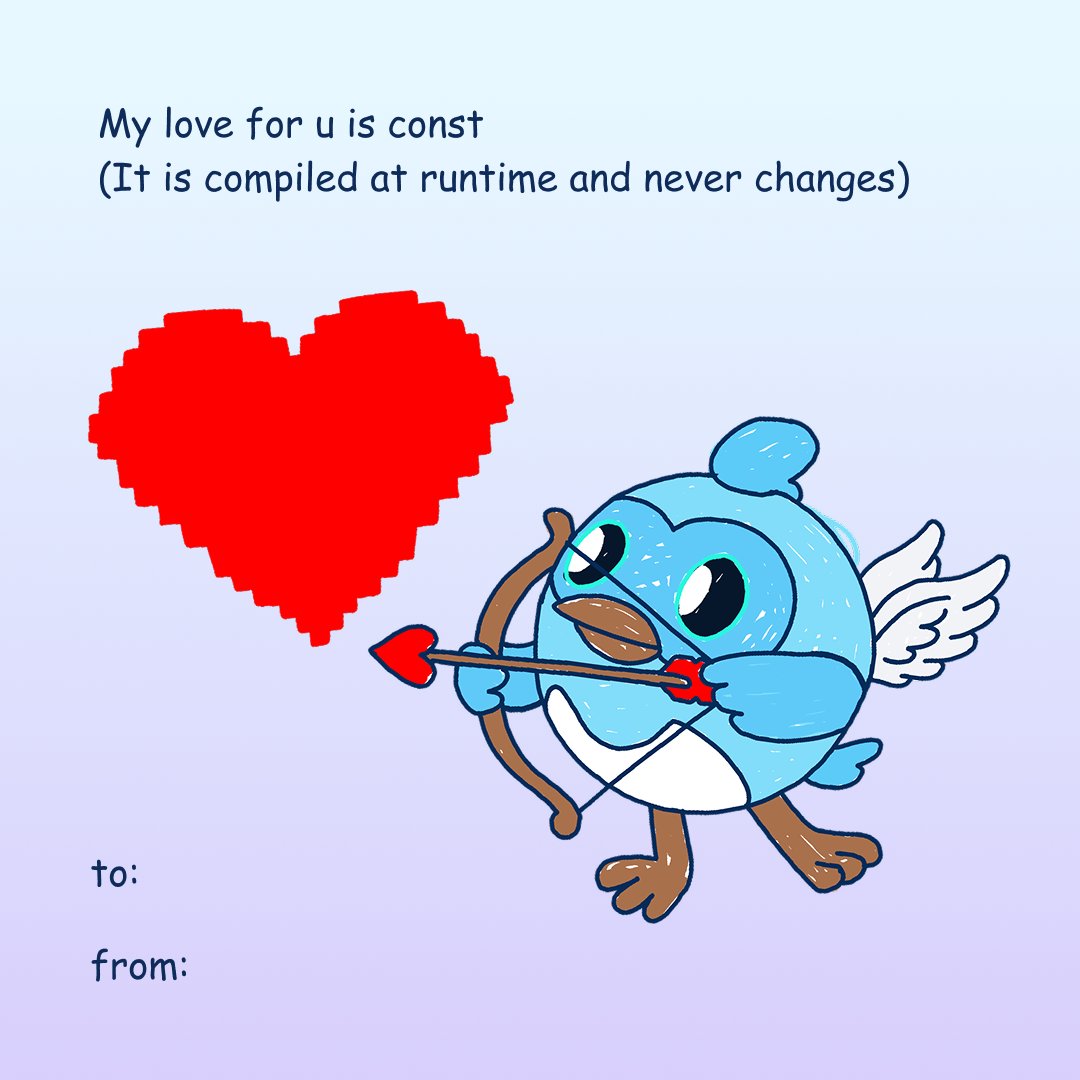
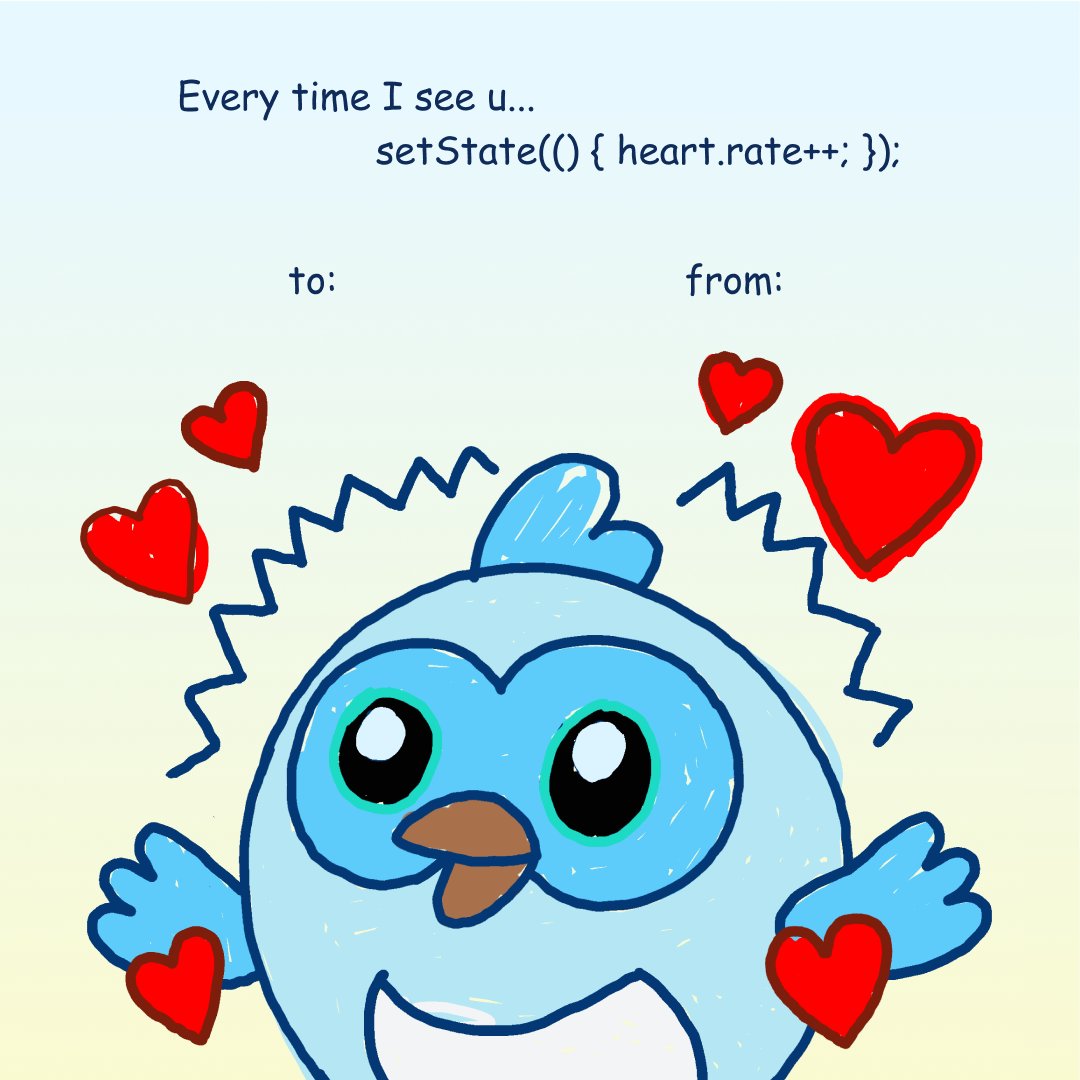
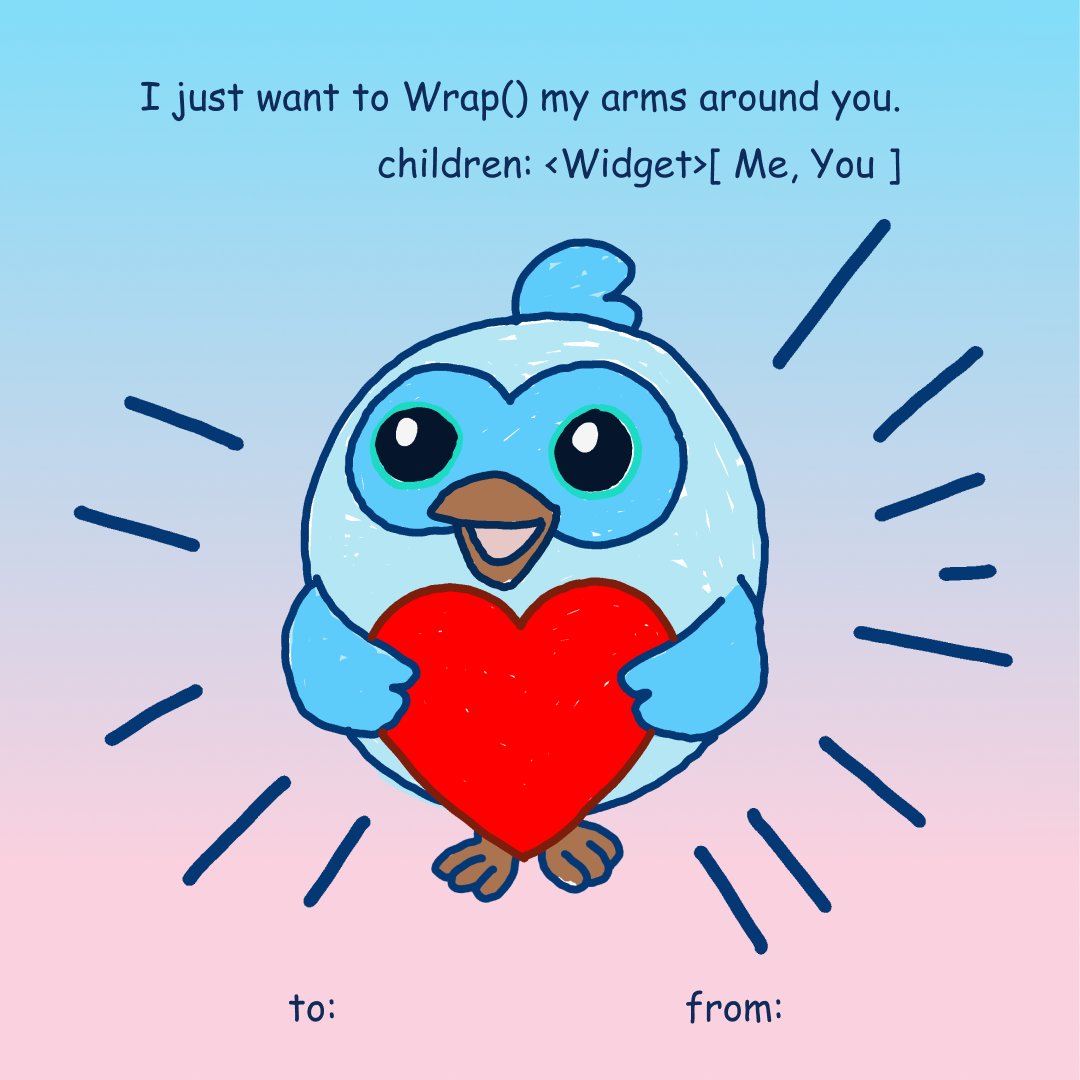
All you need is Dash 🩵 Here are some Valentines for the person who makes your heart skip a frame.
Flutter tweet mediaFlutter tweet mediaFlutter tweet mediaFlutter tweet media
English
9
23
176
7.3K
Jonas Uekötter
Jonas Uekötter@ue_man·
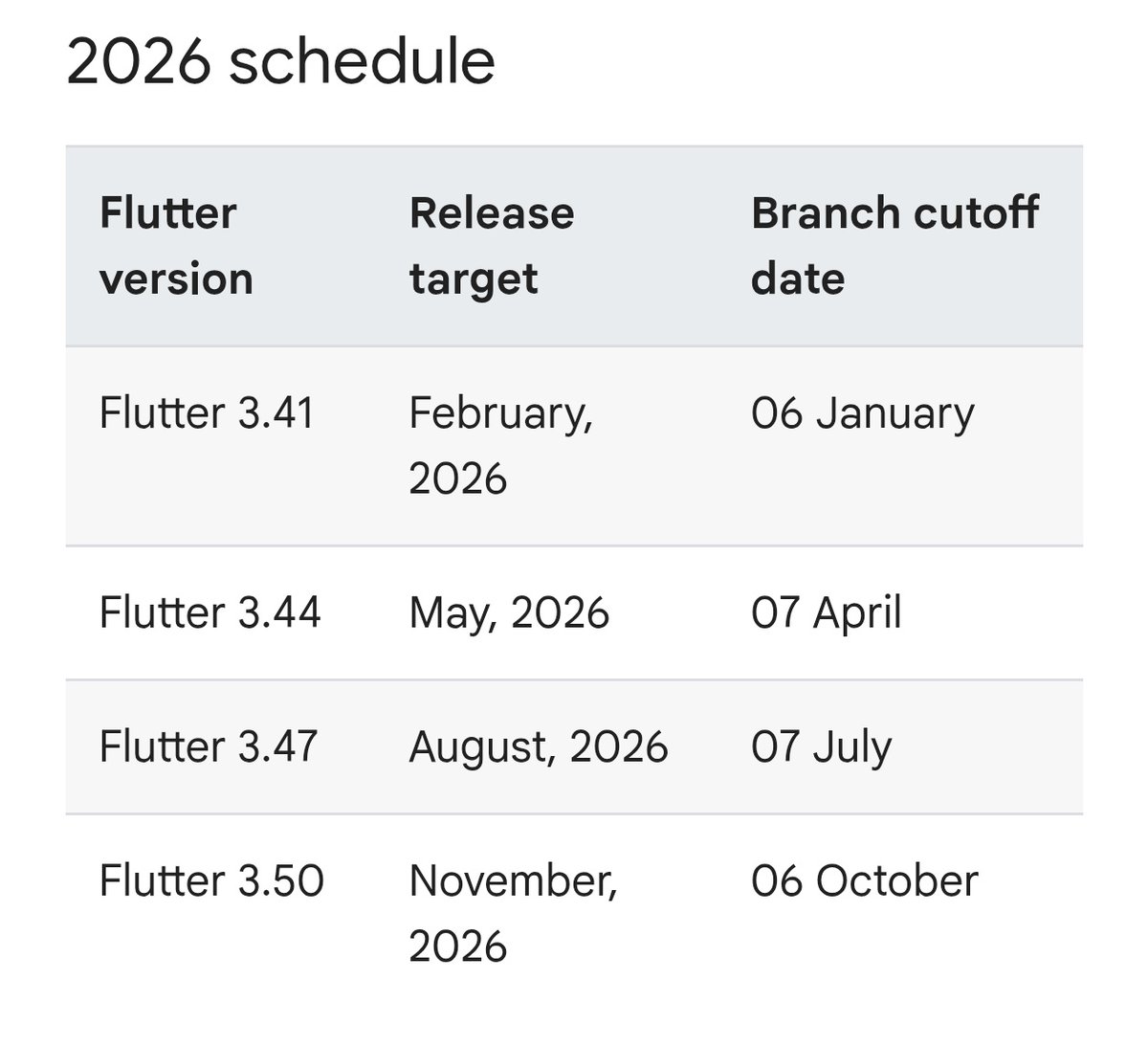
The Flutter team already announced the release date for Flutter stable versions for all of 2026
Jonas Uekötter tweet media
English
6
10
103
5.3K
UserOrient 리트윗함
Kamran Bekirov
Kamran Bekirov@kamranbekirovyz·
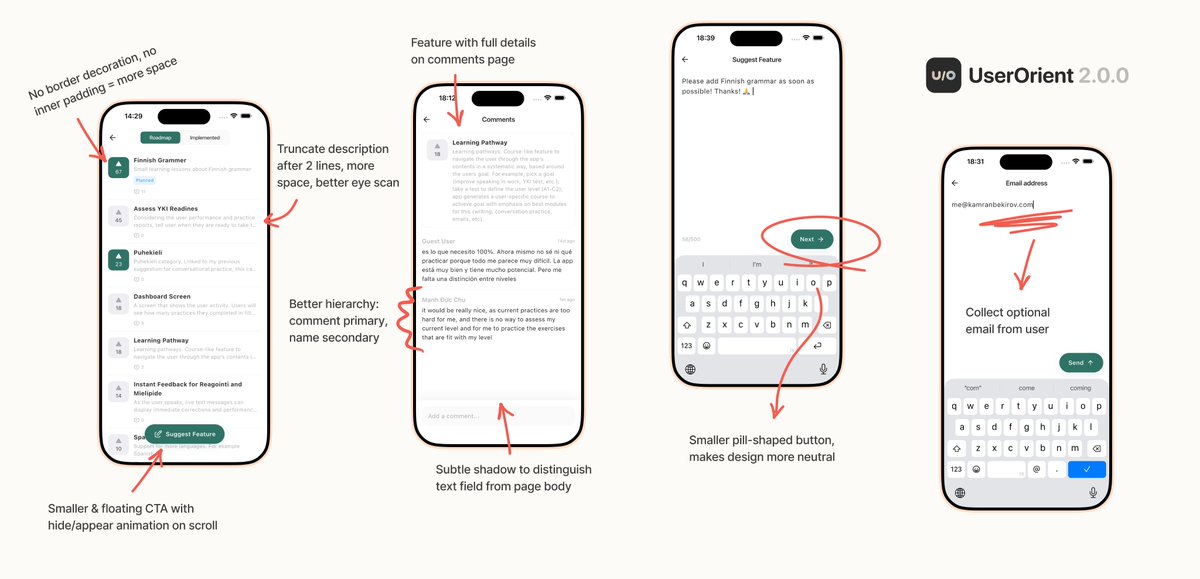
UserOrient Flutter SDK v2.0.0 is here! 🎉 Biggest update yet: - SDK now collects optional email from users - More breathing UI, more features visible at a glance - More neutral design, more like part of your app. With every update, @UserOrient is trying to close gap between your Flutter app and its users 🩵
Kamran Bekirov tweet media
English
0
4
48
2.2K
Flutter
Flutter@FlutterDev·
Flutter 3.41 is here, and the future looks bright ⚡ Update now for: ➕ Swift Package Manager & UIScene support ➕ Auto-resizing "Add-to-App" views ➕ Experimental Multi-window APIs for Desktop Details → goo.gle/4qwgcbG
English
16
149
861
98.3K
Harish 💙
Harish 💙@theflutterboi·
If you had the chance to ask the founders of Flutter just one question, what would it be? #flutter
English
6
1
12
1.3K
Srinivasan
Srinivasan@rsrinivasan_·
@theflutterboi How do you envision Flutter evolving to remain competitive and relevant in a world where native platforms, web standards, and AI-driven UI generation are rapidly advancing?
English
2
0
1
177
UserOrient 리트윗함
Kamran Bekirov
Kamran Bekirov@kamranbekirovyz·
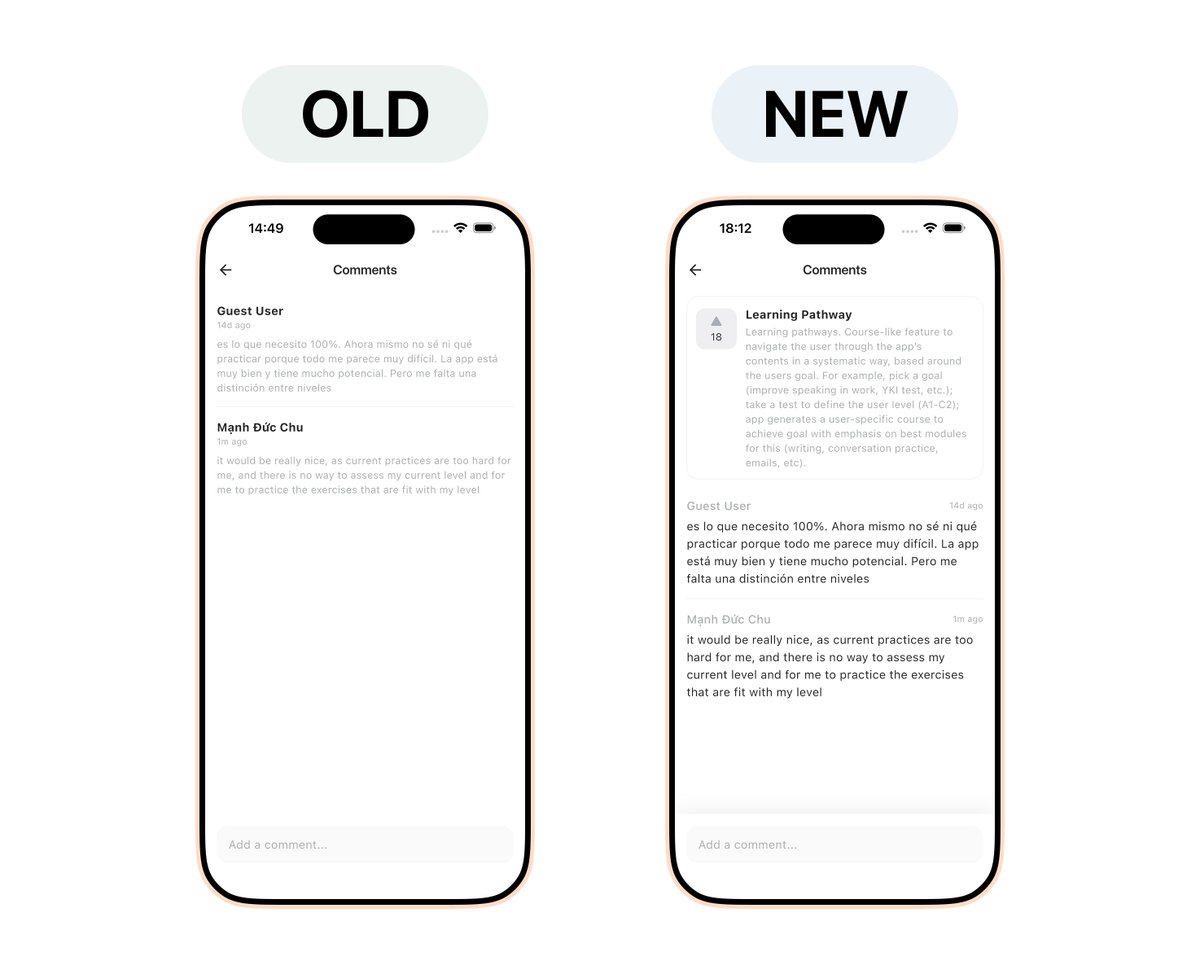
I questioned @UserOrient's comments view a lot... And made lots of changes to the SDK: 🆕 Related feature pinned at top 🥷 Subtle shadow on the bottom text field 💬 Text hierarchy: comment first, name secondary 📅 Date moved to right My brain loves doing this.
Kamran Bekirov tweet media
English
1
3
22
1.3K
UserOrient 리트윗함
Kamran Bekirov
Kamran Bekirov@kamranbekirovyz·
Adding floating pill button and limiting feature description to 2 lines freed-up a lot of space 🍀
English
3
6
75
5.6K