
Sabitlenmiş Tweet
LuDe
376 posts
LuDe
@2_LuDe_
3D modeling/drawing Currently making an Anime Hair Styling app, try it out here! https://t.co/uACy42JFND
Canada Katılım Aralık 2009
625 Takip Edilen596 Takipçiler

@Gu1Sparr0w You can do this by going to the title bar and clicking File>Import Head Mesh, or Guides>Edit Head and in the head editor you should see a button to import your mesh in the right hand panel.
English

@2_LuDe_ It would be great to be able to add custom heads, or have presets for some heads! That would be perfect for creating hairstyles for Roblox games!
English
discord.gg/ZsZj5JESh
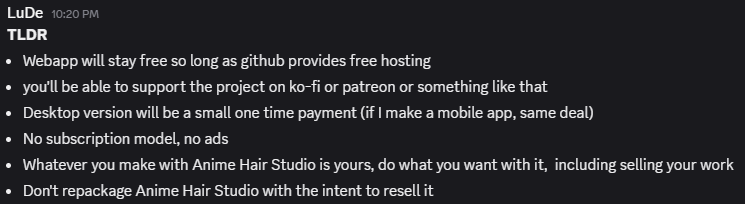
For now you can check out the patch notes on our all new discord server!
until I figure out how to do this on twitter that is.
How do people do this usually?
English
@Lemonade__Spice thanks!
I can't seem to reproduce that on my end.
What does the contextual menu look like?
English

@Chuuya_sWife It’s not in the current version of the app yet, will probably be there by the end of the week though, just want to tweak some things first before release
English

@Cirius_VR Oof, yeah save has been weird because I’m testing offline, I can get it to work offline or online but can’t seem to do both in the same button.
I’ll revert save to work online on next update.
When I get home from work I’ll figure out the dm’s.
English

@2_LuDe_ Yeah, repositioning the head is the best workaround for now! Thanks!
If not already on your to-do list, might I suggest a redo function? Heh. Also, the save function gives me an error. Can I DM to share the error and discuss things further? Posts are so limited lol
English

@Cirius_VR Agreed, the obscured points is something I encountered in testing as well and then forgot about.
Thanks for reminding me! it's going on the to do list.
As a work around, you can resize/reposition the head, and proportional editing (hotkey is b) can help nudge hidden points.
English
@2_LuDe_ I'm checking out the tool, and it's seeming very awesome! The scalp fitting is a struggle, though lol Could maybe add a function to move the entire scalp together? Would really help with aligning the cap to a custom imported head model. Also, points are obscured inside the head.
English
@MarcinMortus @Sacb0y It’s a stand alone web app (plan to make it an offline desktop app at some point).
You can export files to use out in your software of choice though
English

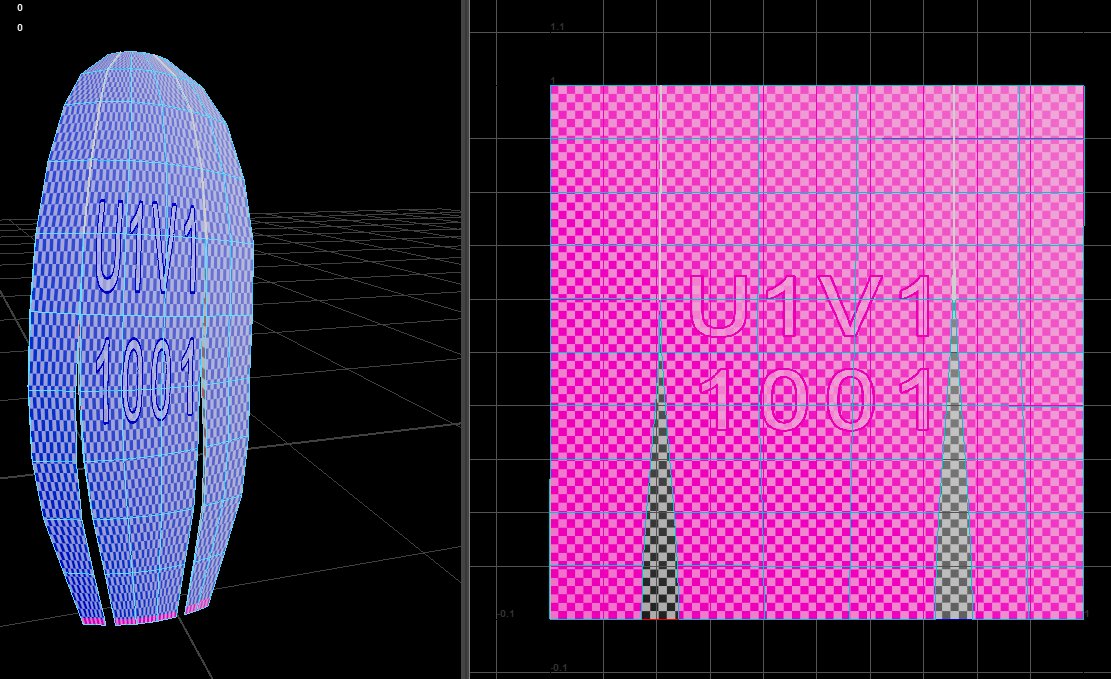
@migero_usausagi I personally prefer the straight UV’s, the issue here is that it’s not taking into account the extruded edges and back face which would cause some issues. They were also upside down which I fixed.
Not too hard to fix manually but would be nice if they came ready to go.
English

@2_LuDe_ i guess it depends on the artist i seen hair with both types of UV. Straight and curved.
English

@migero_usausagi good question
Answer is, honestly a lot better than I expected, but they need work.
The tool works as a plane and then adds an extrusion so I guess this is to be expected.
English
@nightshift_tony it could, but I'll restrain myself lol.
The feature was inspired by how zippers work in Marvelous Designer though.
English

@everbitaworks @ItZunco Eventually plan on doing this.
For now web app makes it easy to share, but personally I don't want to do any serious 3D work in a browser, I'm sure most people probably feel the same.
English


@ThePlumedOne That's the goal, export curves, bones, weights and handles.
but seems like we need FBX or maybe some other format for that.
English

@2_LuDe_ Yes you can convert a polyline into a curve in blender but it's less flexible than a Bezier or Nurbs path curve. Exporting the curves themselves would be a nice feature but for something like your braid preset, being able to export the mesh itself (maybe rigged too) would be nice
English