
Adobe Fonts

13.8K posts

Adobe Fonts banner
Adobe Fonts

Adobe Fonts

@AdobeFonts

This account is no longer updated. Follow @creativecloud for Adobe Fonts updates or @adobecare for support. Send us your feedback @ https://t.co/X9cDUYStJP

Katılım Nisan 2009
153 Takip Edilen73.4K Takipçiler
Sabitlenmiş Tweet
Adobe Fonts
Adobe Fonts@AdobeFonts·
To all of our followers: this Twitter account will no longer be updated as of 3/1/22. Please follow @creativecloud for Adobe Fonts news. For all support questions: @adobecare. You can also send us your feedback @ adobefonts.uservoice.com
English
7
1
5
0
Adobe Fonts
Adobe Fonts@AdobeFonts·
@uffelaine Apologies for the inconvenience! There is a post in our Community forum with a request for info in the comments that will help our engineering team determine a fix. Please follow there for updates and feel free to add your own details if you have a moment. community.adobe.com/t5/adobe-fonts…
English
0
0
0
0
Joel Laine
Joel Laine@uffelaine·
@AdobeFonts work stuck again due to fonts not activating correctly. InDesign just spins the wheel and CC desktop app shows that no fonts are activated. At fonts.adobe.com the activated fonts are displayed correct. Tried logging in and out from desktop app. No help.
English
1
0
2
0
Adobe Fonts
Adobe Fonts@AdobeFonts·
@trickartt Apologies for the inconvenience! There is a post in our Community forum with a request for info in the comments that will help our engineering team determine a fix. Please follow there for updates and feel free to add your own details if you have a moment. community.adobe.com/t5/adobe-fonts…
English
0
0
0
0
Ricky Trickartt
Ricky Trickartt@trickartt·
@AdobeFonts Your service has stopped working for me and I have no idea why. I can't activate fonts through Illustrator, the CC app, the website, nothing works. Tried logging out and back in, tried restarting, made sure all is up-to-date. I'm at a loss!
English
1
0
2
0
Adobe Fonts
Adobe Fonts@AdobeFonts·
This is the last week before we say goodbye to you all here on February 28th. We’ll be serving up typographic treats over @creativecloud, so follow along there for all things Adobe Fonts! @adobecare has your support covered.
English
2
1
6
0
Adobe Fonts
Adobe Fonts@AdobeFonts·
Only two more weeks until this account becomes inactive! Follow @creativecloud to stoke your typographic inspiration and creativity, or join us in the fonts community to get help from type experts adobe.ly/3KVSnq5
English
0
0
5
0
Adobe Fonts
Adobe Fonts@AdobeFonts·
@stanseel @Typekit We appreciate your feedback here. If you have a moment, please add your idea to the new Adobe Fonts UserVoice so that the product team can consider it for a future update. Thanks! – adobefonts.uservoice.com
English
0
0
0
0
Adobe Fonts
Adobe Fonts@AdobeFonts·
Looking for fonts news in 2022? At the end of the month, this account will no longer be active. @creativecloud will be bringing you news of our latest additions and features and @adobecare has your support covered. You can also send us your feedback @ adobefonts.uservoice.com
English

0
1
3
0
Adobe Fonts
Adobe Fonts@AdobeFonts·
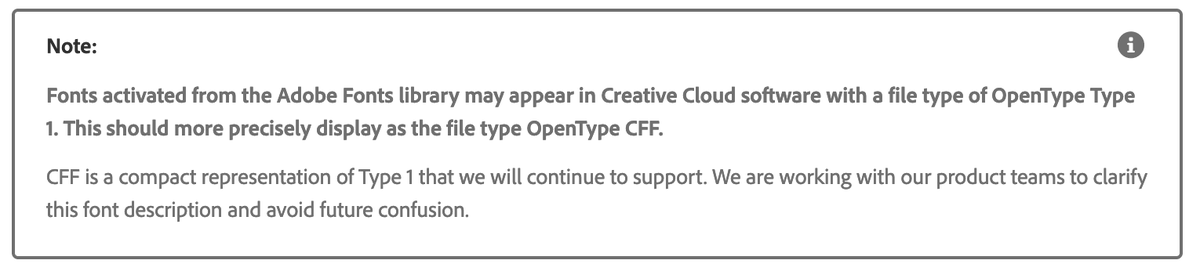
@MarkFonts @badimon @BrentChiuWatson @ericsnowden Can you clarify "fonts on the cloud" for us? Do you mean fonts added to Creative Cloud in the desktop app? Curious if the issue is related to this note we just added to the FAQ... any examples of fonts generating the banner you could provide would be great. –Molly
Adobe Fonts tweet media
English
1
0
1
0
Mark Davis
Mark Davis@MarkFonts·
@badimon @BrentChiuWatson @ericsnowden hi! kind of a tech-y question about @AdobeFonts—fonts on the cloud aren’t allowed to be Type 1, right? sometimes people only have adobe fonts activated and get the “type 1 fonts depreciating” banner…
English
1
0
0
0
Adobe Fonts
Adobe Fonts@AdobeFonts·
@theorosendorf Hi Theo – I was able to look up the Adobe ID that owns the web project used on your site. It looks like there's an issue with the Creative Cloud subscription. Shoot us a DM and I can send you more details. –Molly
English
0
0
0
0
Theo Rosendorf
Theo Rosendorf@theorosendorf·
@AdobeFonts it seems my Typekit webfonts were deactivated at some point for typedeskref.com – How do I reactivate them? I honestly couldn't figure out how on the website. It's just Adobe Caslon I think.
English
1
0
0
0
Adobe Fonts
Adobe Fonts@AdobeFonts·
@johwre Hi Jayco, sorry to hear that. Would you mind confirming if you've tried any other browser apart from safari? We'll try our best to help. Thanks! ^HV
English
0
0
0
0
Adobe Fonts
Adobe Fonts@AdobeFonts·
@richcstudio Hi Rich – It looks like you're not signed in with an Adobe ID that has a Creative Cloud subscription. The font you're viewing requires a subscription to activate. Please make sure you're signed in and let us know if you're still having an issue.
English
1
0
1
0
𝕽𝖎𝖈𝖍 𝕮
𝕽𝖎𝖈𝖍 𝕮@richcstudio·
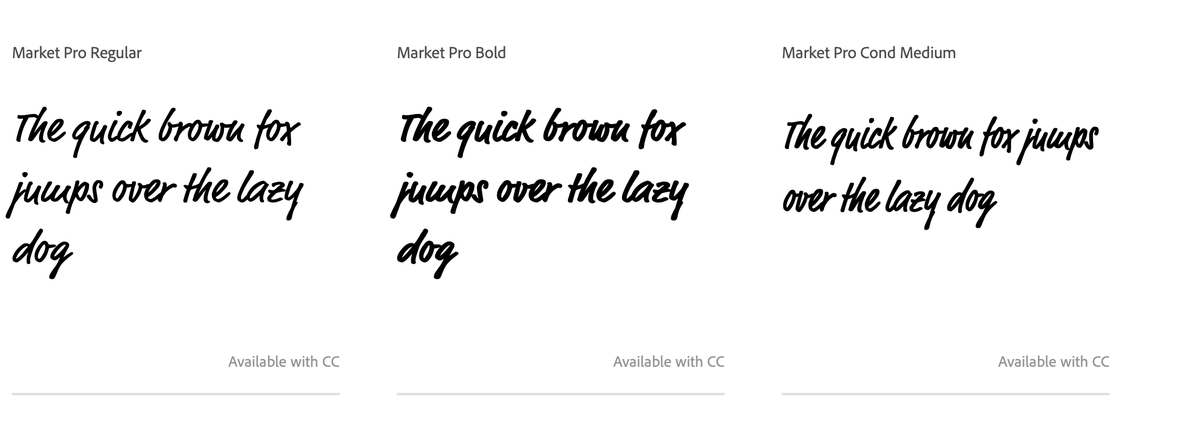
Do anyone know why I can add this font from Adobe CC? It says it's available with CC but there is no download button. It's not already download either. I'm stumped 🤔
𝕽𝖎𝖈𝖍 𝕮 tweet media
English
1
0
0
0
Adobe Fonts
Adobe Fonts@AdobeFonts·
@TaranVH We'd be happy to try debugging this for you. If you're interested, please DM us the Adobe ID you use for your account and we'll go from there.
English
0
0
0
0
Taran Van Hemert
Taran Van Hemert@TaranVH·
Yesterday, half my Roboto fonts were missing. Today, it's all of them. Adobe typekit is a giant pile of crap
English
7
2
224
0
Adobe Fonts
Adobe Fonts@AdobeFonts·
@LinnDesign Hi Linn, thanks for reaching out. Would you mind confirming if you can see the font in any other Adobe product like Indesign or Photoshop? We'll try our best to help. Thanks! ^HV
English
0
0
0
0
kelly
kelly@according2kelly·
@AdobeCare I’ve updated it to the latest version & my company’s font still doesn’t work. So it looks like I’ll be downgrading again.
English
1
0
0
0
kelly
kelly@according2kelly·
@Photoshop so I updated my photoshop & now my third party fonts don’t work in photoshop. Any help/ suggestions? I’ve had to downgrade to an older version of PS in order to use my fonts.
English
1
0
0
0
Adobe Fonts
Adobe Fonts@AdobeFonts·
@Becca_Fergie @AdobeCare Unfortunately this is a known bug in the Creative Cloud desktop app. Please uninstall the app and run our cleaner tool before reinstalling and the issue should resolve. Apologies for the inconvenience! We hope a real fix will be available soon. helpx.adobe.com/creative-cloud…
English
1
0
1
0
Fergie
Fergie@antibeigedesign·
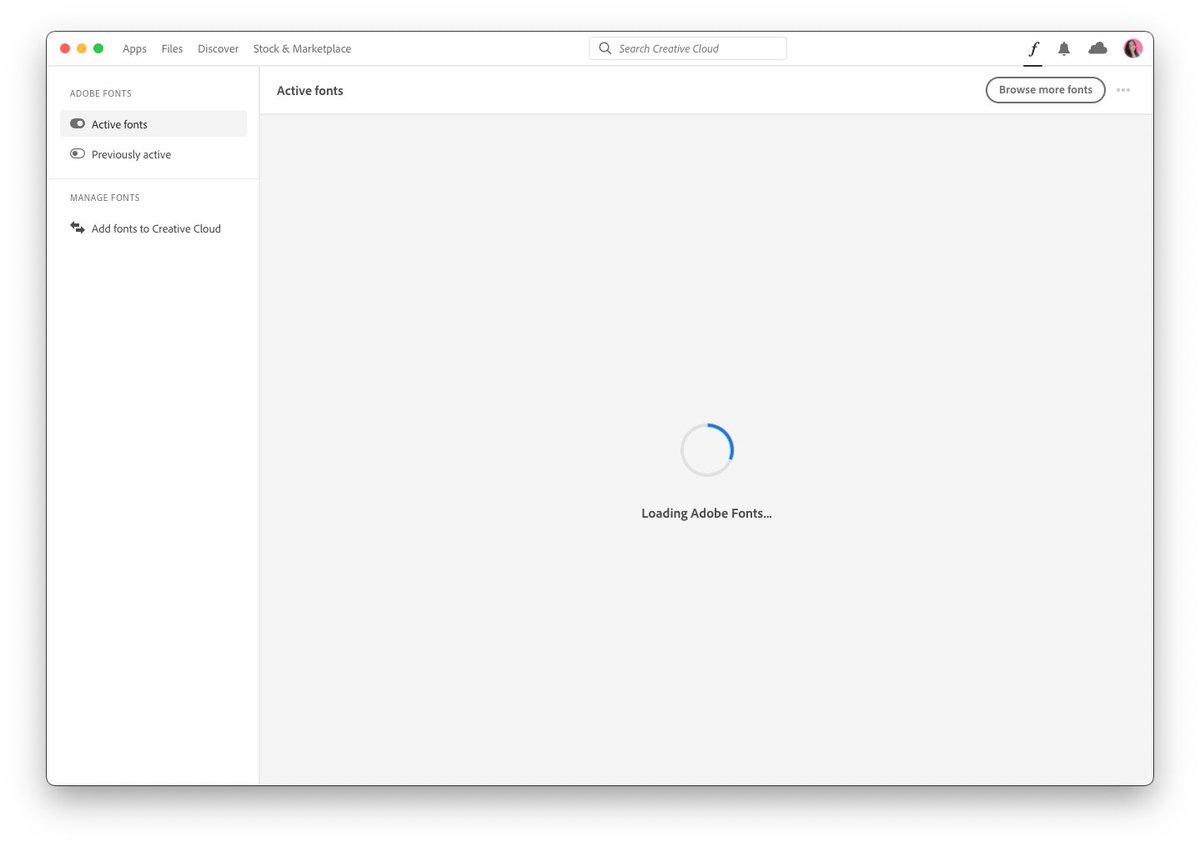
@AdobeCare any ideas why fonts won't load or sync? It's been 4 days now and I've done all I can think of to get it working 😭 it's just stuck here. #pleasehelp #adobefonts
Fergie tweet media
English
1
0
0
0
Adobe Fonts
Adobe Fonts@AdobeFonts·
Join Ari & Ben for Part One of Making & Animating Logos on the Adobe Fonts Show: Dec 1st, 8am (PST) 11am (EST)🤩📺. This week we design, next time we animate! bit.ly/3pdGwJQ
English
0
0
6
0
Adobe Fonts
Adobe Fonts@AdobeFonts·
@East Sorry to hear you're having trouble. We haven't heard any other reports of this issue—have you tried different browsers or a different internet connection? Can you send a link to your site? Let us know and we'll try to continue troubleshooting.
English
1
0
0
0