Alexey Nicolaychuk

132 posts

Alexey Nicolaychuk

Alexey Nicolaychuk

@AlexUnwinder

Taganrog Katılım November 2010
6 Takip Edilen74 Takipçiler

2026 Yıllık Özeti

@AlexUnwinder hesabının Twitter yılını gör

Alexey Nicolaychuk
Alexey Nicolaychuk@AlexUnwinder·
@CapFrameX How is that even possible for it to flicker? Are you using composed rendering in separate swapchain? 3D API interop? direct2D? RTSS render is in-present and in game’s native 3D API, so it can be slowed down even to 1 FPS update rate if necessary.
English
2
0
0
44
CapFrameX
CapFrameX@CapFrameX·
@AlexUnwinder From what I've observed, an update rate of 30 FPS can cause flickering in the chart rendering, at least with the new CapFrameX renderer.
English
1
0
0
56
CapFrameX
CapFrameX@CapFrameX·
It took several rounds of optimization to get this close to RTSS: offloading work from Present, caching chart geometry, batching PresentMon data, cutting copies and scans. The results: RTSS-level 1% and 0.1% lows (present-to-present), PresentMon data source even better.
CapFrameX tweet media
English
4
2
93
3.9K
Alexey Nicolaychuk
Alexey Nicolaychuk@AlexUnwinder·
@HOONICAT @GamingOptimiz If you’re familiar with OverlayEditor (and I think @GamingOptimiz knows how to use it, considering that his overlay is not a default one) - you can add Reflex marker based latencies there too. Not only a plain text, but also more detailed per-stage visual timebands
English
0
0
0
21
HOONICAT
HOONICAT@HOONICAT·
@GamingOptimiz CapFrameX because of the PC latency metrics! A lot of UE5 games seem to have ABYSMAL input latency without Reflex and people aren't talking about it enough. Also, wdym a 5700X isn't enough for the game not to have seizure-inducing 0.1% lows-
English
1
0
0
128
Gaming Optimized
Gaming Optimized@GamingOptimiz·
I am currently trying out CapFrameX and it has a lot of great metrics like GPU and CPU busy, Stuttering & PC Latency. Here is a comparison with the Custom RTSS overlay I use with MSI Afterburner as the data source. Which one do you think is better?
English
6
1
42
4.5K
Alexey Nicolaychuk
Alexey Nicolaychuk@AlexUnwinder·
@GamingOptimiz @facegamefps One more shameless lie from @facegamefps. It is 2026 and most of reviewers understand the difference between start-to-start vs present-from-present frametime sampling approaches. But not him. And, surprize, start-to-start is closer to ingame perf counters than present-to-present
English
1
0
1
47
Alexey Nicolaychuk
Alexey Nicolaychuk@AlexUnwinder·
@GamingOptimiz @facegamefps Oh, both boys are here playing their game, let’s play it and expose your “knowledge” further. ;) Opposing side of ”proof” mentioned by @ItsJustVV is on my page (which is a page of RTSS developer).
English
0
0
1
40
Alexey Nicolaychuk
Alexey Nicolaychuk@AlexUnwinder·
@CapFrameX Also, OSD contents and update rate change the overhead drastically. RTSS may fully redraw OSD per frame for smooth animation of indicators for custom overlays or frametime graph. Slowing it down to something like 30fps, may improve things at cost of scrolling smoothness etc
English
1
0
1
91
CapFrameX
CapFrameX@CapFrameX·
It's truly impressive what @AlexUnwinder has accomplished with RTSS. It remains the most reliable overlay renderer, combining low overhead with an outstanding feature set. I will of course continue to support RTSS in the future, including with the completely redesigned v2.0.0.
English
4
0
19
801
CapFrameX
CapFrameX@CapFrameX·
@AlexUnwinder The OSDs are already being initialized when I capture the frame times.
English
1
0
0
125
Alexey Nicolaychuk
Alexey Nicolaychuk@AlexUnwinder·
@facegamefps So either Intel are stupid to follow recommendations of idiot, or some big boy lied one more time.
English
1
0
3
140
Alexey Nicolaychuk
Alexey Nicolaychuk@AlexUnwinder·
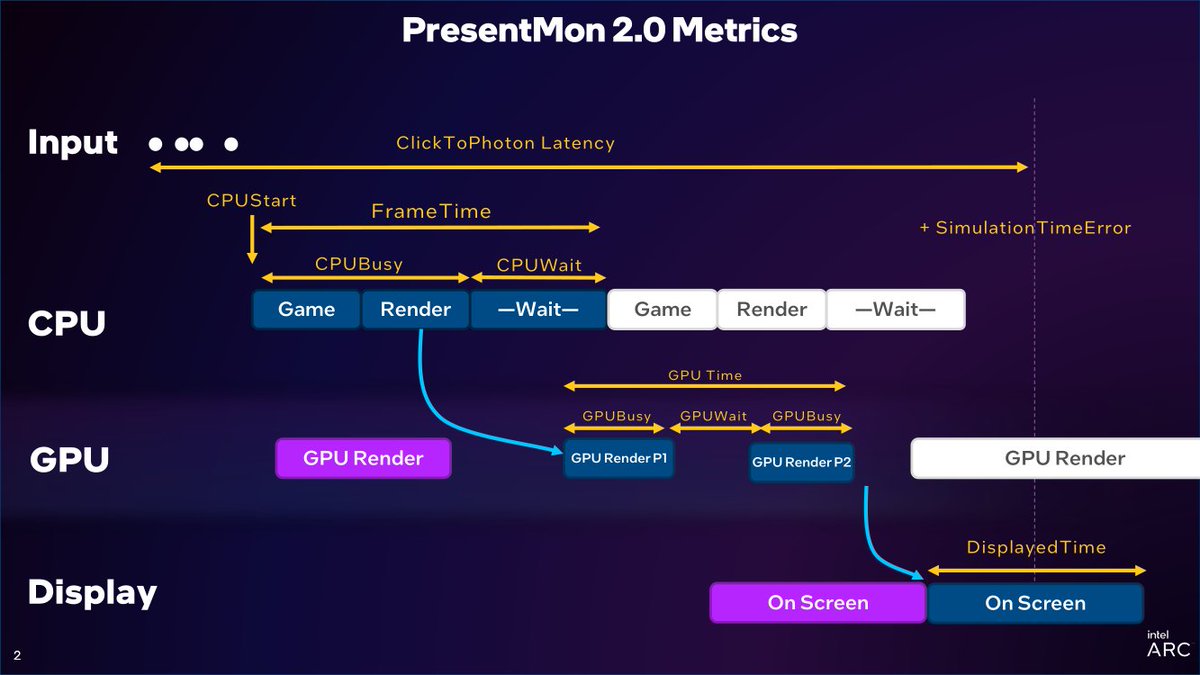
@facegamefps And my favorite one, "my brother @ Intel". Ironically Intel SW team (and NV/AMD too) are always responsive and assisted many times during 25 years of AB/RTSS development. Ironically, they switched to start-to-start right after our discussion: github.com/GameTechDev/Pr…
Alexey Nicolaychuk tweet media
English
1
0
3
149
Alexey Nicolaychuk
Alexey Nicolaychuk@AlexUnwinder·
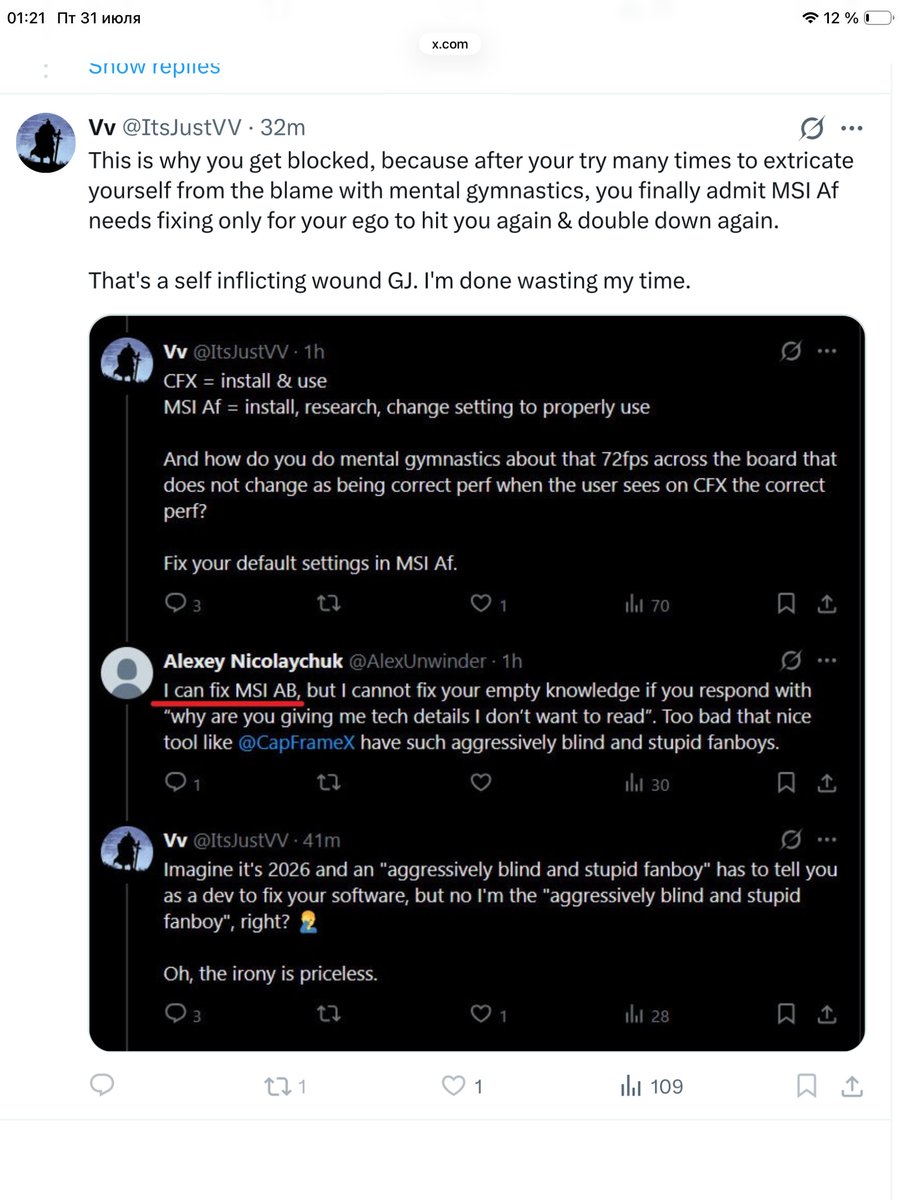
Two “skilled reviewers” tried to twist words and facts and bravely blocked to prevent any replies. I didn’t said that MSI AB needs fixing. I said that it is possible for developer to fix a problem inside app, but not a problem located into his empty head of user.
Alexey Nicolaychuk tweet media
English
2
0
6
414
UNIKO's Hardware 🌏
UNIKO's Hardware 🌏@unikoshardware·
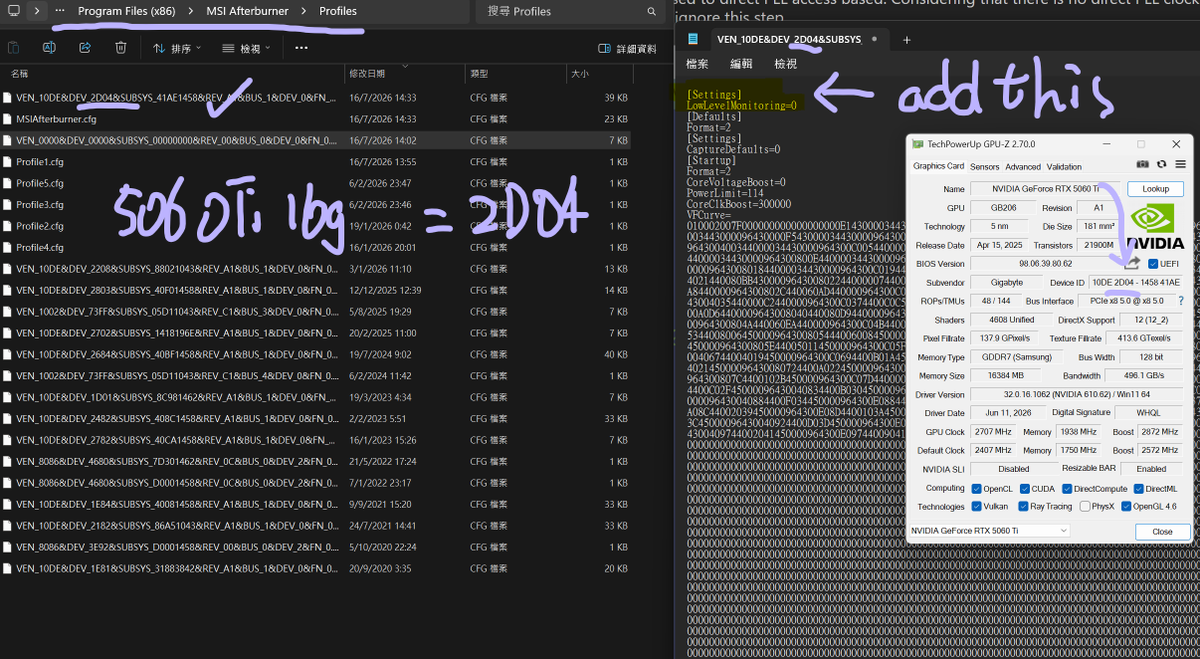
Talon2016 on ocn has written a fantastic guide on how to unlock the gpu hotspot temps in msi ab. you should definitely check it out. proceed at your own risk!!! overclock.net/posts/29600045/ to do this, you need to download Talon2016's hotspot dll file from the ocn 5090 thread. you can also check out the msi ab developer unwinder's guide on forum guru3d forums.guru3d.com/threads/msi-af… i successfully unlocked the gpu hotspot temp and the hotspot delta temp. however, it appears that 5060ti 16gb (gb206) only has one hotspot sensor available in msi ab, unlike 5090 gb202 which has six. the msi ab's hotspot temp perfectly matches the hwinfo's hotspot temp. ======================================== maybe i messed up the steps and the files. here are the steps i followed in case you wonder how i fucked up. - download the blackwellhotspot dll txt - rename the file by removing the txt (make it back to dll) - put the blackwellhotspot dll to "MSI Afterburner\Plugins\Monitoring" - go to "MSI Afterburner\Profiles" and find the corresponding cfg file that got your gpu's device id (can be checked with gpuz) - open that cfg file and add "LowLevelMonitoring=0" then save the file to desktop (delete txt btw) - move the saved edited cfg file back to "MSI Afterburner\Profiles" and replace the og cfg - go to "MSI Afterburner" and open RTCore.cfg - add your gpu device id to RTCore.cfg, in my case with 5060ti 16gb i add "G1B2 = 2D04h" because 5060ti 16gb=2D04. note that all entries in this file end with an h, so i added "2D04h". for the g1b2 part, according to unwinder that represents nvidia blackwell. - open msi ab, go to settings and navigate monitoring tab, then click the ... to add and enable the hotspot dll (with a tick) - restart msi ab
UNIKO's Hardware 🌏 tweet mediaUNIKO's Hardware 🌏 tweet mediaUNIKO's Hardware 🌏 tweet mediaUNIKO's Hardware 🌏 tweet media
UNIKO's Hardware 🌏@unikoshardware

rtx50 blackwell indeed got 6 sensors? unwinder rocks! ocn 5090 thread overclock.net/posts/29600087/

English
3
3
15
1.5K
Alexey Nicolaychuk
Alexey Nicolaychuk@AlexUnwinder·
@ItsJustVV @facegamefps @ArunAssain @mpr_reviews @CapFrameX And that’s -way- more realistic representation of app-side frametime. Demanding to switch it back to old PresentMon’s way just because you’re lazy to understand the difference is absolutely and agressively stupid. You know it better how to do it right, better than Intel and me :)
English
1
0
0
113
Arunkumar
Arunkumar@ArunAssain·
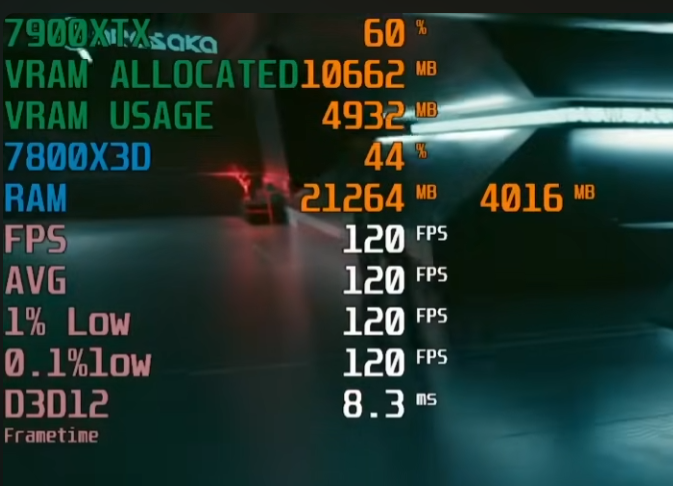
Never seen 1% low, 0.1% low like this. How this is even possible man.. @mpr_reviews have got this in any games?.
Arunkumar tweet media
English
4
0
7
998