Sabitlenmiş Tweet
Aninix
452 posts

Aninix
@AninixApp
Powerful UI animations within Figma.
Figma Katılım Haziran 2021
38 Takip Edilen4.5K Takipçiler
Hi, we're Aninix.
We're building the next-generation motion design tool.
v3 is here with auto-layouts, text animation, shaders, brand-new rendering engine and a cleaner UI.
👉 Join the private beta: aninix.com/beta
–
What you get:
• Free access during beta
• 1-year discount at launch
• Direct line to our team
What we need:
• Regular use & honest feedback
• Bug reports when things break
• Optional: Quick interviews to help us improve faster
Let's build something great together 🔥
English

Hello @AninixApp
Does an Aninx license also allow the use of Protonix, or are two licenses required? Tx
English
ANINIX WEEK UPDATE
🔹New animation presets in Aninix!
We've added two powerful blur-effect presets:
1. ✨ Layer Blur
Classic fade-in effect with blur
2. ✨ Glitchy Layer Blur
Create a glitch-blur effect with one click. Perfect for adding a lag-like effect to elements.
Try it yourself:
1. Select a layer
2. Open the Presets panel
3. Choose your desired preset
4. Adjust parameters to taste
English
Aninix retweetledi

Everyone is asking me how I make those smooth animations and motion graphics. The answer is @AninixApp . It's a free tool where you can animate any of your designs.
btw, checkout the source file of this animation:
app.aninix.com/inspect/m37msu…
English
ANINIX WEEK UPDATE
🔹New ways to work with SVG in Aninix!
Now you have three ways to start working with SVG files:
1. Export frames via Figma plugin (classic method)
2. ✨ NEW: Direct SVG file import
• In project: File → Import SVG
• In dashboard: Project → +Create project → from .svg
3. ✨ NEW: Quick copy from Figma
• Select layer → Copy as SVG
• Paste in Aninix (⌘V / Ctrl+V)
⚡️ BONUS: Enhanced layer operations
• Duplicate layers in Aninix: ⌘D / Ctrl+D
• Copy and paste: ⌘C + ⌘V / Ctrl+C + Ctrl+V
English
Aninix retweetledi

The animation, as promised. It took very little time. I feel like once you've learned one animation tool, you've learned them all. It was the same when I tried out Jitter after learning Aninix.
Rive's state machine and runtime are what set it apart; the experience is mostly the same.
Moyi.@moyiabioye
I'd animate that empty state with Rive soon.
English
ANINIX WEEK UPDATE
🔹Anchor Point upgraded: now with absolute positioning freedom!
Previously, the anchor point could only be set in 9 preset positions: along edges, corners, and at the center of an object.
Now you have complete control:
• Place the anchor point anywhere on your object
• Create more complex and precise animations
• Achieve natural motion
→ Try it yourself: simply select an object and drag the anchor point to any desired location on it.
English
Aninix retweetledi

Aninix retweetledi

discovered this animation plugin @AninixApp and absolutely love it. this is really awesome!🔥🔥
English
Aninix retweetledi
Aninix retweetledi

This was the most exciting, yet challenging animation I've worked on but it was worth it🚀
Done on @AninixApp
#buildinpublic
English
Aninix retweetledi

Aninix retweetledi
Weekend hero exploration using @figma and having fun with @AninixApp ✨
#uidesign #webdesign #figma #dribbble #microinteraction #uiux #saas #animation #herodesign #website #WebsiteDesign
English
Aninix retweetledi

Aninix retweetledi
Aninix retweetledi

Aninix retweetledi

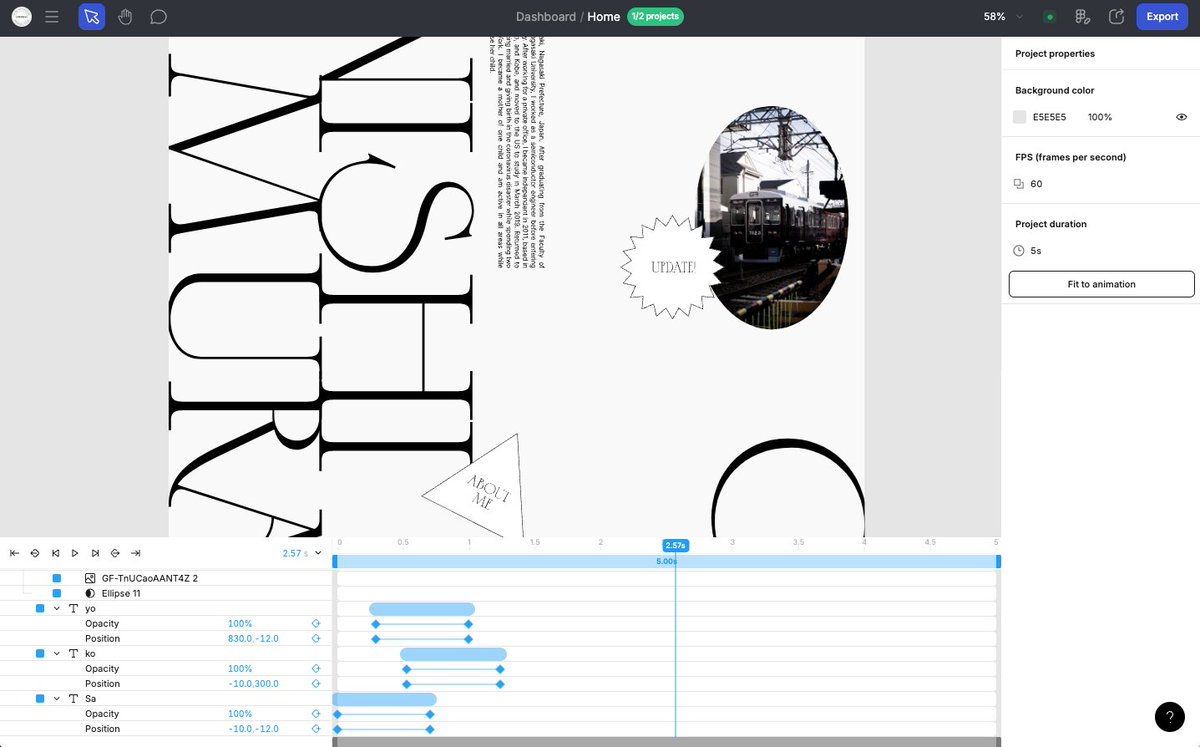
こちらのAninix、今日少し触ってみた。AEはあまり触ったことないので分からないのだけど、UIはFigmaで、タイムラインはRiveを触っている感覚だった。
ちょっとした動きの確認はノーコードツールでレスポンシブ整えながらやる方法もあるけど、これも良さそう。何よりFigmaからのインポートが楽すぎた。
MIO@mio_U_M
今日は会社の勉強会で軽率にFigmaのモーションプラグイン紹介したんだけど、本当にUIがFigmaとAEのいいところどりでわかりやすすぎるから、Figmaで作ったデザインデータからWebモーションモック作るならとりあえずAninixだよとついったでも軽率におすすめします。 aninix.com
日本語
Aninix retweetledi

Aninix retweetledi

今日は会社の勉強会で軽率にFigmaのモーションプラグイン紹介したんだけど、本当にUIがFigmaとAEのいいところどりでわかりやすすぎるから、Figmaで作ったデザインデータからWebモーションモック作るならとりあえずAninixだよとついったでも軽率におすすめします。
aninix.com
日本語
Aninix retweetledi