Bezi
815 posts

Bezi
@BeziHQ
AI sidekick for game devs and studios. Made for building real games, not generating them.

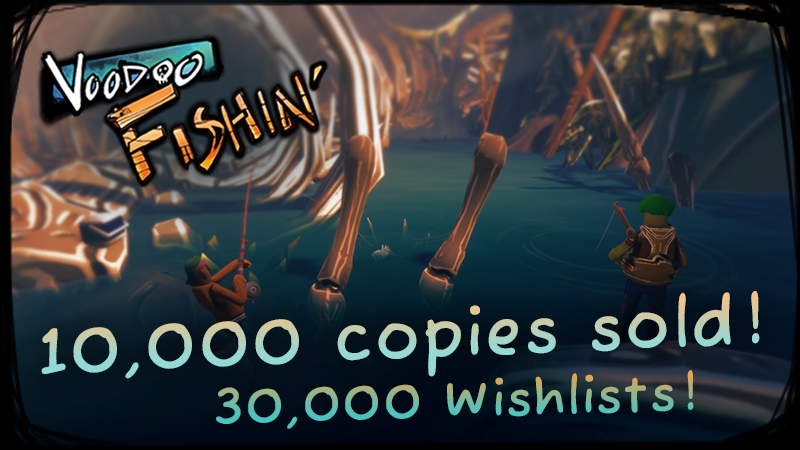
Check out our deep dive into how a small team of three devs at @lostarcadegames built the cozy creep co-op fishing game, Voodoo Fishin', using @BeziHQ with Unity. See more: 80.lv/articles/how-t…


I've been spending more time with Bezi to see how far I can push vibe coding a game on the Unity Editor. So far, I'm pretty happy with what I can achieve with Bezi. Here are some learnings: - Even though I use Bezi to do all agentic coding, I still have to perform a few small manual tasks in the Unity Editor - As a result, I feel like I am getting a hang of Unity's complex and clunky UI, which actually feels good! - This is one of those examples where Vibe Coding is a great way to learn game dev. - For big features, I can't state the importance of asking the agent to create a plan first before implementing the feature. It can work wonders. Most of the bigger features/ssytems starts with a clear plan. - The biggest strength about working with Unity Engine is the Unity Asset Store, there's so much good stuff in there, 3D assets, shaders, vfx etc that can really spice up your game, that other game enginers will need to build from scratch. - Because Unity Assets Stores sell UI assets packs, I was able to implement decent looking UI fairly quickly. For those of you that vibe code games, you know how much of a pain it is to implement UI. - I did meet a few hiccups along the way where Bezi seems to struggle a little with implementing some features, but usually with some retries it works out at the end, though it burns a ton of tokens. After spending more time with Bezi, I'm still feeling good about using it. I am able to get this PvZ style autobattler working in a few days!




I used Cursor to vibe code a simple fishing game prototype on the Unity Engine. Here's my learnings: - I did not use any Unity MCP for this. The game was built entirely by Cursor models (Sonnet 4.6 for execution and Opus 4.6 for planning) - The model was able to set up the game, getting the basic game mechanics working fairly quickly - I had to use the Unity Game Editor UI to attach components to the in-game objects manually, but it was quite easy to follow the instructions given by the Cursor model - Unity Editor is huge and slow! Compared to Godot, I find the UI really clunky I feel tired looking at it - Unity Assets Marketplace is amazing, there are so many amazing art assets there (like the ones I am using for this game). This is probably the biggest strength of Unity. - I had some issues with restoring checkpoints, probably because of how Unity Game Editor UI being really clunky and I had to manually adjust things in the Editor, which the model doesnt have knowledge of Overall, the results turn out pretty decent, but it was a rather frustrating experience, especially when I had to debug issues or rollback changes. I'll explore more vibe coding on Unity but for now, I think I prefer Godot as a game engine. I just wish there is a Godot Asset Marketplace!

Everyone at #GDC2026 is talking about the role of AI in gamedev, and big surprise, most people are getting it wrong. There is an ideal way of how AI should be used to further the human art of game development. Spoiler alert: AI shouldn't be used to generate games for you. That fundamentally misunderstands the process of how good games get made.