

David
6 posts

恐怖!用家Wi-Fi就能知道隔壁墙后的人在干什么!
开源项目 RuView 在GitHub已经冲到 5万+星,直接炸了!
完全不用摄像头,也不用戴任何设备,就靠家里普通的WiFi信号,就能穿墙透视:
- 隔壁有几个人、在哪个位置、是走路还是躺着,全看得见
- 实时看人体姿态(17个关键点)
- 睡觉时自动测呼吸和心率
- 有人跌倒立刻报警,动作识别超准
用WiFi CSI + AI,把你家路由器直接变成隐形雷达!
没有视频、没有录像,隐私安全拉满,天然符合GDPR,完全本地跑,不上云。
ESP32几块钱就能玩,Docker零硬件也能直接试。
中文

LLM Knowledge Bases
Something I'm finding very useful recently: using LLMs to build personal knowledge bases for various topics of research interest. In this way, a large fraction of my recent token throughput is going less into manipulating code, and more into manipulating knowledge (stored as markdown and images). The latest LLMs are quite good at it. So:
Data ingest:
I index source documents (articles, papers, repos, datasets, images, etc.) into a raw/ directory, then I use an LLM to incrementally "compile" a wiki, which is just a collection of .md files in a directory structure. The wiki includes summaries of all the data in raw/, backlinks, and then it categorizes data into concepts, writes articles for them, and links them all. To convert web articles into .md files I like to use the Obsidian Web Clipper extension, and then I also use a hotkey to download all the related images to local so that my LLM can easily reference them.
IDE:
I use Obsidian as the IDE "frontend" where I can view the raw data, the the compiled wiki, and the derived visualizations. Important to note that the LLM writes and maintains all of the data of the wiki, I rarely touch it directly. I've played with a few Obsidian plugins to render and view data in other ways (e.g. Marp for slides).
Q&A:
Where things get interesting is that once your wiki is big enough (e.g. mine on some recent research is ~100 articles and ~400K words), you can ask your LLM agent all kinds of complex questions against the wiki, and it will go off, research the answers, etc. I thought I had to reach for fancy RAG, but the LLM has been pretty good about auto-maintaining index files and brief summaries of all the documents and it reads all the important related data fairly easily at this ~small scale.
Output:
Instead of getting answers in text/terminal, I like to have it render markdown files for me, or slide shows (Marp format), or matplotlib images, all of which I then view again in Obsidian. You can imagine many other visual output formats depending on the query. Often, I end up "filing" the outputs back into the wiki to enhance it for further queries. So my own explorations and queries always "add up" in the knowledge base.
Linting:
I've run some LLM "health checks" over the wiki to e.g. find inconsistent data, impute missing data (with web searchers), find interesting connections for new article candidates, etc., to incrementally clean up the wiki and enhance its overall data integrity. The LLMs are quite good at suggesting further questions to ask and look into.
Extra tools:
I find myself developing additional tools to process the data, e.g. I vibe coded a small and naive search engine over the wiki, which I both use directly (in a web ui), but more often I want to hand it off to an LLM via CLI as a tool for larger queries.
Further explorations:
As the repo grows, the natural desire is to also think about synthetic data generation + finetuning to have your LLM "know" the data in its weights instead of just context windows.
TLDR: raw data from a given number of sources is collected, then compiled by an LLM into a .md wiki, then operated on by various CLIs by the LLM to do Q&A and to incrementally enhance the wiki, and all of it viewable in Obsidian. You rarely ever write or edit the wiki manually, it's the domain of the LLM. I think there is room here for an incredible new product instead of a hacky collection of scripts.
English

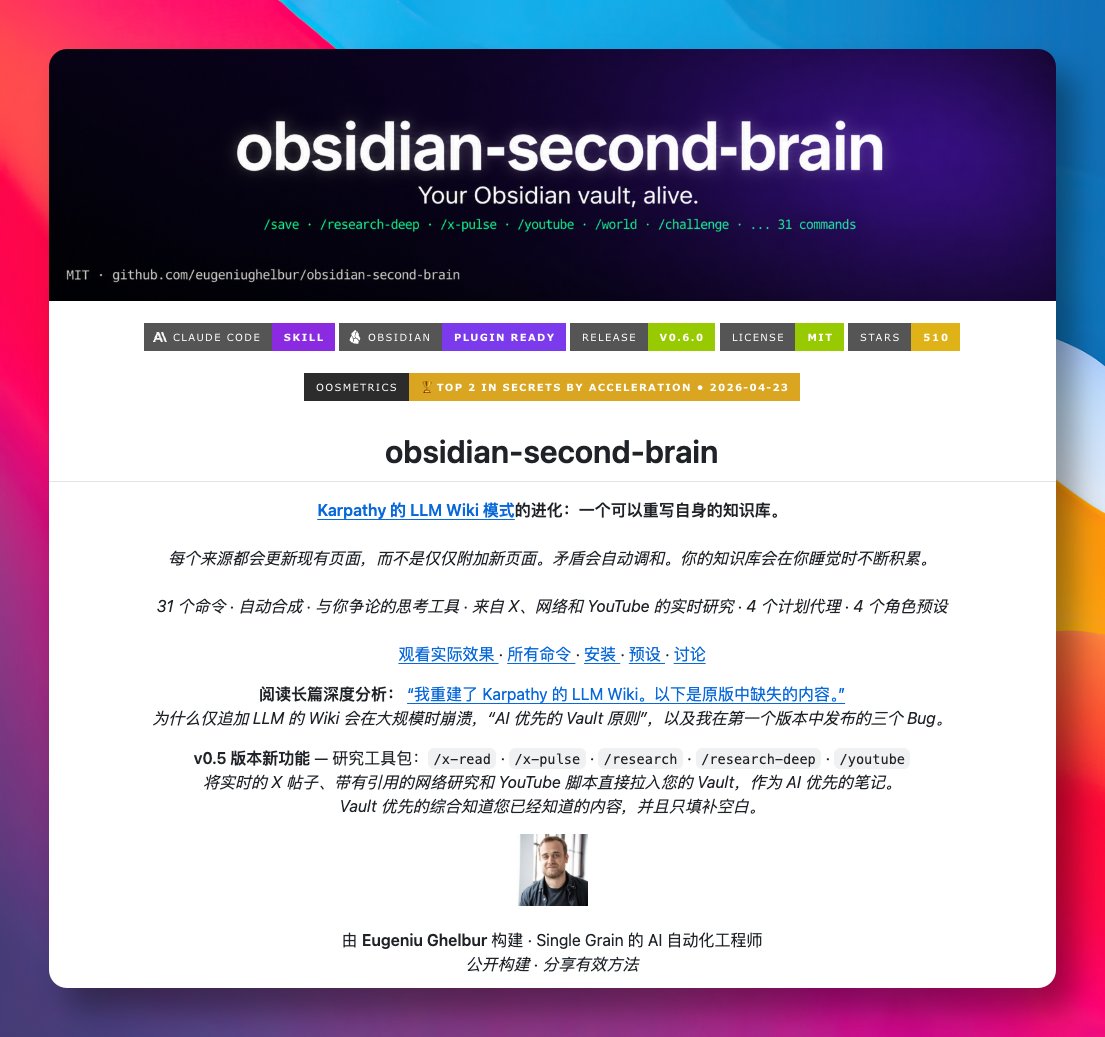
平时用 Claude Code 处理事情,每次开新会话都得重新解释一遍背景,Obsidian 里堆了几百个笔记,也只是静静躺着,两边完全没打通。
最近在 GitHub 发现 obsidian-second-brain 这个项目,把 Obsidian 仓库变成一个会自我重写的 AI 第二大脑,作为 Claude Code 的 Skill 来使用。
灵感来自 Karpathy 的 LLM Wiki,但更进一步优化:新内容不再是简单追加,而是直接改写已有笔记,矛盾点会自动调和,跨笔记的隐藏规律也会被整理成新页面。
GitHub:github.com/eugeniughelbur…
提供了 31 个斜杠命令,覆盖保存对话、摄入资料、写日报、做周复盘、可视化整个仓库等等,还能调用 X、Perplexity、YouTube 拉取外部资料并自动归档。
最有意思的是 4 个定时 Agent,会在夜里跑「关闭今日 → 调和矛盾 → 综合规律 → 修复孤立笔记 → 重建索引」,醒来时仓库已经被整理过一遍。
支持 executive、builder、creator、researcher 四种预设角色,会生成对应的目录结构和看板模板,基础命令开箱即用,研究类命令需要自行配置 API Key。
适合长期用 Claude Code 又重度依赖 Obsidian 的朋友,把笔记从「死档案」变成「活资产」。
中文

2026.4月自备梯子指南
最近大家都知道, 中转机场大部分都炸了... 还是回到直连吧
(所有链接全部放二楼)
VPS选择
我个人用过的 vps,推荐三个
0. 特别有钱选 DMIT 或者搬瓦工的 的香港区域, 都是40-80美元一个月的. 300-500G . 这里不详说了. 反正我用不起.
1. 有钱选 DMIT 美西洛杉矶区域. 9.9美元一个月.
选Eyeball 那个套餐就够了,流量多一些,实测下来和Premium差别可以忽略不计. 前者750G流量, 后者500G流量. (双向收费,所以做梯子流量要在页面上的数据除2)
用量少的可以找两个朋友平摊一下. 我主力用这个.
2. 中产的情况. 电信用户, 可以考虑 腾讯云 轻量云 硅谷节点. 回程CN2线路, 99元一年, 丢包还行. 不限量. 缺点是限速30Mbps. 看Youtube 2K视频也够了.
2核心2GB内存. 拿来搭vps跑一些小脚本也不错. 这个价位基本没更便宜的了.
另外一个缺点是, 买了腾讯云后需要DD一下机子, 大概就是重装系统的意思, 把腾讯云的监控软件都杀掉. 不然会因为你翻墙给你掐掉.
注意几个限制条件: 1.电信用户 2.一定只能硅谷节点,其他节点垃圾. 3.先DD机子再装翻墙脚本.
3.穷逼的选择..
0撸.
AWS 申请账户绑定双币信用卡, 会送100美元以上额度. 然后再用这个账号去开AWS lightrail, 类似轻量云. 选东京,或者新加坡节点都行. 弄好后记得锁卡,防止意外扣费.
大概可以免费用一年. 我的新加坡节点来备用. 因为很多defi网站限制美国ip.
这几个vps都可以无条件退款, 所以你要是最后没搭起来, 或者搭起来了发现速度不行, 也不用担心.
爬墙协议:
用甬哥Github的脚本生成就行了, 生成两个
1. Vless-tcp-reality-vision
2. Hysteria2
两个都各有利弊. 前者是tcp的, 但是打开网页那一瞬间会略慢一点点,因为tcp三次握手. 如果你选了美西机房可以感受的到.
后者是基于udp的, 打开主流的西方网站, 现在大多支持QUIC协议了. 少两次握手, 页面加载会快一些. (但是推特不支持,所以还是慢)
其中还涉及你本地到vps是不是多路复用的, 技术问题这就不详说了.
总之你就安装这两个协议,切换一下, 哪个快就用哪个.
安装方法:
1. 去网站上买vps
2. 上传ssh-key或者生成ssh-key, 然后新建机器
3.本地ssh客户端连上vps.
4. DD机器装一个干净的操作系统(如果是腾讯云的)
5. 安装甬哥Github自动翻墙脚本
6.把翻墙脚本对应的端口去vps网站上防火墙打开. Vless-tcp-reality-vision用的是tcp端口, Hysteria2用的是udp端口.
7. 本机安装翻墙客户端. Windows就Clashverge, Android就Nekobox, iOS就 Surge/ShadowRocket
不会的话就把本文喂给ai, 然后把网页截图, 他会一步一步指导你的..


中文

