Frank | Video Editor

165 posts

Frank | Video Editor banner
Frank | Video Editor

Frank | Video Editor

@EditByFrank

• Video Editor • Over 80M+ Longform Views • Editor for @Acookiegod

Here is my work → Katılım Mart 2022
163 Takip Edilen280 Takipçiler
Adge
Adge@AdgeOfficial·
This is how it does on a slightly harder gaming scene. I had to re-track it half way through and make 2 anchor point keyframes to adjust it. I was gonna compare to AE but AE couldnt even track this at all so it wasn't even comparable.I had to manually adjust almost every frame
Frank | Video Editor@EditByFrank

@AdgeOfficial copping that rn, but how does it deal on gaming footage? thats normally where tracking has issues already in ae

English
12
5
180
9.7K
Frank | Video Editor
Frank | Video Editor@EditByFrank·
@AdgeOfficial copping that rn, but how does it deal on gaming footage? thats normally where tracking has issues already in ae
English
0
0
7
11.1K
Adge
Adge@AdgeOfficial·
🚨MOTION TRACKING IN PREMIERE 🚨 I made a motion tracking extension for Premiere. lmk whatchu guys think 🗣️🗣️🗣️
English
120
154
2.9K
92K
Bailey
Bailey@Baileh_2·
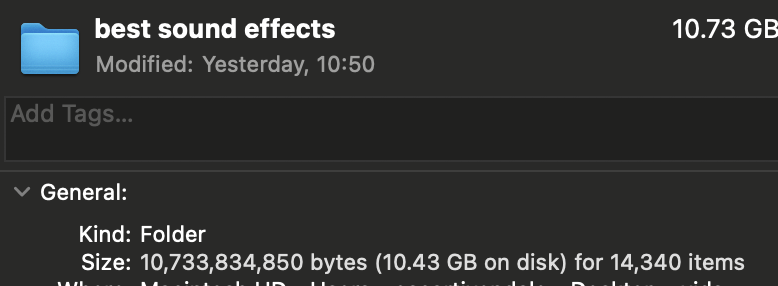
@WiddasTy I can't tell if my SFX folder is genuinely impressive or just sad
Bailey tweet media
English
3
0
15
1.2K
Ty Widdas
Ty Widdas@WiddasTy·
A step by step guide on how to download SMii7Y’s sound effects folder!
Ty Widdas tweet media
English
58
43
2.4K
43.4K
Artem
Artem@EditorArtem·
Flow state trinity: 1. The deadline is today. 2. Double espresso finally kicks in. 3. Filming a time-lapse of yourself working. The best part? You can stack all three.
English
5
0
35
2.2K
Frank | Video Editor
Frank | Video Editor@EditByFrank·
@AverageVarun @am4zinn 16 bit is good for when your working with glows, otherwise the glow looks a bit weird and pixelated especially when its a dark scene
English
0
0
1
41
Varun | Video Editor
Varun | Video Editor@AverageVarun·
I also use skip 1 frame option for 60 FPS projects and is also useful for 30 fps if you are willing get faster previews in lower frame rates Disabling multi thread rendering can sometimes reduce the amount of crashes Don't go for 16bit or 32bit colors until it's absolutely necessary, stick to 8bit colors
English
3
0
2
500
Amazing
Amazing@am4zinn·
some tips to avoid lag in after effects: - split big projects, comps < 2 min - pre-render heavy layers, swap in .mov - purge all memory and cache often - preview at 1/4 or 1/8 res - disable motion blur till final - drop to 30 fps if things still stutter - close chrome/discord/other RAM hogs - use proxies nmw bookmark for later!
English
15
2
92
9.7K
SSJ Jasiah
SSJ Jasiah@SSJJasiah·
@AdgeOfficial Prolly a editing timer that tracks how long you’ve edited a project for
English
2
0
11
289
Adge
Adge@AdgeOfficial·
EDITORS!! What's a tool you WISH was in Premiere but isn't? If it's simple enough to do I'll make it and release it for free :)
English
22
0
53
5.7K
Adam | Editor
Adam | Editor@AdhamNaser0·
@thekdence @NicolePottsss we don't need that on MacOs but right now I sound design full time and whether it's windows or Mac, if you're dealing with tens of thousands of audio files you have to use a database manager which is faster than any thing else and more convenient
English
1
0
0
148
Nicole Potts
Nicole Potts@NicolePottsss·
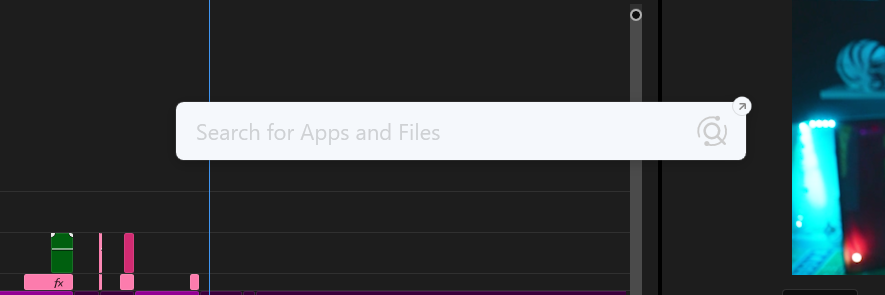
HOW TO EDIT FAST! Make sure to install this app called "listary" it is a GAME changer, instead of having to individually find assets such as sfx, music, memes etc, you can just search for what you are looking for and drag it into Premiere's timeline!
Nicole Potts tweet media
English
11
2
162
10.7K
Frank | Video Editor
Frank | Video Editor@EditByFrank·
@CosmicEdits_ im sure by now you've prolly found a fix, but if you have this issue again i found the best method was to either "render and replace" the files, or you can offline the media and then re link the media
English
0
0
0
66
Cosmic 🪐
Cosmic 🪐@CosmicEdits_·
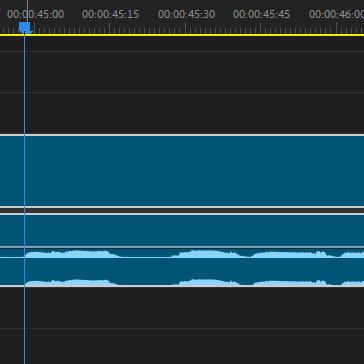
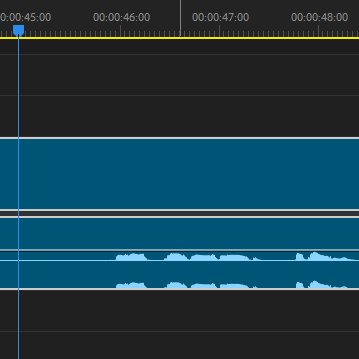
need fellow editor help; my peak files are all fucked up. they're correct when zoomed in but shifted when zoomed out. have cleared all cache files (specifically checked peak files) and recreated several times. Left is zoomed in, right is zoomed out w/playhead @ same times stamp
Cosmic 🪐 tweet mediaCosmic 🪐 tweet media
English
2
0
1
275
Frank | Video Editor
Frank | Video Editor@EditByFrank·
@AEGpashov @_derekwyn_ and at least i'm not someone who's so far up their own ass that they have to shame how other people live to win a argument. 'm doing perfectly fine thanks, have a good day 👍
English
1
0
1
47
Pashov | Content Specialist
Pashov | Content Specialist@AEGpashov·
@EditByFrank @_derekwyn_ I'm not the one writing a whole book, so I'll take that as a W for sure. 🤣🤣🤣 Some people are just beyond delusional these days 😮‍💨 I also bet you are eating McDonald's, cooking in nonstick pans, and cooking with seed oils.
English
1
0
0
49
Derek Wyn
Derek Wyn@_derekwyn_·
Only post your edits is probably the stupidest branding advice I’ve ever heard
English
18
0
44
3.4K
Frank | Video Editor
Frank | Video Editor@EditByFrank·
thats what a call is for, also no i would say 99% of the people i just mentioned dont show their face on video. and no im not triggered by you specifically, more just the guru's who have gave you such a stupid delusion in the first place. and if i "knew it" i wouldn't be arguing my point to you but again what has this conversation got to do with anything i talked about in the original tweet? the original tweet was "only post your edits is the stupidest advice i've ever heard" and then you somehow came along talking about faces 😭 but anyways imma end the conversation here cus as they say "It’s difficult to argue with a genius but it’s impossible to argue with an idiot" i hope the best for you, but please stop replying/tweeting nonsense like this
English
1
0
0
43
Frank | Video Editor
Frank | Video Editor@EditByFrank·
firstly this has nothing to do with what i was even talking about. secondly the most successful and famous editors dont even have social meda accounts 😭 thirdly i could give you loads of examples of editors on twitter who are doing very well with a "useless picture" malice, eros, mango, rai aneeq ali, rush, arturo, lankywizzard, raydell, kinzo, peter editing, danzey, zade, yash, amazing, albie, i could keep going on, the point is. these are editors who have worked with big names, making lots of money while using a profile pic that isnt their face. not some guru who claims he makes 10k a month and doesn't even show his work
English
1
0
1
62
Frank | Video Editor
Frank | Video Editor@EditByFrank·
@IljaFil @_derekwyn_ and how does tweeting nonsense show results? your portfolio is to show your results, your twitter is to show your skills
English
0
0
0
78
Frank | Video Editor
Frank | Video Editor@EditByFrank·
@_derekwyn_ and half of these "personality posts" are just people spewing out guruified garbage. idm the occasional showcase of a win, or showing a timeline you worked hard on, or showing a pic of you on vacation.
English
1
0
1
90
Frank | Video Editor
Frank | Video Editor@EditByFrank·
@_derekwyn_ at the end of the day clients are only hiring for your edits. why risk saying smth on twitter that a potential client might disagree with when you could just post your edits and get the same engagement. personality is something you can show off when your working with the client
English
4
0
5
494
Frank | Video Editor
Frank | Video Editor@EditByFrank·
@jiggywastaken yo btw for any mac users who cant use this plugin, the alternative is to - "export text" in the text panel anad save it to somewhere on your finder - right click on text and click "transformations" -> "make lowercase" - import back into premiere
English
0
0
0
77
jiggy
jiggy@jiggywastaken·
Using auto-generated subtitles in Premiere Pro? 🎬 Want to remove symbols or convert text to uppercase/lowercase with one click? Check out my FREE tool that does it all! 👇
English
14
1
115
6K