

Eric Winner
331 posts

Eric Winner
@Eric_Winner
Improving #UX for @AzurePortal @Microsoft. Let me know what you love and hate about Azure. Husband, dad, @Seahawks, @Stanford, traveling, #coffee, #redwine
Redmond, WA Katılım Haziran 2011
433 Takip Edilen169 Takipçiler

English

Big Dumper is the first player to 50 home runs! 🔱
(MLB x @loanDepot)

MLB@MLB
IT’S A 50-HOMER SEASON FOR CAL RALEIGH! 😤
English
@NathanMcNulty Glad it is helpful Nathan. We are trying to minimize the impact of the MFA rollout. Let me know of any other Azure portal feedback. Happy to hear it all.
English

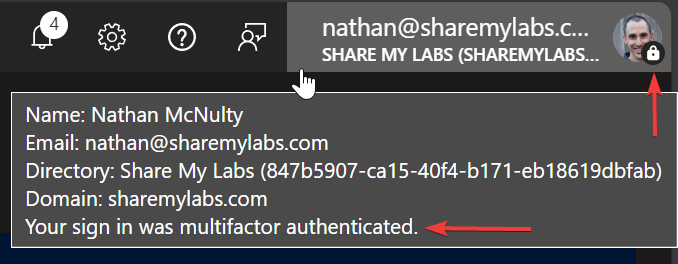
Since I've been away, I may have missed a few things, but this seems really new, like last few days?
Only seeing it in the Azure portal currently, kind of a cool indicator
If you aren't doing MFA for administrative accounts at this point though... I don't know what to say :p
English
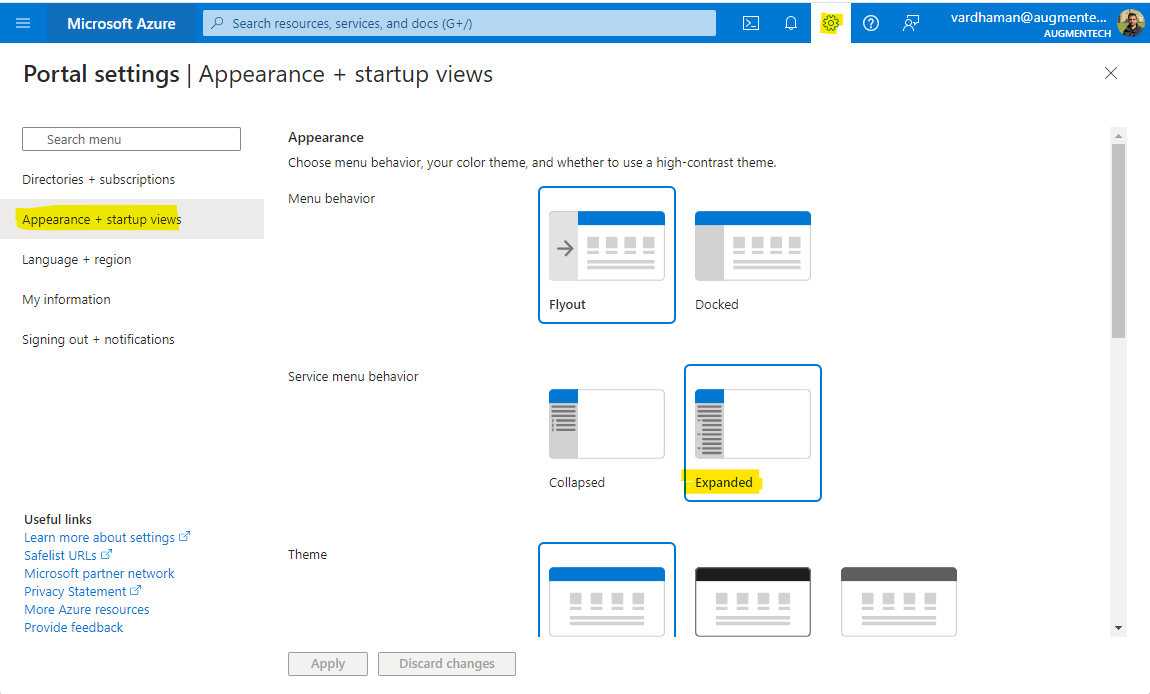
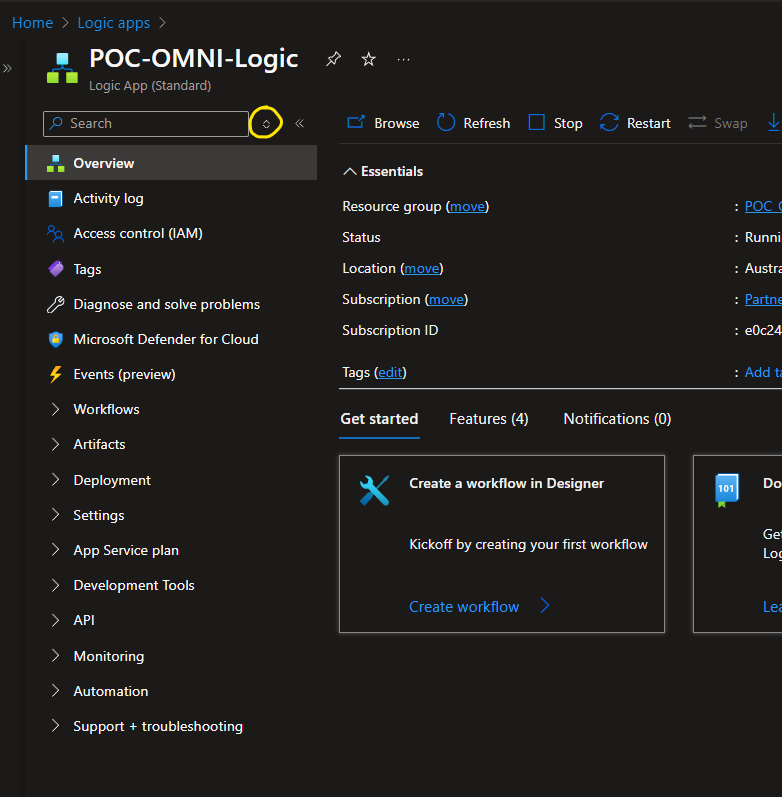
@KimJamia @Azure @AzurePortal You can expand all service menu groups by going to
“Appearance + startup views” in settings and changing the service group behavior to “Expanded”
English

@Eric_Winner @Azure @AzurePortal I saw my colleague still has the old menu. How can I, too, get it back?

English
NOOOO! Why, @Azure, why? Why did you make the @AzurePortal menu collapsible?? Now there's an extra unnecessary click to open what I want and most likely multiple because I have to find the item first. This was never a problem, why break it if it wasn't broken?

English
@KimJamia @AzurePortal I shared your feedback internally and asked them to reach out to you here.
English
What's the correct feedback channel for @AzurePortal Defender for Cloud? The new recommendations view is a mistake. Why did they remove the categorization of recommendations? Now it's a complete mess. I switch to Classic View every single time.
English
@zpetersen @wedoAzure That is odd - what OS and browser are you using?
English

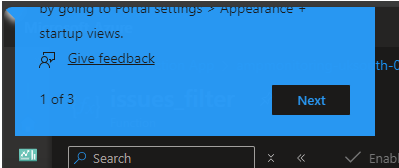
@Eric_Winner @wedoAzure Hey look what showed up today. Rendered oddly in the top left most corner of the dom and in a tenant I've already configured prefs for Service Menu Behavior.
English

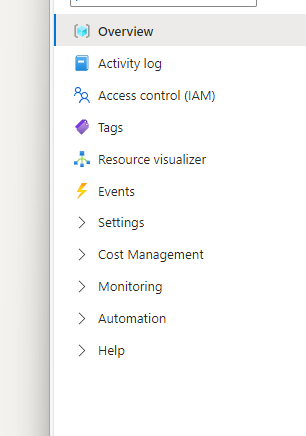
Ugh, not a fan of this Portal change. Not really sure what it is meant to improve?
English
Major outage in @Azure AD B2C and absolutely nothing in the status page or service health. People are widely complaining about it here but support just keeps asking for subscription IDs. How about you take a look at the service yourself and observe it's not working?
English

@Eric_Winner The problem for me is that I am not super familiar with the category headings. So in collapsed state, I have to always guess which heading might contain the item I am looking for. And I end up expanding and collapsing 2-3 unrelated categories.
English
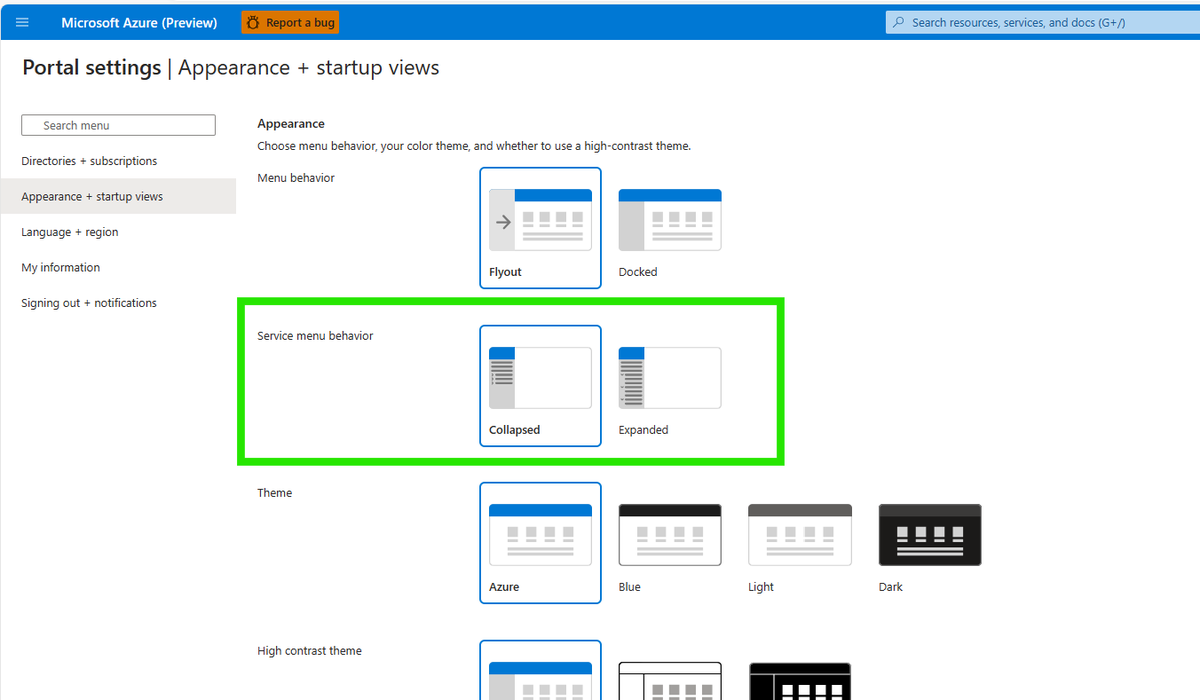
If, like me, you are annoyed with the new default collapsed menus in the Azure portal, then fortunately this can be changed by going to Settings -> Appearance + startup views -> Service menu behaviour -> Expanded. The menus should now be back to default expanded.
English
@14_15_puzzle @Azure The setting for all menus is under portal settings "Appearance + startup views"
English
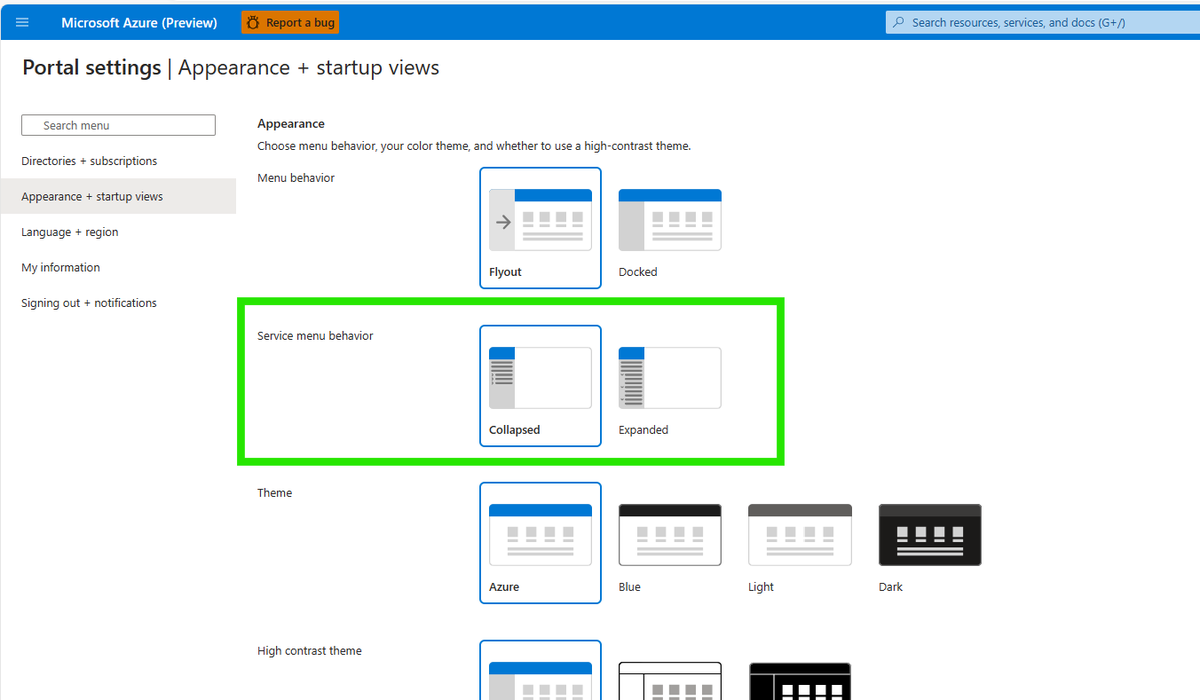

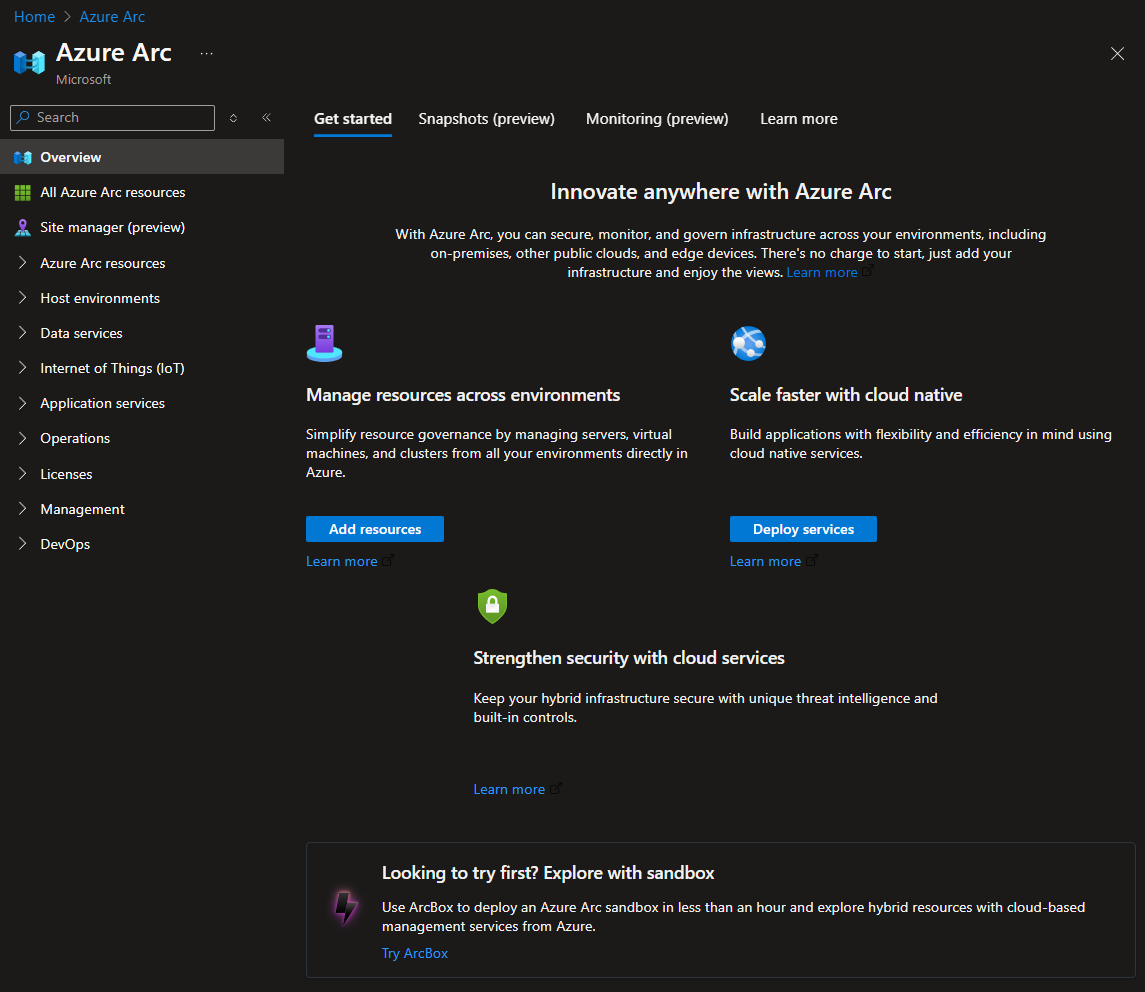
@Eric_Winner @Azure Way to hard to tell what this button does unless you mouse hover over it. I have been working within the Azure Portal for years and my muscle memory is tuned to exactly where configuration items are, so having the menues collapsed by default is not a good user experience.
English
@Azure
Not a fan of this portal behaviour change. Is there a way to revert back to how left hand side configuration options are displayed. I get why, due to how cluttered that context menu can get. But I would like the choice to have all of the config options expanded.
English

@Eric_Winner @Azure Ahh, finally found it. This setting should be under Portal settings | Appearance + startup views IMHO
English
@zpetersen @wedoAzure We are still rolling the change out. Expected to be completely done next week.
English
@Eric_Winner @wedoAzure Tried using a different account and that user (from a separate org/tenant) doesnt have the new Service Menu Behavior option at all yet.
English
@zpetersen @wedoAzure Should be per user login - are you using same creds to different tenant
English
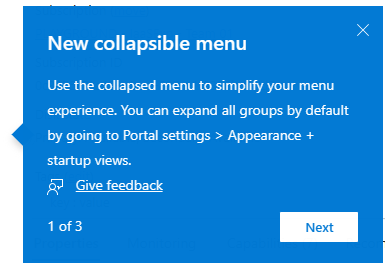
@Eric_Winner @wedoAzure Definitely missed/didn't see that. I just switched to a tenant that I haven't been to in a while and it has the default collapse behavior but I am not seeing the mark or popup. Would this show up for each tenant or just a one time thing?
English
@maxx_don @wedoAzure There is a setting to have all open by default. The groups also remember if you left them open or closed. You can mark frequently used items as favorites for quick access.
English

@wedoAzure Not a fan either TBH. Now instead of a scroll and a click, I have to go through multiple clicks
English
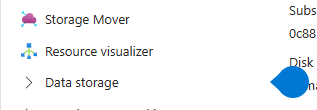
@zpetersen @wedoAzure One thing we tried with this change was the coachmark and teaching bubble to explain the change. Did you not see the "water drop" and popup?
English
@Eric_Winner @wedoAzure To be clear the thing that isnt a great experience is a sudden change that doesnt really provide any immediate benefit other than a bit of confusion. Providing the option to people and maybe a tool tip suggestion would have been a better path imo.
English
@MMarie @retracement It's not about what I think is cool. Menu clutter is a frequent complaint and favorites a long-standing request. The new menu is flexible for how different users want to work
English

@Eric_Winner @retracement Yep, I'm aware. I set it. I just don't find the remembering and favorites useful at all. You caused me to have to go find a setting to put it back to how it was instead of leaving it expanded by default. And the features you seem to think are cool are not valuable to me.
English
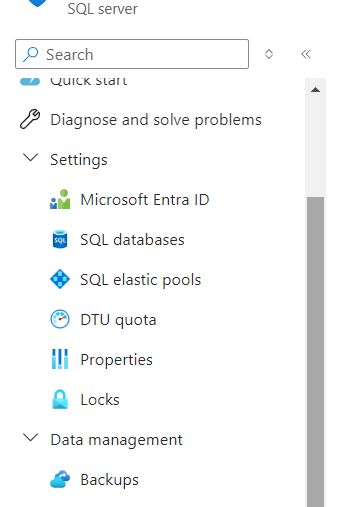
Eew, I do not like having to expand the menu options to get to what I need in the @Azure portal. Also, I can't resize this pane anymore. It appears I am in some kind of A/B test as my coworkers do not see this. How do I opt out?
English
@MMarie @retracement There is a setting to control open/closed by default
English
@Eric_Winner @retracement I just want everything expanded all the time, so this new thing is a pain. I'm a consultant who may work in 4 different tenants (w/ different logins) in the course of a week (sometimes even a day). So the whole remembering thing is not valuable to me when my usage is infrequent.
English
@albandrod @wedoAzure Before - everyone was forced to do things one way. The new menu is flexible, you can change the default for all open or closed, the groups remember how you left them, so you can hide what you don't use and show what you do. Plus, you can mark favorites for quick access
English

@Eric_Winner @wedoAzure Are you planning to change something or is it a "wait a few days and you will get used to it"?
Pamplona, Spain 🇪🇸 English