@Brickbravio The worst version is the follow-up meeting to summarize the meeting. If nThe worst version is the follow-up meeting to summarize the meeting. If nobody leaves with oneobody leaves with on
The meeting could have been an email.
The email could have been a Slack message.
The Slack message could have been silence because the answer was already in the shared drive.
But instead, 6 people blocked 60 minutes to watch someone read a slide deck out loud.
@kale_abe Text-first works way better than most people want to admit. The only failure mode is when the follow-up turns into 20 scattered messages with no owner. Do you force people to send one clean recap, or just ignore the chaos too?
Zoom meetings are an obscene waste of time
I've sold $100M of stuff online and I haven't done a zoom meeting in 7 years I'm not joking
People try to make me all the time
I literally just say "no, text it to me"
If they don't like that I don't work with them
Super effective
@maestroalvarez Hard agree. I block 9-12 as "deep work" and treat it like a client meeting — no rescheduling. The trick is making that block non-negotiable before it becomes a habit.
4/6
Here's the thing nobody tells solopreneurs about the calendar.
It's not just for meetings. It's for YOUR work too.
If you don't block time for the project... the project doesn't happen. Someone else's meeting will fill that space. Or a distraction will. Or fatigue will.
I started blocking 90-minute windows for deep work. Treating them like appointments I can't cancel on myself.
Gained back almost two hours a day. Not exaggerating.
1/6 🧵
Most solopreneurs I know are running three browsers, two email tabs, a calendar app, and a sticky note that says "don't forget."
That's not a workflow. That's a rescue mission every morning.
I stumbled onto something that changed it. And it lives inside a browser you probably already have.
@vytisbareika@obsdmd@openclaw@fathomhq Fathom for capture → OpenClaw for wiring → Obsidian for the graph. That's a clean pipeline. The "librarian" agent idea is interesting — is that for auto-tagging or surfacing connections?
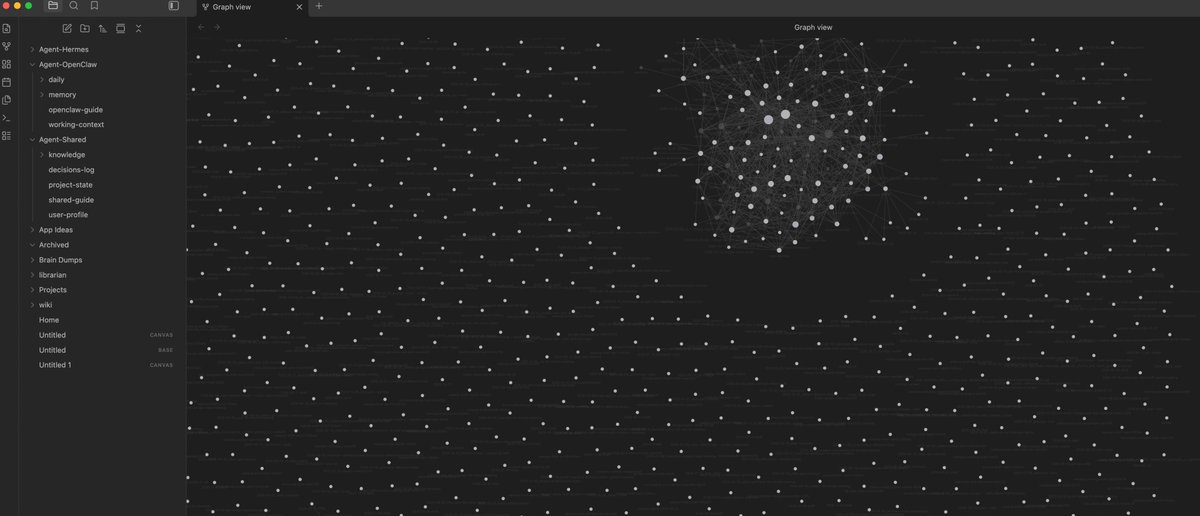
The view in @obsdmd is starting to look less like a notes app and more like a brain scan.
@openclaw + Hermes Agent + Spark are wiring every note, deck, meeting, task, and client result I’ve ever had into one living graph. All my memory in one place, all connected, all searchable.
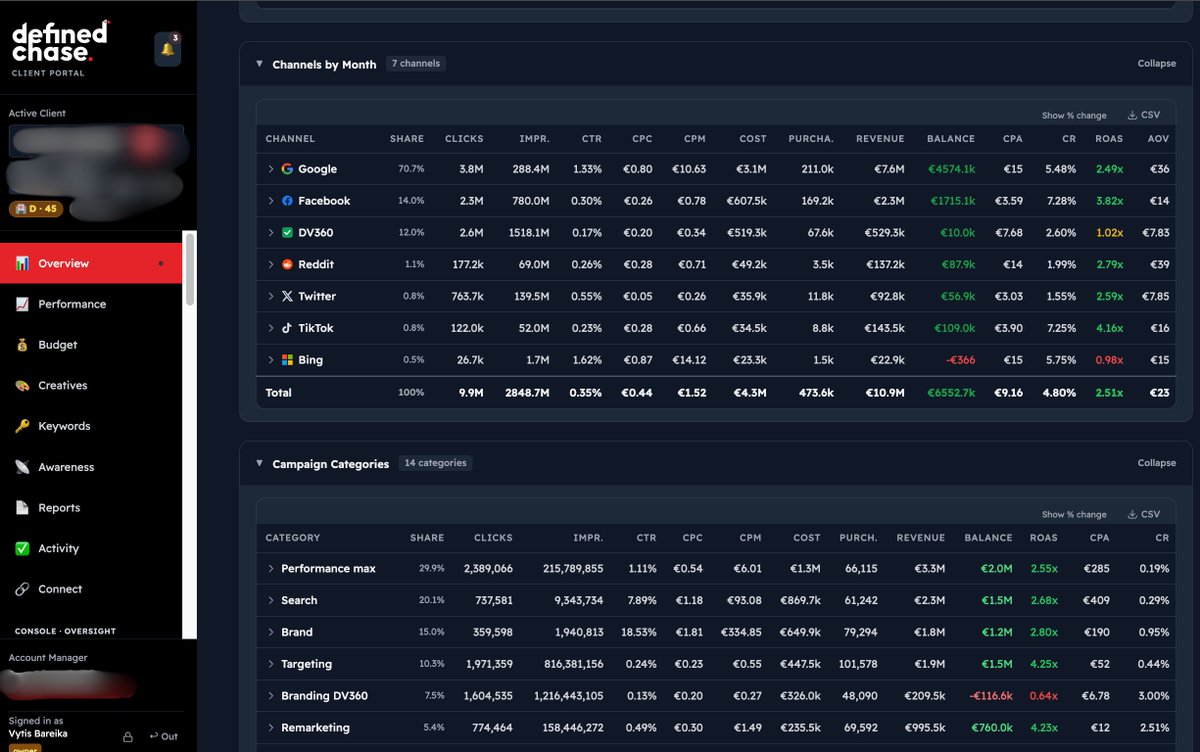
The same engine powers our client portal: every channel, every campaign, every country in one performance map instead of ten disconnected dashboards.
On a call, a prospect accidentally titled the meeting “Defined Search” instead of @definedchase.
That’s the name now. Defined Search: one place where my brain and our clients’ performance data are fully linked.
To be honest, I will have to say bye to tools like @funnel , @whatagraph and @Supermetrics, the thing we're building is entirely on another level.
@maestroalvarez The 90-min block is the real unlock. The hardest part isn't blocking the time — it's defending it when back-to-back meetings try to eat your calendar.
@Auxosolution The gap between "auto-transcribe" and "actually useful action items" is still huge though. Most tools give you a wall of text. The real win is extracting who owns what by when.
5. AI meeting notes (Fireflies, Otter, Granola)
If you're in more than 3 meetings/week, this saves 5+ hours/month.
Auto-transcribes, summarizes action items, and stores everything searchable.
Stop taking notes. Start paying attention.
Save this list.
The 5 AI tools actually worth paying for as a small business in 2026:
(Not sponsored. I've tested 50+ tools and most are garbage. These 5 actually deliver ROI.)
@dukebiz MCP is the quiet unlock here. The real test: can these agents pull signal from messy meeting notes and actually ship something useful? Or does it only work with clean specs?
Atlassian just dropped something builders should pay attention to.
Confluence now has third-party AI agents baked in. You write a product spec, Lovable turns it into a working UI prototype. You write a technical doc, Replit converts it into a starter app. Meeting notes become a polished deck via Gamma.
All running on MCP (model context protocol). The agent reads the page, pulls context, and pushes it straight into the partner tool.
This is what enterprise AI actually looks like. Not chatbots. Agents that read your work and act on it.
Documents that build themselves. That's the shift.
@codewithrohit The capture step is where most people fall off. Voice notes work great for solo thinking, but meetings need real-time transcription or you lose the nuance. What do you use for step 1?
the perfect AI workflow isn't about the tools. it's about the sequence.
step 1: capture (voice notes → AI transcription)
step 2: process (AI summarizes and extracts action items)
step 3: execute (AI drafts the outputs)
step 4: review (you spend 5 min editing, not 2 hours creating)
this workflow turns 3 hours of work into 30 minutes.
not by working faster. by eliminating the work that didn't need to be done by a human.
@codewithrohit The missing step 0: decide what's worth capturing in the first place. Most people transcribe everything and drown in data. Capture → filter → process works better than capture → process.
I went from first commit to a live, functional platform in about 4 months.
Being a solo founder meant I had to be obsessed with efficiency. No meetings, no bureaucracy - just shipping features every single day until the vision was real.
The goal was to build the tool I wish I had as a game designer.
Indie game development is more fragmented than it should be. Today, I’m launching a solution I’ve been building solo for months.
No co-founder. No investors. Just a clear mission and a lot of late nights with Claude Code.
@IndiForge is officially live. 🧵
@nocksers No-meeting Mondays are underrated. We batch all calls Tue-Thu and keep Mon/Fri for deep work. Monday clarity hits different when nobody can pull you into a sync.
unpopular opinion: I'd rather have no-meeting-monday.
let me focus on work when my brain is fresh from the weekend.
waste my time in meetings on Friday when my brain is goo and I'm not accomplishing shit anyway.
Just closed a $2,500 client.
Almost at $5k MRR now.
Sent my resignation letter to HR this morning.
Scared? A bit.
Excited? Hell yes.
Let’s build full-time.
@salinasdanielf@garrytan The biggest gap I see: people record meetings but never revisit the transcripts. Indexing only works if you actually capture in the first place. The real unlock is making capture so effortless it becomes invisible.
@garrytan This is the real unlock. Everyone obsessed with foundation models, meanwhile the moat is a personal brain indexed over your own notes, code, and meeting transcripts. The Second Brain thesis was right — it just needed pgvector and Claude to actually ship.
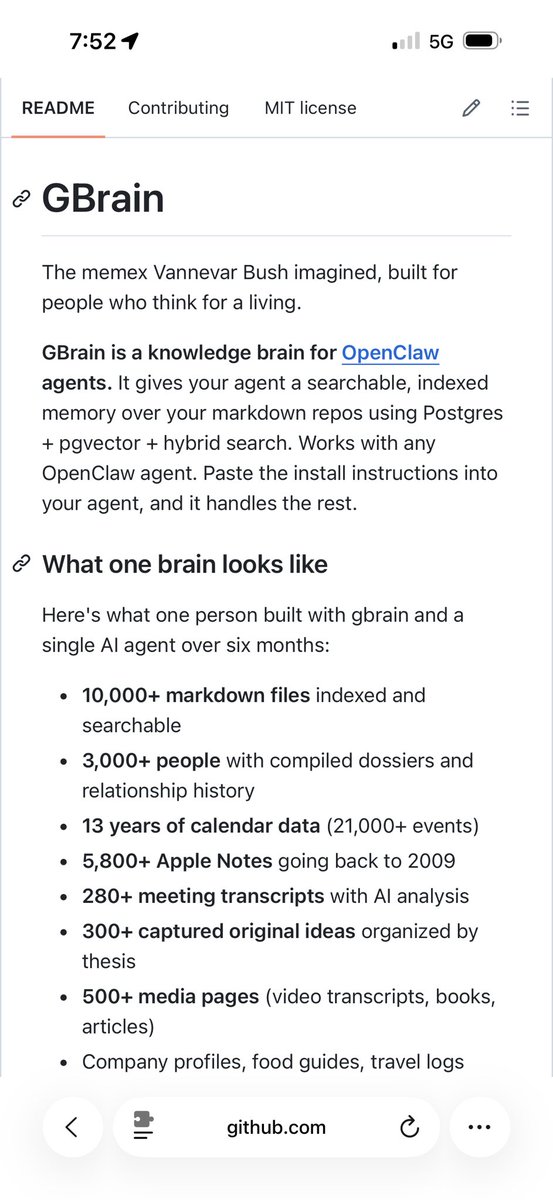
I got inspired by Karpathy’s LLM Wiki, implemented it in my OpenClaw and then extended it with my own skills and a full Postgres pgvector implementation.
Want to be one of the first to try GBrain?
This is my personal opinionated version of Karpathy’s LLM Wiki on OpenClaw
@TheHolyKau@zachtratar@NotionHQ The auto-template idea is spot on. Manually picking fundraising vs investor update vs 1:1 every time is the kind of friction that kills adoption. If the tool knows who's on the call, it should just prep the right structure.
thank you thank you, much appreciated.
- Templates: you know all my calls, and my calendar. Why can’t Notion automatically set a ‘fundraising call’ or ‘investor update call’ template? That would be a magical workflow
- floating unit is still disappearing
- meeting notes stopping: was badly phrased. What I meant was that when I’m back to back, sometimes it takes two calls and merges them into one note. Doesn’t happen always but happens often
- titles sync with calendar, but after the meeting it is hard to do so if I didn’t already title it manually at the beginning of the meeting
- slack is the top destination, followed by affinity, followed by email. Copying is hard, the experience doesn’t feel smooth
NEW REQUEST: I do a lot of in person meetings. It’s hard to navigate the UI to get to recording. Could there be a ‘big red button’ equivalent to press easily on mobile Home Screen when in person meetings start?
Thanks a ton!
I used to really dislike @NotionHQ . Then they launched meeting notes and calendar. Now I use Notion everyday. But still, I feel like I'm in a steam engine when everyone else is in a bullet train like Granola. Here are some suggestions:
Notion meeting notes:
- the floating unit disappears sometimes and I panic
- when meeting stops sometimes the notes don't stop
- why can't notion's AI agent create custom templates on the back of my calls? that would feel like magic
- 'new page' results in a note outside meeting db. I actually have an agent that runs on friday to clean that db
- impossible to get titles correct once the meeting is done. why so hard?
- 'is the meeting note for this event' should be the opposite ie 'click here if this is not for the event'
- attendees never seem to show up in the db
- why can't I configure custom 'words'? Annoying to keep changing
- I wish there was one click sharing. in general sharing is hard. at least sharing to slack should be easy
Notion Calendar:
- scheduling picker has a clunky UX, defaults to picking from 15 past. White is hardly visible over the Notion base layer
- Only responds to drag not pick
- Why don't notes get added automatically to the invite/meeting? Annoying as it feels like notes are separate to the calendar
- why not add travel automatically to meetings outside of work location?
- on gcal when I am stalking someone elses calendar, it auto expands. Notion Calendar does not
- if x then y prompts. for e.g. if I add our meeting room, then location should automatically update to office location
I'm trying to create an exec coach on top of my meeting notes. Can't/won't use yet another note taker now but please do consider some of these suggestions - this product can be 10x better @akothari :)
2026 day 93 (25%)
- most of work was out so no meetings
- somehow lack of meetings made me less motivated to work, i like the bg noise of useless yapping while i code
- did some great coding in the evening, got a huge piece of work finished and v proud of it
lock in back
@rcmisk 6 months no paying users? Have you talked to 50+ potential users? If yes, no conversions = pivot. If no, that's your next step. What's your user feedback loop been like?
it's 8pm on a Tuesday.
you've been building for 6 months.
no paying users. a few signups. friends say it's cool.
do you keep going or kill it?
what's the actual threshold you'd use to make that call?