
B
2.1K posts


B retweetledi

I produce over 6.2 million supplements every SINGLE DAY for some of the biggest brands you all know.
My dropshipping clients alone generate around $250 million a month with the supplements I produce for them.
BUT how and WHY did I get into producing supplements?
I’m in the Dropshipping Supplement Business since 2024.
Did my first MRR Sale in June 2024.
I exited my first brand in September 2025 for multiple six figures.
And to this day, I’m still doing MRR and running 3 Brands.
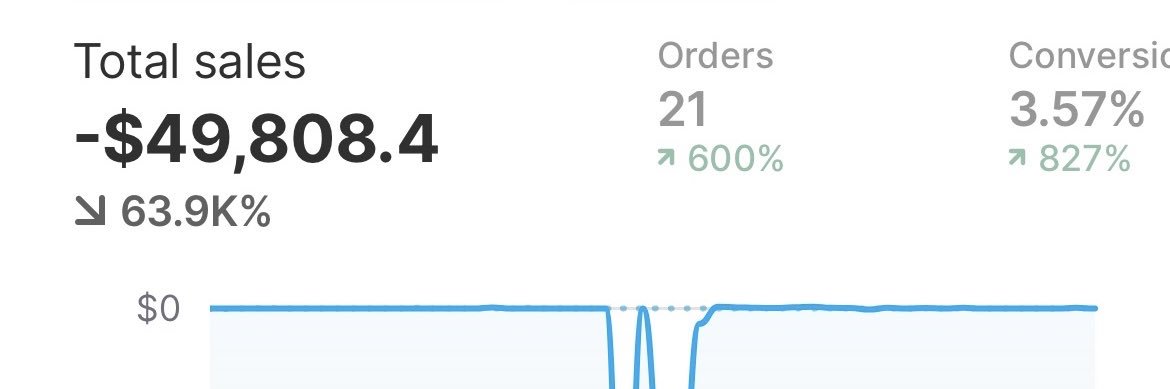
One new brand just hit €80K MRR in its first month (Screenshot below)
Back in 2024 I was one of the first selling creatine gummies in Europe with a weird Chinese dropshipping supplier who you might know from the Instagram ads back then.
Was scaling good until the issues came:
- 15–20 days production time
- Shipments held by customs, 18 days shipping times
- 3rd Party Labtest showed there were 0 ingredients inside the gummies
I tried working with BIG dropshipping suppliers — placed a test order on my store…
End result: the same.
The problem with dropshipping suppliers:
They buy supplements very cheaply (around $1) and sell them to you for $1.7 or even more ( 99% of the time products with little to 0 active ingredients)
So I wanted to find the real factory that produces supplements at original prices but also maintains quality active ingredients + fast production.
My Goal : Build real Brands for BIG EXITS.
So I went to China and visited 20 factories in Guangzhou, Shenzhen, Henan...
Every single one promised "Premium quality with fastest production time."
But they all disappointed me when I started working with them.
Then I found PrimeBio - They were the first factory that actually delivered on what they promised.
CUSTOM FORMULA Supplements Production within 5 days and all these lab-testing services FOR FREE.
They showed me some of their clients — big brands from TikTok Shop and top-selling supplement brands on Amazon ($5M/month Sellers) - Even connected me directly with the CEOs.
At that time, PrimeBio focused primarily on Amazon sellers and Alibaba to get clients.
I showed them my vision with dropshipping...
A year later, after working together, I invested in the factory.
I became co-owner in June 2025 and grew the Dropshipping department for a year.
Now our factory has so many good Reviews that we don’t run ads to get clients.
100% of our clients come by word of mouth from other happy clients.
Or from dropshipping coaches with big communities, who see that we are the best factory with our 5-day production time and also among the cheapest, because we are not based in expensive areas (like Guangzhou or Shenzhen)
But WHY do so many dropshippers work with PrimeBio?
1. Best Prices
2. lowest MOQ
3. Fast Production (5 Days).
And YOU can set your target price - WE produce based on that price.
You want to pay only $2 for your product?
Our R&D team will check how much active ingredient we can include within your target price.
We can produce:
Low quality (20%–50%)
Mid quality (50%–70%)
High quality (70%–100%)
All as fully custom formulas.
Now :
Imagine how big you could scale your brand with 5-day production and full control over your pricing.
And we don’t only work with big dropshippers.
Since this July, we’ve reduced our MOQ from 500 to just 100 pcs
+ Your Own Custom Formula
+ Custom Label
+ COA
+ 3rd-party Lab testing
If you’re in supplements and still working with dropshipping suppliers, and you want to move from low-quality/concept products (cheap supplements) to a REAL SUPPLEMENT BRAND which you can Exit with active ingredients :
Contact PrimeBio.


English


Back by popular demand, we're reopening the vault. Get access to our most requested resource: the top-performing brand funnel breakdowns of the biggest DTC brands.
Not just their ads. The full stack:
Paid strategy > Organic > Landing pages > Google ads > Email > Offers
Everything.
Easily the most ripped asset we’ve ever put out.
So we’ve packaged them properly. One folder.
Here’s who’s inside:
– Alo Yoga
– Ancient and Brave
– BREZ
– Glossier
– IM8
– Kind Patches
– LOOP Earplugs
– Meshki
– Rhode
– Refy
– Wonderskin
Use this to cut out weeks of guesswork or get your next winning concept straight from their playbook.
Retweet this post and comment "vault" and I'll send it over

English

If your running natives look at difference between cpc (all) and cost per link click/unique outbound cost per click to figure out why your ad copy sucks and get better idea where it is
Look at difference between cost per link click/unique outbound cost per click to figure out how bad your landing page sucks at converting them after
basic rules I follow helps a lot
English


Music is hypnosis. You want to “bang hoes” cause your favourite rapper talks about it. You want to stack bread cause Gucci mane said so. The bass line acts similar to a theta wave which puts your mind in a more suggestive state to absorb this slop. Your wants aren’t even yours. Thousands of lyrics that you know word for word, tone by tone about being depressed, anxious, taking drugs, toxic relationships, casual sex, shooting people, finessing, Puppeteering your life and dragging you deeper into spirit rot, deeper into being w destructive force if life. Go listen to Bob Sinclair - World Hold on and stop consuming soulless slop.
English
English

@JuggMotion putting secrets into text boxes is the fastest way to learn why env vars exist
English