
Manee Ninky retweetledi
Manee Ninky
676 posts



Manee Ninky retweetledi

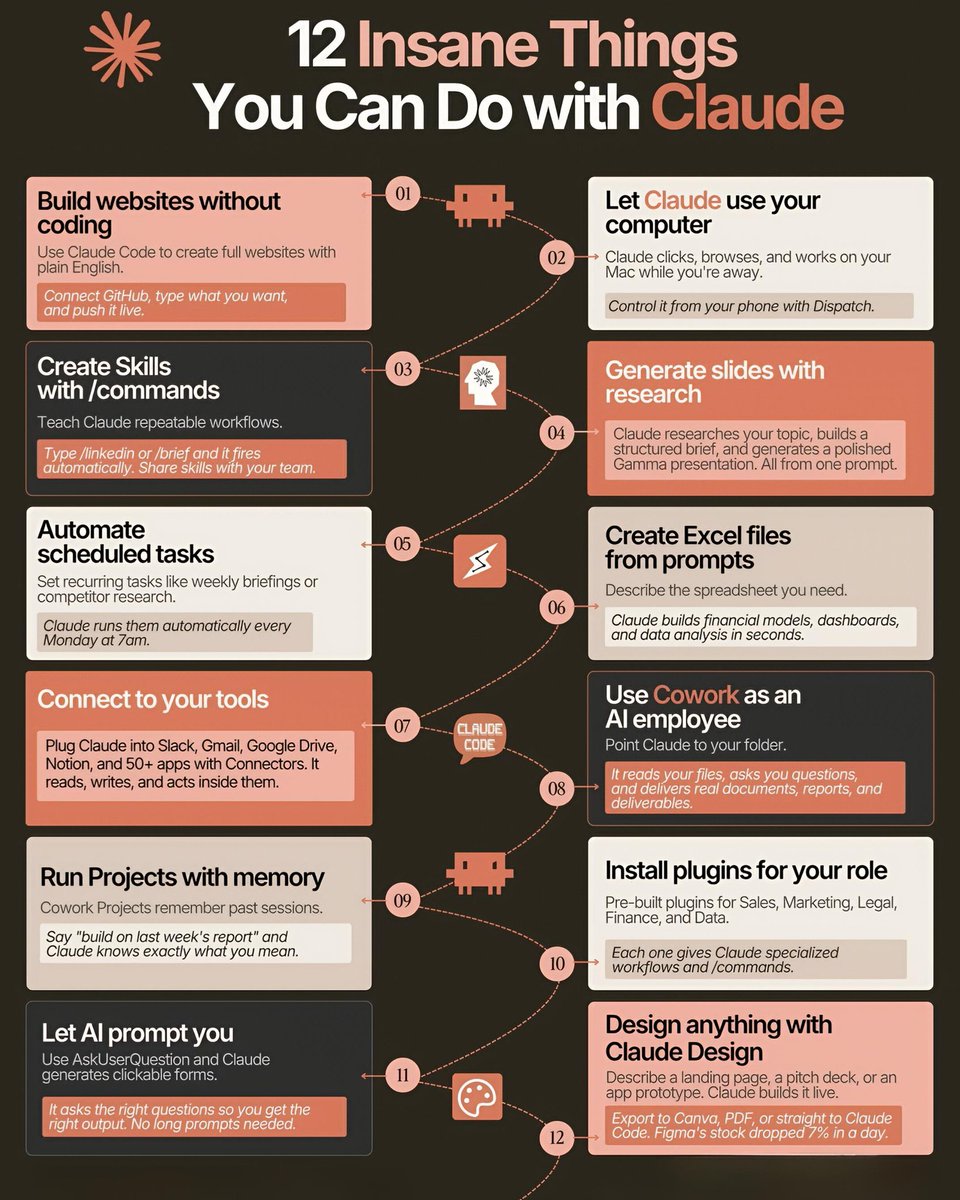
🎯12 Insane Things You Can Do with Claude
Unlock productivity superpowers you didn’t know existed.
Here’s how Claude can transform the way you work.
01 — Build websites without coding
Use Claude Code to create full websites with plain English.
Connect GitHub, type what you want, and push it live.
02 — Let Claude use your computer
Claude clicks, browses, and works on your Mac while you're away.
Control it from your phone with Dispatch.
03 — Create Skills with /commands
Teach Claude repeatable workflows.
Type /linkedin or /brief and it fires automatically. Share skills with your team.
04 — Generate slides with research
Claude researches your topic, builds a structured brief, and generates a polished Gamma presentation.
All from one prompt.
05 — Automate scheduled tasks
Set recurring tasks like weekly briefings or competitor research.
Claude runs them automatically every Monday at 7am.
06 — Create Excel files from prompts
Describe the spreadsheet you need.
Claude builds financial models, dashboards, and data analysis in seconds.
07 — Connect to your tools
Plug Claude into Slack, Gmail, Google Drive, Notion, and 50+ apps with Connectors.
It reads, writes, and acts inside them.
08 — Use Cowork as an AI employee
Point Claude to your folder.
It reads your files, asks you questions, and delivers real documents, reports, and deliverables.
09 — Run Projects with memory
Cowork Projects remember past sessions.
Say “build on last week’s report” and Claude knows exactly what you mean.
10 — Install plugins for your role
Pre-built plugins for Sales, Marketing, Legal, Finance, and Data.
Each one gives Claude specialized workflows and /commands.
11 — Let AI prompt you
Use AskUserQuestion and Claude generates clickable forms.
It asks the right questions so you get the right output. No long prompts needed.
12 — Design anything with Claude Design
Describe a landing page, a pitch deck, or an app prototype. Claude builds it live.
Export to Canva, PDF, or straight to Claude Code. Figma’s stock dropped 7% in a day.
❤️ Like
🔁 Retweet
🔖 Bookmark
Follow @sonalshukla3377 for more such posts
English
Manee Ninky retweetledi

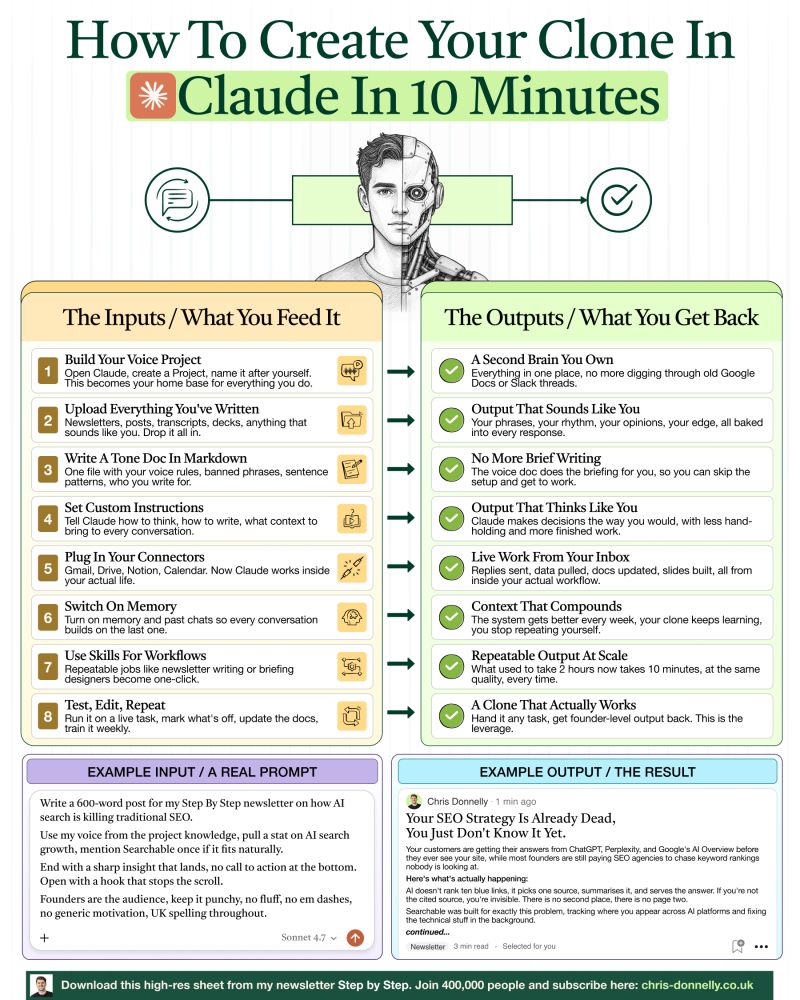
You can use #Claude to create your very own clone.
It's simple and can be done in 10 minutes:
The compounding results of it are like nothing I've seen before.
A lot of people still just use the default Chat option.
But that is severely underplaying the capabilities of Claude...
If you take literally 10 minutes to set it up properly,
You can get incredible output from it.
Here's exactly how to build it:
📥 Inputs:
1. Build your Voice Project
↳ Open Claude, create a Project, name it after yourself.
2. Upload everything you've written
↳ Newsletters, posts, transcripts, decks.
3. Write a tone doc in markdown
↳ One file with your voice rules, sentence patterns, and who you write for.
4. Set custom instructions
↳ Tell Claude how to think, how to write, and what context to bring.
5. Plug in your connectors
↳ Claude works inside Gmail, Drive, Notion, Calendar, and more.
6. Switch on memory
↳ Every conversation builds on the last one, and the system compounds.
7. Use Skills for workflows
↳ Repeatable jobs like newsletter writing or briefing designers become one-click.
8. Test, edit, repeat
↳ Run it on a live task, mark what's off, and update docs weekly.
📤 Outputs:
✅ A second brain you own.
↳ Everything in one place, no more digging through old docs or Slack threads.
✅ Output that sounds like you.
↳ Your phrases, your opinions, and your edge, baked into every response.
✅ No more brief writing.
↳ The voice doc does the briefing for you.
✅ Output that thinks like you.
↳ Claude makes decisions the way you would, with less hand-holding.
✅ Live work from your inbox.
↳ Replies sent, data pulled, and docs updated, all from inside your workflow.
✅ Context that compounds.
↳ The system gets better every week, and you stop repeating yourself.
✅ Repeatable output at scale.
↳ What used to take 2 hours now takes 10 minutes at the same quality.
✅ A clone that actually works.
↳ Hand it any task and get founder-level output back. This is the leverage.
Take a look at the visual and you'll see an example input and output.
Most people are still feeding Claude one-off prompts.
This is about using it to actually change your business.
It's a system built around how you think and work,
And it only gets better every time you use it.
Set it up once and tweak it weekly.
In 90 days, it will be unrecognisable.
What's your favourite set up in Claude right now?
Would love to know in the comments !
---
📌 If you want a high-res PDF of this guide:
1. Follow @coder_surya
2. Save the post.
3. Repost to your network.
4. Join AI Community: tinyurl.com/mvsz79eu
English
Manee Ninky retweetledi

Most people use Claude Code like a basic AI assistant.
But power users know the real advantage comes from mastering the commands behind the workflow.
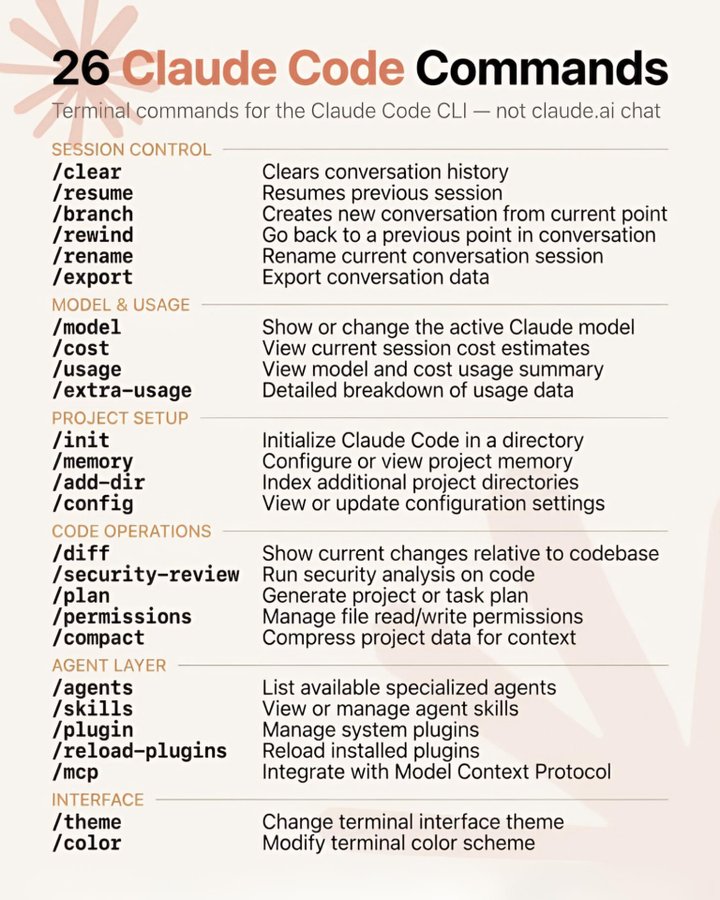
Here are 26 essential Claude Code commands every developer, builder, and AI workflow operator should know 👇
━━━━━━━━━━━━━━━
SESSION & WORKFLOW CONTROL
━━━━━━━━━━━━━━━
🔹 /clear → Reset conversation history instantly
🔹 /resume → Continue previous coding sessions without losing context
🔹 /branch → Create alternate conversation paths for experiments
🔹 /rewind → Jump back to earlier checkpoints in your workflow
🔹 /rename → Organize sessions with custom names
🔹 /export → Save chats, outputs, and project discussions
These commands make long AI-assisted projects far easier to manage.
━━━━━━━━━━━━━━━
MODEL & TOKEN MANAGEMENT
━━━━━━━━━━━━━━━
🔹 /model → Switch between Claude models depending on task complexity
🔹 /cost → Estimate current session spending
🔹 /usage → Track model and token usage
🔹 /extra-usage → Detailed analytics for optimization
Small monitoring habits can dramatically reduce wasted tokens and API costs.
━━━━━━━━━━━━━━━
PROJECT INITIALIZATION
━━━━━━━━━━━━━━━
🔹 /init → Start Claude Code inside a project directory
🔹 /memory → Store persistent project instructions and context
🔹 /add-dir → Include extra folders in the working environment
🔹 /config → Modify project-level settings and preferences
This is where Claude starts behaving more like an actual coding teammate.
━━━━━━━━━━━━━━━
CODE OPERATIONS & REVIEW
━━━━━━━━━━━━━━━
🔹 /diff → Compare generated changes against your codebase
🔹 /security-review → Scan code for vulnerabilities and risky patterns
🔹 /plan → Generate structured implementation roadmaps
🔹 /permissions → Control file access permissions safely
🔹 /compact → Compress project context for better efficiency
These commands help maintain clean, scalable AI-assisted development workflows.
━━━━━━━━━━━━━━━
AGENTS & EXTENSIONS
━━━━━━━━━━━━━━━
🔹 /agents → View specialized AI agents
🔹 /skills → Add or manage agent capabilities
🔹 /plugin → Manage installed plugins
🔹 /reload-plugins → Refresh plugin configurations
🔹 /mcp → Connect external tools using Model Context Protocol
This layer unlocks automation beyond simple prompting.
━━━━━━━━━━━━━━━
INTERFACE CUSTOMIZATION
━━━━━━━━━━━━━━━
🔹 /theme → Change terminal appearance
🔹 /color → Customize terminal color schemes
Because developer experience matters too.
The biggest productivity jump in AI coding doesn’t come from better prompts alone.
It comes from learning how to control the entire workflow system around the model.
❤️ Like
🔁 Retweet
🔖 Bookmark
Follow @MeenakshiYACS for more AI Posts
#AI #ArtificialIntelligence #AISkills #AIAgents #RAG #LLM #PromptEngineering
English
Manee Ninky retweetledi

How to learn Claude in 5 days:
(this will save you 2 hours a day)
☀️ DAY 1: Set up the basics
Goal: Get Claude to give you personalized answers.
→ Pick your mode (Chat, Code, or Cowork)
→ Turn on Memory
→ Write 3–5 lines about your role in Personal Preferences
Now Claude knows who it's talking to.
☀️ DAY 2: Build your first project
Goal: Stop repeating yourself.
→ Create a project for one recurring task
→ Write your instructions once
→ Upload your reference files
Claude now knows your context before you say a word.
☀️ DAY 3: Build your first Skill
Goal: Stop re-explaining yourself every single chat.
→ Go to Settings → Customize → Skills
→ Click "+" and describe a task you repeat often
→ Upload it — Claude loads it automatically from now on
Write it once. Claude runs it every time.
☀️ DAY 4: Connect your tools
Goal: Stop copy-pasting between apps.
→ Connect Gmail, Google Drive, or Slack via Connectors
→ Let Claude work inside those apps directly
No more switching tabs. No more manual handoffs.
☀️ DAY 5: Delegate your work
Goal: Set up an automation.
→ Schedule a recurring task (weekly Slack summary, daily brief)
→ Let Claude read, work, and deliver — on its own
That's not a tool. That's a system.
Five days. One setup.
Then it runs itself.
Do this instead of scrolling:
1. Save this post (you'll come back to it)
2. Start Day 1 today (takes 10 minutes)
3. Run the full 5 days this week
Structured. Compounding. No excuses.

English
Manee Ninky retweetledi



Manee Ninky retweetledi

ใครมีช่องไหนสอนใช้ claude อยากป้ายยาอีกบ้างนะ คือเราสาย tech ไม่รู้ว่าแบบ non-dev เขาชอบฟังช่องไหนกันสอน ขอป้ายยาเพื่อนๆ หน่อย เราอยากลองฟังด้วย
Geegi Eiei@geegissss
ไปลองซับใช้เถอะ จะได้รู้ว่ามันทำไรได้บ้าง ที่คนเขาพูดกันเยอะแยะมากมาย เรายังลองไม่หมดเลย แล้วทุกคนจะ wow มันทำได้ขนาดนี้เลยหรอออ คำเตือน: ระวังเข้าแล้วคุณจะออกไม่ได้ 5555555
ไทย
Manee Ninky retweetledi

จ่าย Claude @claudeai เดือนละ $20 อาจจะเพียงพอแล้ว! ถ้าคุณ Optimize เป็น ด้วย 21 เทคนิคปฏิบัติ ที่ใช้งานได้จริงเหล่านี้
ไม่ต้องรีบอัปเกรดเป็นแผน $100 แค่ปรับ Workflow ให้ฉลาดขึ้น ก็ช่วยลดการบริโภค Token และทำให้แผน Pro คุ้มค่าที่สุด ฮะ
📌 ลองเช็คดูว่าคุณกำลังทำแบบนี้อยู่หรือเปล่า? และนี่คือวิธีแก้ไขครับ:
1. ❌ อัปโหลด PDF แบบดิบๆ: (กิน 500–4,000+ token ต่อหน้า)
✅ แก้ไข: คัดลอกข้อความใส่ Google Docs -> ดาวน์โหลดเป็น .md (Markdown) ไฟล์จะเล็กลงมาก เหลือไม่ถึง 200 โทเคน
2. ❌ เริ่มสร้างไฟล์ใน Cowork เร็วเกินไป:
✅ แก้ไข: วางแผนรายละเอียดใน Chat ให้เรียบร้อยก่อน แล้วค่อยย้ายไป Cowork เมื่อรู้ชัดเจนแล้วว่าต้องการอะไร เช่น
ใช้ Chat ก่อน เมื่อยังไม่ชัดเจนว่าต้องการอะไร เช่น brainstorm, ถามโน่นถามนี่, ลองหลาย direction, ยังไม่รู้ว่า output สุดท้ายจะออกมาหน้าตาแบบไหน
ย้ายไป Cowork เมื่อรู้แล้วชัดเจนว่าต้องการไฟล์จริงๆ เช่น สร้าง Excel, เขียน Python script, ทำ dashboard, แก้ไขโค้ด — งานที่มี deliverable ชัดเจนและต้องการให้ Claude จัดการ file system
3. ❌ เขียนพรอมต์ยาว 500 คำ สำหรับงานง่ายๆ:
✅ แก้ไข: เขียนสั้นๆ ก็พอ เช่น "ฉันอยากได้ [งาน] เพื่อ [เป้าหมาย]. ถามฉันด้วย AskUserQuestion ก่อนเริ่ม"
4. ❌ พิมพ์ "redo the whole thing" เพื่อแก้แค่จุดเดียว:
✅ แก้ไข: สั่งแก้เฉพาะจุด เช่น "Only redo section 3. Keep everything else. No commentary. Just the output."
5. ❌ ส่ง 3 ข้อความแยกกันสำหรับ 3 งาน:
✅ แก้ไข: มัดรวมใส่ข้อความเดียว เช่น "Summarize this, list the points, suggest a headline."
6. ❌ พิมพ์ "No, I meant..." แก้ไขงานเดิมจนประวัติแชทยาว:
✅ แก้ไข: กดปุ่ม Edit ที่ข้อความพรอมต์เดิม แก้ไขเนื้อหาแล้วกด Regenerate ทับไปเลย
7. ❌ เขียนพรอมต์ใหม่หมดทุกครั้งที่เริ่มงาน:
✅ แก้ไข: สร้าง Prompt Library เก็บไว้ ใช้โครงสร้างเดิม แค่เปลี่ยนตัวแปรต้นทาง
8. ❌ ใช้ Claude Opus (รุ่นท็อป) กับงานง่ายๆ เช่นตรวจ Grammar:
✅ แก้ไข: งานง่ายใช้แค่ Sonnet ก็พอ เก็บ Opus ไว้ใช้กับงานที่ต้องการความลึกและซับซ้อนจริงๆ
9. ❌ ไฟล์บริบท (เช่น About Me) ยาวเกินความจำเป็น:
✅ แก้ไข: ตัดให้สั้น กระชับ เหลือเฉพาะเนื้อๆ ไม่เกิน 2,000 คำ
10. ❌ ไม่เคยรีสตาร์ทแชทเลย ปล่อยให้คุยยาวจนเอ๋อ:
✅ แก้ไข: เมื่อ Cowork เริ่มเพี้ยน ให้กด "Restart the conversation from here" ที่ข้อความก่อนหน้าเพื่อล้าง context เก่า
11. ❌ ไม่เคยสรุปเนื้อหาเปนระยะก่อนแชทจะยาวเกินไป:
✅ แก้ไข: ทุกๆ 15-20 ข้อความ ให้สั่งสรุปแล้วกอปปี้ไปเริ่มเซสชันใหม่
12. ❌ ไม่ใช้ Projects สำหรับไฟล์ที่ต้องใช้บ่อยๆ:
✅ แก้ไข: ใช้ฟีเจอร์ Projects อัปโหลดไฟล์ครั้งเดียว ทุกแชทในโปรเจกต์จะเรียกใช้ได้เลย ไม่ต้องอัปโหลดซ้ำ
13. ❌ โยนไฟล์ 50 ไฟล์เข้า Cowork แบบ "เผื่อไว้ก่อน":
✅ แก้ไข: ใส่เฉพาะไฟล์ที่จำเป็นต้องใช้ในงานนั้นจริงๆ
14. ❌ คุยหลายหัวข้อตีกันมั่วในแชทเดียว:
✅ แก้ไข: หัวข้อใหม่ = แชทใหม่เสมอ context เก่าที่ไม่เกี่ยวข้องคือการเสียโทเคนเปล่า
15. ❌ เปิด Search และ Connectors ทิ้งไว้ตลอดเวลา:
✅ แก้ไข: ปิดเป็นค่าเริ่มต้น แล้วเปิดใช้เฉพาะเมื่องานนั้นต้องการจริงๆ
16. ❌ รันรายงานเดิมๆ ทุกสัปดาห์ด้วยการพิมพ์ใหม่มือ:
✅ แก้ไข: สร้าง Prompt Template สำหรับงานรูทีน เก็บไว้ใน Project แล้ว copy-paste ใช้ตอนเริ่มแชทใหม่
17. ❌ พิมพ์พรอมต์ยาวๆ ด้วยมือตลอด ไม่เคยใช้เสียงพิมพ์:
✅ แก้ไข: ใช้ระบบ Dictation (ไมโครโฟน) แทนการพิมพ์ (Mac: กด Fn 2 ครั้ง, Windows: Win + H)
18. ❌ ยังไม่ได้ตั้งค่า Personal Preferences:
✅ แก้ไข: ไปที่ Settings -> Personal Preferences ตั้งโทนและสไตล์การตอบกลับที่ต้องการไว้ครั้งเดียว
19. ❌ พิมพ์พรอมต์แบบ lazy เช่น "ทำให้ดีขึ้น" กับงานที่ซับซ้อน:
✅ แก้ไข: ใช้ Wispr.ai หรือเสียงพิมพ์ อธิบายบริบท (context) ให้ครบถ้วนในครั้งเดียว
20. ❌ ใช้โควต้า (Message Limit) ทั้งหมดหมดภายในเช้าวันเดียว:
✅ แก้ไข: Claude ใช้ระบบ rolling window 5 ชั่วโมง พยายามแบ่งงานออกเป็นช่วงๆ ตลอดทั้งวัน
21. ❌ พยายามใช้ Claude กับงานที่มันทำไม่ได้ดี:
✅ แก้ไข: เลือกเครื่องมือให้ถูกงาน เช่น อยากได้ภาพ -> ไป Gemini, อยากค้นหา Real-time -> ไป Grok
💡 เทคนิคเหล่านี้ใช้เวลาตั้งค่าแค่ 1-2 ชม. แต่ช่วยยืดอายุแผน Pro เดือนละ $20 ให้คุ้มค่าสุดๆ โดยไม่ต้องอัปเกรดเป็นแผน Max ครับ
ขอขอบคุณข้อมูลดีๆ จากคุณ @rubenhassid
#EarthDeFIRE รายงาน 13/05/2026
#Claude #ClaudeAI #AI #Productivity

EarthDeFIRE@EarthDeFIRE
ถ้าคุณมีงบแค่ 750 บาท (25$) เลือกซื้อ AI ได้ตัวเดียวจะเลือกตัวไหนครับ 🤔
ไทย
Manee Ninky retweetledi

Manee Ninky retweetledi

Teaser Trailer หนังสารคดี พิธา Lead The Way คือสุดมากแฉหมดทุกคนเลย โอ้ยยยเริ่ด ทั่วโลกจะได้รับรู้ความประหลาด มันมีที่ไหนแขวน คดด. นายกในวันโหวตนายกเพราะอีหุ้นผี #leadtheway 📽️
#thealmostPM 📚
#ทิมพิธา 🎧🎸
ไทย
Manee Ninky retweetledi


Manee Ninky retweetledi

คดี ‘ศักดิ์สยาม ชิดชอบ’
เส้นเงินโยงใยกันชัดเจน ให้ใครในประเทศนี้ดูก็รู้ว่า
จงใจใช้มอมีนี แต่ ป.ป.ช. ใช้ดุลพินิจตัดสิน
ผลเลยออกมา ‘เชื่อว่า‘ ไม่มีเจตนา ไม่ผิด
เป็นผู้บริสุทธิ์ ไร้มลทินมัวหมอง
คดี ‘44 สส พรรคก้าวไกล‘
ยื่นแก้กฏหมาย 112
ก.ก.ต. รับรองเป็นนโยบายใช้หาเสียง
แค่ลงชื่อเฉยๆ แต่กฏหมายยังไม่เข้าสภาด้วยซ้ำ
ใครๆก็รู้แน่เหมือน 5นิ้วบนฝ่ามือ
ว่าเข้าไปยังไงก็โดนปัดตก
ป.ป.ช. ฟันโช๊ะ! ว่าผิดจริยธรรมร้ายแรง
คนกลุ่มนี้ กำลังจะถูกตัดสิทธิ์ตลอดชีวิต
เรียกว่า ประหารชีวิตทางการเมือง
ชาตินี้พวกมึงอย่าได้สะเอะ
ตลอดภพภูมินี้อย่าได้มีโอกาส
ได้กลับมาเป็นนักการเมืองอีกเลย
เอาเลยพี่ ไล่ยุบพรรค ไล่ตัดสิทธิ์
ไล่ตัดหัวพวกเราให้หมด
ทำแบบเวรๆ เหตุผลเลวๆ ใช้อำนาจดิบๆ
ซึ่งๆหน้างี้เนี่ยแหละดี
ให้มันรู้ว่าๆกันไปเลย ว่าประเทศนี้ของใคร
องคาพยพสีส้ม ตายตกไปตามกันให้หมด
ในสภาจะได้เหลือแต่ สำน้ำเงิน
บ้านนี้ เมืองนี้ แผ่นดินนี้
ให้พี่ทาด้วยสีน้ำเงินไปเลย
ประเทศนี้ยกให้พี่หนู พี่เน ไปปกครอง
ให้คนดี คนรักชาติ รักสถาบัน
ได้ปกครองบ้านเมือง
ไทย
Manee Ninky retweetledi

หยุดไถมือถือแล้วมาดูวิดีโอนี้ 25 นาทีที่คุณจะเข้าใจ Claude Code แบบทะลุปรุโปร่ง
ผลงานโดยตรงจากทีม Applied AI ของ Anthropic ที่จะเปลี่ยนมุมมองการเขียนโค้ดของคุณไปตลอดกาล นี่ไม่ใช่แค่การรีวิวฟีเจอร์ แต่คือการเผยเทคนิคการสร้าง AI Workflow ที่ทำงานได้จริงและทรงพลังที่สุด
📌 เซฟเก็บไว้เลย ถ้าไม่อยากพลาดของดี
อ่านไกด์ต่อในคอมเมนต์ แล้วเริ่มลุยได้เลยครับ 🚀
Khairallah AL-Awady@eng_khairallah1
This 25-minute Claude Code workshop by Anthropic's own applied AI team will teach you more about Claude Code best practices and making your AI tools actually work together than everything you've scrolled past this year. Bookmark this & watch, no matter what. Then read the guide below.
ไทย
Manee Ninky retweetledi

Manee Ninky retweetledi

Manee Ninky retweetledi

Manee Ninky retweetledi

⛽#ราคาน้ำมัน ลดได้...แต่รัฐไม่ทำ 💸
-----
💬 ช่วงหลัง ๆ มานี้ #น้ำมันแพง มาก
ทั้งเบนซิน และดีเซลปรับราคาขึ้นแบบรัว ๆ
จนทุกคนพูดเป็นเสียงเดี๋ยวกันว่า
"(โรงกลั่น) รวยไม่ไหวแล้ว!
จะใครติดตามข่าวจะเห็นอีกว่า
ช่วงนี้ #ค่าการกลั่น เปลี่ยนแปลงเร็วมาก
จากปกติอยู่ที่ประมาณ 2 บาท
แต่ในช่วงวิกฤตพลังงานครั้งนี้
ค่าการกลั่นกลับพุ่งสูงถึง 7 - 17 บาท 📈
💡 #สภาผู้บริโภค ชวนดูโครงสร้างราคาน้ำมัน
และเสนอว่า...
สิ่งที่รัฐบาลทำได้ในฐานะผู้ถือหุ้นใหญ่
ในบริษัท ปตท. ที่มีหุ้นใหญ่ในโรงกลั่น
4 โรงจาก 6 โรง
คือกำหนดเพดานค่าการกลั่นที่ 2 บาท/ลิตร
และนำส่วนต่างของค่าการกลั่น
ไปลดราคาหน้าโรงกลั่น
ซึ่งจะส่งผลให้ราคาน้ำมันหน้าปั๊มถูกลงด้วย
#เพื่อนผู้บริโภค #สภาผู้บริโภคที่ไม่ใช่สคบ.

ไทย
Manee Ninky retweetledi

@iLawclub ระบอบ “รักชาติ” ค่ะ แต่เค้านับใครเป็น “ชาติ” บ้างไม่รู้นะคะ
ไทย
Manee Ninky retweetledi

เราอยู่กับระบบการเมืองภายใต้รัฐธรรมนูญ 2560 ที่ ครม. สส. และสว. ส่วนใหญ่ เป็นเครือข่ายการเมืองเดียวกัน ขณะที่องค์กรตรวจสอบอำนาจรัฐ ก็มาจากสว. จึงเป็นกลุ่มคนสีเดียวกัน
สวัสดี วันนี้เรามีระบอบ “สีน้ำเงิน”

ไทย