Simon@Simon_Hypixel
Pre-Release Patch Notes (Mar 19, 2026)
Update 4 (Part 5 of 5)
Enable via Launcher → Settings → Pre-Release
Update 4 launches next week, March 26th! If you're running a server or building mods, this is your last pre-release window. Test your plugins and get everything ready for launch day. Note that we might make small bug fixes before the release.
𝗛𝗘𝗔𝗗𝗟𝗜𝗡𝗘 𝗙𝗘𝗔𝗧𝗨𝗥𝗘𝗦
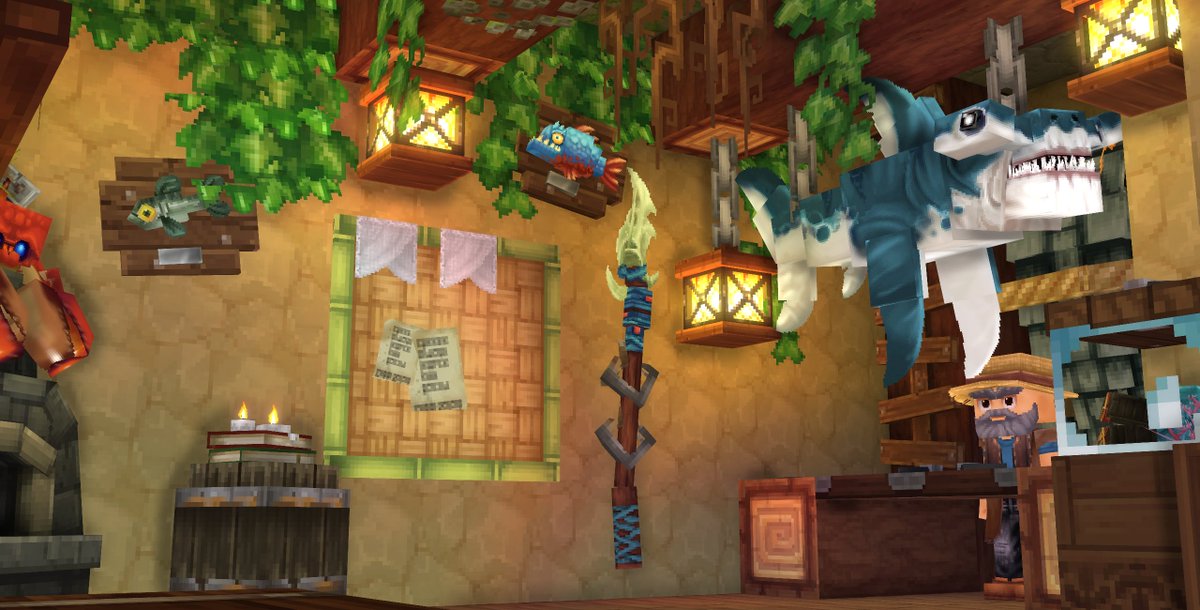
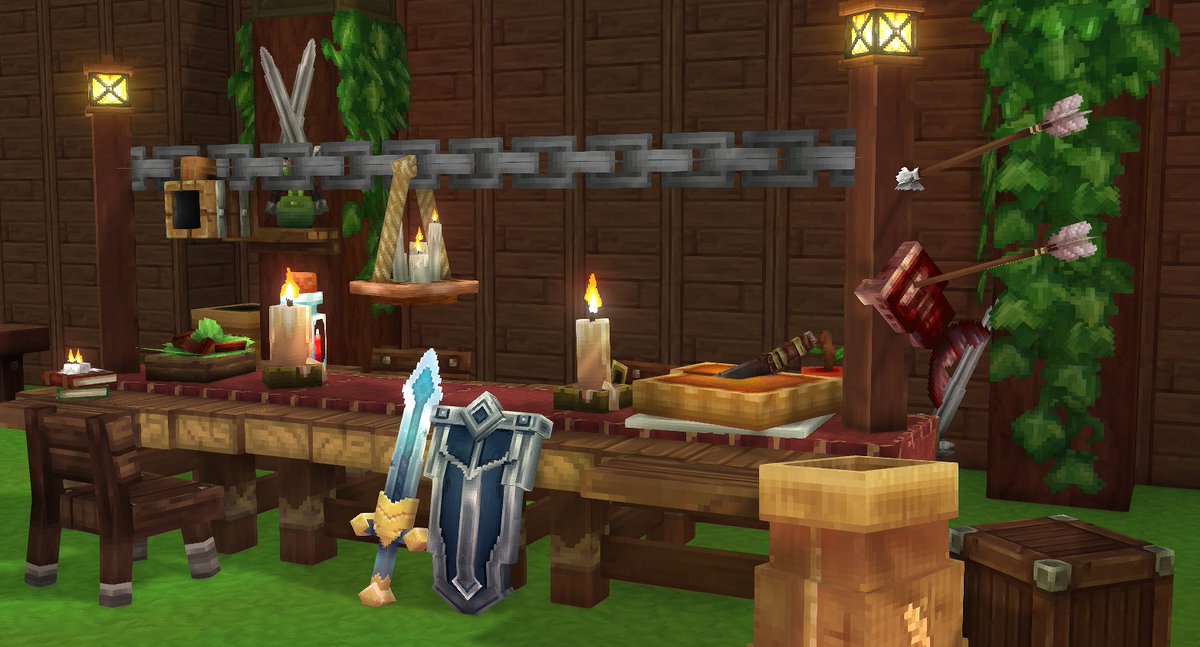
- Around 500 new blocks have been added! Approximately half of these can be crafted, and the other half are available via the Creative Inventory. New additions include:
- Complete Limestone, Slate, Chalk, and Cooled Magma block sets
- Stair and half slabs for Rock, Cloth, Smooth Clay, and Dirt block sets
- Gravel and Gravel half slabs for existing rock types
- Bronze, Copper, Zinc, and Iron block sets (Creative Mode)
- Dead Coral blocks (Creative Mode)
- Cybercity blocks (Creative Mode)
- Ferns and adjusted Grass block sets
- T-junctions and four-way junctions for fences and walls
- Many new cloth and tent roof block types, and more!
𝗪𝗢𝗥𝗟𝗗 & 𝗕𝗟𝗢𝗖𝗞𝗦
𝗡𝗘𝗪 𝗕𝗟𝗢𝗖𝗞 𝗦𝗘𝗧𝗦 & 𝗠𝗔𝗧𝗘𝗥𝗜𝗔𝗟𝗦
- Over 30 new blocks have been added to the Cooled Magma block set, including bricks, cobble, stalactites and rubble.
- Over 20 new blocks have been added to the Chalk block set, including cobble and rubble.
- Over 10 new blocks have been added to the Slate Brick block set.
- Over 10 new blocks have been added to the Limestone block set, and its textures have been expanded upon.
- Added a Dead Coral block set, accessible in Creative Mode.
𝗥𝗢𝗖𝗞 & 𝗦𝗢𝗜𝗟 𝗘𝗫𝗣𝗔𝗡𝗦𝗜𝗢𝗡
- Added half slabs for most naturally occurring rock types.
- Added stairs with connections for all natural rock types.
- Added beams for all naturally occurring rock types.
- Added gravel and gravel half blocks for all rock types.
- Added stalactites and rubble for Magma Cooled and Chalk sets.
- Performed a consistency pass on Dirt and Grass block sets, adding full grass, stairs, and half slabs for all existing dirt types, plus new Wet and Lush dirt types.
- Updated the coloured Clay textures.
𝗪𝗢𝗢𝗗 & 𝗧𝗥𝗘𝗘 𝗦𝗬𝗦𝗧𝗘𝗠𝗦
- Added the Apple, Camphor, Spiral, and a fully redesigned Frostwood tree species.
- All existing tree types have had their tree growth stages configured.
- Sapling textures have been added for each tree species.
- Seedbag textures and icons have been updated for all saplings.
- Stormbark trees have had their roots removed.
- Fire, Ice and Bamboo trees now have branches and roots, and its wood can be crafted into stairs and half slabs.
𝗥𝗢𝗢𝗙 𝗕𝗟𝗢𝗖𝗞𝗦
- Roof blocks for all build sets now properly connect dynamically.
- Expanded existing hide and leather tent roofs with steep/shallow variations.
- Added yellow, green, white, and dark blue Cloth Roof block sets.
- Added red, orange, yellow, dark green, and blue Modern Cloth Roof block sets, accessible via the Creative Inventory.
𝗙𝗘𝗡𝗖𝗘𝗦 & 𝗪𝗔𝗟𝗟𝗦
- Added T-junction and four-way junction support for all fences and walls.
𝗖𝗥𝗘𝗔𝗧𝗜𝗩𝗘 𝗠𝗢𝗗𝗘 & 𝗕𝗨𝗜𝗟𝗗𝗘𝗥'𝗦 𝗕𝗘𝗡𝗖𝗛
- Added 5 new 'Build' greyboxing block sets for Creative mode use.
- Added a Red Flag and Orange Flag for Creative mode constructions.
- Added some seasonal decorations, accessible via the Creative Inventory.
- Added some decorative moving boxes, accessible via the Creative Inventory.
𝗖𝗬𝗕𝗘𝗥𝗖𝗜𝗧𝗬 𝗔𝗦𝗦𝗘𝗧𝗦 (𝗖𝗥𝗘𝗔𝗧𝗜𝗩𝗘 𝗠𝗢𝗗𝗘)
We are releasing a first subset of sci-fi blocks for creative building!
- Added Iron, Copper, Zinc and Bronze modern metal block sets, including new pipe blocks.
- Added a selection of coloured Lightsource blocks.
- Added Neon Signs, Windows, Posters, and an Arcade Machine for the Cybercity set.
𝗡𝗔𝗠𝗜𝗡𝗚, 𝗗𝗜𝗦𝗣𝗟𝗔𝗬 𝗖𝗢𝗡𝗩𝗘𝗡𝗧𝗜𝗢𝗡𝗦 & 𝗖𝗔𝗧𝗘𝗚𝗢𝗥𝗜𝗭𝗔𝗧𝗜𝗢𝗡
- Added 'Wood', 'Metal', 'Cloth' and 'Technical' subcategories and removed the 'Structural' subcategory within the Creative Inventory. Several blocks have now been moved to these new categories.
- Standardized display names for half slabs, stairs, roofs, metal blocks, beams, bricks, and sandstone types.
- The smaller of the two Campfire blocks is now referred to as 'Small Campfire'.
- 'Wooden Wall - Crossed Trestle' blocks have been renamed to indicate their colour.
𝗔𝗗𝗗𝗜𝗧𝗜𝗢𝗡𝗔𝗟 𝗪𝗢𝗥𝗟𝗗 & 𝗕𝗟𝗢𝗖𝗞𝗦 𝗖𝗛𝗔𝗡𝗚𝗘𝗦
- Worlds can now be configured to disable fluids from spreading. This can be further customized using the command /world settings disabledfluidtickers.
- Pillars may now be placed sideways.
- Coloured Cloth Blocks can now be refined correctly at the Builder's Workbench.
- More Sapling varieties may now be crafted at the Farmer's Workbench.
- All Rock, Wood and Metal full blocks can now be used to craft Half Slabs and Stairs at the Builder's Workbench.
- Removed all Runic sets from the Builder's Bench. They remain accessible through the Creative Inventory.
- Coloured Wooden Wall and Smooth Clay blocks have been polished to match natural clay counterparts.
𝗔𝗨𝗗𝗜𝗢
- Updated block sound set assets to support parenting.
- Added the Torch_Stone sound set for stone torches.
- Voice Chat is now disabled by default in Single Player Mode.
- Individuals can now be muted in Voice Chat via the map screen's player list.
- Pausing the game will now muffle non-UI sounds instead of silencing them.
𝗨𝗜 & 𝗤𝗨𝗔𝗟𝗜𝗧𝗬 𝗢𝗙 𝗟𝗜𝗙𝗘
- Updated the portrait background and border used with the Voice Chat UI.
- Swapped the 'microphone icon' used to indicate who is speaking with a 'speaker icon'.
- Updated the CJK font atlases to contain punctuation symbols.
- Added support for Traditional Chinese glyphs.
𝗠𝗢𝗗𝗗𝗜𝗡𝗚 & 𝗧𝗢𝗢𝗟𝗦
- The Creative Inventory for Creative Tools has been re-organized!
- The first page contains tools that are most commonly used, or are good introductory tools.
- The second page contains tools that have more specific uses.
- The third page contains brush filters.
- The fourth page contains tools and blocks related to prefab editing.
- The fifth page contains tools related to making machinima.
- The Selection Tool can now be closed by right clicking with the shift key held down.
- The Sculpt Tool can once again use the material selector.
- The material selector will now show material percentages.
- The Grass Brush has been re-added and updated to work on most surfaces.
- Scripted brushes that have an item associated with them will now load the item with the brush. If an item is not associated with the brush, it will instead load the template item with basic parameters.
- Added legends to tools that require a lot of configuration but did not previously have them.
- The Node Editor now includes tooltips for world-gen V2 nodes.
- Improved the order of props within the Node Editor menu.
- Added the ability to have triggered cooldowns for input actions.
- Relocated the StatModifiersManager to the EntityStatMap component.
- All Rock Beams have been made children of Rock_Stone_Beam.
- All Gravel blocks have been reparented to Soil_Gravel and Soil_Gravel_Half.
- Resource types now reference item IDs directly.
- All instances of the HardRocks gather type have been replaced with Rocks.
𝗕𝗨𝗚 𝗙𝗜𝗫𝗘𝗦 & 𝗣𝗘𝗥𝗙𝗢𝗥𝗠𝗔𝗡𝗖𝗘 𝗜𝗠𝗣𝗥𝗢𝗩𝗘𝗠𝗘𝗡𝗧𝗦
𝗖𝗢𝗠𝗕𝗔𝗧, 𝗡𝗣𝗖 & 𝗜𝗧𝗘𝗠 𝗙𝗜𝗫𝗘𝗦
- Fixed a crash that could occur related to mount movement.
- Improved the performance of entities that prioritize various attitudes.
𝗪𝗢𝗥𝗟𝗗 & 𝗕𝗟𝗢𝗖𝗞 𝗙𝗜𝗫𝗘𝗦
- Fixed a crash that could occur at extreme coordinates.
- Fixed an exception error that could occur with prefab props having empty paths.
- Fixed an issue preventing use of partially-fuelled workbenches.
- Worlds will no longer turn transparent at sunset.
- Blocks that have been destroyed by fire may no longer be interacted with as if they were undamaged.
- Improved the performance of world generation.
- Gravel blocks are no longer unbreakable.
- Feran Ribs and Small Green Crystals can now be placed correctly.
- Lumberjack Paintings no longer prompt players to interact with them.
- Frozen Castle Platforms have had their hitboxes extended.
- Royal Beds have had their hitboxes adjusted and the sleeping position improved.
- Runic Beams have had their textures updated.
- Placing Greenwood, Tropical, Deadwood or Cobble Hollow roof variants will now place the correct block.
- Larkspur now drops the correct items when broken.
- Iron chains now render correctly when held.
- Concrete roof textures have been fixed.
- Fixed various particle colors and block effect IDs.
- Fixed various duplicate item names.
𝗖𝗥𝗘𝗔𝗧𝗜𝗩𝗘 𝗧𝗢𝗢𝗟, 𝗠𝗢𝗗𝗗𝗜𝗡𝗚 & 𝗣𝗟𝗨𝗚𝗜𝗡 𝗙𝗜𝗫𝗘𝗦
- Fixed a crash that could occur with the Asset Editor on startup.
- XZ flips should now flip blocks correctly when they are pitched or rolled.
- The hitboxes for rotated blocks should now match their visuals.
𝗨𝗜 & 𝗗𝗜𝗦𝗣𝗟𝗔𝗬 𝗙𝗜𝗫𝗘𝗦
- Fixed a crash that could occur when trying to display corrupted world preview images.
- Fixed a crash that could occur when hovering over resource slots.
- Fixed a crash that could occur when the number of memories required to unlock a craftable item isn't retrieved correctly.
- Dynamic lighting should now render better when Shading Quality is set to Low.
- The Voice Chat UI will now be hidden if the HUD is toggled off via F8.
- The Voice Chat UI will now be hidden if voice chat has been disabled.
- The Builder Tool Legend UI will no longer display a page number if there's only one page.
- Players on servers will find that their configured maximum character length of messages will now be better adhered to.
- Localized text that occurs within modals, such as within the Machinima Tool, will now render correctly.
- Fixed a number of instances where localized text would cause clipping issues.
- The profiling panel's FPS stats and overlay now use real frame intervals, making them more consistent when Vsync or frame pacing is active.
𝗔𝗨𝗗𝗜𝗢 𝗙𝗜𝗫𝗘𝗦
- Fixed an issue where spatial and center sources of audio could temporarily desync.
- Updated a number of assets that were utilizing duplicate sound sets:
- Eggsac will now use the Cocoon sound set.
- Wood_Breakable will now use the Wood sound set.
- Tombstone will now use the Stone sound set.
- Poop will now use the Mud sound set.
- Brazier, Torch and Campfire sounds and sound sets will now play correctly and use parenting.
- Cleaned up Ore, Window and both Pot sound sets.
- Sounds within the UI should now play correctly.
- Scarak Cocoons and Spider Cocoons will no longer continue to make noise after bursting.
- Lumberjack Lantern's ambient SFX has been updated.
- Fixed an issue where a number of block sets were using the sound sets for other material types.