mati ψ;

22.7K posts

mati ψ; banner
mati ψ;

mati ψ;

@Matishzz

Physics student at @Exactas_UBA, Philosophy reader, Gymrat, and PC enthusiast Tweaking & Overclock Services → 📩 | 15% OFF

🇦🇷 Katılım Ekim 2017
22 Takip Edilen1.8K Takipçiler
Sabitlenmiş Tweet
mati ψ;
mati ψ;@Matishzz·
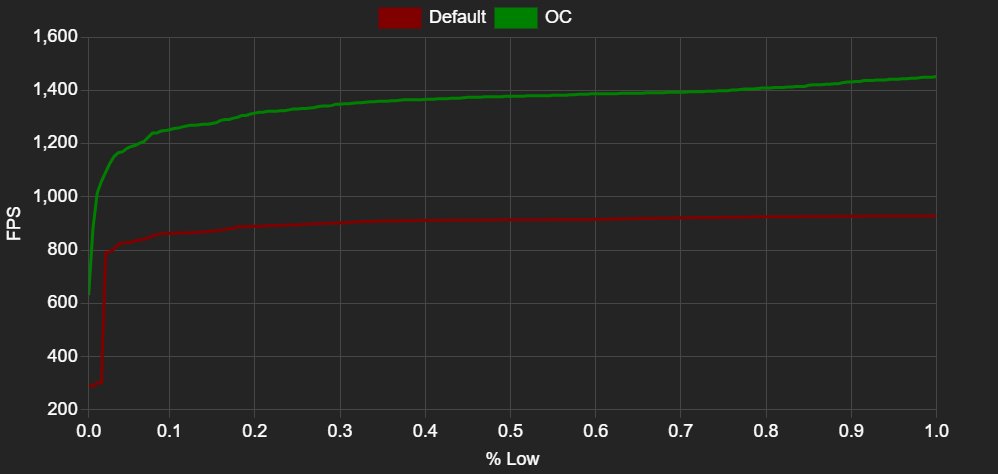
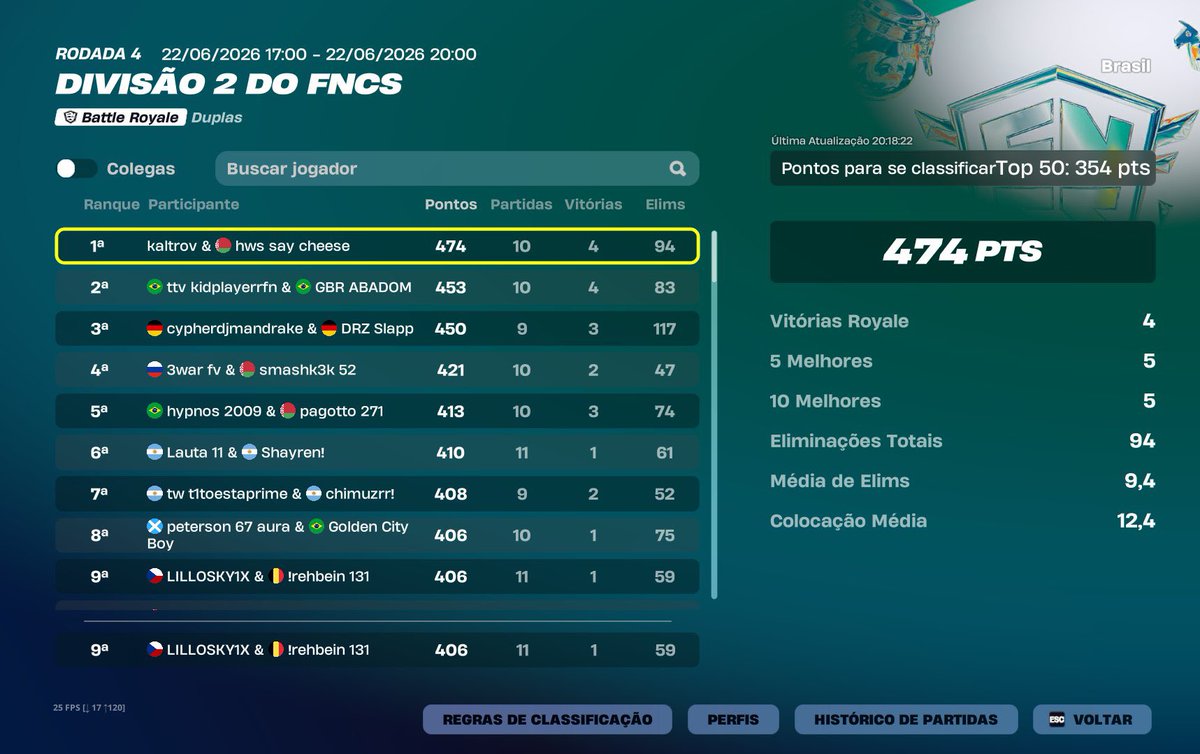
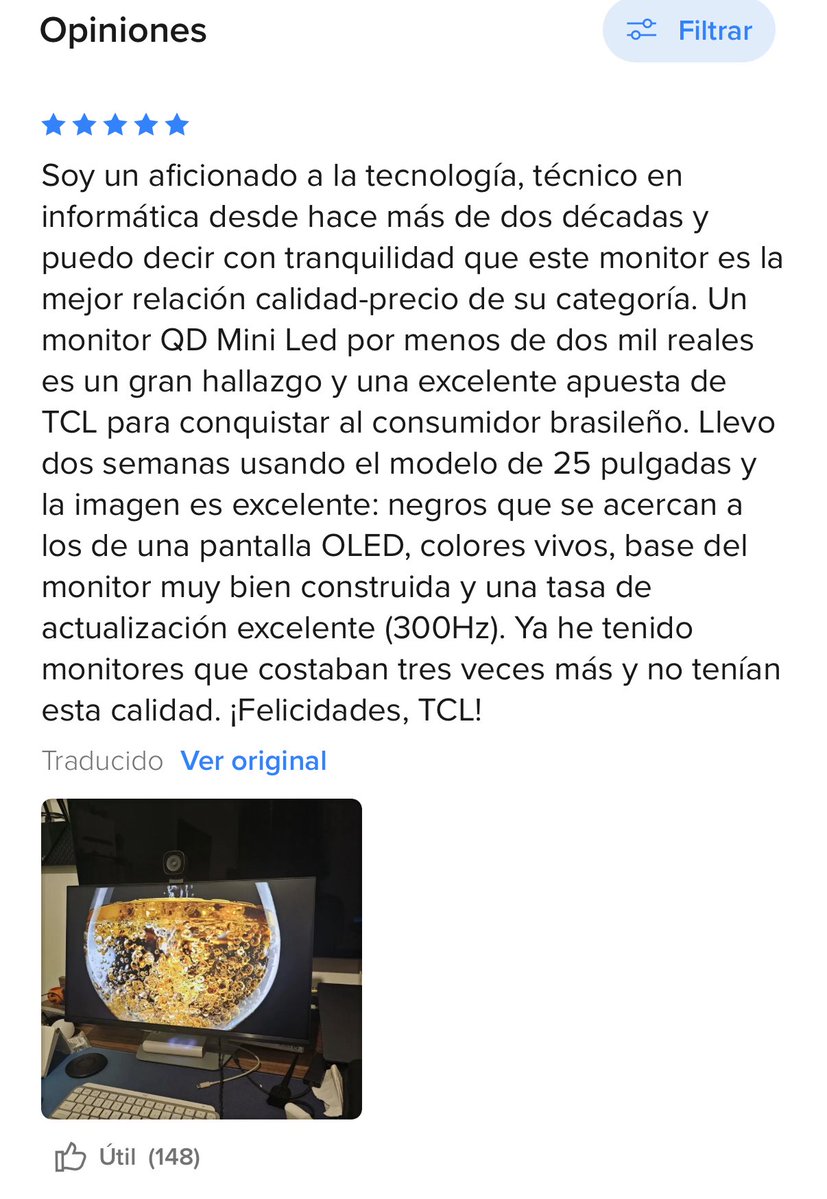
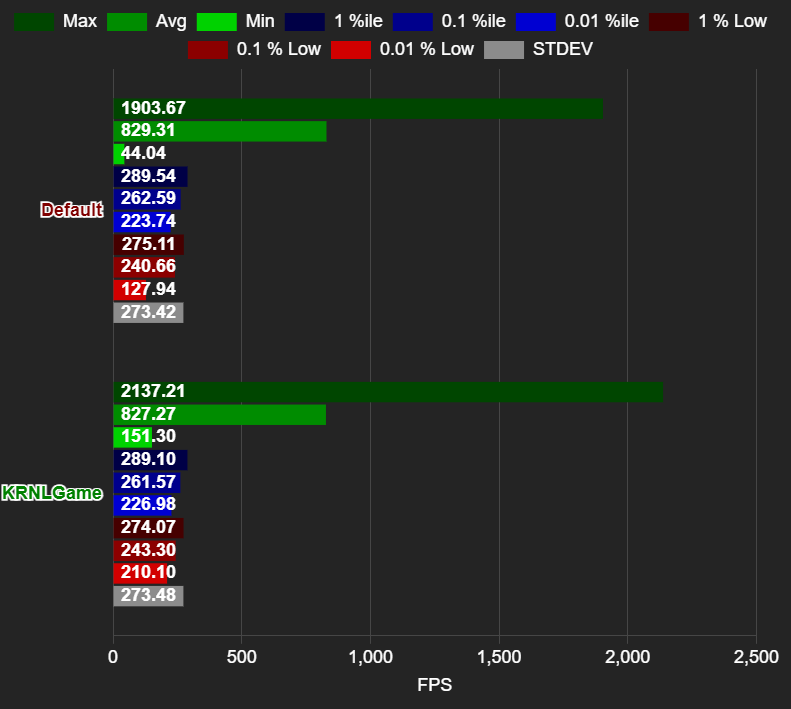
Aquel streamer/player que quiera tener de una experiencia de buen rendimiento con baja latencia y buen average/lows de fps (optimizado para competir) puede contactarme Paquete de optimización: OVERCLOCK (GPU, CPU) + BIOS + WINDOWS ♻️+♥️
mati ψ; tweet media
Español
0
23
74
24.1K
Lucas Rojo
Lucas Rojo@LucasRojo·
Necesito un diseñador que me eche un cable con una presentación. Remunerado obviamente.
Español
21
6
148
10.1K
mati ψ; retweetledi
Blur Busters
Blur Busters@BlurBusters·
Retina refresh rate is extremely high! 5-digit Hz. Kudos to techless for fantastic video (39,620 Hz, though estimated ~20,000 Hz a few years ago). There are 4 main visibility thresholds. Expand this tweet/post to dive into rabbit hole for a moment 🕳️🐇ִֶָ Approximate orders of magnitude for framerate=Hz: - 10 = slideshows turns into motion; - 100 = flicker ceases to be visible (Talbot Plateau) - 1000 = (at GtG=0.0) motion blur ceases to be visible for tiny 1080p screens - 10000 = motion blur and stroboscopics cease to be visible for wide-FOV retina resolution screens. This is assuming you zero out all 1000+ hardware & software weak links. Tiny list of examples: no jitter, no stutter, no GtG. GtG makes 500Hz OLED have clearer motion than 1000Hz LCD: You don't want 1ms GtG before/after your 1ms frametimes. Now, let's go extreme, for the 5-digit number. Let's imagine a giant 2000Hz 8K TV on your desktop. It's a sample-and-hold display at retina resolution, so no flicker-based motion blur reduction. You have a 90-degree FOV of that TV on your desk. It's retina resolution for static images, but motion blur puts pixels below retina resolution. Panning motion at 8000 pixels per second, one screen width per second. Still easy to eye-track. For framerate=Hz: - 2000 Hz, 8000pps = 4 pixel motion blur - 4000 Hz, 8000pps = 2 pixel motion blur - 8000 Hz, 8000pps = 1 pixel motion blur Add GPU motion blur to fix stroboscopics: - 2000 Hz, 8000pps = 8 pixel motion blur - 4000 Hz, 8000pps = 4 pixel motion blur - 8000 Hz, 8000pps = 2 pixel motion blur - 16000 Hz, 8000pps = 1 pixel motion blur That's for eye tracked gazes. For fixed gaze, that's stroboscopic effects (phantom array) at that pixel step. And that's for a 90-degree FOV desktop 8K display. Move to a 16K 180-degree VR display with even faster motionspeeds, and you start getting numbers much closer to 40,000 fps=Hz like the techless video. So techless nailed the ballpark retina Hz for a strobeless sample-and-hold display. A display where you want to simultaneously eliminate both motion blur AND stroboscopics AND flicker. Obviously, our work is cut in front of us, to fix 100 layers of the "weak links onion" of many system and hardware stutters/blurs. It's why motion on 500Hz OLEDs currently outperform 1000 Hz LCD. Blur Busters Law dictates: - Motion blur = pulsetime for strobing - Motion blur = frametime for sample & hold Strobing is a fantastic solution for lower frame rates (Hello DyAc and BFI and GSYNC Pulsar and XG2431) but not everyone can handle it, too many of us get eyestrain. TL;DR: Lots of display progress still coming. We currently predict 2000 Hz consumer displays arriving by 2030, and 4000 Hz consumer displays arriving by 2035. (Image: Comparision from content creator in China, merged into one image by Discorz)
Blur Busters tweet media
English
16
18
334
27K
bel ₊˚⋆
bel ₊˚⋆@belreddd·
podran tener un header asi de fachero (si pueden pq @orneeuwu los hace personalizados dm her !!!)
bel ₊˚⋆ tweet media
Español
4
3
18
2.7K
mati ψ; retweetledi
.
.@e1246784422fg·
Optimice con @Matishzz y me dejo la pc volando, me saco todos los bajones y subieron los fps, recomendado al 100%
Español
0
1
1
430
mati ψ; retweetledi
.
.@Ivandumass·
@Matishzz me dejo la pc flama el verdadero profesional
. tweet media
Español
0
1
5
523
mati ψ; retweetledi
Rompe Monitores
Rompe Monitores@RompeMonitores·
@Matishzz Este tipo me dejo la pc realmente volando, el unico boost q debe de valer la pena 100x100, mas de 12 hs optimizando 🐐
Rompe Monitores tweet media
Español
0
1
2
807
BLST tqmi
BLST tqmi@tqmiFN·
procuro duo faco qlqr funcao 1,65k$ +400 nessa season qualed heats ewc & div1 finals rt vouch
Português
18
1
8
1.4K
mati ψ; retweetledi
tutofps
tutofps@tutofps·
@Matishzz me dejo la pc volando
tutofps tweet media
Español
1
1
6
922
mati ψ; retweetledi
n1ya
n1ya@Botz274757·
@Matishzz La mejor optimización que le dieron a mi pc en su vida, me desaparecio el stuttering en todos los juegos y aumento una banda los fps minimos. Fuera de eso se agradece la buena onda y se valora mucho la disposicion al 200% que tiene.
Español
0
1
1
612
mati ψ; retweetledi
diegongodoyy
diegongodoyy@diiegongodoy·
Optimice con @Matishzz y quedo la pc 10/10 tenia mucho input y fps muy inestables y pudo arreglar todo. La verdad fue lo mejor que pude haber hecho
Español
2
1
2
863
mati ψ;
mati ψ;@Matishzz·
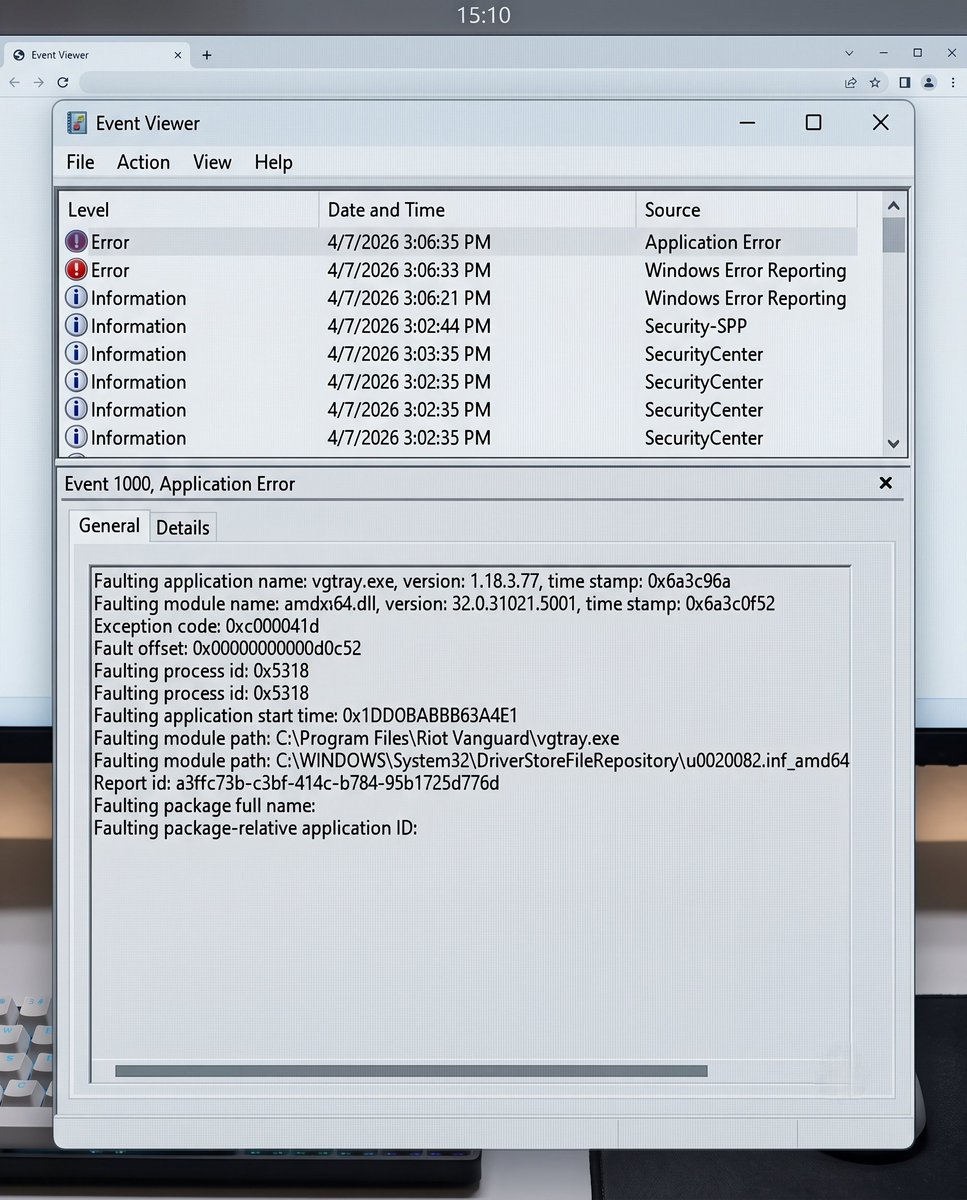
@_YolaMartinez Activa Secure Boot en BIOS y para HVCI coloca lo siguiente en CMD reg add "HKLM\SYSTEM\CurrentControlSet\Control\DeviceGuard\Scenarios\HypervisorEnforcedCodeIntegrity" /v Enabled /t REG_DWORD /d 1 /f Si el problema persiste envia cap de msinfo32 en la parte de abajo del todo
Español
0
0
3
874
Yola Martinez✨
Yola Martinez✨@_YolaMartinez·
no me deja abrir valo y me sale esoooo a alguien mas le paso?
Yola Martinez✨ tweet media
Español
13
0
138
16.5K
mati ψ;
mati ψ;@Matishzz·
@taiiii444 pone ublock origin y metete a ahoylist[dot]net o usa stremio, tambien podes buscar las paginas de la fuente madre
Español
0
0
1
526
𝕿 ⊹☽⋆˚ 𖤓 ˖
𝕿 ⊹☽⋆˚ 𖤓 ˖@taiiii444·
Que paginas pirata usan para ver series/películas gratis? Hoy por mi mañana por ti
Español
395
381
7.1K
527.6K
Aatarcito
Aatarcito@Aatarcito·
busco duo para div 1 550$ fragger o igl posso falar portugues
Aatarcito tweet mediaAatarcito tweet mediaAatarcito tweet media
Português
8
2
6
769
🂱
🂱@ornuS2·
ayer se me desbloqueó un recuerdo y encontré AL FIN el mmu que jugaba de chica (la de groomeadas q me comí) no sé si alguien lo jugó pq es lost media pero era mi fav junto con el gaia
🂱 tweet media🂱 tweet media
Español
1
0
26
7.5K
Coscu
Coscu@Martinpdisalvo·
Papa Roach Three Days Grace Evans Blue Bad Omens Hollywood Undead The Offspring System Of A Down Bad Wolves Avenged Sevenfold Falling In Reverse Black Veil Brides Disturbed Slipknot Escape The Fate My Darkest Days Sleep Token Linking Park Evanecense Korn Skillet Apocalyptica Si te gusta alguno de esta lista, estas en el lado correcto y NO SOS UN NPC
English
1.5K
318
6.5K
1.4M
mati ψ; retweetledi
K3rnelPan1c 憎
K3rnelPan1c 憎@KernelPan1c5750·
No, Process Lasso no soluciona el problema real de Discord. Actualicé el Fix y ahora incluye: - Trim automático del Working Set (configurable) - Forzar PRIORITY_CLASS a Normal (sin IFEO) - Bloquear el registro en MMCSS y la elevación de prioridad de Threads (sin afectar Pro Audio) - Controlar Threads que abusan de GetRawInputData() A diferencia de Process Lasso, esto apunta directamente al problema real. - Menor uso de RAM (experimental). - Menos stuttering. - Menor consumo de CPU. - Input de mouse más limpio. Actualmente es el fix más completo para Discord enfocado en gaming🫰. Descarga: …e768aa8f4b4ef89b472ef13ca77df3.r2.dev/DiscordFix.7z Colocar los archivos en la carpeta donde esté Discord.exe: %LOCALAPPDATA%\Discord\app-1.0.xxxx (La versión cambia con cada actualización.)
K3rnelPan1c 憎@KernelPan1c5750

Discord perjudica tu experiencia en Gaming. Hace tiempo Discord cambia la prioridad de algunos procesos, generalmente al entrar en alguna llamada. Esto, aunque sea en menor medida, puede afectar la experiencia. Así que hice un DLL para EXPERIMENTAR. Mediante DLL Hijacking, se carga en Discord y evita que modifique sus prioridades. Además, incluye una opción para forzar la limpieza del Working Set (esto es para experimentar, configurable desde config.ini). Funciona únicamente con Discord.exe. Solo hay que colocar version.dll y config.ini en: %LOCALAPPDATA%\Discord\app-1.0.xxxx (la versión puede variar). Si Discord inicia con esos archivos en el directorio, todo funciona correctamente. Se puede verificar desde Task Manager / System Informer / Process Explorer. Link para descargar: …e768aa8f4b4ef89b472ef13ca77df3.r2.dev/DiscordFix.7z

Español
24
22
495
47.7K