Memix

25 posts

Memix

Memix

@MemixApp

Enhance your video conferencing and live streaming. From the creators of @shadertoy and @beauty_pi

San Francisco, California Katılım Nisan 2020
4 Takip Edilen425 Takipçiler
Memix retweetledi
tamat
tamat@tamat·
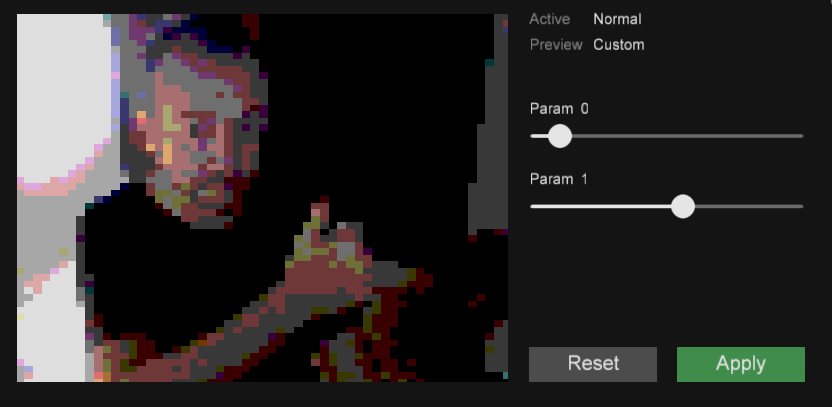
@poljeremias Great work Pol!! here is my filter for the collection! Retropalette!
tamat tweet mediatamat tweet media
English
0
1
5
0
Memix retweetledi
DeanTheCoder
DeanTheCoder@deanthecoder·
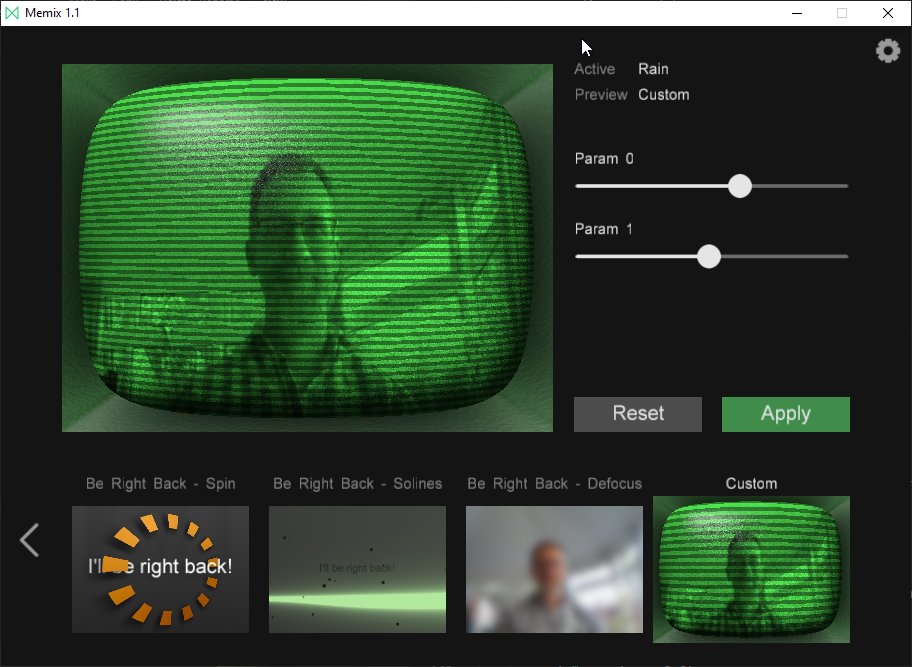
My first custom @MemixApp shader! I made a simple raymarched CRT in #Shadertoy and copied it over.
DeanTheCoder tweet media
English
2
1
15
0
Memix retweetledi
Jim Hejl
Jim Hejl@jimhejl·
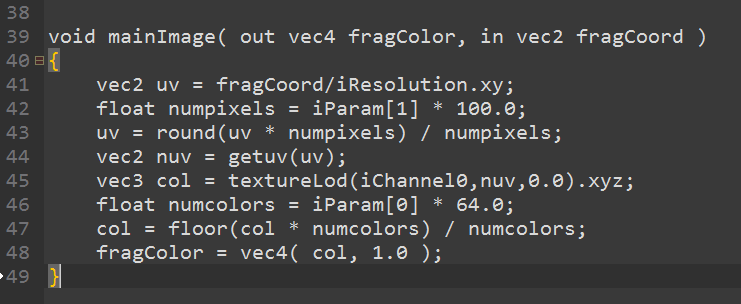
Seeing a lot of virtual backgrounds in Zoom meetings?? Well now you can build YOUR OWN filters, using the “Custom” node in @MemixApp And it’s all GLSL!! Fun! 😁😁 This video is a preview. Follow YouTube link for the full thing. Enjoy! youtu.be/0pINxcYEQFY
YouTube video
YouTube
Austin, TX 🇺🇸 English
1
2
17
0
Memix
Memix@MemixApp·
@LunaRyuko For now, if you delete shader.txt then Memix recreate a new one for you with plenty documentation in it.
English
0
0
2
0
Memix
Memix@MemixApp·
New version of Memix today! We added camera selection, new filters and bug fixes. Memix.app
GIF
English
3
5
23
0
Memix
Memix@MemixApp·
@ConnectedCat @ogmasoul3d @Jeff__Ward Hey Maxim, thanks for trying Memix. We are working on version 1.1 at the moment, and we hope to provide a better interface to interact with cameras.
English
0
0
0
0
Maxim Safioulline
Maxim Safioulline@ConnectedCat·
@MemixApp @ogmasoul3d @Jeff__Ward Just wanted to bump it up: Surface Book 2 - get no video feed at all, changing settings.cfg doesn't help. A UI option to select a camera would be helpful. I know Surface cameras are all screwy; I would be happy to help with troubleshooting but can't find your Github repo...
English
1
0
0
0
Memix
Memix@MemixApp·
Have you ever thought of LIVE coding during your video conference? Now you can, check this out!

English
11
25
136
0
Rod Bogart
Rod Bogart@RodBogart·
@MemixApp @iquilezles @poljeremias That’s what I thought would happen. But it isn’t in the Windows tray. When I toggle the camera in Zoom, there is something that looks like a window shrinking/expanding. But it isn’t a window afterwards, and it isn’t a tray icon either.
English
1
0
0
0
FMS_Cat
FMS_Cat@FMS_Cat·
This is perfect. I'm gonna go work meeting using this shader tomorrow
English
0
11
56
0
Memix
Memix@MemixApp·
@RodBogart @iquilezles @poljeremias Hi Rod! Memix remembers if you closed/minimized the UI in the last run. To see the UI again -> When you are using the Memix camera in your favorite video conference application, you should see the Memix logo in the Windows Tray Bar, double click and the Memix UI should come back.
English
1
0
0
0
Rod Bogart
Rod Bogart@RodBogart·
@iquilezles @poljeremias @MemixApp So, it went fine the first time. But in subsequent meetings, I haven’t been able to figure out how to make the parameter window reappear.
English
1
0
0
0
Memix
Memix@MemixApp·
@dj_himp @iquilezles Currently, there is only one custom filter. Great feedback though, thanks!
English
0
0
1
0
Memix
Memix@MemixApp·
@Joe_Kilner Glad you are having fun with Memix! At the moment, we are only providing the current frame, and a noise texture. But it is the first iteration so it is likely to evolve.
English
0
0
1
0
Joe Kilner
Joe Kilner@JoeKilner·
Had fun playing with @MemixApp during the company all-hands this morning! Is it just the current webcam frame and a noise texture that are available as inputs? Being able to specify a custom image as an input would be awesome!
English
1
0
0
0
Anton Berg
Anton Berg@ogmasoul3d·
@Jeff__Ward @MemixApp after trying this a few times.. it looks like the app is resetting the config everytime I close and change the settings.. So you need to manually tweak this before starting everytime.. So kinda hoping for an update to this where I can select default cam.
English
1
0
1
0
Memix
Memix@MemixApp·
@mnasell1 Thanks for the heads up, we will take a look!
English
0
0
1
0
mnse
mnse@mnasell1·
@MemixApp BTW ... some more examples would be nice. ie. how to get or use a second channel so one can make its own chroma keying stuff. Oh! And the "Background" one seems to be mirrored... nevertheless I still love it !
English
1
0
1
0