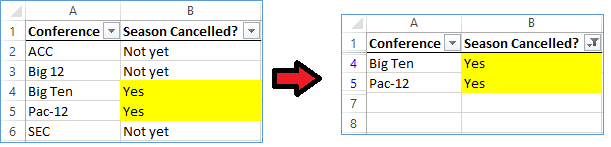
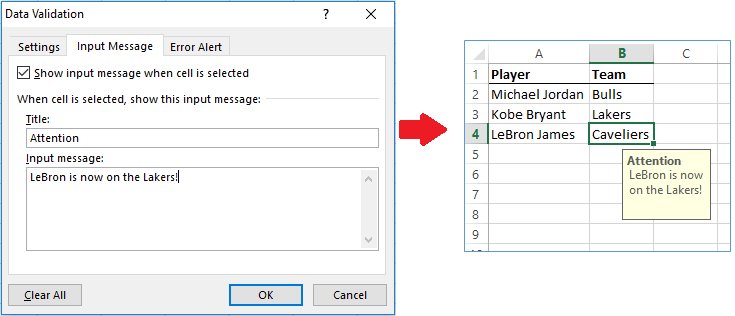
#ExcelTip: Save time by using the "Ctrl + Shift + L" shortcut to instantly convert a range into an Excel table. Organize, filter, and analyze data with ease! #ProductivityHacks
#ExcelTip: Save time by using the "Flash Fill" feature to automatically extract, combine, or format data. Just type a few examples, then Ctrl+E to see the magic happen! 💫🔢 #ProductivityHacks#TimeSaver
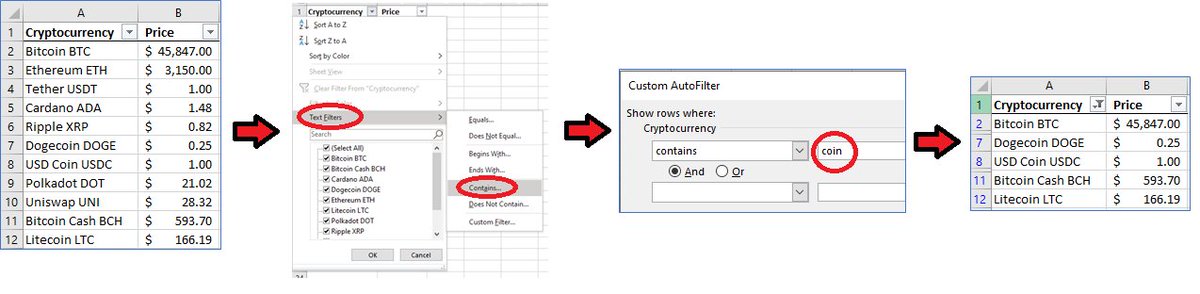
Excel tip: Filter data using "Contains"- or "Begins With"-like filters by selecting "Text Filters" in the filter's drop-down (after enabling "Filter" in the 'Sort & Filter' menu).
#ExcelTips#Bitcoin#Crypto#MondayThought
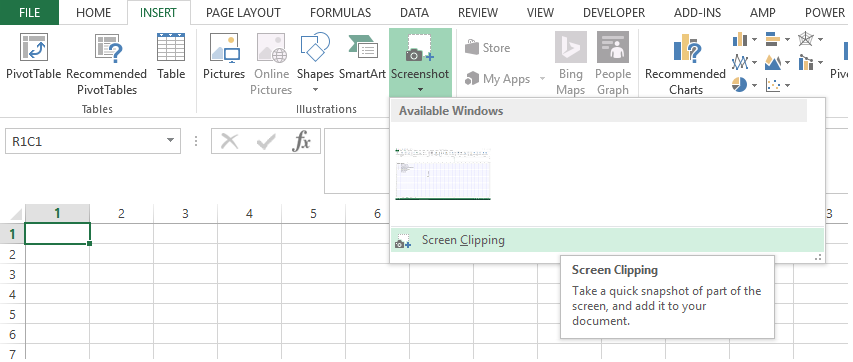
Easily insert a mini-screenshot into your spreadsheet with Excel's built-in "Screen Clipping" option under Insert -> Screenshot. #thursdaythoughts#exceltips#msexcel#follow
The SUMPRODUCT function can be used as an alternative to many other Excel functions. For example:
=COUNTIF(A1:A5,"Greenland")
can be rewritten as:
=SUMPRODUCT((A1:A5="Greenland")*1)
#exceltips#fridayfact#buygreenland
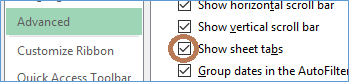
Excel tip: Ever open a file where sheet tabs/names are missing at the bottom? Re-enable "Show sheet tabs" in File -> Options -> Advanced. #exceltips#msexcel#mondaymotivation#tiptuesday
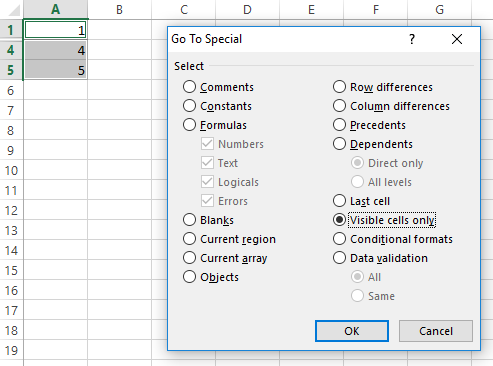
Excel tip: Don't want hidden cells copy-pasted? Select your range, and before copying, select "Visible cells only" from Home-> Find&Select-> Go To Special... #exceltips#msexcel#WednesdayWisdom#thursdaythoughts
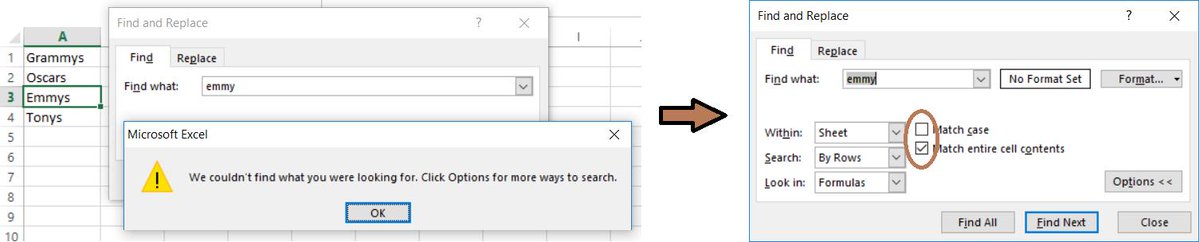
Excel tip: Ever get a frustrating "We couldn't find what you're looking for" message when doing "Find" in Excel? Click "Options >" and uncheck "Match case" and/or "Match entire cell contents". Sometimes these get checked by some macros without your knowledge #ExcelTips#grammys
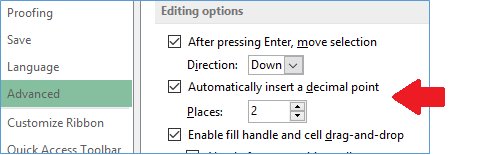
Excel tip: Entering a bunch of dollars/cents (monetary) values? Save time by having Excel AUTOMATICALLY INSERT A DECIMAL POINT, allowing you to enter "1999" instead of "19.99". Less keyboard strokes! File -> Options -> Advanced #ExcelTips#WednesdayWisdom#ThursdayThoughts
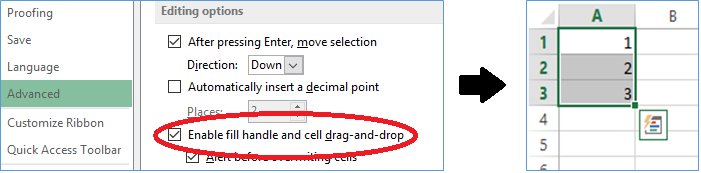
Excel tip: If the little square at the bottom-right of cells (called the Fill Handle) has disappeared, re-enable it in File -> Options -> Advanced #ExcelTips#WednesdayWisdom#ThursdayThoughts#FixIt
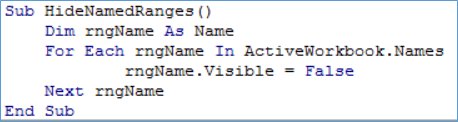
Advanced Excel: Make your spreadsheet more professional and more fool-proof by HIDING ALL NAMED RANGES with this simple macro. #exceltips#MondayMotivation#MacroMonday