Sabitlenmiş Tweet

How I set up Active Directory using Server Core (No GUI)
1. Installed Windows Server Core on a VM (no GUI, only command line)
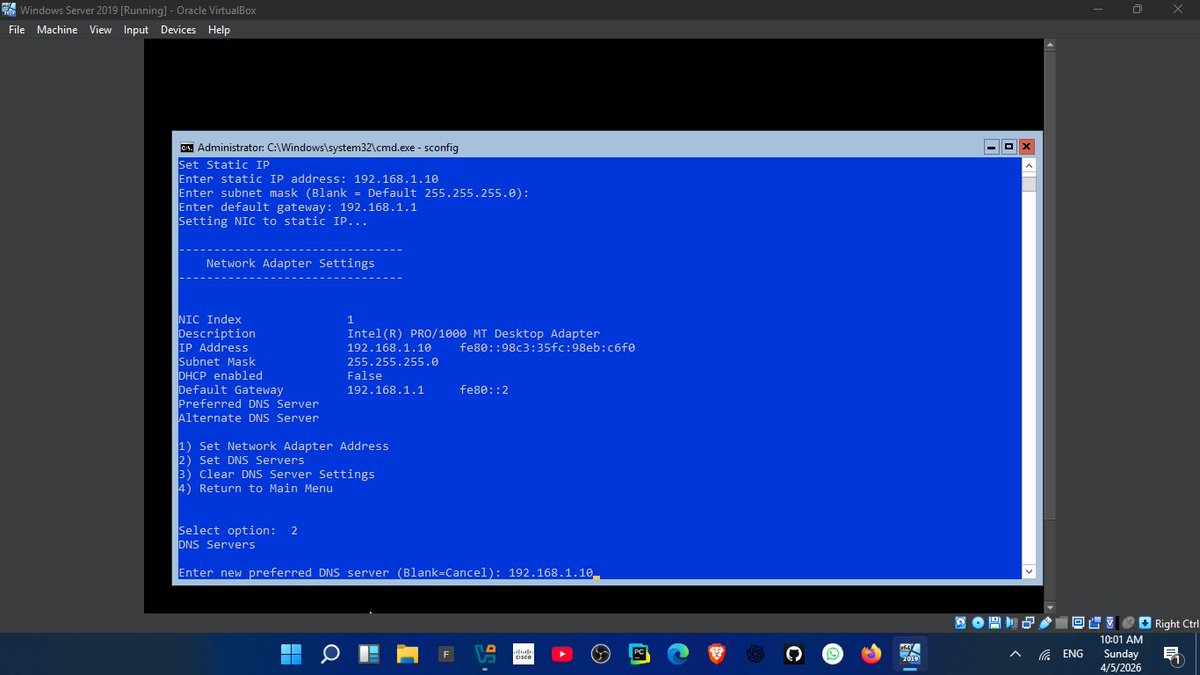
2. Used sconfig to configure:
-Server name
-Network settings
-Remote access
3. Assigned a static IP (192.168.1.1)
4. configured DNS which is very important for Domain controller
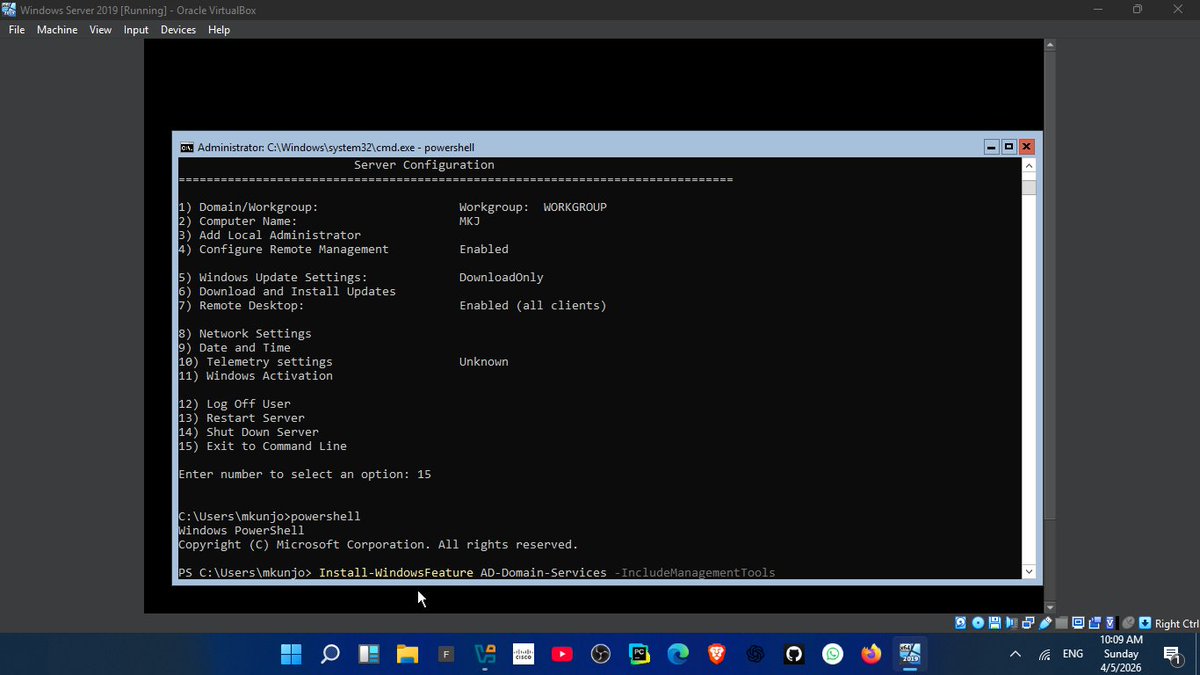
5. Installed Active Directory using PowerShell:
Command: Install-WindowsFeature AD-Domain-Services
6. Promoted server to Domain Controller:
ICommand: nstall-ADDSForest
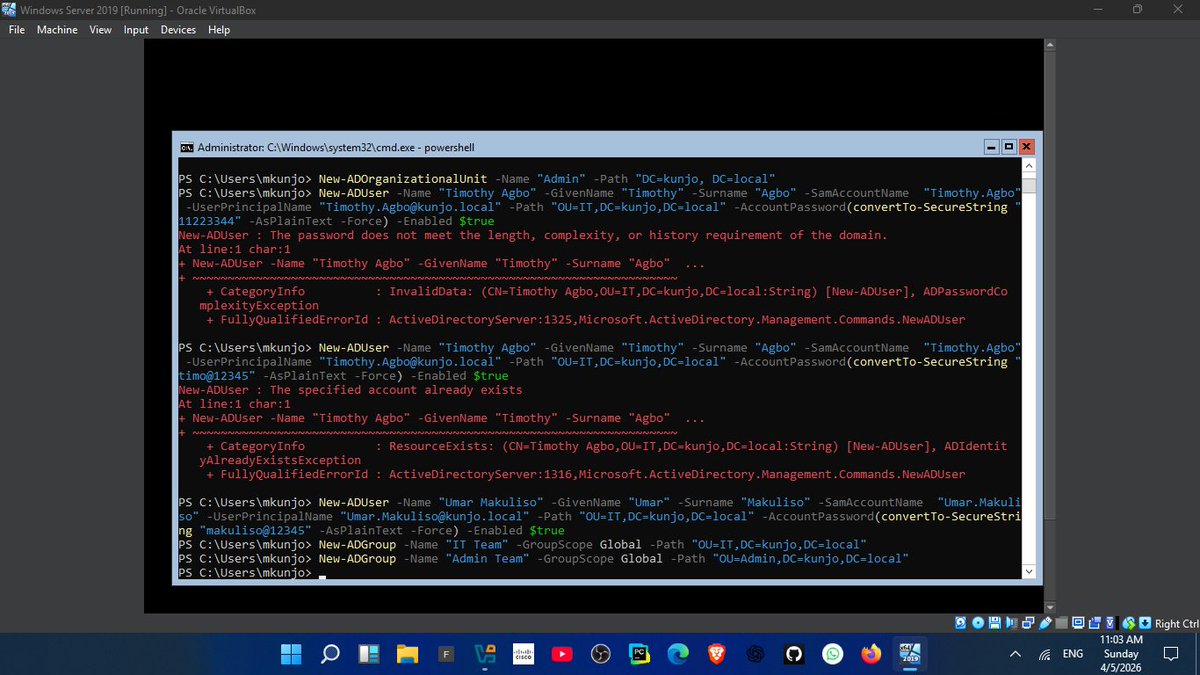
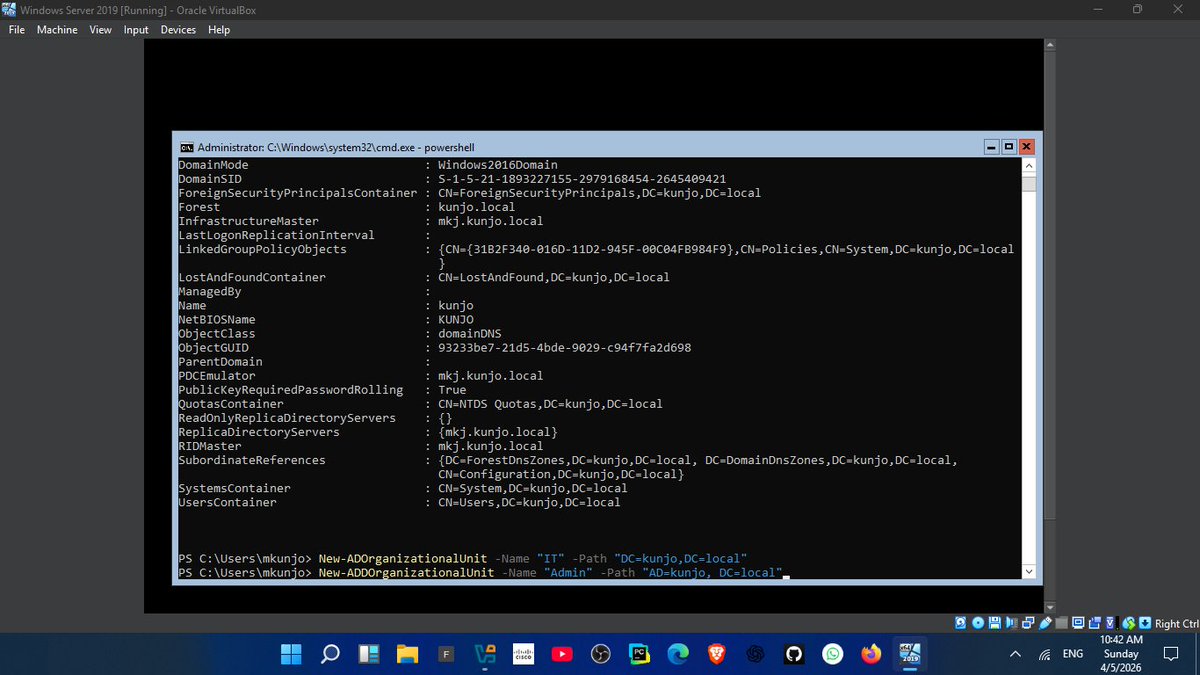
7. Created structure:
-OUs (HR, IT, Admin)
- Users & Groups
lesson:
👉 DNS is EVERYTHING in Active Directory
If DNS fails, the domain becomes unreachable
This setup reflects real enterprise environments where GUI is minimal and control is done via CLI
Next: Joining client machines + applying GPOs
#100DaysOfCode #CyberSecurity #WindowsServer #ActiveDirectory
English