NYSC360@nysc360
🔱 *HOW TO PRINT NYSC CALL-UP LETTER BATCH'ES 2026*
📄 *Printing of Call up Letter* ( Notification and Printing of Call-up Letters by PCMs Sunday night- Monday Morning)
Follow @nysc360 on X(Twitter )
_I Won't be able to answer answer your questions, if you can't read and digest...
Before I show you how to print call up letters, kindly note that, the moment NYSC uploads the call up letter on the portal, the NYSC site will begin to irritated process data at a very very slow rate.
@NYSC360 ONLINE
To login to your dashboard will take a longer time, some won't be able to login to see their deployed state.
This is so because of the number of people logging in at the same time, thereby causing traffic on the NYSC portal.
So my advice is, you have to be patient by then, you can wait for 3-5 hours after the call up letter is released to check.
Checking quickly does not change anything, some check after a day.
So am giving you this tip in advance, don't start bringing pressure on the group or my DM for not being able to check. I will just ignore you for good.
_Now back to our discussion_ 👇
The NYSC call-up letter is a piece of documents that will contain every information about the state you will serve and the address of the orientation camp.
After the NYSC registration, the next breaking news will be the printing of NYSC call-up letter and a smart prospective Corps member will ask about printing NYSC call-up letter.
Since you are here to learn how to print your letter, let me just show you the steps below.
📍 *Things You Need*
If you want to print your NYSC call-up letter you will need the following things:
*Your email*
*Your Password*
Those are the two things you need. Now let me show you the steps to print your NYSC call up letter.
📍 *How To Print NYSC Call-Up Letter*
To print your NYSC call-up letter is very easy and you are going to do it from your NYSC dashboard. Below are the steps to print your NYSC Call-up letter.
✔️ Go to NYSC portal at
portal.nysc.org.ng
ENABLE DESKTOP VIEW
✔️ Login with your registered email and password.
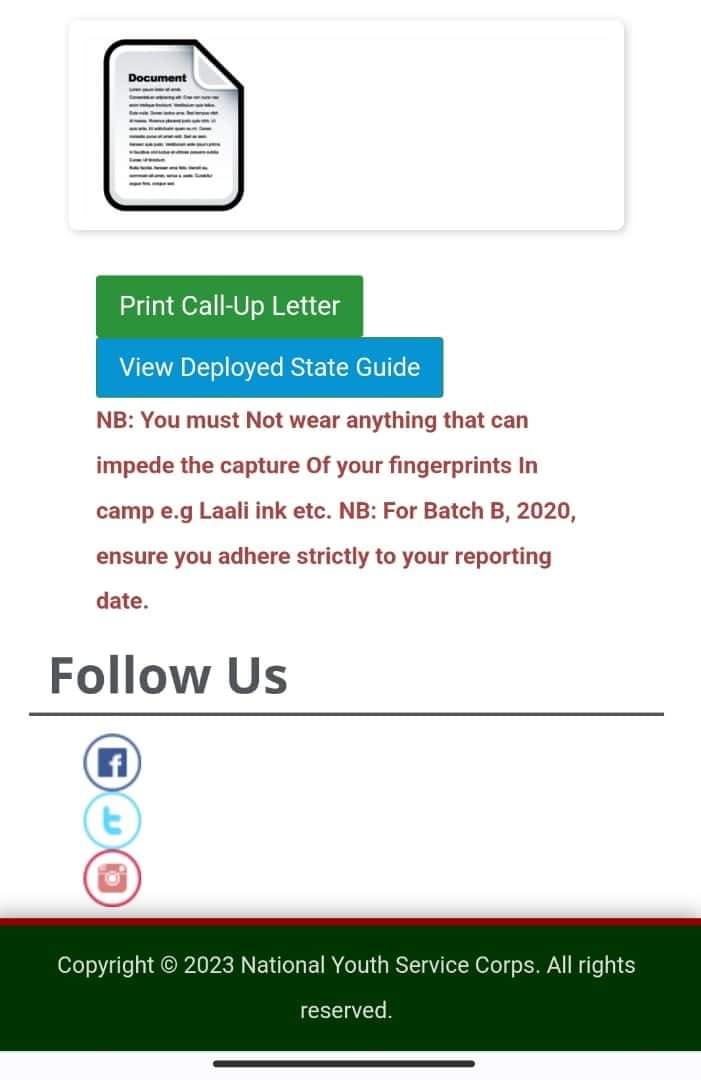
✔️Scroll down and Click on *‘Print Call Up Letter’* link to access and print your call-up letter.
This link will be found at the bottom of your dashboard under *Print Slip* where you got your green card.
Once it is opened, click open and download it in PDF, it will open once download is completed, open and see your deployment state, after you can then proceed to print out in coloured at the cafe.
*You can access the portal with a Chrome Browser or any other supported Browsers*
*Kindly SHARE ♻️ with your colleagues*
#NYSC360 ONLINE PLUG 🔌