Sabitlenmiş Tweet

Few days ago I promised to drop a roadmap for beginners in ethical hacking so they don’t get confused and carried about by shinny object syndrome.
Tap in 👇
cybergeneration.tech/becoming-a-mas…
English
Winston Ighodaro
5.1K posts

@Officialwhyte22
Ethical Hacker, Forensic Investigator, Malware Engineer. Security+, Network+, Pentest+, and CNVP. Founder of @hack_ademy

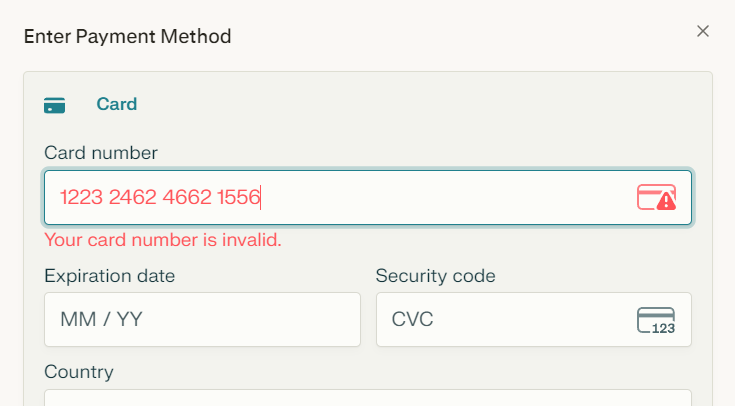
Introduce un número de tarjeta de 16 dígitos y el formulario indica inmediatamente "Número de tarjeta no válido". Existen miles de millones de números posibles. ¿Cómo es posible que se chequee sea tan rápido?

Encryption protects the data. Not the system. If they steal your password (or MFA token), encryption folds like paper. They log in as you. Everything decrypted on the spot. Strongest AES-256 means nothing against credential theft. This is one of the most overlooked truths in cybersecurity. Encryption (whether at rest, in transit, or end-to-end) is incredibly powerful against passive eavesdroppers, stolen drives, or intercepted network traffic but it becomes irrelevant the moment an attacker authenticates as a legitimate user. Why This Happens Encryption secures the data itself, not the access path or the authenticated session. When you're logged in, your system/device/application decrypts the data automatically for use (that's the whole point of usability). An attacker with your credentials (password, compromised MFA, stolen session cookie, etc.) inherits that same decryption privilege. Result: They see plaintext data just like you do. No brute-forcing AES-256 required. Real-world examples from recent incidents and expert consensus: Credential theft bypasses encryption entirely because attackers impersonate authorized users (no need to break crypto). Even phishing-resistant MFA (like passkeys/FIDO2) is the recommended defense, as traditional MFA can still fall to real-time fatigue attacks or session hijacking. Ransomware groups often exfiltrate data before encryption starts; credential compromise gives them the keys to the kingdom without touching the crypto layer. Bottom Line Layer your defenses: Prioritize phishing-resistant authentication (passkeys, hardware keys) over legacy MFA. Use identity threat detection (ITDR) to spot anomalous logins. Apply zero trust / least privilege so even valid credentials have limited blast radius. Monitor for credential exposure (dark web scans, etc.). Encryption is essential but it's not a silver bullet. Credential security is often the real perimeter. What do you think is the most effective way to fight credential theft today? Passkeys? Hardware tokens? Something else? Drop your take below. 👇 @Officialwhyte22 @hack_ademy



After gaining access to a Linux server, attackers usually do not begin by running loud scans or dropping tools everywhere. The first move is often much smaller and much more useful: they check the files that explain how the system works. Configuration files, shell histories, SSH trust files, web app settings, and environment files can reveal passwords, internal hosts, database connections, and privilege paths without making noise. This is why the earliest stage of a compromise often looks boring. A careful attacker is not trying to impress anyone. They are trying to learn which file gives the fastest path to more access. One exposed .env file or one weak SSH configuration is often worth more than a dozen exploits. That is also why good investigations focus on file access patterns. The first valuable clue is often not “what malware ran,” but “what file was opened first.” Attackers reveal intent by what they read before they reveal capability by what they execute.
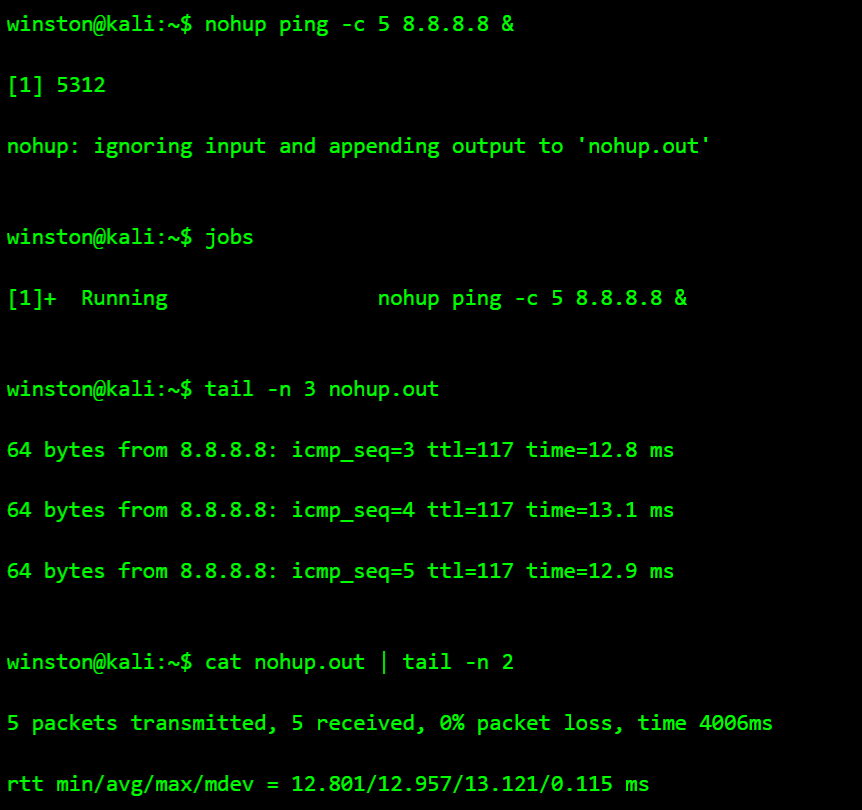


That project you’re hoarding in your localhost, push it to PROD today 😌
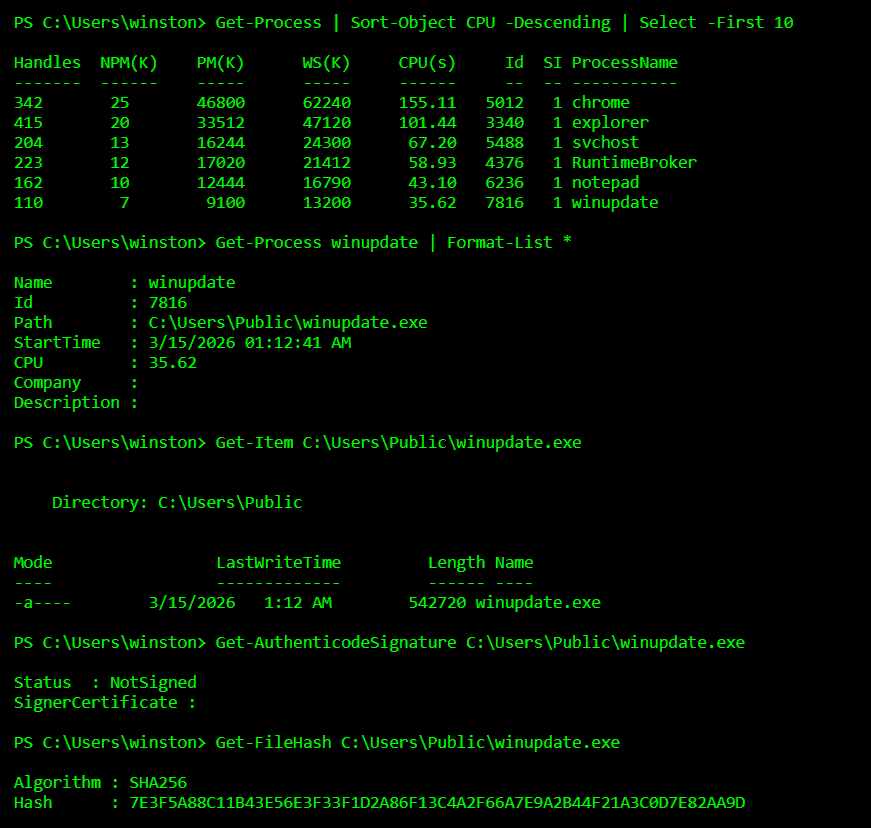
Most malware is not discovered because antivirus is smart. It is discovered because analysts know how malware behaves inside a system. Attackers rarely drop obvious files anymore. Instead they hide persistence in scheduled tasks, registry keys, or strange processes that quietly run in the background. If you want to understand malware, stop looking for viruses and start looking for behavior.