Mike retweetledi
Mike
197 posts

Mike retweetledi
Mike retweetledi

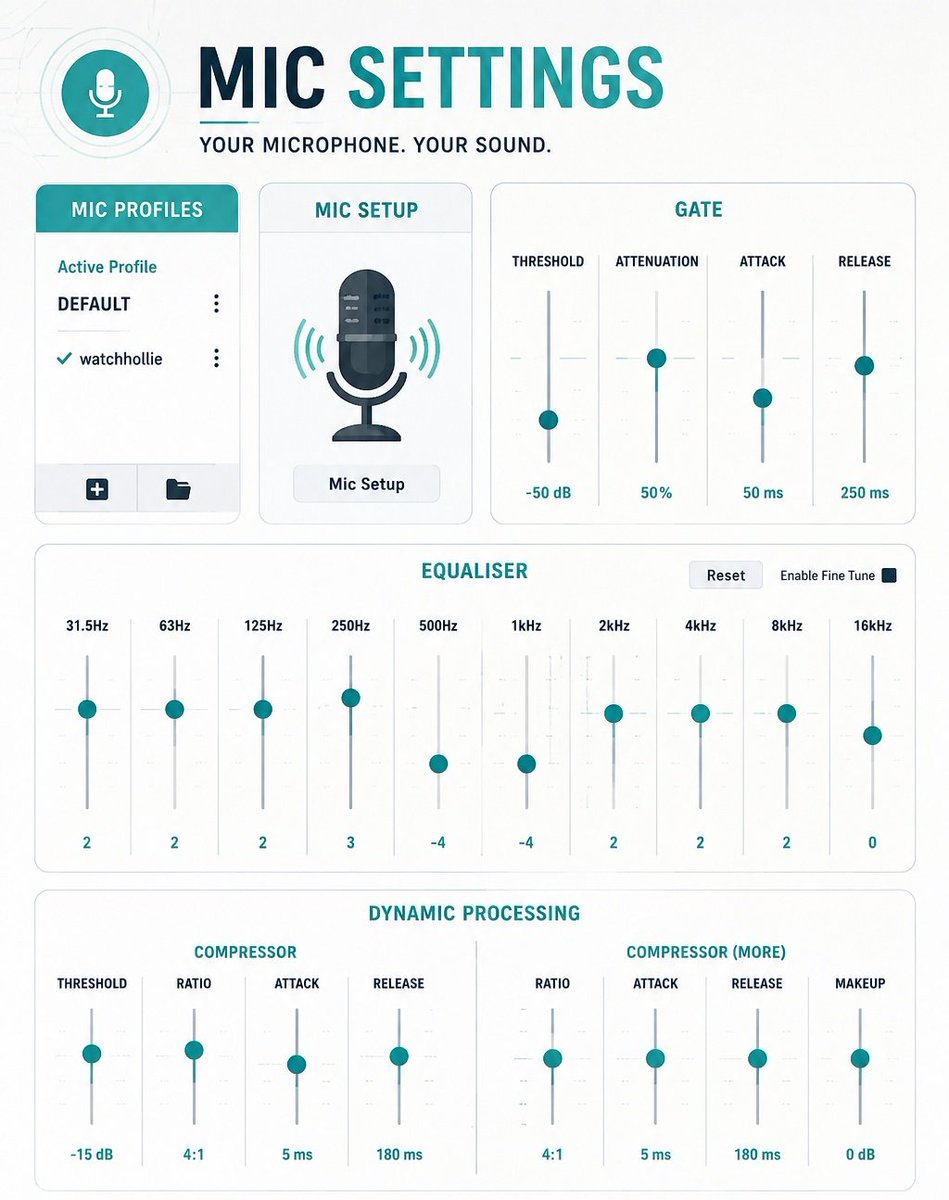
Audio Levels I Use:
⁽ᴬᵖᵖˡᶦᶜᵃᵇˡᵉ ᶠᵒʳ ᵃⁿʸ ˢᵗʳᵉᵃᵐᶦⁿᵍ ˢᵒᶠᵗʷᵃʳᵉ⁾
🎤 Voice/Mic: -3 to -5 dB (Red Zone)
💬 Discord VC: -15 dB
🔔 Alerts: -15 dB
🎮 Game Audio: -20 dB (Yellow Zone)
🎵 Music: -45 dB (Low Green)
Recommended Filters:
Noise Gate
Compressor
Limiter
These will stop making your mic cut out when you scream (or when you talk high pitched, ladies)
Remember, if it's loud to YOU, it doesnt mean it's loud to your viewers. Reading the audio meter is how you understand loudness. Watch your VODs after to really see and turn down your headphones if you need to.
With my video-based knowledge, take what I tell you and learn from actual audio engineers on YouTube! A tweet can't teach you everything you need to know. But I hope this points you in the right direction.

English
Mike retweetledi

I do not remember him being this normal wow
Jay bull@Sephanade
The only scene where the entire Seven was alive together in the same room acting normal
English
Mike retweetledi
Mike retweetledi
Mike retweetledi

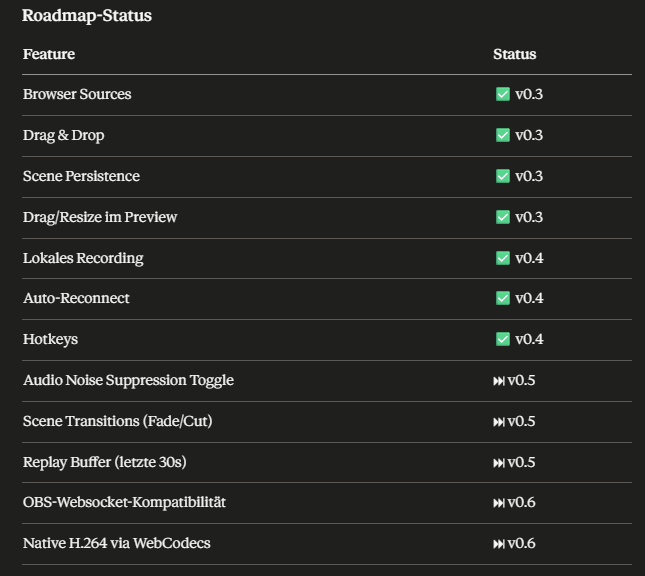
ROADMAP UPDATE

JakeeY Twitch@GamerCrewTV
JakeeY Cast v0.3.2 Patch Notes: - Multistreaming is now stable (Twitch, Kick, YouTube) - Drag and drop for sources and overlays active in preview window - Audio mixer integration implemented - Scene management via UI expanded - UI and performance #JakeeYCast #DevLog
English

@LumiaStream @MrNeverRyan Is it possible because I couldn't figure it out in the app. To do gif alerts that play a gif and sound when you get youtube and twitch alerts?
English

@MrNeverRyan Overlays, Smart Lights, OBS/Meld control, Automations, Multi Stream Chat Boxes, Chat controlled videos that can pop up over your games (HFX), the list can go on and on lol
English
Mike retweetledi

VtubeShot v1.0
The screenshots of your Vtuber model just got even better!
- Sliders to edit controller pose.
- Vitamins and other custom parameters are now supported.
- Option to remove some custom parameters in the settings.
- Linux version (untested).
For free! #vtuber

English
Mike retweetledi

JakeeY Cast v0.3.2 Patch Notes:
- Multistreaming is now stable (Twitch, Kick, YouTube)
- Drag and drop for sources and overlays active in preview window
- Audio mixer integration implemented
- Scene management via UI expanded
- UI and performance
#JakeeYCast #DevLog


JakeeY Twitch@GamerCrewTV
Btw im Buildingmy own version of Streaming software. Free for Kick, Twitch & Youtube
English
Mike retweetledi
Mike retweetledi
Mike retweetledi

As much as it saddens us to hear the news around StreamElements, if they do end up shutting down, users will feel right at home with Lumia Stream’s overlay system.
StreamElements was actually one of our biggest inspirations when creating our own overlay platform.
One thing we’ve always focused on is making overlays easy to use without a steep learning curve. We also have tons of free overlays created by our amazing community and creators, along with the ability to easily build and share your own.
Our overlay system is completely free with no paid features locked behind it.
The paid Lumia Stream features are focused on the desktop app side of things like smart lights themes, variations, unlimited chat commands and even then, only a small portion of Lumia Stream is actually paywalled. Majority of our users have been just fine on our free version for years
We’ll continue doing our best to make the transition as smooth as possible for anyone looking for a new home. ❤️
Mintzey 🍨🐈 2.0 in progress@MintzeyMoon
Does anyone have any GOOD alternatives to Stream Elements, including multi streaming? I refuse to use Stream Labs
English
Mike retweetledi
Mike retweetledi

Some would say “just add audio filters in OBS” …some would be wrong 😂
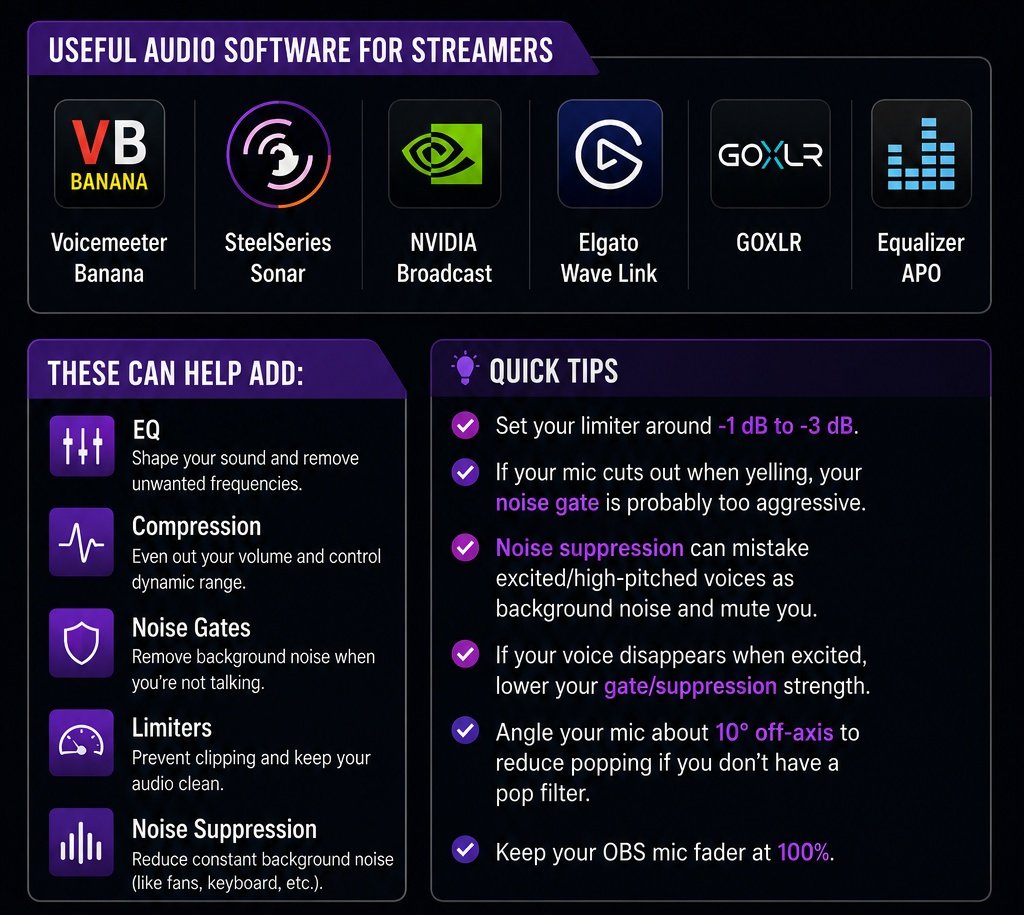
For the best audio, you want your EQ, compression, noise gate, and limiter handled BEFORE your audio reaches OBS.
Useful audio software for streamers:
• Voicemeeter Banana
• SteelSeries Sonar
• NVIDIA Broadcast
• Elgato Wave Link
• GOXLR
• Equalizer APO
Quick tips:
• Set your limiter around -1 dB to -3 dB
• If your mic cuts out when yelling, your noise gate is probably too aggressive
• Noise suppression can mistake excited/high-pitched voices as background noise and mute you
• If your voice disappears when excited, lower your gate/suppression strength
• Angle your mic about 10° off-axis to reduce popping if you don’t have a pop filter
• Keep your OBS mic fader at 100%
Once your mic is properly configured, feel free to use your OBS faders for balancing game, discord, music, and alerts audio
Hope this helps!

English
Mike retweetledi
Mike retweetledi
Mike retweetledi
Mike retweetledi

Got 2 minutes of time?🕑
Then let @HarrisHeller show you just how quick it is to integrate your Stream Deck with your Nexus bot!
No faff, no fuss. All the streaming power you could ever want at your fingertips in a few seconds.
That's the power of Nexus.🔥#StreamBigger
English