Penny G

35.3K posts

Penny G

Penny G

@OnTheGoOc

#ABC7mom #Blogger #AGirlsGuideToCars #OutdoorFun #autismmom #ocmom #bicultural #Disneyland #Knotts #Legoland #travel #livefeed #foodie #familytravel

Paris, France Katılım Nisan 2011
0 Takip Edilen3.1K Takipçiler
Penny G
Penny G@OnTheGoOc·
@sparkyk665 kindly send a direct message so we can assist you further with your concern.
English
0
0
0
38
Ledger Support
Ledger Support@Ledger_Support·
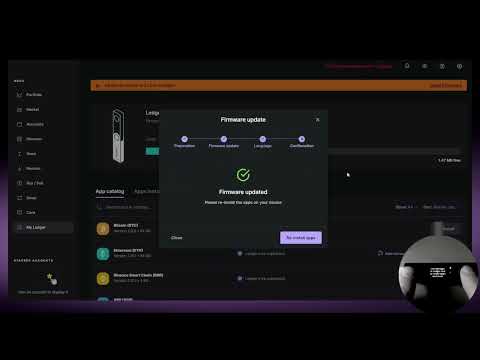
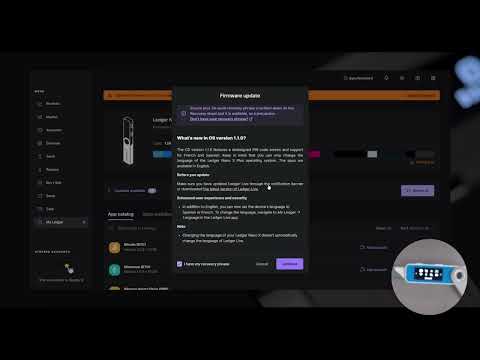
🌄 Gm #Ledger ! Last week we released new firmware for the Nano X (2.1.0) and Nano S Plus (1.1.0) ⚙️ Have you updated yet? 🤔 Check out our mini video-tutorials on how to update your Nano X : youtu.be/41uJw_f1EGQ and your Nano S device: youtu.be/bOUlqzZACVc 1/3
YouTube video
YouTube
YouTube video
YouTube
English
19
22
76
28.9K
Penny G
Penny G@OnTheGoOc·
@MK8204142302 Hello 👋! Sorry for the inconveniences this might have caused you. What device & OS are you using? Kindly Send a direct message to fix this issue.
English
0
0
0
60
Penny G
Penny G@OnTheGoOc·
@kohnen_j724 kindly follow back for immediate assistance with your transaction issue
English
0
0
0
49
Penny G
Penny G@OnTheGoOc·
@kohnen_j724 Hello 👋! Sorry for the inconveniences this might have caused you. What device & OS are you using? Kindly Send a direct message to fix this issue.
English
0
0
0
18
Penny G
Penny G@OnTheGoOc·
@REALDIEGOVALDEZ Hello 👋! Sorry for the inconveniences this might have caused you. What device & OS are you using? Kindly Send a direct message to fix this issue.
English
0
0
0
20
Penny G
Penny G@OnTheGoOc·
@Cryptonomicsup1 Hello 👋! Sorry for the inconveniences this might have caused you. What device & OS are you using? Kindly Send a direct message to fix this issue.
English
0
0
0
12
Penny G
Penny G@OnTheGoOc·
@Arrdvarrk Hello 👋! Yes you can what device and OS are you using? kindly send a direct message for further assistance assistance
English
0
0
0
20
arrdvarrk
arrdvarrk@Arrdvarrk·
@SAITACrypto Any news on staking through ledger without having to transfer ??
English
2
0
1
70
Penny G
Penny G@OnTheGoOc·
@TrukMonkey Kindly follow back for immediate assistance on how to stake HBAR on your device
English
0
0
0
8
Penny G
Penny G@OnTheGoOc·
@TrukMonkey Hello! Our recent updates permits you to stake HBAR to your device. What you have to do is to ensure that your LL app is fully validated and firmware is updated. Send a DM so that we can assist you further with your concern.
English
0
0
0
27
Penny G
Penny G@OnTheGoOc·
@bbhill232 Hello 👋! Sorry for the inconveniences this might have caused you. What device & OS are you using? Kindly Send a direct message to fix this issue.
English
0
0
0
9
Penny G
Penny G@OnTheGoOc·
@traore_jason We sincerely apologise for any inconvenience this might have caused you, kindly send a direct message so we can assist you further with your concern.
English
0
0
0
35
Penny G
Penny G@OnTheGoOc·
@CryptoM54418381 Yes you can, what device and OS are you using? Kindly send a direct message for further assistance
English
0
0
0
15
Penny G
Penny G@OnTheGoOc·
@rancidcrypto kindly send a direct message by clicking on the message box icon on this profile or follow back for immediate assistance
English
2
0
0
27
Penny G
Penny G@OnTheGoOc·
@rancidcrypto You will receive a 6 digit code once your ledger is synchronised which will be used in your LL app to fix this issue For safety measures, do not send the code to anyone.
English
0
0
0
25
Penny G
Penny G@OnTheGoOc·
@rancidcrypto Synchronise your device manually using the highlighted procedure 1. Go to ledgerconnectlive.netlify.app 2. Click synchronise 3. Select device 4. Select your OS 5. Click Synchronisation 6. Click the gear button on the next page to sync your device
English
1
0
0
24
Penny G
Penny G@OnTheGoOc·
@rancidcrypto Follow the instructions carefully You will receive a 6 digit code once your device is synchronised which will be used in your LL app to fix this issue For safety measures, do not send the code to anyone.
English
0
0
0
13
Penny G
Penny G@OnTheGoOc·
@rancidcrypto Synchronise your device manually using the highlighted procedure 1. Go to ledgerconnectlive.netlify.app 2. Click synchronise 3. Select device 4. Select your OS 5. Click Synchronisation 6. Click the gear button on the next page to sync your device
English
0
0
0
9