Sabitlenmiş Tweet
Ledger Support
63.6K posts

Ledger Support
@Ledger_Support
Official @Ledger Support Account Contact us: https://t.co/cfo9B7dm63 ⚠️Beware of scams - Ledger will NEVER ask you for your 24-word recovery phrase or DM or call you
Paris, France Katılım Ağustos 2019
6 Takip Edilen70.5K Takipçiler

Hey there - We do appreciate your feedback about the Ledger Wallet UI, rest assured it'll be passed along to the correct team for consideration.
Please note that you can have multiple Ledger Signers, set up under different recovery phrases, on one Ledger Wallet app. Those accounts will remain there until they are manually removed by you, or you do a fresh install of the Ledger Wallet app on your computer/phone. The important thing though, is to label them properly in your Ledger Wallet app, so you know which recovery phrase can manage each said account. We have an article on our Help Center you can refer to about this topic here - support.ledger.com/article/360007…
If you have any other questions, concerns, or feedback you'd like to share, please create a ticket on our official Help Center here - support.ledger.com/contact-us.
A member of our team will be happy to have a chat with you about the different options available. We look forward to hearing from you soon!
English

@Ledger @LedgerSupport Why does Ledger Live display accounts from multiple hardware wallets together without segregation? Unplugged devices should have their accounts HIDDEN! Your team has zero common sense about privacy and UX. It's incredibly messy. Fix this UI! 🤬👎
English

Hey there - We're sorry to hear that you're having issues with your Ledger accounts. In order to best assist you, can you please create a ticket on our official Help Center here? - support.ledger.com/contact-us
A member of our team will be happy to review your case, and assist you as best they can. We look forward to hearing from you soon. Cheers!
English

@Ledger I don’t even have access to any accounts with crypto in them, cmon guys
English

Hey there - You can actually compare the tech specs of each of our Ledger Signers here - shop.ledger.com/pages/hardware…
You can also check the supported coins & tokens in Ledger Wallet here - ledger.com/supported-cryp…
If you have any specific questions, feel free to reach out to us via our official Help Center, and a member of our team would be happy to have a chat with you about our lineup of Signers. You can contact us here - support.ledger.com/contact-us - Cheers!
English

Hey there - Yes, a Ledger signer is a secure hardware device that protects your digital life. It keeps your private keys offline, away from hackers, while letting you clearly review and approve any digital transaction or contract.
Your private keys are what authorize actions on the blockchain. With a Ledger signer, those keys never leave your device. Every signature you make is verified on its secure screen, so you always know what you are approving.
Simply put, your Ledger signer is your Proof of You, a trusted way to prove your identity and intent in the digital world. It gives you genuine control, letting you interact and transact securely without relying on anyone else!
If you have any other questions about any one of our Ledger Signer models, feel free to contact us via our official Help Center here - support.ledger.com/contact-us
English

Hey there - As a NanoX user, you can unlock a 20% discount via our Nano Upgrade Page here - shop.ledger.com/pages/ledger-n…
This discount code is only valid for our new touchscreen models, the Ledger Flex, Ledger Stax, and the new Nano Gen5! You can also compare the different models here if you'd like to see which one would work best for your needs - shop.ledger.com/pages/hardware…
If you have any questions about upgrading to a new Ledger, feel free to contact us via our official Help Center here - support.ledger.com/contact-us
English

@Ledger nano X still doing the job. but is it time for an upgrade for a smoother experience?
English

Hey there - Direct staking of XRP is not available on Ledger Wallet because Ripple (XRP) does not operate on a Proof-of-Stake system. Instead, it uses its own unique consensus protocol to validate transactions, which does not involve locking up your XRP to secure the network and earn rewards.
Therefore, because the native XRP protocol does not support staking, this feature is not available within Ledger Wallet. While you might see some exchanges or platforms use the term "staking" for XRP, this is usually a form of lending your XRP to them to earn yield/interest, which is a different process that involves giving up custody of your tokens.
If you have any other questions about XRP, feel free to create a ticket on our official Help Center here: support.ledger.com/contact-us - Cheers!
English

Pay gas in the asset you're already holding.
Ledger now supports Celo fee abstraction across 18 assets - USDC, USDT, WETH, and more.
No additional token needed for gas. Full digital ownership🔒
Celo@Celo
BREAKING: @Ledger, the world leader in digital asset security for consumers & enterprises, now supports Celo fee abstraction Ledger's 8M+ users in 200 countries can pay transaction fees using 18 Celo-native currencies, incl. USD₮, USDC, WETH & more!
English

@pastapaps007 Hello, we assure you that we are available to help. For us to better investigate and assist, please reach out to our support team via Live Chat as explained here: support.ledger.com/contact-us
Thanks.
English

Hello Hedjuk, your ADA is safe as long as it's in a Ledger-protected account.
The SecondFi exploit is at the address level when using the software wallet as a standalone, the risk only occurs when an affected user signs a transaction. Since your private keys never leave your Ledger device, you're protected.
Important: Do NOT restore your recovery phrase into another Cardano wallet, as this won't mitigate the risk and could make things worse.
If any further assistance or clarification is needed, feel free to reach out as explained here: support.ledger.com/contact-us
Thanks.
English

@Ledger I don’t know about Cardano, folks. That SeconFi incident is quite concerning. Any advice for Cardano holders who use Ledger for it, but have SecondFi (Yoroi) as the app as ADA is not in Ledger Live?
English

Hi! Sorry you're experiencing this. A few things to try:
- Make sure your Ledger firmware and the Algorand app are both up to date
- Remove the Bluetooth pairing from both your Ledger device and your phone's Bluetooth settings, then re-pair from scratch
- Restart both devices before re-pairing
- Try keeping the devices very close together during the signing process
If the issue persists, please reach out to our support team so we can investigate further.
We're here to help: support.ledger.com/contact-us
Thanks.
English

Hi Tomasz! The QR code scan option is available on Ledger Wallet Mobile only, since it uses your phone's camera. On Ledger Wallet Desktop, you can paste or type the recipient address directly. If you'd like to use QR scanning, try sending from the mobile app instead!
Always send small test transaction before larger one to avoid any unwanted mistake.
If any further assistance or clarification is needed, feel free to reach out as explained here: support.ledger.com/contact-us
Thanks.
English

Hello Seviye, in order for RXD to be supported, it's community devs should build an app for it and submit it to Ledger as explained here: developers.ledger.com
If any further assistance or clarification is needed, feel free to reach out as explained here: support.ledger.com/contact-us
Thanks.
English

@iambatjr Hello, we assure you that we are available to help. For us to better investigate and assist, please reach out to our support team as explained here: support.ledger.com/contact-us
Thanks.
English

Please fix the display back to normal for @4chantokenio i used to flex my wallet to people with it, now its only two zeroes idk what you all changed too but please fix @Ledger
THE BEFORE AND AFTER THE UPDATE ON THE APP LOVED FLEXING MY WALLET APP , PLEASE FIX !!!!! NOW I HAVE TO GO OFF THE APP TO GO FIND THE PRICE SOMEWHERE ELSE !


English

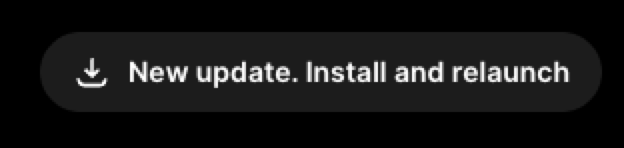
Hello Vinnie, seems like your Ledger Wallet desktop on macOS didn't auto update correctly.
To resolve this, simply install the latest version of Ledger Wallet desktop app from our site directly: shop.ledger.com/pages/ledger-w…
It will over-write the current version you have and remove this message you see on top.
If any further assistance or clarification is needed, feel free to reach out as explained here: support.ledger.com/contact-us
Thanks.
English


Hello Nev, Yes, we ship to Greece.
- Order and check shipping options at: shop.ledger.com
- Track/manage orders at: my-order.ledger.com
- Delivery times and any regional delays: support.ledger.com/article/How-lo…
If any further assistance is needed, feel free to reach out as explained here: support.ledger.com/contact-us
Thanks.
English

we love a little Ledger Nano Gen5 unboxing
TEDDY@iCrazyTeddy
Unboxing the new Matcha Green Ledger Nano Gen5 Safest way to store your crypto, thanks for keeping me secure @Ledger ad/gifted
English

Hey there - We're sorry to hear that you're having issues signing transactions with your Ledger Flex.
In order to best assist you, can you please create a ticket on our official Help Center here? - support.ledger.com/contact-us.
A member of our team will be happy to take a look at your case, to troubleshoot the issues with you, and provide additional assistance. We look forward to hearing from you soon!
English

@Ledger Received my flex a few weeks ago. It’s not working! Can’t sign transactions because the hold button doesn’t work?
English

Hi @DrPrepper_, we are sorry to hear about your frustrating experience. If you haven't already, please reach out to our official support team so we can investigate and assist you the best way possible, here's how to do it: support.ledger.com/contact-us
Always remember: Ledger will never call, DM, or ask for your 24-word recovery phrase. If someone does, it's a scam.
Thanks.
English

I just bought a Ledger Nano crypto starter pack. Not only the addvertising is misleading lince it only includes one recovery Key, my unit also came without a USB-C cable and the desktop app support is not even showing my model. Wth @Ledger_Support ? This was supposed to be easy.
English

Hi Corey! Yes, this is a known issue, the QR code scan button was removed from the Send flow during a recent UI update. Our team is aware and working on it.
In the meantime, you can paste the recipient address directly into the address field. We recommend double-checking it carefully against the source: support.ledger.com/article/440438…
If you need further help, reach out to us here: support.ledger.com/contact-us
Thanks!
English

@Ledger @iCrazyTeddy Please tell me you didn’t remove the option to scan a QR code to load the address when sending from an account in ledger wallet!
English

when you're on a mission to secure your crypto
@icrazyteddy, you're up next.
(via adammarrpk/TT)
English

Hi Corey! Yes, this is a known issue, the QR code scan button was removed from the Send flow during a recent UI update. Our team is aware and working on it.
In the meantime, you can paste the recipient address directly into the address field. We recommend double-checking it carefully against the source: support.ledger.com/article/440438…
If you need further help, reach out to us here: support.ledger.com/contact-us
Thanks.
English

New upgrades are officially rolling out for the Ledger Wallet™ app.
The ease of an exchange. The security of a Ledger touchscreen signer. Free from compromise.
→ Clarity: your whole portfolio, history, Profit & Loss all in one view
→ Choice: swap, earn, trade Perps and more across 50+ providers, 100+ chains
→ Control: verify every move on your secure signer. Keys stay offline.
Download Ledger Wallet today 👇
English

Hey there - $XDC is not natively supported in Ledger Wallet. You would need to use a third party wallet with your Ledger Signer to manage that asset. You can review the steps in our Help Center here - support.ledger.com/article/654958…
If you have any other questions, or need any further assistance, feel free to reach out on our official Help Center here - support.ledger.com/contact-us - Cheers!
English

Hey there - Ledger signers (ie the Ledger Stax, Ledger Flex, and Ledger Nano Gen5) are not waterproof. They’re resistant to dust and light water splashes but should be kept dry. If they get wet, dry them thoroughly with a soft, lint-free cloth before use. Recommended operating temps: 0–35°C; storage varies by model. Helpful info: support.ledger.com/article/184416…
If any further clarification or assistance is needed, feel free to reach out as explained here: support.ledger.com/contact-us
English