Open-source .NET UI framework for web apps with C#/VB/F#. Brings WPF & Silverlight to the Web via HTML & WebAssembly. Try it online, zero setup: https://t.co/hS3Vp2tjcb
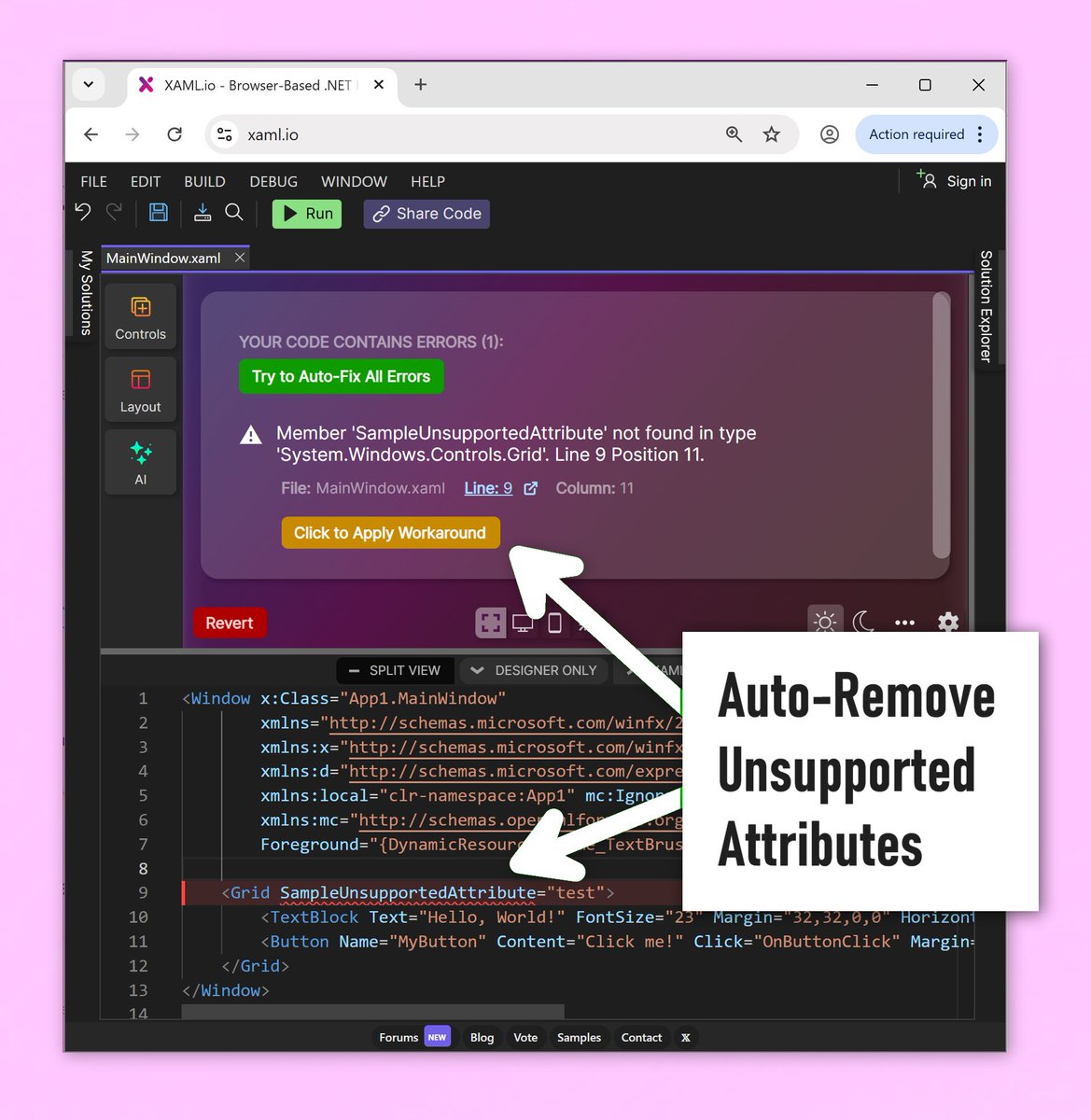
New update of XAML.io today:
Added a button to automatically comment out unsupported attributes. A great feature for quickly migrating from other XAML technologies!
You’re right, it’s not about what’s possible. The web can do everything.
For us it’s about two things: developer experience and real-world constraints.
WPF still offers a uniquely productive UI model. And for people familiar with C#, XAML, and .NET, OpenSilver builds on that. We’re also adding more unique capabilities over time. What you see on XAML.io is just the start.
In the short term, the most compelling scenario for OpenSilver is existing WPF apps.
Enterprises have large WPF codebases they can’t throw away, but they want web deployment, broader access, and better accessibility.
A full rewrite is expensive and risky.
OpenSilver lets them keep WPF, modernize, and move to the web without starting over.
It’s open source. We make money helping companies move their WPF apps to the web with OpenSilver and modernize them.
@OpenSilverTeam I coded in wpf myself and have seen the whole chain from Win32. *Everything* is possible in Web. I am not sure why will anyone adopt this and how will you sell ? I am curious. Do you have real scenarios to prove and justify?
WPF got the developer experience right. The web got everything else right.
OpenSilver is the first UI framework that combines both. Write in WPF, ship real HTML DOM, not pixels on a canvas, and get accessibility, SEO, Ctrl+F, text selection, browser translation, mobile interactions, browser extensions, screen readers, and more.
Try it in seconds at XAML.io. No setup. No signup.
WPF is a unified, coherent UI model:
declarative XAML
+ a real UI designer,
strong MVVM/data binding that just works
without piles of extra libs or trial-and-error hacks.
On the JS side, there is a lot of churn,
overlapping choices,
and complexity.
It often feels like stitching together a UI stack from constantly moving pieces.
Even the HTML/CSS/JS model has limits for building rich GUIs,
this post explains it well: x.com/hasen_95dx/sta…
WPF isn’t deprecated.
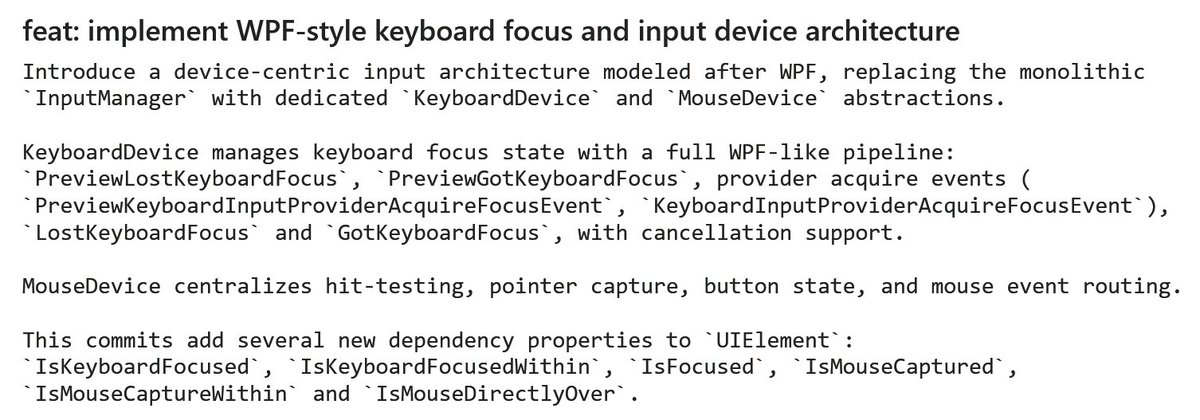
It’s still actively maintained, powers large apps like Microsoft Visual Studio, and continues to evolve with every .NET release.
In .NET 10 alone, it got new features like inline Grid row/column definitions, a Fluent theme, and more:
learn.microsoft.com/en-us/dotnet/d…
Big update to XAML.io today:
Our browser-based C# + XAML IDE is now available on-premise.
A fast, secure way for teams to create and share internal apps and prototypes in the browser, then turn the best ideas into full apps.
Get in touch.
xaml+C#→Windows・・WinUI
html+C#→Web・・Blazor
html+C#→Windows・・Blazor Hybrid
xaml+C#→Web・・?
I tried Uno Platform, XamlForBlazor, OpenSilver.
However, Not a perfect fit.
Microsoft isn't directly working on them.
I hope Microsoft support for xaml+C#→Web.
Coming soon to XAML.io:
C# analyzers and code fixes.
You can design, build, and run .NET (C# + XAML) entirely in the browser, with a visual designer and WebAssembly compilation.
No install. No signup.
OpenSilver is becoming the Web-native WPF.
New this week: WPF Triggers support!
Available now in the pre-release NuGet, and coming soon to our
@xaml_io .NET browser IDE with XAML designer.
Instead of "clone this repo and build it", just send a link
We shipped code sharing for XAML.io, our browser-based .NET IDE. Share a running C# project and anyone can open it, run it, fork it. No install, no signup
Also new in v0.6: NuGet packages in the browser
Big update to XAML.io today:
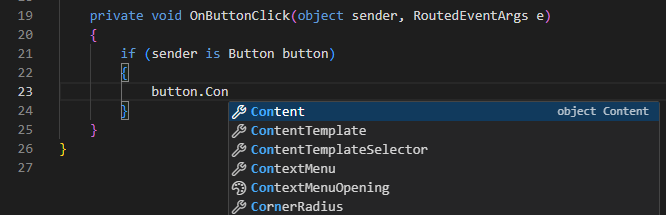
C# IntelliSense/autocomplete is now live.
You can now design, build, and run .NET (C# + XAML) entirely in the browser, with a visual designer and WebAssembly compilation.
No install. No signup.
🚀 @xaml_io just reached 2,000 registered users!
Our browser-based .NET IDE with a built-in UI designer is still in preview, yet adoption keeps growing.
v0.6 is out, and you can now share live runnable snippets with a single click.