PeakInbox

14 posts

PeakInbox banner
PeakInbox

PeakInbox

@PeakInbox

Katılım Şubat 2019
0 Takip Edilen54 Takipçiler
PeakInbox
PeakInbox@PeakInbox·
@carlosecsanchez @gmail You won't see carousels on test emails, as the emails have to go to a large number of addresses before @gmail will display them.
English
0
0
0
17
Carlos Pines
Carlos Pines@carlosecsanchez·
@PeakInbox @gmail Hi i send an email to p-gmail-outreach@google.com but i cant see my courusel on my test email in promotion tabs
English
1
0
0
23
PeakInbox
PeakInbox@PeakInbox·
Want to start using the new Product Carousel Annotations from @gmail? Email your sending domain to p-gmail-outreach@google.com to be added to the allow list. We will be building an automatic application into @PeakInbox if this remains a requirement.
English
1
2
5
1.3K
PeakInbox
PeakInbox@PeakInbox·
If you have noticed your Annotation-based (and Google profile-based) logos disappearing from Gmail… just hang tight. @Gmail has confirmed there is an ongoing test with logos.
English
0
0
0
0
PeakInbox
PeakInbox@PeakInbox·
Co-founder @bsisolak breaks down @gmail 's new Annotation Catalog Cards: What, Who, When and How?
English
0
0
0
0
PeakInbox
PeakInbox@PeakInbox·
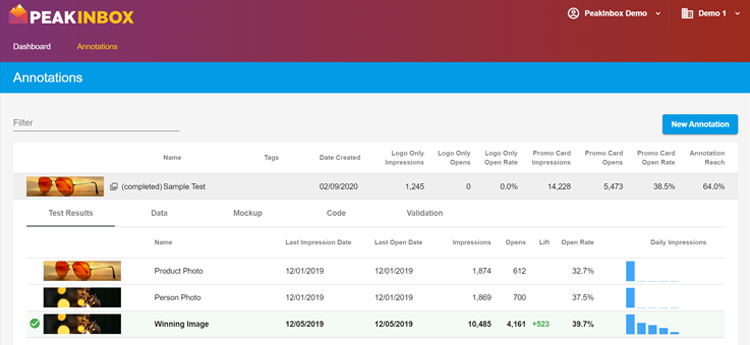
Honored by the mention from @actionrocket’s #emailgeeks extraordinaire @emailjay on Inboxing by @greensmoker who said about Annotations "PeakInbox has got that sorted." We agree! Our tool provides the code AND gives you the analytics and data to prove its working.
English
0
0
3
0
PeakInbox
PeakInbox@PeakInbox·
Getting your logos in @gmail TODAY only requires a Google Profile + Annotations, no BIMI required. Check out this update from co-founder @bsisolak #emailmarketing
English
0
0
1
0
PeakInbox
PeakInbox@PeakInbox·
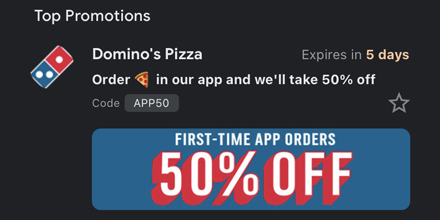
.@dominos has been using @Gmail Annotations since it's beta two years ago! Wonder what data they have? Find out how to get your own Annotation data, and more tips and tricks for #emailgeeks at peakinbox.com
PeakInbox tweet media
English
0
0
0
0
PeakInbox
PeakInbox@PeakInbox·
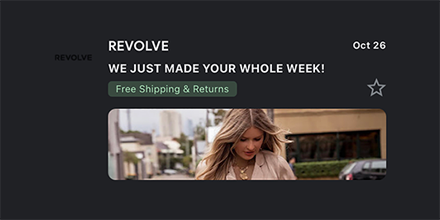
#emailgeeks, this Halloween take a moment make your logos #DarkMode friendly before adding them to your @gmail Annotations! With dark logos you need white backgrounds or outlines, or you might show up like this. For more tips and tricks follow @PeakInbox
PeakInbox tweet media
English
0
0
0
0