SonicXplosion
96 posts

Spent the whole weekend on this: the in-game mod browser UX and the creator support side. This weekend was just on the new flow, plenty of tech and proper UI work still ahead.
The browser stays library-feel, not shopping mall. No price tags on the grid; 1-click install in the game menu.
On the creator side, profiles are the center of the experience: badges, supporter counts, stats. Hytale provides cosmetics for both sides. Players who support modders, and modders who hit supporter milestones. Direct support goes to the creator, not into a marketplace cut.
BTW we don't want to profit from this. Modders out-earning the studio on this would, unironically, be the dream!
Player rewards should unlock in tiers and rotate seasonally or monthly. Time-limited cosmetic sets, badges and so on, but the whole catalog cycles back through over time. Goal is keeping players invested without falling into a FOMO trap, miss one season and they come around again.
One thing I really want baked in: rewards for modders who support other modders / share assets openly / lift up smaller creators.
The vision is clear internally. We want to give this a fair shot at keeping mods free in-game, and we'll get creative on ways to monetize our creators.
NGL, seeing the prototype with no price tags and just "install" buttons feels like the good old days of gaming.
English
I want to talk about the in-game mod browser and monetization, but first: this is not a final answer or a locked policy! I'm brainstorming with the community because this is one of those decisions that can shape the game's future, and I want feedback before we commit to the exact model.
I've had people in DMs tell me Hytale needs paid mods, because modders put real work into their creations and should be able to earn from them. I've also had people tell me paid mods would destroy the ecosystem, because the mod browser would stop feeling like a place to explore and start feeling like a store.
Both sides have a point, and I don't think you have to pick one or the other. The model I keep coming back to is a hybrid that hasn't really been tried before: protect the player experience in-game while giving creators strong ways to earn player support.
Important note: none of these changes the EULA. This is not about taking away what modders can do outside the game. It's about what we choose to show and promote inside the in-game mod browser.
Here's my thinking: I want players to open the mod browser and feel like they're walking into a community library of cool things to try, not a shopping mall.
That doesn't mean I think modders shouldn't make money. Quite the opposite. I bring years of experience in modding and monetization, and I know the scene has evolved a lot. Creators put serious time into their work, and great modders should be able to build an audience, earn support, and make a living from what they create.
But there is a real cost when the first thing players see in a mod browser is price tags everywhere.
Mods are most magical when trying them is easy. You see something weird, useful, funny, beautiful, or ambitious, and you install it because there's no friction. That sense of discovery matters a lot to me.
There's also a deeper problem with paid mods that people don't talk about enough: the incentive structure between the game developer and the modder.
Imagine a creator makes an amazing fishing mod and sells it for $5. It gets huge. Later, the game team decides that fishing should be part of the base game. Suddenly, there's tension where there shouldn't be any. The creator feels like the game is stepping on their work, and if the studio is taking a cut from mod sales, it now has a financial incentive to leave feature gaps rather than fill them. Why add fishing to the base game if you're making money from someone else's fishing mod?
I really don't want that relationship. Our goal is to make a great game, give creators powerful tools, and let the whole ecosystem grow around that, not to leave holes for modders to fill and monetize.
So the direction is: mods in the in-game browser are free to install. No price tags in the browsing experience. No paywall as the default relationship between player and modder.
But creator support should be real.
We will give players ways to support their favorite creators, make creator profiles matter, highlight great work, and offer Hytale-side rewards for supporting modders: badges, titles, cosmetics, and so on. For example, if a player supports several creators, they get a special reward from us, not because they bought a mod, but because they supported the people building the ecosystem.
Longer term, there's room for something closer to an in-game Patreon-style system: support a creator, get early access to experimental builds or extra creator updates, while the mod itself stays free to browse and try. That part needs careful design, and I don't want to overpromise the exact shape today.
The principle is what matters: support should be pull, not push. Players should feel invited to support creators they love, not pressured every time they browse.
We make money when people buy the game and through optional cosmetics. That gives us a cleaner incentive structure: make Hytale better, invest in player experience, and help creators earn because players genuinely value their work.
BTW, if we ever handle creator payments directly, the only reason to take a cut would be to cover transaction and operational costs. We're not designing this around taking a percentage from modders.
This is not the obvious business-maximizing route. I know that. But I think it's the right one for players. I believe that if we are players first, we will do great in the long term.
I'd rather have a modding ecosystem that feels open, generous, creative, and alive than one where every cool idea immediately becomes another checkout screen. I believe we can help modders make great money while giving players a much better experience than a storefront-first model!
It will take time to get right, and some details will change as we build it. We'll share more as the mod browser takes shape, and I genuinely want to hear what players and modders think about this direction.
English
@Simon_Hypixel @haus_of_nando Main thing im waiting on is easier building tools. Automation will help collect blocks, but there also needs to be easier ways of placing blocks. Things like builders wands.
English
Yeah, a large % of the people from a quick survey I did revealed that lots of players bought the game but are waiting on world gen 2 to get started, so it makes all the sense in the world for us to push hard on production (Fortunately, I predicted and made the same bet on this before launch).
English

I hope @Simon_Hypixel is pushing for World Gen 2. It's probably something that would bring back many many players to explore their games and start their forever worlds.
I understand everything is in progress, but players need something reliable and a world that evolves with them
English
@Simon_Hypixel @Bilaman5 @sansqmiras4 I want placeable maps so I can see the map on the walls or a table
English
@Bilaman5 @sansqmiras4 Minimap is easy to implement, but not sure if its a good idea to do a minimap, pros and cons.
As for the map, it will improve later on, but not worth dev time at this moment, we got pressing things to fix/do beforehand
English
@Simon_Hypixel To clarify, I mean adding the wand into exploration mode (this is an exploration build).
English
@Simon_Hypixel One QoL feature that I'd really like is a wand that can emulate the creative Paint Brush/Mask feature so that I can more easily add variation/randomness to my builds instead of manually breaking/replacing the blocks.

English
Pre-Release Patch Notes (Feb 26, 2026)
Update 4 (Part 2)
Enable via Launcher → Settings → Pre-Release
Headline Features
- Added an Emote Wheel! Express yourself in-game by holding down the ‘X’ key. This keybinding can be changed in the Settings menu.
- Added a new Creative Tool: Revolve. This new tool allows you to paste rotations of your current selection any number of times or fully around a center point.
- Overhauled the /replace command:
- Moved swap and regex from flags into subcommands, allowing each variant to use arguments without conflicts
- Added block mask support to the ‘from’ argument, enabling spatial mask syntax like >Block or !Block
- Added additional validation.
- Black and white wolves will now fight as a pack, periodically attempting to flank their prey and attempting to retreat when injured.
- Implemented dual source blending with a center source to improve the audio experience with the Headphones (Stereo) setting. Positional audio should now feel less in one ear.
Avatar & Cosmetics
- The player Avatar will now face the camera when using free camera or third person camera modes.
- The player Avatar will now animate differently when falling from a great height.
- Added the ‘Chicken’, ‘Kill’, ‘Laugh’, ‘Punch’ and ‘Tongue’ emotes.
- Added the ability for some emotes to loop.
Items & Equipment
- Numerous changes to how Watering Cans function:
- They now use a Template parent and have configurable width and depth for area of effect watering
- They can now be charged to water a 3x3 area
- Their capacity has increased from 20 to 50
- They can be placed on the ground when crouching, returning empty Watering Cans if broken
- They now water exclusively with the Secondary interaction key for consistency with the Hoe.
- The Builder’s Workbench has had its crafting time reduced from 2 seconds to instant.
- The Campfire, Crude Bedroll and Wooden Chest have had their crafting time reduced from 1 second to instant.
- The Crude Torch has had its crafting time reduced from 0.5 seconds to instant.
- ‘Seaweed - Middle’ is now referred to as ‘Stacked Seaweed’.
- ‘Red Cobble Blocks’ are now referred to as ‘Red Sandstone Cobble Blocks’.
- ‘White Cobble Blocks’ are now referred to as ‘White Sandstone Cobble Blocks’.
- The previews for the ‘Crude Bed’, ‘Crude Repair Kit’ and ‘Iron Repair Kit’ have been updated.
- The entity stat MagicCharges has been hidden from item tooltips.
World & Blocks
- Improved handling of extreme coordinates.
- Reworked item containers to block components, reducing lag and preventing issues with chests when unloading.
- Workbenches will now continue processing items even if their chunks are unloaded.
- Workbenches will now resume processing items if their full output slot is emptied.
- Workbenches will now use the world game for their calculations instead of real time.
- Workbench assets are now configured to have a BenchBlock component, rather than exist with a ‘crafting’ state.
NPCs & Encounters
- Reduced the number of checks required to be performed whether an NPC was able to breathe.
- Skrill can now lay eggs.
Audio
- Recording and restoring memories now plays sound effects.
- Zone 1 mountain ambience will now differ based on the player’s altitude.
- Placeholder music and ambience has been added to Zone 4 caves and sewers.
UI & Quality of Life
- Implemented support for CJK fonts.
- Added localization support for the Machinima tool.
- Personal, shared and player markers will now always be visible on the Map.
- The backpack in the Player Inventory now shows how many item slots are currently being used.
- Moved the Noesis UI folder from Game/ to Shared/
- Moved the Fonts/ folder into the Noesis UI project folder UI/
Modding & Tools
- Error messaging has been added to the /copy command for when too many blocks are selected.
- Added the ‘/pedit back’ command to quickly alternate to and from the prefab editor world.
- Empty brush and tool edits no longer get registered to the tool history, or trigger notifications.
- The deselect command will now be registered to the tool history.
- Fluid changes now contribute towards the block count when saving Creative Tool edits to history.
- The Laser Pointer tool may now be used to direct others’ attention towards the sky.
- The Selection Tool will now allow you to select a region without holding down the left mouse button.
- Updated the Selection Tool’s Rotation Gizmo to make rotating selections more intuitive.
- Updated the size scaling and made it easier to select various Creative Tool Gizmos.
- The ‘.mach speed’ command will now only target the active actor.
- Added ‘Time of Day’ and ‘Weather’ to the Creative Mode Quick Settings menu that will adjust the environment for the client only.
- Added a ‘Reset Environment’ button to the Creative Mode Quick Settings menu that resync’s the client and server’s environmental settings.
- Added PlayerRemovedFromWorldEvent that allows plugin developers to create customisable, optional messages that can be broadcast when someone leaves the world.
- Added ‘Spawn’ settings to the PortalType asset, including SpawnProviderOverride, allowing developers to specify where a return portal is placed.
- Started work to move the server to use the JOML math library.
- You can now use any unique substring of a command argument to access that command argument. For instance, if there are only the arguments ‘--cat’ and --dog’, ‘--at’ will return the former.
- Players can now select which mods folder to create their asset pack in.
- Added item HUD UI support, allowing for Custom UIs to be created for all items.
- Significantly improved the performance of the Creative Tool’s previews.
Accessibility
- Implemented support for Windows ClickLock feature.
Bug Fixes
Combat & Item Fixes
- Wheat is no longer edible.
- Stacked Seaweed can no longer be eaten to cause a missing interaction error.
- Placed Cane Ornaments are no longer unbreakable.
- Ammo is no longer consumed in Creative Mode.
World & Block Fixes
- All half blocks should now stack correctly and drop the correct number of items when broken.
- Fixed Tamed Chickens not being recognised by Chicken Coops, they will now lay eggs in them just like their untamed counterparts.
- Fixed a NPE that can occur when a Crafting Bench is broken whilst in use.
- Mounts will no longer be able to sprint indefinitely in fluids.
- NPCs will no longer follow items at an infinite range.
- Gravel blocks made up of two vertical Gravel slabs will no longer unexpectedly break if adjacent blocks are broken.
- Player avatars will now enter Minecarts instead of Minecarts teleporting under the player.
- Fixed a bug where some encounters did not properly inherit the weather of surrounding areas.
- Chunks will now correctly generate cave networks within Zone 4.
- Lava will now correctly burn entities as entity effects no longer incorrectly overwrite themselves.
- Portal devices will now refund fragments if the portal worlds fail to generate.
- Decayed tilled soil will now update correctly once it has fully decayed.
Creative Tool, Modding & Plugin Fixes
- Fixed a crash that could occur when attempting to use Creative Tools with invalid or missing data.
- Fixed a bug causing players to die in the Crossroads if the player exited out of the prefab editor.
- Fixed a bug with the prefab editor menus causing players to sometimes be teleported to the wrong location.
- Fixed a bug causing prefab anchors to incorrectly despawn.
- Players can no longer find themselves rotated and translated with the Selection Tool.
- Fixed interpolation issues with the Brush tool on the axis plane.
- The Selection Tool’s selection box will now remain stationary when rotating its contents.
- The Selection Tool’s Rotation Gizmo position will now correctly reset to center after undoing an action.
- Fixed a bug where incorrect blocks would appear when rotating or translating fluids.
- Fixed a bug with Single Player worlds and image importing permissions.
- Fixed a bug preventing the .mach speed command from applying to the whole scene.
- Fixed a bug preventing NPC scaling with the Entity Tool.
UI & Display Fixes
- Fixed a crash that could occur with nameless map markers.
- Fixed a crash that can occur with Entity UI elements.
- The Player Backpack is now hidden in Creative Mode.
- Fixed various issues with localized text extending outside of the default UI.
- Fixed plural localization for mod and asset packs that failed to load or are outdated.
- Fixed map markers sometimes not appearing on the compass.
- Cleared first person animations when mounting NPCs.
- Fixed an issue where certain inputs could result in item stacks being dropped from the inventory rather than single items.
- Fixed an issue with the Utility item wheel being offset when dragging and dropping stacks within the wheel.
- Fixed an issue where player marker toggle settings didn’t persist across sessions.
English
What small features or quality-of-life improvements would you like us to add to Hytale in the short term?
I already have a massive list from the in-game feedback button, Discord, Reddit, YouTube, and other social platforms, so we are not running out of things to do!
That said, I am curious to see what you think should be the highest priority!
English
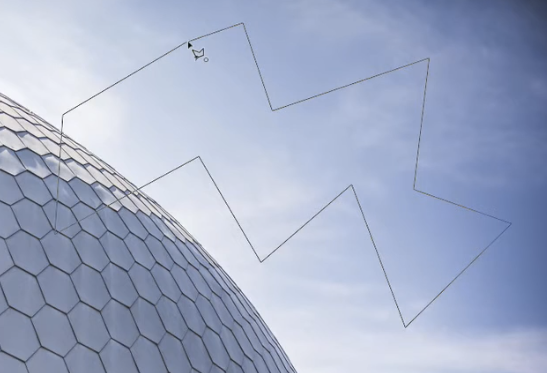
@Simon_Hypixel @SyprusBuilds @LucentAzxiar My suggestion for Creative Tool is a Polygonal Lasso Selection Tool, so that you can copy/paste non-cube shapes.
English
@SyprusBuilds @LucentAzxiar as long as we get a bullet point list to throw on the backlog, its all good lol
English
Pre-Release Patch Notes - January 29, 2026
Enable via Launcher → Settings → Pre-Release
MAP & NAVIGATION
- User-placed Map Markers have been added!
- Create custom markers anywhere on your map with customizable names, icons, and colors
- Share markers with other players in multiplayer
- New gameplay settings to toggle marker visibility on map and compass
- Delete markers via the map context menu
- Updated map marker icons and improved their display resolution
- Player names are now always rendered on the map and are more readable when zoomed in
- Compass now shows different icons based on vertical distance (above/below you)
- Teleport option is now hidden for map markers when in Adventure gamemode
COSMETICS & CUSTOMIZATION
- New Avatar customization options:
- New Hat: Tweed Hat
- New Overtop: Mage Shirt
- New Shoes: Styled Flats, Wedge Shoes
- New color variations for Fashionable Shoes
- New haircut added
- Updated visuals for the Morning haircut
- Added Construction Hard Hat
COMBAT & ITEMS
- Weapon Adjustments & Fixes:
- Adjusted damage value inconsistencies and upgrade differences across some weapon tiers
- Adjusted the guarding stamina costs that were previously misconfigured for certain drop-only weapons
- All spear types should now consistently stack up to 5 and be throwable
- Necromancy Grimoire Improvements:
- Summons no longer take damage from their summoner (and vice versa)
- Summons now respond when the player is attacked, not just when attacking
- Summons are faster and more aggressive
- Added variety to the types of skeletal minions that are raised, including a ranged variant
- Misc:
- Improved in-hand positioning for Ingots and Sticks
GAMEPLAY
- Doors no longer close when blocked by entities or players
- Teleporters now require you to clear a short distance before re-use
- Sort keybind now works in the player's inventory
- Added "Take All" functionality for processing bench output items
- Shift-dragging now quickly transfers items between inventories
- Minecarts no longer move when stuck
- Reduced farming bench tier requirement for Chicken Coop from 5 to 3
- Large Kweebec Chests now support placing blocks on top
- Fixed NPCs in a Coop transforming into other NPCs
- Fixed being able to capture a dead NPC with the Capture Crate
- Reworked utility wheel quick swap to include the inactive slot
BLOCKS & WORLD
- Re-added Incandescent Volcanic Rock
- New block textures and variants:
- Thorium Cracks
- Basalt Cracks
- Magma Cracks
- Mud Dry Cracks
- Updated crack variants for 4 Ore blocks
- Updated Cobalt texture
- Fixed Magma Adamantite block tiling
- Added Default_Flat and Default_Void weather configurations for their respective world instances
AUDIO
- Fixed water emitter radius so audio plays properly in stereo instead of just the left ear
- Fixed audio emitter entities not playing correctly
- Fixed fluid ambient effects not triggering properly
- Updated sword swing and impact sounds
UI & QUALITY OF LIFE
- Moved container action keybind indicators to a better position
- Fixed chest/bench keybind tooltips when keybinds are unassigned
- Updated workbench chest connection radius text to be clearer
SECURITY
- Fixed a permissions bypass in the Asset Editor that allowed unauthorized JSON asset modifications to non-standard asset packs (already patched in release builds)
STABILITY & BUG FIXES
- Improved world generation performance
- Fixed filler blocks not breaking in some cases (e.g. large doors)
- Fixed block placement mis-predictions
- Fixed issues when changing worlds while mounted:
- Fixed minecart mount state not being removed correctly
- Fixed horse mount state not clearing correctly
- Fixed screen fade issues that could occur during world transfers
- Fixed an issue that could cause chunk saving to deadlock when removing a world
English
@Simon_Hypixel Do you guys plan for updates to be more thematic? Like Navigation Update, Automation Update, etc. Or just push things as they come?
English
To speed up production, here’s how Hytale updates will work going forward!
TL;DR
• Pre-release updates go out weekly
• Pre-release to get features earlier for feedback & bug reports
• Releases ship when pre-release is in a good state (every ~2–6 weeks)
• More time for modders and servers to adapt
• Our developers spend more time building, less time shipping
• Hotfixes can still ship at any time to both pre and release
Going forward, we’ll use the pre-release patchline to be a bit more adventurous. It will be updated weekly and may be unstable by design; this is where new features, larger changes, and iterations happen.
FYI, we might skip a week from time to time for holidays, PTO, or other reasons.
Pre-release instability will be clearly communicated in-game. As you might have noticed, we have automated world backups, but always back up your own data if you plan to keep using the same worlds in pre-release patchline!
Once we’re comfortable with the pre-release state (can be a result of one or several updates), we’ll schedule it to release and communicate to everyone.
As for this week, don't expect anything major for pre-release, we are getting into the rhythm of things and need to off-set the cadence.
To clarify, if we update the pre-release with like 5 updates, the release will contain those 5 updates.
If we are aiming for a release week, we will make the call publicly and tell people to prepare their mods/servers a few days beforehand.
English
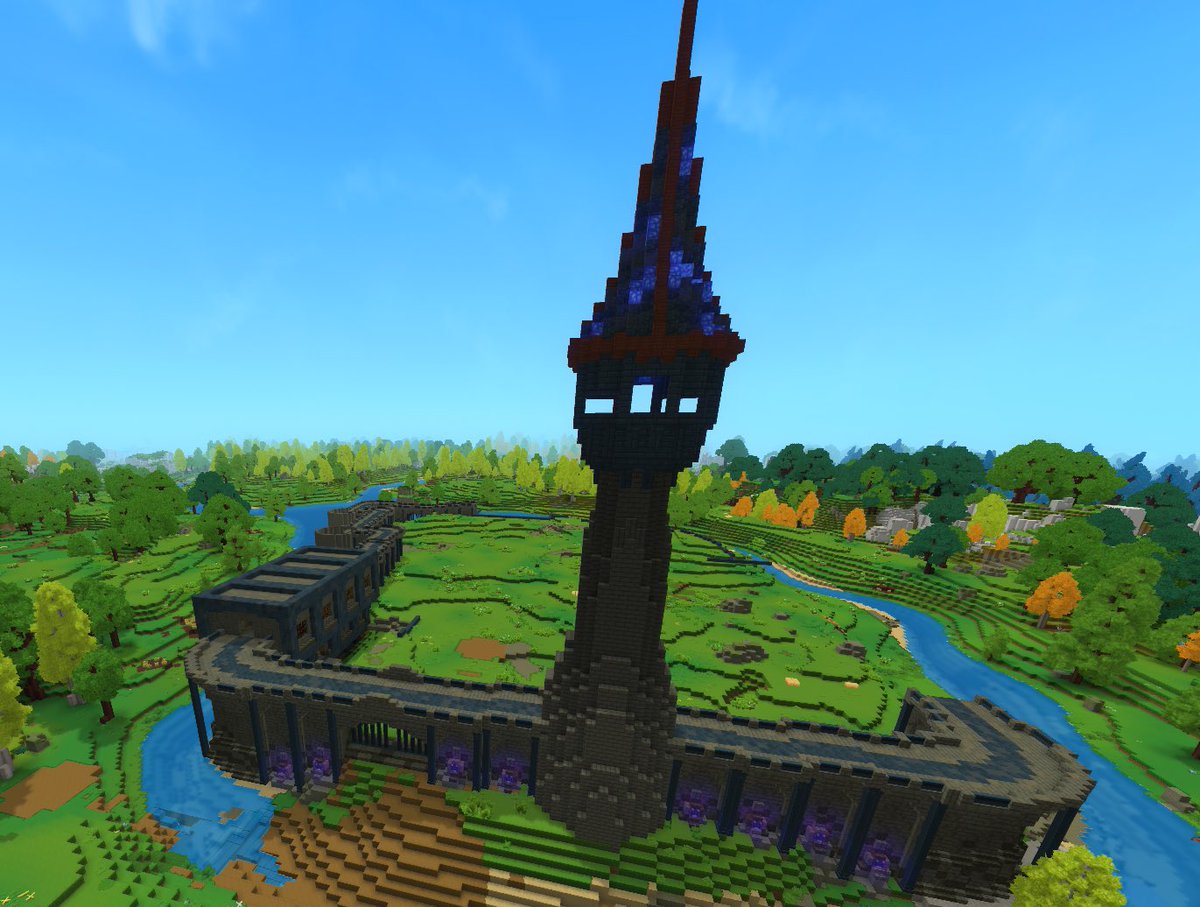
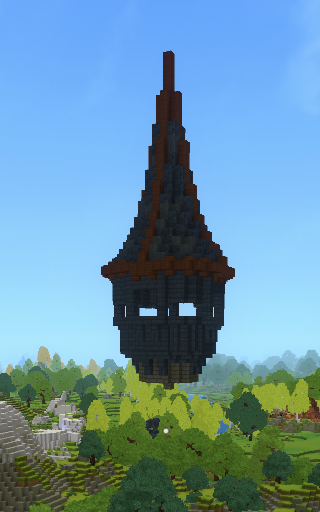
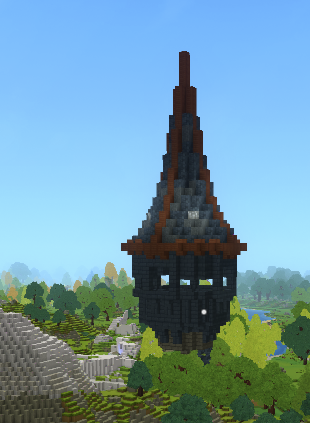
@Simon_Hypixel @Prowl8413 @dallasmed65 @HyCaptain_ Lighting issue that I'm encountering. The shale blocks look unlit in sunlight, and look normal with a white crystal placed down. The peachstone look normal in sunlight, but look "overlit" with a white crystal placed down. Maybe sunlight needs to be stronger for some blocks.


English
@Prowl8413 @dallasmed65 @HyCaptain_ Yes, working on it - will slowly introduce more and more items. Ideally, I want to be able to place a mug on a table where I want, a shield on the wall, etc.
I don’t think it would make sense to have full control of building blocks though. Would get messy quite fast for adv mode.
English

The vibes and level of customization in hytale creative mode is crazy. I'm getting pretty fast with the tool at this point! Builds are gonna get better with time I hope, but I'm happy so far. 😅 #Hytale #HytaleBuilds

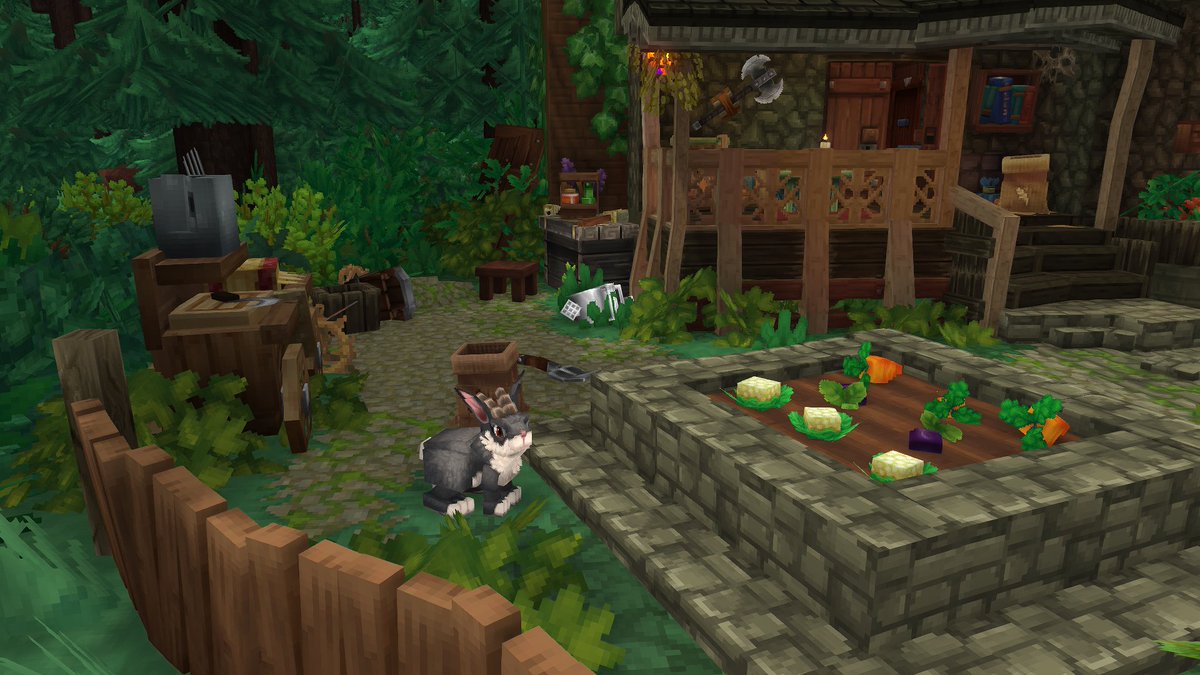
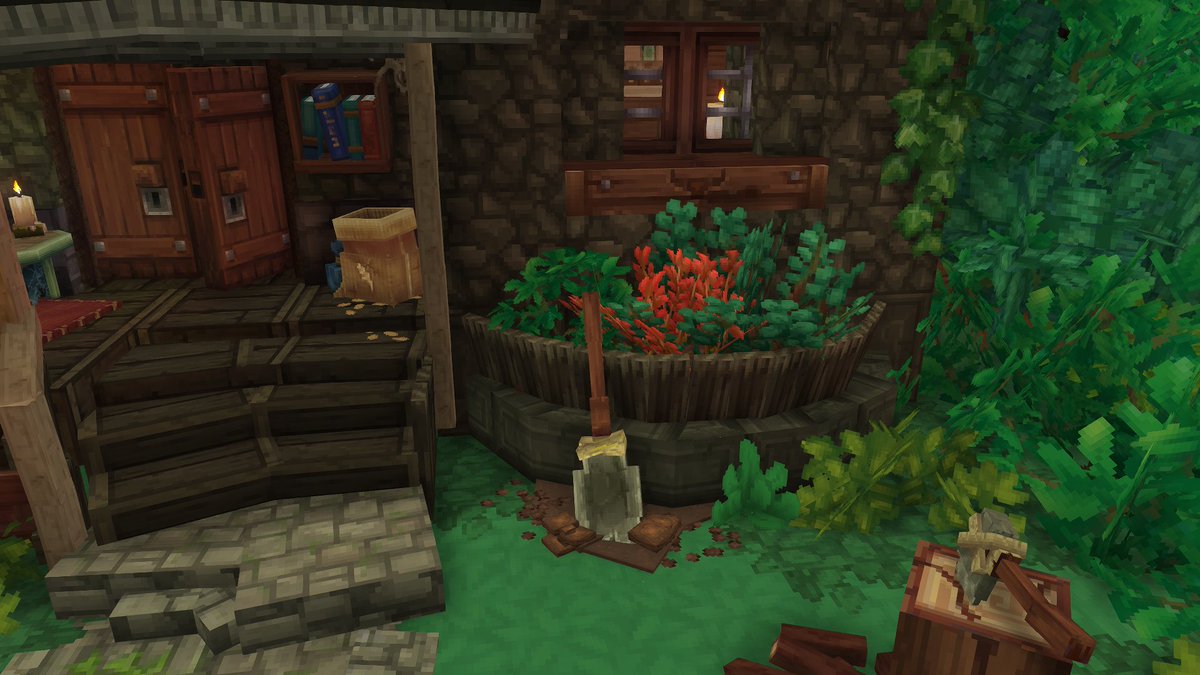
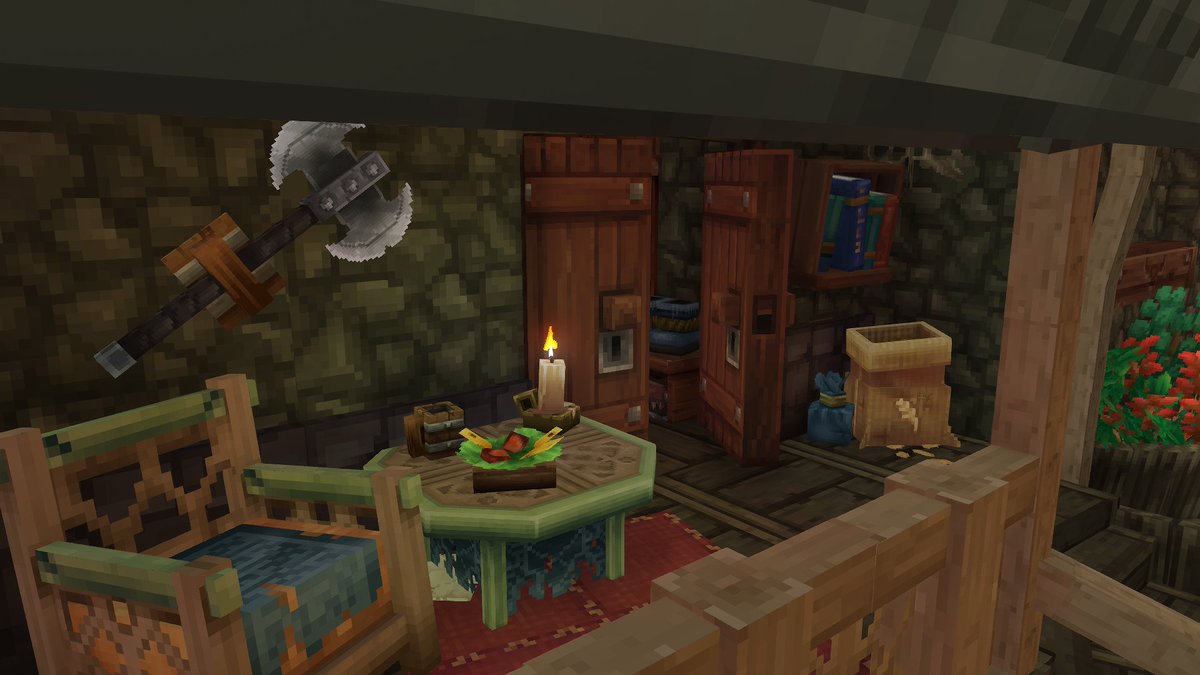
English
@Simon_Hypixel I have huge hopes for automation. I want things like placing, breaking, moving blocks, moving items, block creation (ex: cobble gen).
Automation is huge for builders. Glad its being added.
English
Hiring automation & tinkering devs/designers for Hytale!
We’re exploring physics-driven systems built around real, physical parts. Gears, shafts, belts, pulleys, rotation, motion, power generation and transmission, logic, and machines that players can assemble, break, and optimize.
The design challenge is to make it feel like a natural extension of the game, fully optional, easy to engage with at a small scale, yet capable of deep complexity and automation for players who want to go further!
Tag a dev or modder who builds this kind of stuff. I’ll be scouting in the coming weeks, and roles will be open to apply for if needed by then!
English
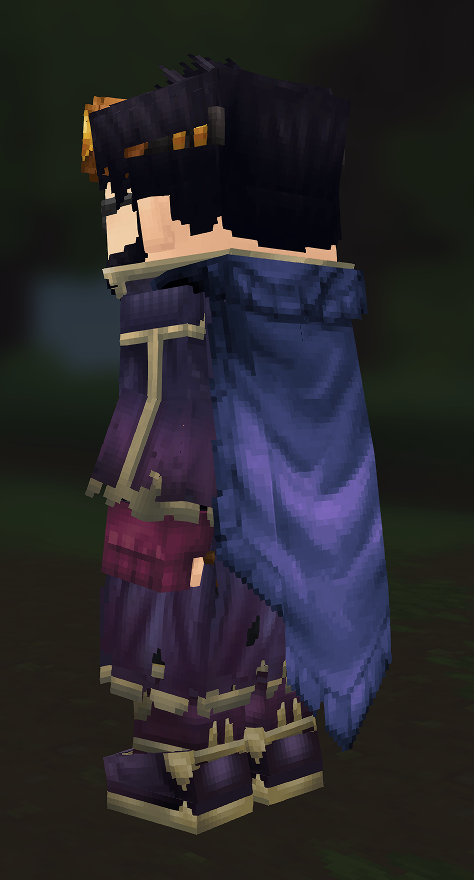
@Simon_Hypixel Being able to sync the colors of clothing. The Blazen Wizard Cape matches, but the Scavenger Cape and Void Hero Cape does not.
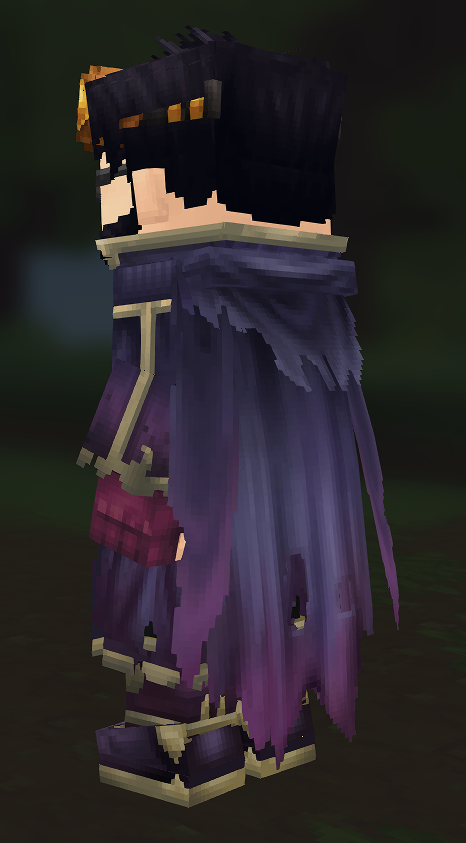
English
@LucentAzxiar @Simon_Hypixel Oh, thanks for letting me know. I think it should be set to "off" by default

English

@SanicExplosion @Simon_Hypixel there is a setting for this under the gameplay tab, at the top of the list.
English
@Simon_Hypixel Followup:
4. Arrows get stuck on non-full blocks a lot
5. Storage (chests) feels limited (maybe i just haven't progressed enough)
English
@Simon_Hypixel 1. Weapon attacks lose charge when swapping, feels impossible to use in early game.
2. Ladders feel clunky. If you are pressing “w”, you should go up on a ladder, regardless of where your camera is facing. Right now u cant look up while going down
3. Placing torches in off hand
English


@SanicExplosion Please submit your launcher, client and server logs to accounts.hytale.com/feedback and mention "Server Boot".
Launcher -> Settings (Top Left) -> Open directory ->
- hytale-launcher.log
- UserData/Logs (select newest file)
- UserData/Saves/<World Name>/logs (select newest file)
English
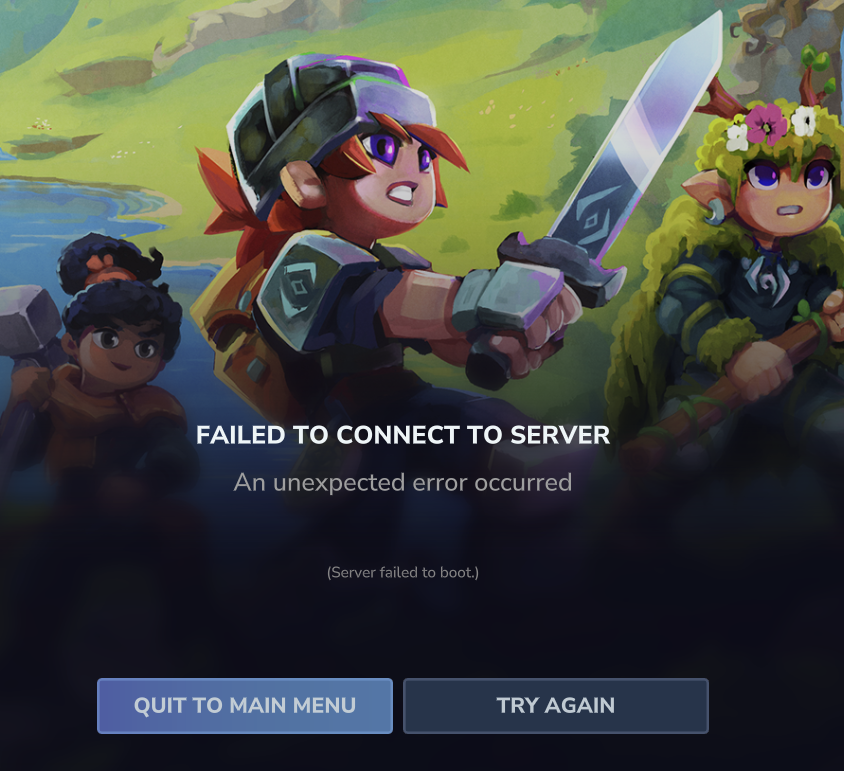
@slikey Submitted
UserData/Saves/<World Name>/logs (select newest file) doesnt exist for me though
English