Screens Connect

369 posts

Screens Connect

Screens Connect

@ScreensConnect

Screens Connect is a free service from @edovia that makes your computer reachable from everywhere through @screensvnc @[email protected]

Anywhere Katılım Nisan 2012
6 Takip Edilen525 Takipçiler
Dean
Dean@deanfx·
@ScreensConnect Trying to contact support via email and getting messages that the email is blocked from your side. I’m sending from Office365 directly… In any case; noticing an issue where the active window is lost after a few seconds when connecting to my Mac from my iPad. Any suggestions?
English
1
0
0
38
Marcos Sabarsky
Marcos Sabarsky@msabarsky·
@ScreensConnect not able to connect from outside my LAN. When on LAN it works perfect. Previously it was working just fine.
English
1
0
0
19
Screens Connect retweetledi
Edovia Inc
Edovia Inc@edovia·
🚨 PSA: We want to clarify that neither we nor our Screens Connect service are involved in any way with the recent ConnectWise security breach. They are a completely separate company and service. techcrunch.com/2024/02/23/hac…
English
0
2
2
2.1K
Mr.Wayne
Mr.Wayne@TheBatman1977·
@ScreensConnect I'm looking forward to using this app but I keep getting the error message on my iPhone 15 "The computer has declined your request" any ideas to help correct this? This would be greatly appreciated.
English
1
0
0
24
DoomFinger
DoomFinger@DoomFinger·
@ScreensConnect the website made mention of Screens Connect 5, but it doesn’t appear to be available yet, even though Screens 5 is? Hoping SC5 will allow me to connect to my work machine.
English
1
0
0
18
Screens Connect retweetledi
Edovia Inc
Edovia Inc@edovia·
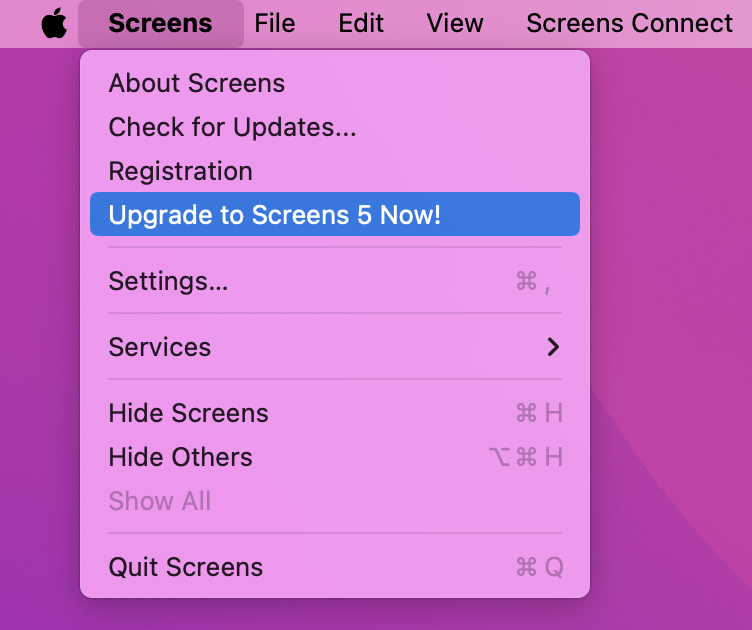
🚀 Current Screens 4 users, enjoy a 50% discount on your first annual subscription! Open Screens 4, find the upgrade link, and access your special upgrade page with the exclusive offer code. Upgrade now and elevate your experience! 🌟 #Screens5 screens.app
Edovia Inc tweet mediaEdovia Inc tweet media
English
10
3
3
2.2K
Coolman
Coolman@Ash_Coolman·
@ScreensConnect my whoami username / password gets rejected by ScreensConnect (macOS), by Screens 4 (iOS). All software updated, shared Wifi, sharing is ON. Any ideas?
English
2
0
0
26
Screens Connect retweetledi
Edovia Inc
Edovia Inc@edovia·
On which platform(s) are you using Screens?
English
0
4
2
1.2K
Houser Photography
Houser Photography@jshphoto·
@ScreensConnect after months of perfection, screens connect is constantly stuck on "connecting". Not sure what, if anything, changed, but it is not working remotely anymore. Please help
English
2
0
1
8
Screens Connect retweetledi
Edovia Inc
Edovia Inc@edovia·
After further investigation, it seems the issue is a hardware failure on our end, which coincided with the macOS 14 (not 13!) B3 update. We still recommend to be careful when installing beta OSes.
English
0
3
1
783
Screens Connect retweetledi
Edovia Inc
Edovia Inc@edovia·
It seems like the macOS 13 beta 3 update (23A5286i) breaks the UPnP API Screens Connect is relying on to make your Mac reachable remotely. We notified them already. Please refrain from updating if you rely on being able to reach your Mac remotely. Sorry for the inconvenience :(
English
1
4
4
1.3K
Screens Connect retweetledi
Edovia Inc
Edovia Inc@edovia·
When using Screens for iOS, do you prefer using Touch or Trackpad mode to control the remote cursor?
English
1
3
1
788
Screens Connect retweetledi
Edovia Inc
Edovia Inc@edovia·
Also, Screens Connect seems to work fine on macOS 14 but we recommend to not install betas on Macs that you need to access remotely as future betas could break things.
English
0
2
2
573
Screens Connect retweetledi
Edovia Inc
Edovia Inc@edovia·
Screens should work fine on iOS 17 and macOS 14. If you're connecting to a Mac running macOS 14 and you're stuck at "Downloading…", just reset the Remote Management service, which sometimes needs to after an upgrade for some obscure reason: help.edovia.com/en/screens-4/t…
English
1
2
5
781