

SideDisplay
75 posts

SideDisplay
@SideDisplay
Turn your Tesla into a wireless second monitor for your Mac or PC. No cables, no hardware mods. Just open a URL in the Tesla browser.
South Korea Katılım Şubat 2026
31 Takip Edilen19 Takipçiler
SideDisplay retweetledi
@Nico_S_Prang You can do it with SideDisplay 👍🏻 sidedisplay.co
English
@toolselectrodiy Same here. I really wish the Tesla browser supported true full screen. The wasted space at the top is a bit of a shame.
English

@SideDisplay I wish the Tesla browser can go full screen!
English
Not sure exactly how this was done, but SideDisplay offers the same functionality. Use your Tesla screen as a wireless extended monitor for your MacBook or Windows laptop.
sidedisplay.co
Tools. Electro. DIY.@toolselectrodiy
Use the Tesla car screen as the extended monitor of my MacBook Pro laptop
English
@Petey_Money Awesome setup! Thanks for sharing this, and thanks for your patience throughout the whole troubleshooting process. Enjoy your mobile workspace! If you ever run into any issues, feel free to reach out anytime.
English

SideDisplay for Windows v1.5.0 is out.
This update makes full use of hardware encoders (Intel QSV, NVIDIA NVENC, AMD AMF) to reduce latency, with improved connection stability across the board.
sidedisplay.co
English
@cryptoslayer3 @AlexFinn @elonmusk You don't have to wait. SideDisplay already does this. It turns the Tesla touchscreen into a real wireless extended monitor for your laptop through the Tesla browser. No cables, no dongles, no mirroring.
Free trial available.
sidedisplay.co
English

English

Thanks for taking an interest in the product! Fair point on the subscription. SideDisplay is $10.99/year, which works out to less than $1 a month. The reason I went with a subscription: every Tesla software update, macOS release, and Windows update can affect compatibility, so the app needs ongoing development to keep working. A one-time fee wouldn't sustain that. There's also a free trial with 60 minutes per week, no credit card needed, which should be enough for users who don't use it heavily. I'll do my best to make the subscription worth it through continuous updates and new features built on top of the core functionality.
English

@SideDisplay @Tesla @elonmusk Sounds great but a subscription? Really? Come on guys. This should be a one time fee.
English
"Work from anywhere" sounds great. But where do you actually work?
Most of us end up at a coffee shop. I wrote about why that happens, and how I built a real mobile workspace inside my Tesla.
@SideDisplay/work-from-anywhere-reality-47717f053141" target="_blank" rel="nofollow noopener">medium.com/@SideDisplay/w…
@Tesla @elonmusk
English
@Petey_Money I'm really sorry for the inconvenience. I've pushed another update (1.4.2) with a fix for the part I suspected was causing the issue. Could you update to the latest version and let me know whether the problem still occurs?
English

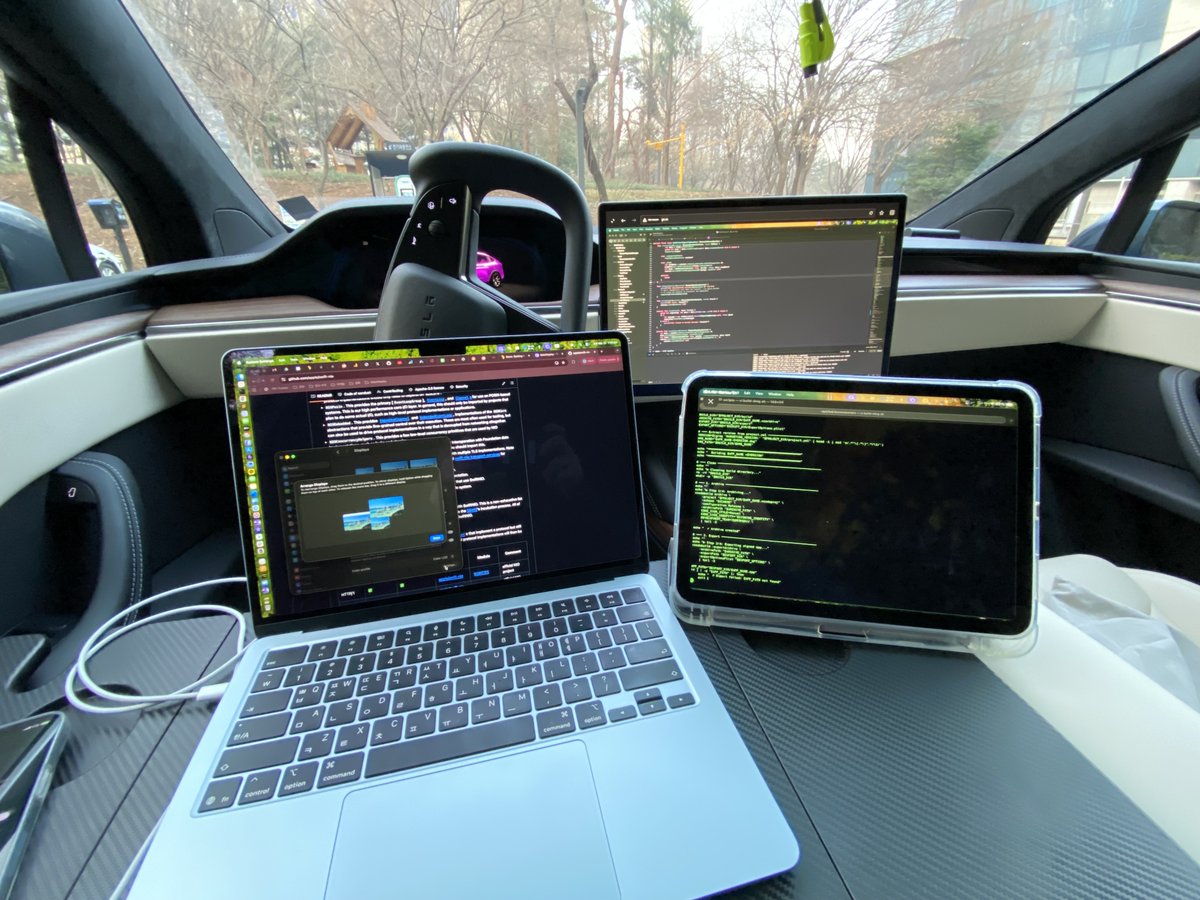
My office today: a park, a parking lot, and three screens.
Tesla's Mobile Office Profile on. MacBook and iPad on the folding table, with the Tesla screen and iPad both running as wireless extended displays.
The iPad? Not Sidecar. Also SideDisplay.
No cables. All three screens connected through SideDisplay.
Building the next feature of SideDisplay… on SideDisplay.
English
@Petey_Money I found an edge case in how the app detects the Mobile Hotspot interface. I've just released version 1.4.1 with a fix, so please update to the latest version and let me know if the same issue still occurs.
English

@Petey_Money Thanks, I've received the report. I'll review it and get back to you with my findings shortly.
English
Thanks for the reply. Could you run a quick diagnostic so I can take a closer look?
1. Open SideDisplay
2. Check "Enable Diagnostics"
3. Click Start
4. Wait 1–2 minutes
5. Click Stop
6. Click Send Report
Once the report comes through, I'll review it and get back to you with what I find.
English
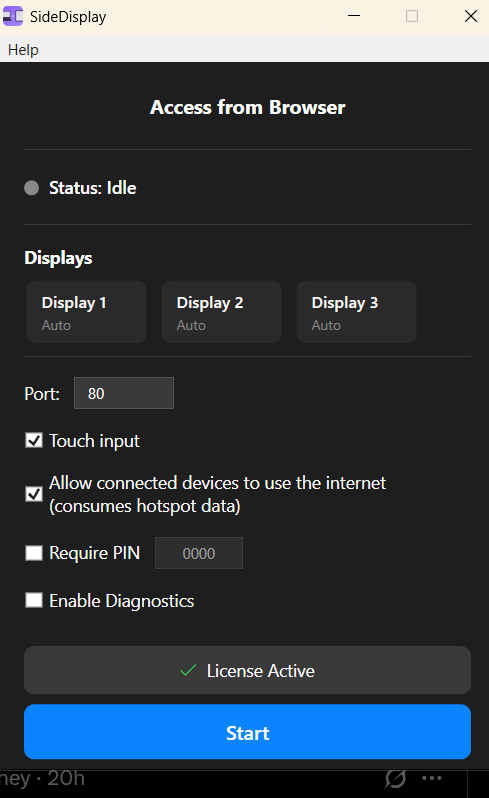

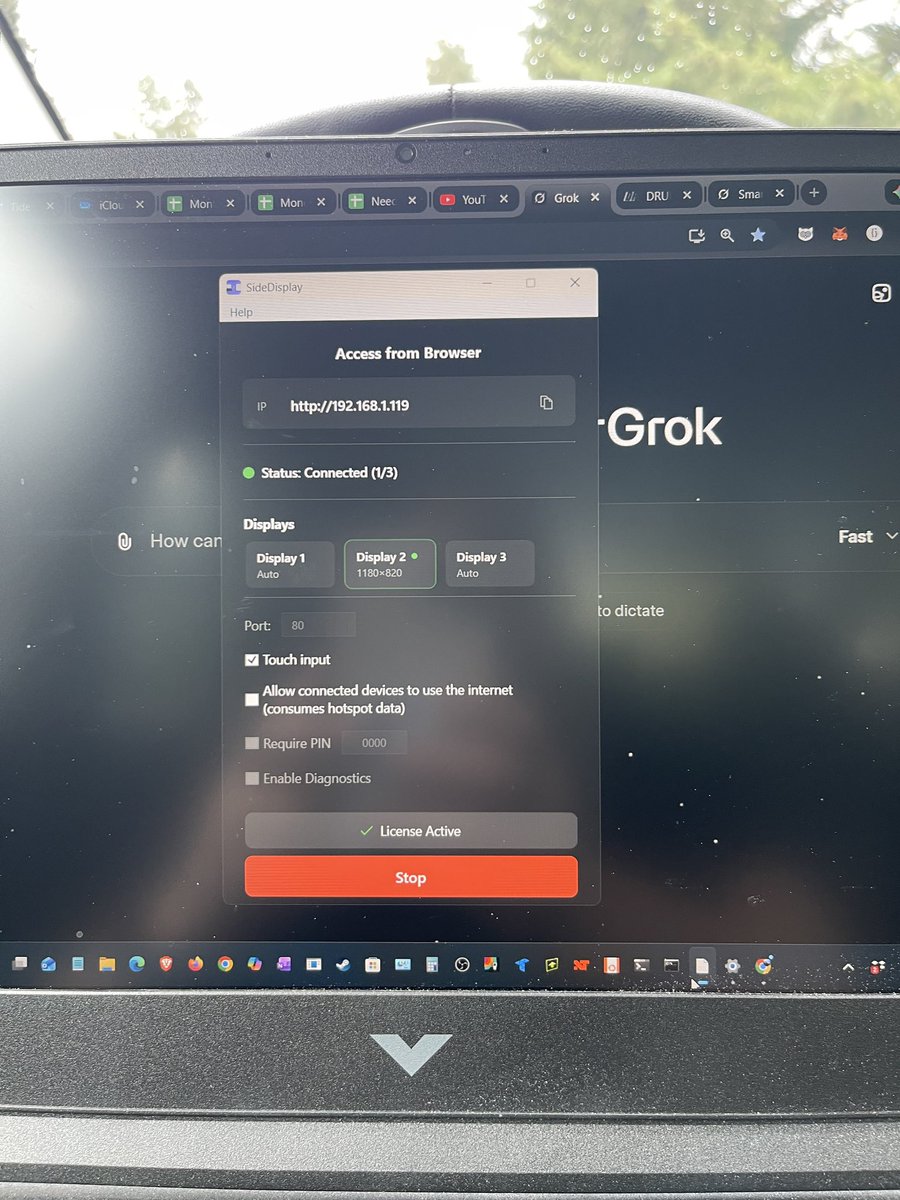
@Petey_Money Thanks for sharing the screenshot. Based on the current state of the app, it looks like Windows Mobile Hotspot may not be set up correctly on your side. Could you also share a screenshot of Settings > Network & internet > Mobile hotspot on Windows?
English
To help me understand what's happening on your end, could you send a screenshot of the SideDisplay app right after you click the Start button? If Mobile Hotspot is enabled on Windows, after you click Start in the app you should see both go.ss and http://203.0.113.1 shown under "Access from Browser."
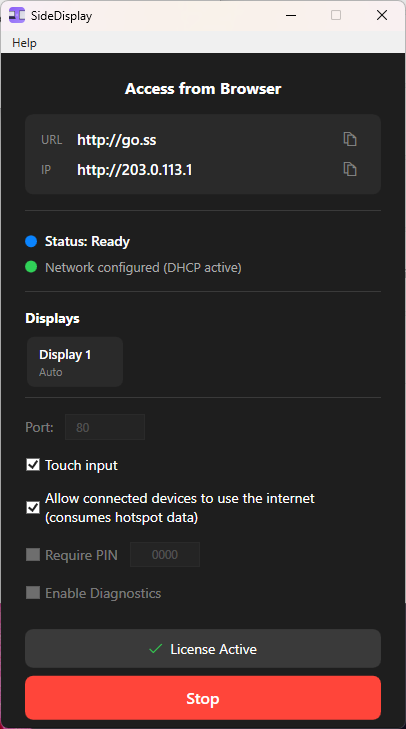
English

Duet Display, Sidecar, Luna Display, Spacedesk, Deskreen — I tried them all to turn my Tesla screen into a second monitor.
None of them worked. Here's why.
@SideDisplay/tesla-screen-sharing-apps-comparison-113092d37d61" target="_blank" rel="nofollow noopener">medium.com/@SideDisplay/t…
@Tesla @elonmusk
English
@mytesla_toshi 私は韓国でアメリカ製のModel Xに乗っているので、韓米FTAにより韓国政府の別途承認なしでFSDを使っています。でも本当は、すべての車両が正式にFSDを使えるようになってほしいです。人間が運転するよりもはるかに安全だから。
日本語

FSDがオランダで解禁!!🇳🇱
RDWの審査が通り、事実上EU各国への導入の道が開けました。
また、UNECEをベースに規制制定をしている日本でも、この承認と審査データを元に導入プロセスを一気にすっ飛ばして、解禁となる可能性が超高いです。
FSD in Japan🇯🇵
未来が日本にやってくるぞ!!
Tesla Europe, Middle East & Africa@teslaeurope
De toekomst van mobiliteit is aangebroken FSD Supervised has been approved in the Netherlands 🇳🇱 & will begin rolling out in the country shortly! Trained on billions of kilometers of real-world driving data, it can drive you almost anywhere under your supervision – from residential roads to city streets & highways No other vehicle can do this. We're excited to bring FSD Supervised to more European countries soon
日本語
@aaronburnett @BackwoodsEnginr That's an awesome setup. I don't have Starlink, but I work from my Tesla with iPhone USB tethering and use the Tesla center display as a wireless extended monitor for my MacBook. A real mobile office right from the car.
I've never used Starlink, does it have an Ethernet port?
English


Someone just caught Artemis from their flight. Cool view of little piece of history!
English
SideDisplay for Windows v1.4.0 is out!
- Connect up to 3 devices as independent displays
- Per-display resolution & DPI settings
- Trial timer & stability fixes
sidedisplay.co
English