Tim Salzmann

19 posts

Tim Salzmann

Tim Salzmann

@TimSalzmann

PhD Student at TUM and Google DeepMind

Katılım Mayıs 2009
162 Takip Edilen52 Takipçiler
Tim Salzmann
Tim Salzmann@TimSalzmann·
@fabiangruss Wichtig ist den täglichen Zwischen-Ramen zwischen Mittag und Abendessen nicht zu vergessen!
Deutsch
1
0
1
43
Fabian Gruß
Fabian Gruß@fabiangruss·
Currently a bit quieter here - because I’m on vacation, in Japan! 🇯🇵 Starting off in Osaka and already loving it! Will continue the thread with more memories along the way 🗾
Fabian Gruß tweet mediaFabian Gruß tweet mediaFabian Gruß tweet mediaFabian Gruß tweet media
English
5
0
51
4.2K
Hacks0n
Hacks0n@Hacks0n·
@fabiangruss hi,i see the app has free lifetime access,but i can't find it in the app
Hacks0n tweet media
English
1
0
1
38
Fabian Gruß
Fabian Gruß@fabiangruss·
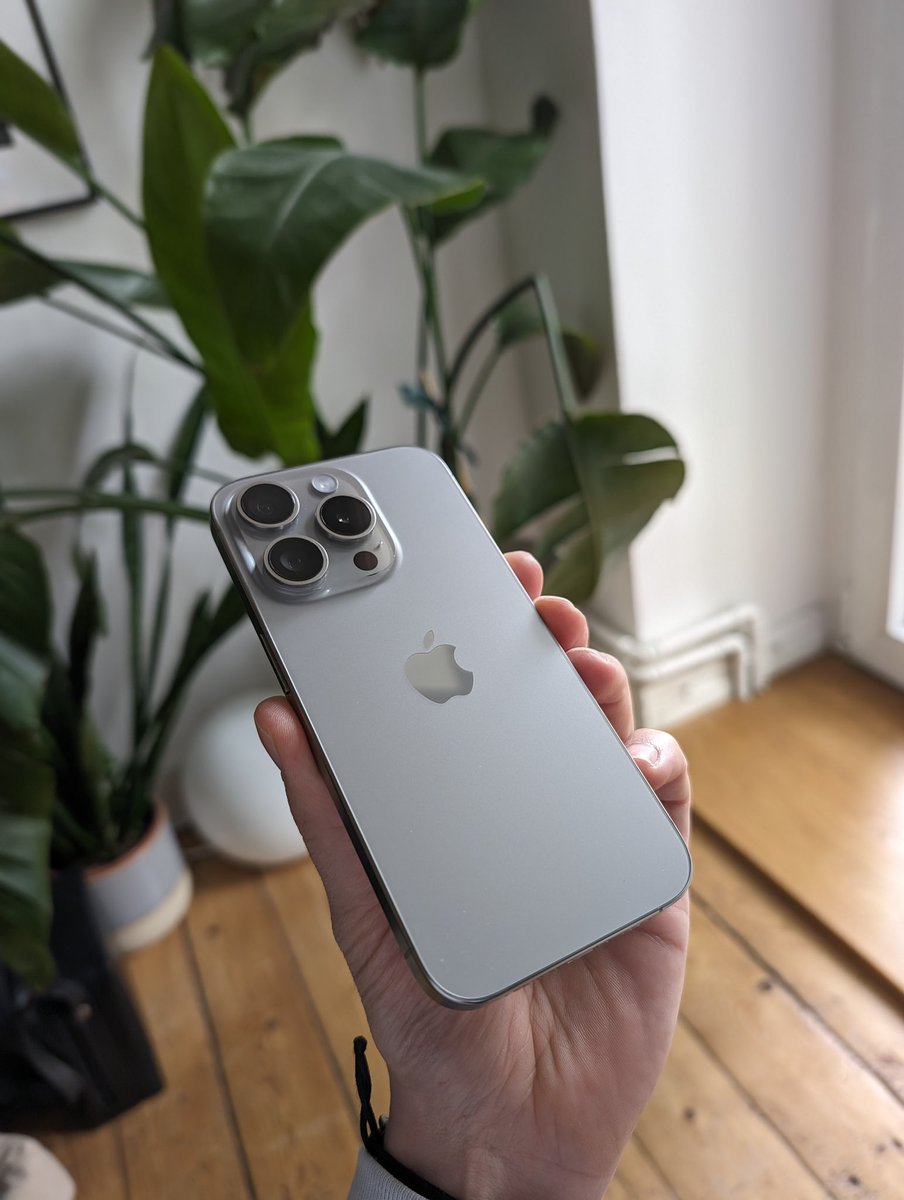
Well here we go! First tweet from this bad boy. First impressions are … kind of interesting. Anyone interested in a little review how it feels switching from a Pixel 8 Pro and around 13 years of Android usage?
Fabian Gruß tweet media
Fabian Gruß@fabiangruss

Currently playing with the idea to switch to an iPhone 15 Pro. Using a Pixel 8 Pro as my daily but since I am developing iOS-only apps, not having an iPhone in the pocket is kind of annoying tbh. Love the Pixel so much but that Natural Titanium Pro looks rather good... 👀 What do you think?

English
10
0
37
8.8K
Tim Salzmann
Tim Salzmann@TimSalzmann·
@fabiangruss B is clearer than A to me. Still I find B too subtil for first time user to directly see (had to look for some seconds even tho I knew roughly what to look for). What about slightly different color coding either for the icon or entire posts even?!
English
1
0
1
162
Fabian Gruß
Fabian Gruß@fabiangruss·
Community - I need your opinion! For improved transparency, I want to differentiate between private entries and ones you shared with your loved ones. Can't decide between A or B - or is there even a better way? #buildinpublic
Fabian Gruß tweet media
English
21
1
43
14.1K
Tim Salzmann
Tim Salzmann@TimSalzmann·
@roboticseabass @MarkusRyll Geometries and meshes could be (online) transformed into signed distance functions and similarly leveraged for collision avoidance. Not as flashy as an example tho 😉
English
0
0
0
53
Markus Ryll
Markus Ryll@MarkusRyll·
Unlock the power of data-driven models in numerical optimization and optimal control with L4CasADi! :rocket: Check out our latest example showcasing how L4CasADi can optimize a collision-free trajectory through a learned Neural Radiance Field (NeRF). #OptimalControl #L4CasADi
GIF
English
1
9
52
11.8K
Fabian Gruß
Fabian Gruß@fabiangruss·
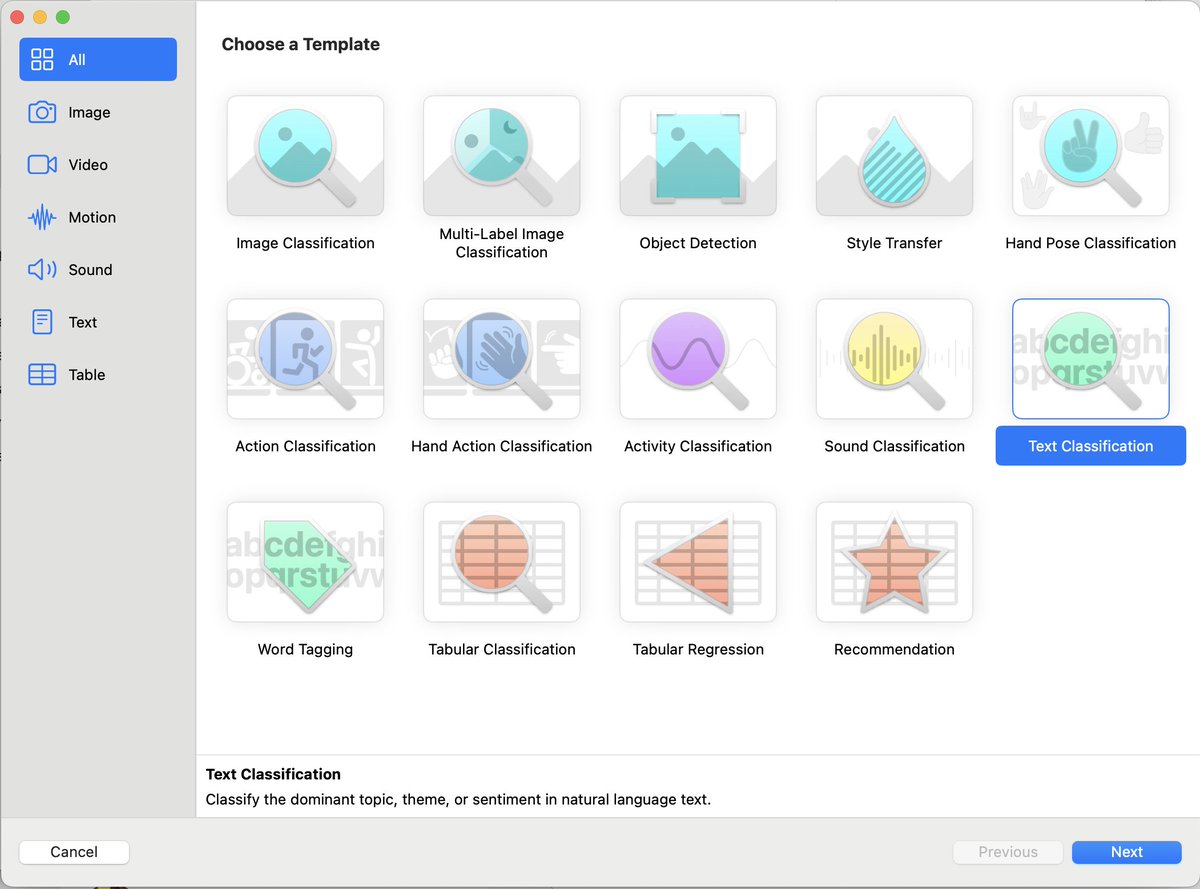
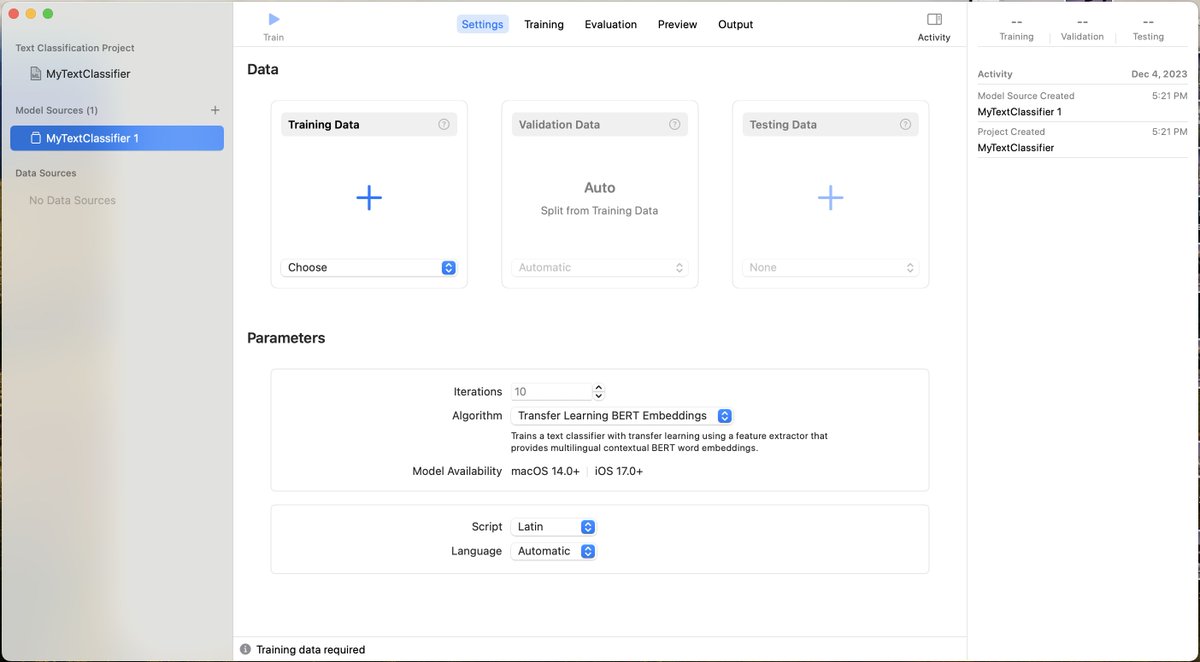
A lot of you asked on how I did this, so here's a complete walkthrough of what I did to 1) generate a dataset using GPT-4 2) create and train a model in CreateML 3) add it to the app and use it First step Okay, let's start with the generation of the dataset. I tried different approaches but the only way I found to make it work, was to provide a sample .json file to GPT-4. I created a small .json file in the following format by hand, an array with objects that contain a text (what the user potentially enters) and the category as "label". The more examples you add the better it will understand what you want, so you better add multiple examples for each category (this image is a shortened version). Then, go to Chat-GPT and ask it for the dataset. This was how I made it work: "I have a SwiftUI App where a user can add a memory or journal entry. Most memories are about events, their friends (sometimes specifically to a certain friend), or things like relationships.... This entry should be classified into a given set of categories: event, location, notes, personal, relationship, thoughts, health I created a .json training set for an ML Model that I will integrate in my SwiftUI app. I'll be using CoreML to train a Text classification model. Add much more entries to the .json file I provided, around 30.000 - 50.000. When you are done, generate a test set with different entries." The important part here was to attach your .json file, so that it gets the structure. GPT will generate a training set and a test set for you (a validation set will be split by CreateML automatically from the training set). Second step Open CreateML, create a new project and choose text classification: Next, add the training set and the test set (to the two big +): Then, let it train for a bit. I chose BERT Algorithm because Chat GPT recommended that for natural language understanding. For me (MacBook Pro with M1Pro) training took around two hours. Third step When finished, add the file to your Xcode project to the top level (same level as ContentView and your :App). Xcode neatly automatically creates classes around the model so that it is ready to use. In code, simply call it like this: EntryClassifier is the name of the class that was generated (my model has the same name). Make sure to catch the error and potentially return a default value like I did. ----- And that's it! This obviously is only info on how to generate a data set and then use it in your app. There's so much more to figure out regarding "What is a good training set?", "What's a good size?", "Which algorithm is best for my use case?" and so on. But have fun trying out - hope it was helpful! And if you made it to the bottom, feel free to follow or share this thread :)
Fabian Gruß tweet mediaFabian Gruß tweet mediaFabian Gruß tweet mediaFabian Gruß tweet media
Fabian Gruß@fabiangruss

One thing left is tagging user entries. Yesterday, I generated a huge dataset using GPT and then trained a CoreML model to use in the app However, sometimes it works great, sometimes not so. Does anyone have a great idea for a tagging system or great picker UI? #buildinpublic
English
14
12
140
44.1K
Fabian Gruß
Fabian Gruß@fabiangruss·
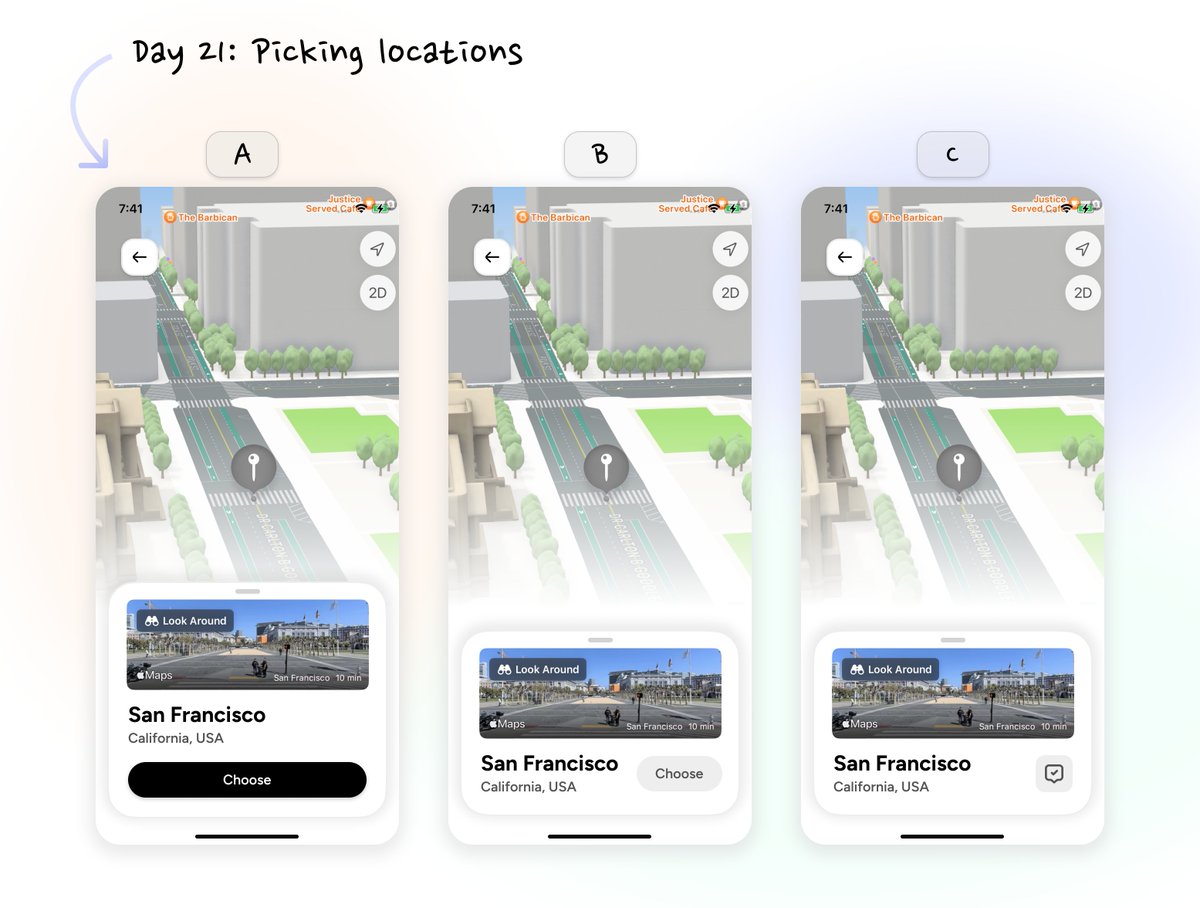
Day 21 of #SwiftUI for @goingonapp: Officially 3 weeks in! ✔ I'm continuing working on the designs for the location picker in Figma. It's shaping up but needs some final touches. ❓ Stuck on one detail in particular: Can't quite decide on the best way to place a button on the tiny info card for each location. What do you think - which is the best option? Or any other ideas? #BuildInPublic #iOSDev
Fabian Gruß tweet media
English
6
0
13
1.3K
Markus Ryll
Markus Ryll@MarkusRyll·
With Real-time Neural MPC you can efficiently integrate large, complex neural network architectures as dynamics models in an MPC-pipeline. Compared to prior implementations we can leverage neural networks with a 4000x larger parametric capacity in a 50Hz real-time framework.
Markus Ryll tweet media
English
4
29
256
40.3K
Markus Ryll
Markus Ryll@MarkusRyll·
In our Real-time Neural MPC paper, we leverage network capacities 4000x larger in optimizations. We now release L4CasADi, which enables easy integration of PyTorch models in optimizations on CPU and GPU, supporting fast C code generation and seamless integration in Acados.

Markus Ryll tweet media
English
5
11
108
7.3K
Tim Salzmann
Tim Salzmann@TimSalzmann·
@aetheru_ @MarkusRyll @davsca1 @drmapavone @kaufmann_elia @jonarriza96 Yes, correct! Any (differentiable and jit traceable) PyTorch model is supported (convolutions, transformers …). The framework is generic and does not assume a specific robotic platform or even a robotics application: Any control system that can profit from data-driven models.
English
1
0
1
41
Tim Salzmann
Tim Salzmann@TimSalzmann·
@aks1812 @MarkusRyll @davsca1 @kaufmann_elia @jonarriza96 @drmapavone Both questions are very valid! While this paper is targeting the computational and feasibility aspect with empirical results, theoretical guarantees are an interesting research avenue. If you know prior work targeting your 2. remark (with or without DL) I would be interested.
English
2
0
0
96
Markus Ryll
Markus Ryll@MarkusRyll·
Our code for "Neural-MPC: Deep Learning Model Predictive Control for Quadrotors and Agile Robotic Platforms" is public now: github.com/TUM-AAS/ml-cas…
Markus Ryll tweet media
English
2
1
45
0