Ivan Bondarenko retweetledi
Ivan Bondarenko
2.3K posts

Ivan Bondarenko
@_Ivan_Bond
Data / Business Analyst, Excel Pro, Power Query, PowerPivot / DAX / VBA / SQL developer, blogger (https://t.co/L9lwswucl7)
Sydney, New South Wales Katılım Ekim 2010
113 Takip Edilen767 Takipçiler
Ivan Bondarenko retweetledi


The beginning of a NEW ERA 🔥
In a near future, we should be able to use Power Query as a "real" ETL with #PowerBI Dataflows Gen2 💡
For example: snapshoting data in SharePoint or Azure Data Lake, inserting/updating rows in Azure SQL Database⚡️
👉 learn.microsoft.com/en-us/power-pl…

English
Ivan Bondarenko retweetledi

New DAX function in #PowerBI: EvaluateAndLog. This will be incredibly useful for debugging! See the great Jeffrey Wang’s blog for details: pbidax.wordpress.com/2022/08/16/int…
English
Ivan Bondarenko retweetledi

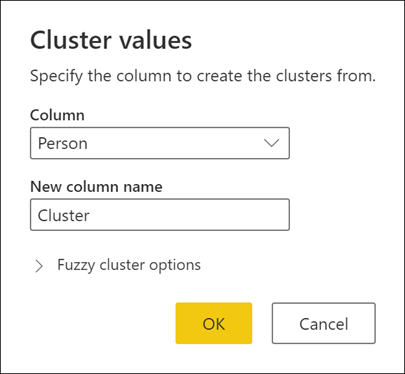
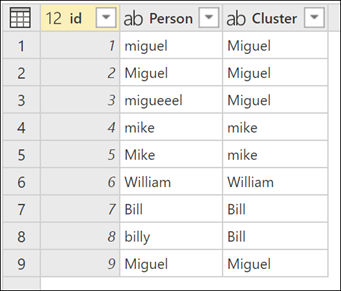
Have you ever tried the Cluster values feature in #PowerQuery? Cluster values automatically create groups with similar values using a fuzzy matching algorithm, and then maps each column's value to the best-matched group #TransformTuesday docs.microsoft.com/power-query/cl…


English
Ivan Bondarenko retweetledi

Just updated "Literal Attributes" in Power Query M Primer (part 21) - Identifier Scope & Sections.
Now features a slightly more commonplace use case for literal attributes.
#literal-attributes" target="_blank" rel="nofollow noopener">bengribaudo.com/blog/2021/07/1…
#PowerQuery #MLanguage

English
Ivan Bondarenko retweetledi

How can you hide 0 in #DAX in #PowerBI? I'm showing one bad and two better ways: xxlbi.com/blog/power-bi-…
English
Ivan Bondarenko retweetledi

Besides potential performance degradation, you should avoid filtering whole tables in #DAX in #PowerBI because sometimes you may get unexpected results: xxlbi.com/blog/power-bi-…
English
Ivan Bondarenko retweetledi

#PowerQuery Refresh is now generally available for selected data sources - techcommunity.microsoft.com/t5/excel-blog/…
English
Ivan Bondarenko retweetledi

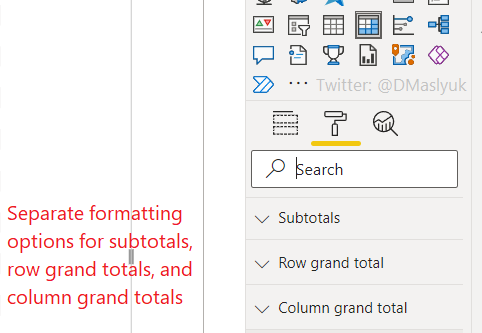
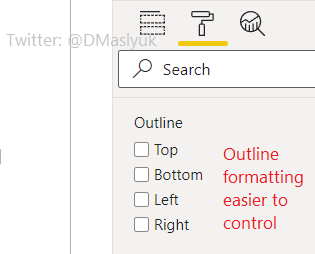
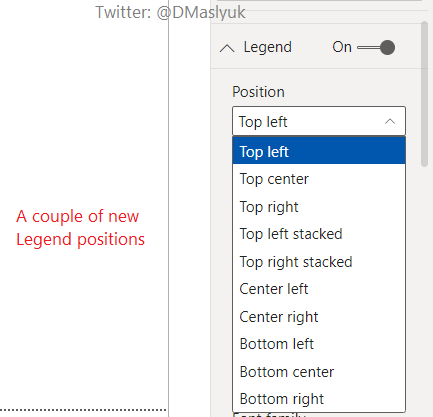
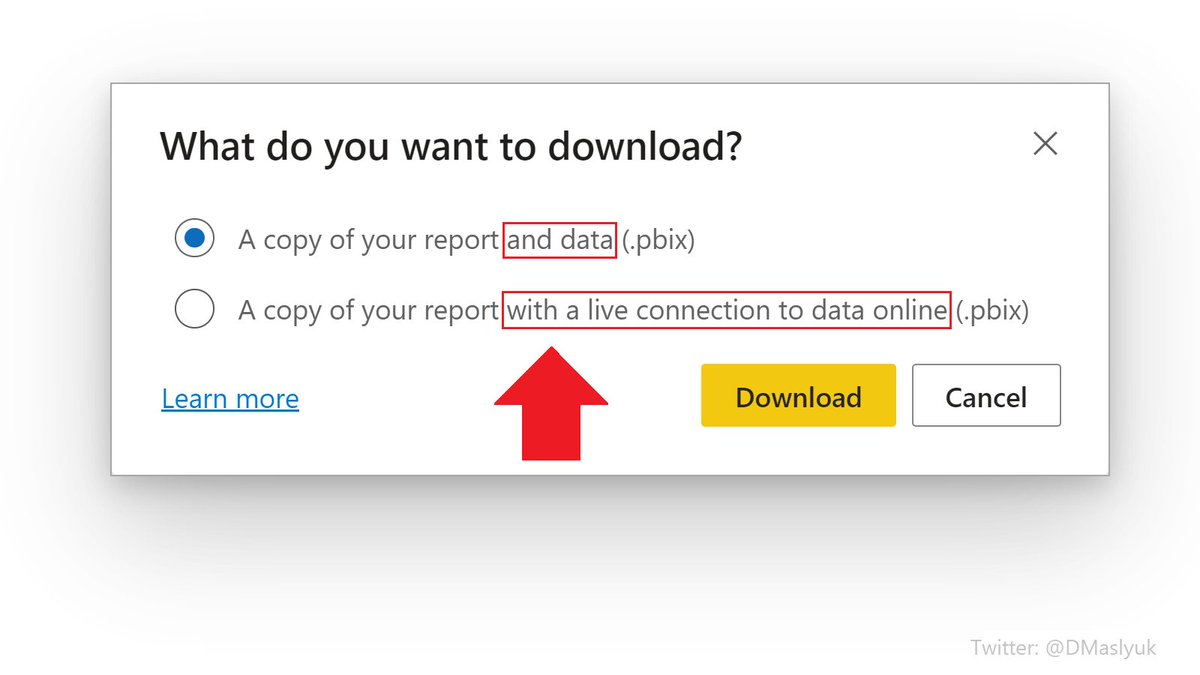
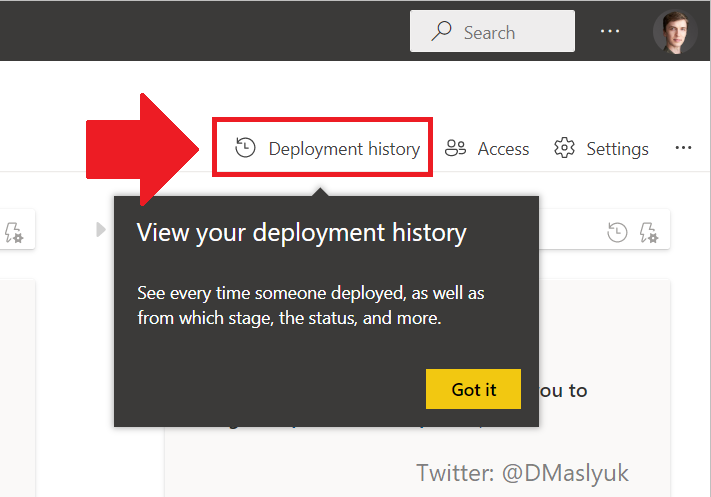
A bunch of formatting improvements landed in the #PowerBI service. Guess what this means for Power BI Desktop?


English

Great news!
Joe McDaid@jjmcdaid
We are bringing 14 new functions to Excel. These functions will help you manipulate text and arrays via formulas. TEXTBEFORE, TEXTAFTER, TEXTSPLIT, VSTACK, HSTACK,TOROW, TOCOL, WRAPROWS, WRAPCOLS, TAKE, DROP, EXPAND, CHOOSEROWS and CHOOSECOLS techcommunity.microsoft.com/t5/excel-blog/…

English
Ivan Bondarenko retweetledi

My next Ask Skillwave livestream with @ExceleratorBI is happening on Mar 16 @ 2pm PDT (which is Mar 17 @ 8am for Matt). Join us here on the @skillwave_ account, or on YouTube at skw-t.com/yt. If you have a question or topic idea, submit it at skw-t.com/askus

English

@NicoleHorwitz Hi Nicole, thanks! No guides unfortunately. I feel like I need to record a video to explain how to work with it. Will try to spare some time on that soonish
English
Ivan Bondarenko retweetledi

Refreshing #Excel #PowerQuery queries with VBA and #PowerAutomate
for desktop blog.crossjoin.co.uk/2022/02/27/ref…
English
Ivan Bondarenko retweetledi

Come join Reid and me tomorrow when we do a live stream/chat about the fabulous InfoRiver custom visual. See how easy it is to get "spreadsheet like" features right inside Power BI.
Havens Consulting@HavensBI
Join @ExceleratorBI and I next Tuesday February 8th @ 2PM (PST) as we breakdown the numerous features in the InfoRiver visual that lets you get to fast insights and analytics using the custom visual. 🧙🏻♂️📊✨ bit.ly/inforiverhc
English
Ivan Bondarenko retweetledi

Excited to share that I'll be speaking at #sqlbits this year. Looking forward to sharing some #powerbi #maps magic. Celebrating by playing Space Invaders inside Power BI! Have a go: icon-map.com/pbix/SpaceInva…
English
Ivan Bondarenko retweetledi

Heads-up: the Microsoft Certified: Data Analyst Associate certification (exam DA-100) will be renamed to Microsoft Certified: #PowerBI Data Analyst Associate (exam PL-300): techcommunity.microsoft.com/t5/microsoft-l…
English
Ivan Bondarenko retweetledi

In #PowerBI dataflows, you can now select the data type when writing your #PowerQuery custom column formula!
The feature uses Table.TransformColumnTypes instead of the fourth argument of Table.AddColumn.
GIF
English