Kavsoft

1.5K posts

Kavsoft banner
Kavsoft

Kavsoft

@_Kavsoft

Kavsoft is where I make videos about iOS Apps Using SwiftUl | Patreon: https://t.co/WEfT4QVjWi | Creator of https://t.co/IOZEHM1BcM | More: https://t.co/OOvKGjjluJ
Katılım Haziran 2020
44 Takip Edilen27.9K Takipçiler
Kavsoft
Kavsoft@_Kavsoft·
I recently discovered that the SwiftUI EnvironmentValues infant contains Device Corner Radius value, but it’s not available for use. However, we can easily extract those values using a simple String Regex. With this information, we can basically Backport the ConcentricRectangle shape for older iOS versions as well. For More, check out this video. youtu.be/D6vOHiBpemM NOTE: I tested this even with iOS 16, and the value is indeed present. It’s possible that it’s available for even older versions, but I haven’t tested it yet.
YouTube video
YouTube
Kavsoft tweet media
English
1
11
238
12.7K
Kavsoft
Kavsoft@_Kavsoft·
AppleTV App Animated Carousel Using SwiftUI youtu.be/db7K8wvSBXQ NOTE: This is a ScrollView!
YouTube video
YouTube
English
3
17
311
16.4K
Kavsoft
Kavsoft@_Kavsoft·
I’m not sure if this will help, but using “.defaultScrollAnchor(.bottom)” should automatically start the scroll position at the bottom when new content is added through ForEach. With the new ScrollPosition, you can also scroll to any anchor point without needing an explicit id, for example:
“scrollPosition.scrollTo(edge: .bottom)” Here’s a simple example of this behavior using ScrollView (a demo chat built with FoundationModel). Hope this helps✌️
English
4
1
136
8.2K
Edward Sanchez
Edward Sanchez@edwardsanchez·
I think if someone offered me a ScrollView replacement that handled chat-like (inverse scrolling) behavior in SwiftUI (even UIKit) for $10,000. I'd pay for it gladly. Never have I ever been more frustrated by having to do something seemingly so simple yet at every step of the way there's another gotcha. I think I must have spent over a billion tokens on this problem and nothing.
English
29
2
105
44.8K
Kavsoft
Kavsoft@_Kavsoft·
iOS Photos App Style Transitions Using SwiftUI youtu.be/ShjXRDgg5tY NOTES: 1. The transition is not an overlay but a full-screen cover. 2. The paging is done using Page Tab View, not ScrollView.
YouTube video
YouTube
English
6
10
194
12.4K
Kavsoft
Kavsoft@_Kavsoft·
Introducing SimRecorderX 🎉 A simple way to record Xcode Simulators using ScreenCaptureKit. Record, trim, add backgrounds, and export with ease! For More👇 apple.co/4bgW8FG The app is completely free, so feel free to try it out. Please let me know if you encounter any problems.
English
19
41
569
40.1K
Kavsoft
Kavsoft@_Kavsoft·
iOS Style Permission Animation Using SwiftUI | OnBoarding | KeyFrames youtu.be/iCTAr3E4_fA
YouTube video
YouTube
English
3
21
432
23.6K
Kavsoft
Kavsoft@_Kavsoft·
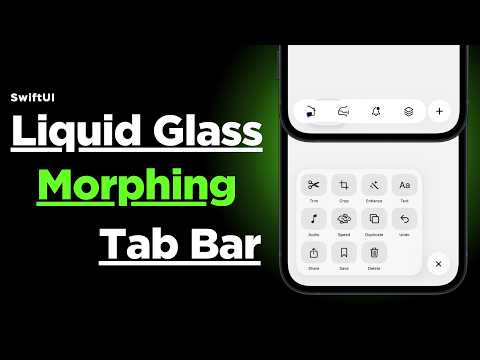
Expandable Tab Bar with Liquid Glass Morphing Effects using SwiftUI youtu.be/Nj285uRnrPQ NOTE: Inspired from the Linear iOS App.
YouTube video
YouTube
English
16
37
763
73.3K
Kavsoft
Kavsoft@_Kavsoft·
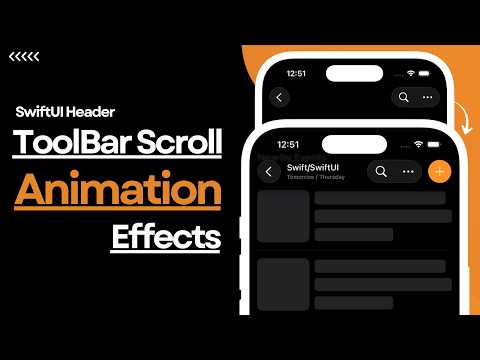
Toolbar Header Scroll Animation Effects Using SwiftUI | Luma's Header Scroll Effect youtu.be/_h5S15Umk0Y NOTE: This is native navigation toolbar ✌️
YouTube video
YouTube
English
8
18
452
24.8K
Kavsoft
Kavsoft@_Kavsoft·
I enjoyed the new onboarding animation effect in Xcode 26.3 and attempted to recreate it using SwiftUI ✌️
English
9
14
389
24.6K
Kavsoft
Kavsoft@_Kavsoft·
Custom 3D Rotation Effect Using SwiftUI | BlueNote's 3D Paywall Effect youtu.be/XhgLm3T6BkU
YouTube video
YouTube
English
3
6
216
12.3K
Akshay
Akshay@AppBuilderX·
@_Kavsoft Was it done purely in swiftUI or did you use RIVE or lottie or something similar ?
English
2
0
0
273
Kavsoft
Kavsoft@_Kavsoft·
Recreated the BlueNote app’s paywall animation using SwiftUI✌️
English
2
17
469
44.2K
Kavsoft
Kavsoft@_Kavsoft·
NOTES: 1. Inspired from the iOS Face ID Dynamic Island setup. 2. Since this is essentially a full-screen cover, you can use it anywhere deep inside the view component and it will remain on top of the view. 3. By using ".statusBarHidden()", we ensured that any active Dynamic Island from any other apps will be hidden before displaying our QR scanner. However, the OS-level ones, such as AirPods and Battery, etc, will still be visible. Since the design includes an empty space at the top, even when those appear, the scanner content will still be partially visible! 4. For non-Dynamic Island-based iPhones, two types of animations have been included: 1. Notch expanding-like effect and 2. Notification popup-like effect. 5. For even Dynamic Island-based iPhones, if you prefer the notification popup-like animation instead of the Dynamic Island expansion effect, you can do by simply changing few properties ✌️
English
0
1
22
3K