
addrs

111 posts

addrs banner
addrs

addrs

@addrsTo

Simple payments for a hightech world. Building https://t.co/Y7eJnIdxEP Try it @ https://t.co/8ICmyybnpd

0x0 Katılım Haziran 2020
3 Takip Edilen2.5K Takipçiler
addrs retweetledi
PR0 // pay.eth
PR0 // pay.eth@not_pr0·
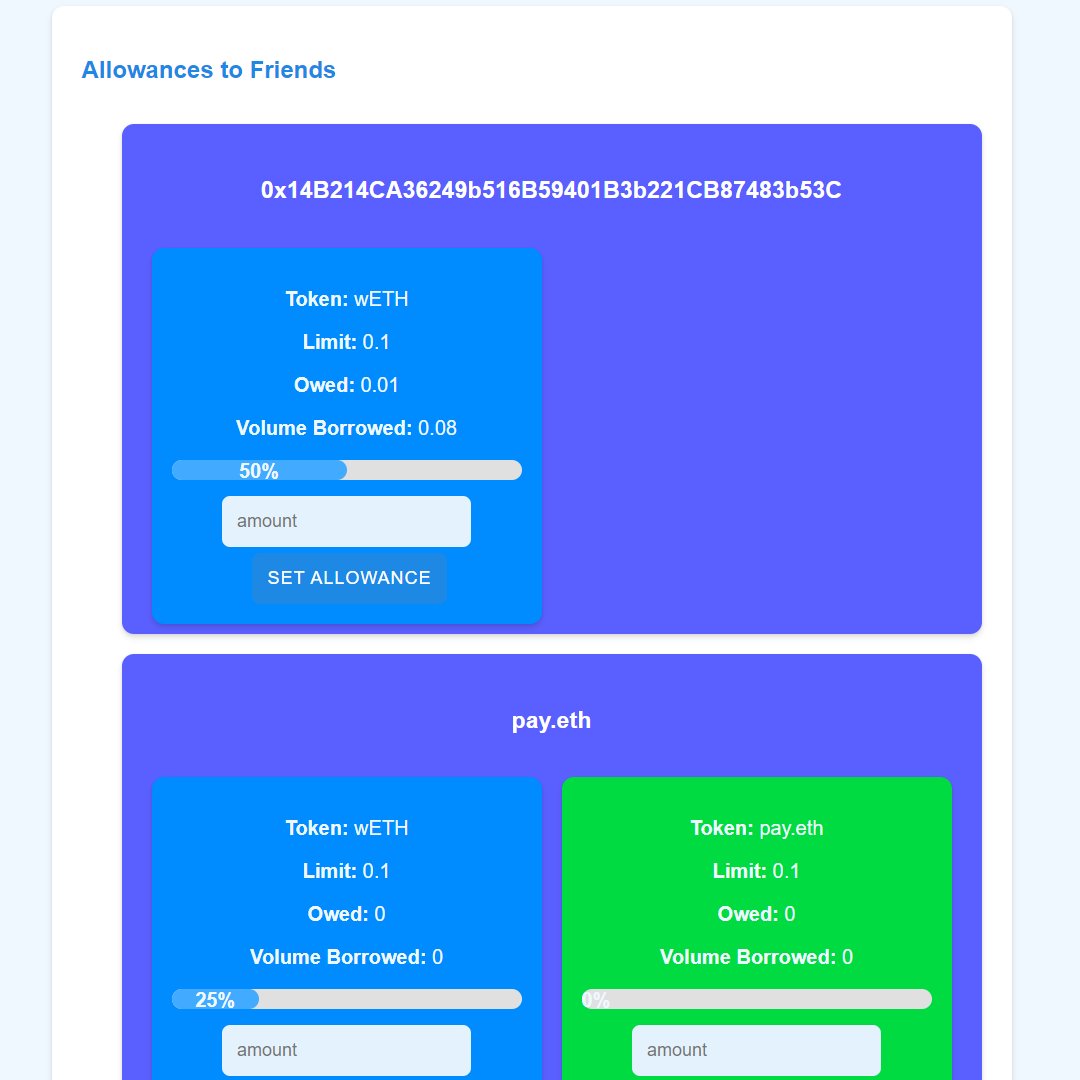
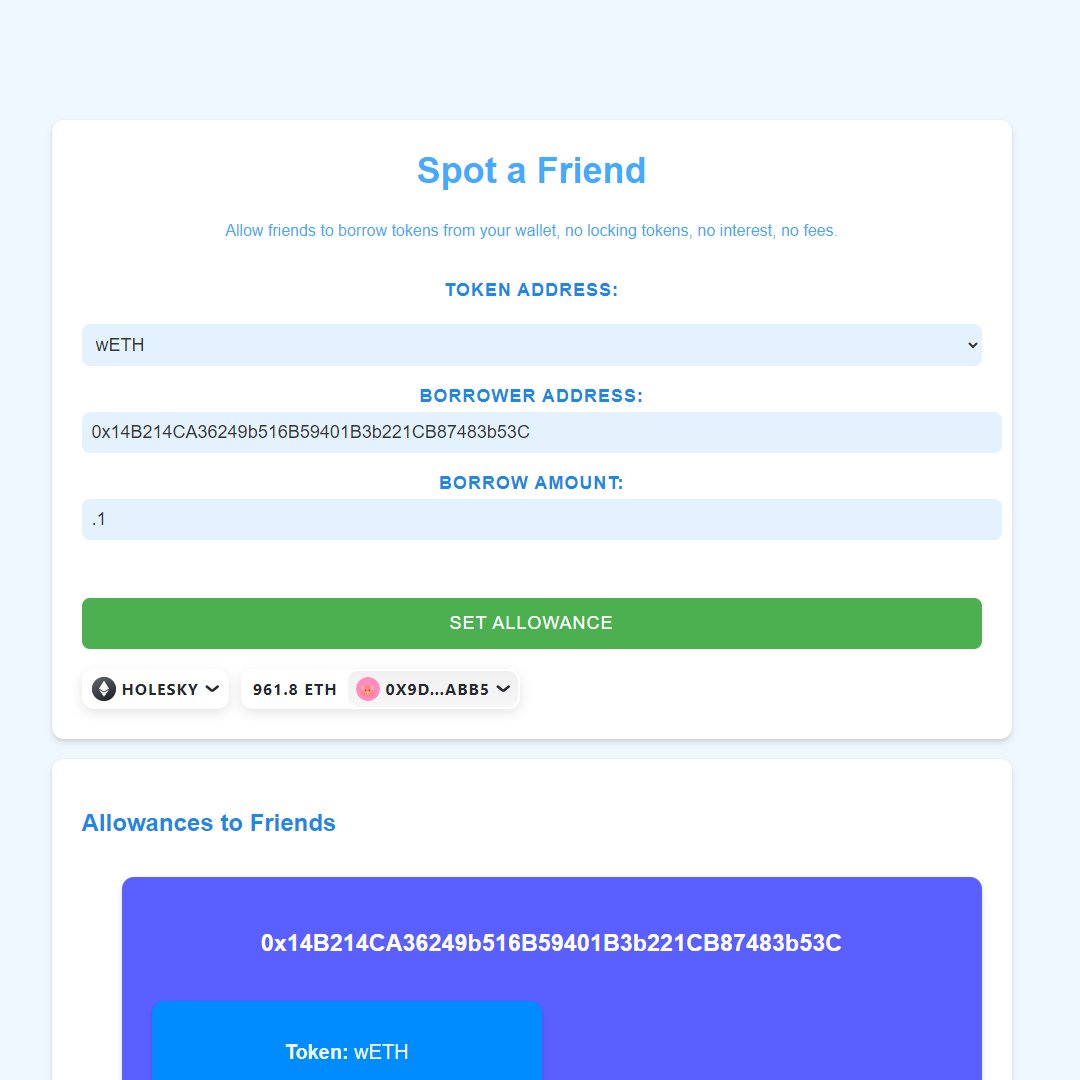
Spot.pizza's a super fresh platform that's changing the game when it comes to borrowing and lending tokens between friends. 🚀 One of the best things about Spot is that you don't need to lock up your tokens or send them anywhere. That's right, you can keep your tokens safe and sound in your own wallet while still helping out your friends. 🔒💸 Here's a quick guide on how it works: 🙋‍♂️ First, you decide which tokens you want to let your friends borrow and how much you're willing to lend. It's totally up to you! 🖥️ Next, you connect your wallet to Spot. Don't worry, it's super easy and works seamlessly with wallets like MetaMask. 🤝 Now, you can set allowances for your friends. This means you're giving them permission to borrow a certain amount of tokens from you whenever they need it. You're in control! 📈 Your friends can borrow the tokens directly from your wallet, up to the limit you've set. And here's the best part - your tokens never leave your wallet until your friend actually borrows them. They're still yours! 💰 When your friend repays the borrowed tokens, they go straight back into your wallet. It's like they never left! The great thing about Spot is that you can still use and manage your tokens while they're available for borrowing. You don't have to lock them up in some smart contract or send them to a separate platform. They stay right where you want them - in your own wallet. 😄 Spot makes it super simple to track your lending and borrowing too. You can easily see how much you've allowed your friends to borrow, how much they've actually borrowed, and what's been paid back. It's all laid out neatly for you. 📊 So, whether you want to help a buddy out with some extra tokens or you need someone to spot you fora pizza, Spot has got you covered. It's fast, secure, and puts you in the driver's seat.🚗 Are you ready to dive into the world of Spot and experience a whole new way of lending and borrowing tokens? Let's get started! Step 1: Connect your wallet 🔐 First things first, you'll need to connect your wallet to Spot. Don't worry; it's as easy as pie! Just click on that shiny "Connect" button in the top right corner and choose your favorite wallet provider. MetaMask, WalletConnect, you name it - Spot's got you covered! Step 2: Set allowances for your pals 🤝 Now, here's where the magic happens. In the "Spot a Friend" section, you get to be the cool lending friend. Select the token you want to share from the dropdown menu. If you can't find it, no worries! Just choose "Custom" and enter the token address yourself. Next, enter your lucky friend's Ethereum address in the "Borrower Address" field. Then, decide how much you want to let them borrow and type it into the "Borrow Amount" field. Click "Set allowance" and boom! You've just unlocked a world of possibilities for your friend. 🌍 Step 3: Keep track of your lending awesomeness 📊 Scroll down to the "Allowances to Friends" section to see all the friends you've helped out. It's like a little lending leaderboard! Each friend's section shows you the tokens you've allowed them to borrow, along with the limit, outstanding amount, and total borrowed. Feel free to adjust the allowances anytime by entering a new amount and clicking "Set allowance." Step 4: Borrow from your besties 💸 Now, let's say you're on the other side of the equation. Your friends have spotted you some tokens, and it's time to borrow. Head over to the "Friends That Have Spotted Me" section to see who's got your back. Each friend's section displays the tokens they've allowed you to borrow, the amount, outstanding balance, and total borrowed. When you're ready to borrow, just enter the amount you need and click "Borrow." Easy peasy! Step 5: Pay it back like a pro 😎 When it's time to repay your borrowed tokens, Spot makes it a breeze. Find the friend and token you want to repay in the "Friends That Have Spotted Me" section. Enter the amount you're paying back and click "Repay." You're well on your way to being the most responsible borrower on the block! Step 6: Stay on top of your game 🏆 Spot's got your back when it comes to tracking your borrowing activity. The "Friends That Have Spotted Me" section is like your personal borrowing dashboard. Each token card shows you the token symbol, your borrowing limit, outstanding balance, and total borrowed. Plus, there's a handy progress bar that lets you know how close you are to your limit. And there you have it, folks! You're now a certified Spot lending and borrowing pro. 🎉 Remember, Spot is all about trust and helping each other out. So, be a good friend, borrow responsibly, and spread the love! 💕 If you ever need a hand or have any questions, don't hesitate to reach out. Happy lending and borrowing! spot.pizza
PR0 // pay.eth tweet mediaPR0 // pay.eth tweet mediaPR0 // pay.eth tweet media
English
0
2
10
9.3K
addrs retweetledi
PR0 // pay.eth
PR0 // pay.eth@not_pr0·
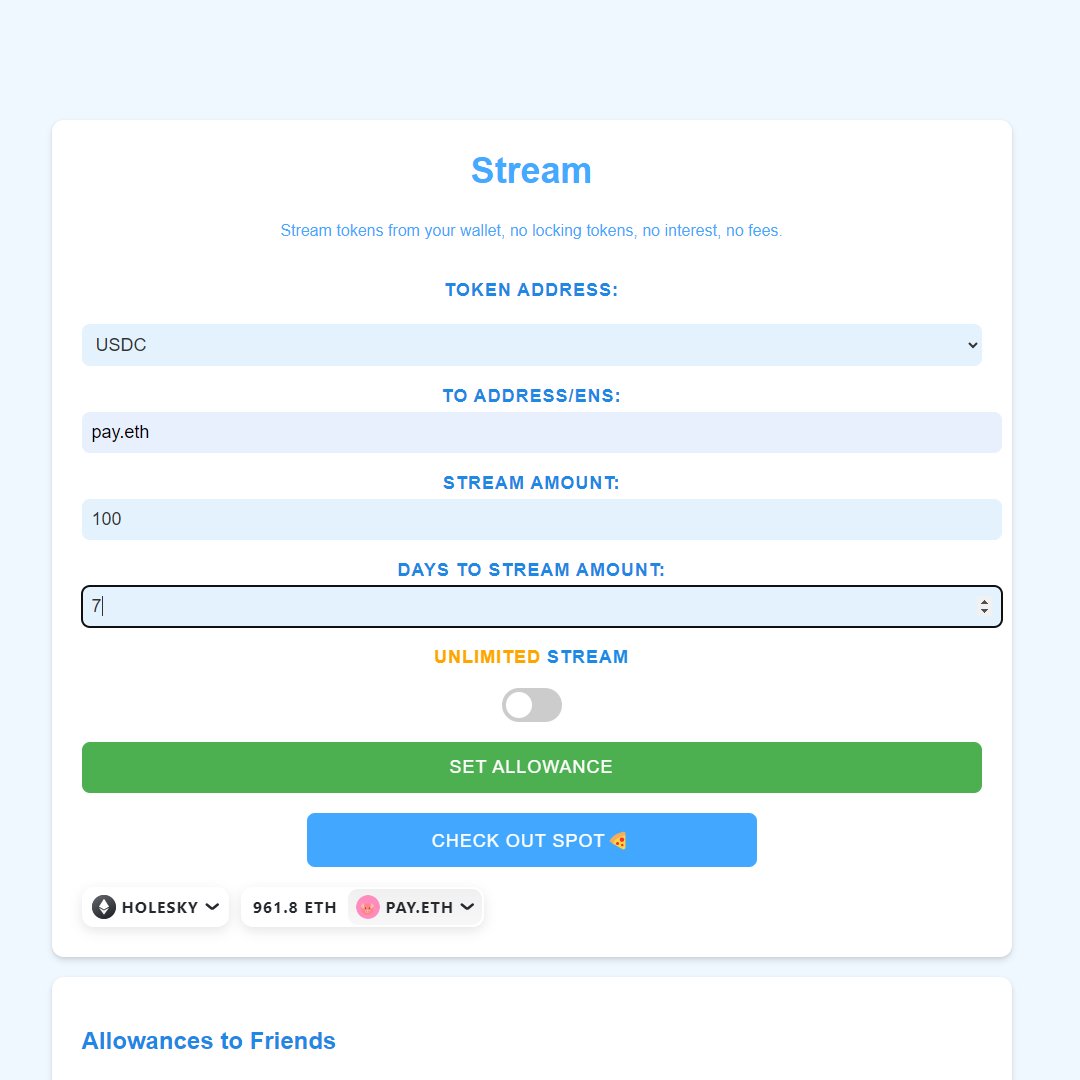
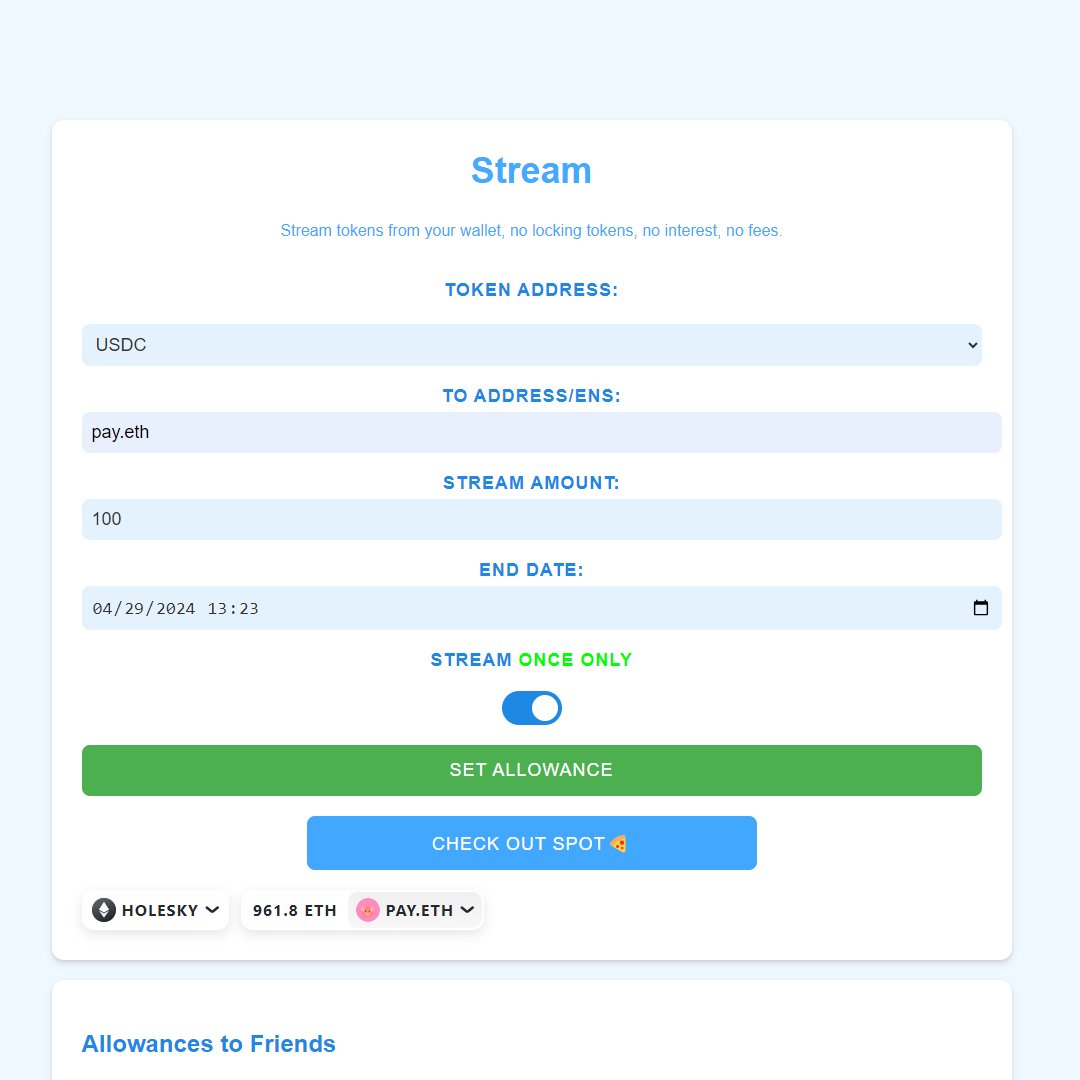
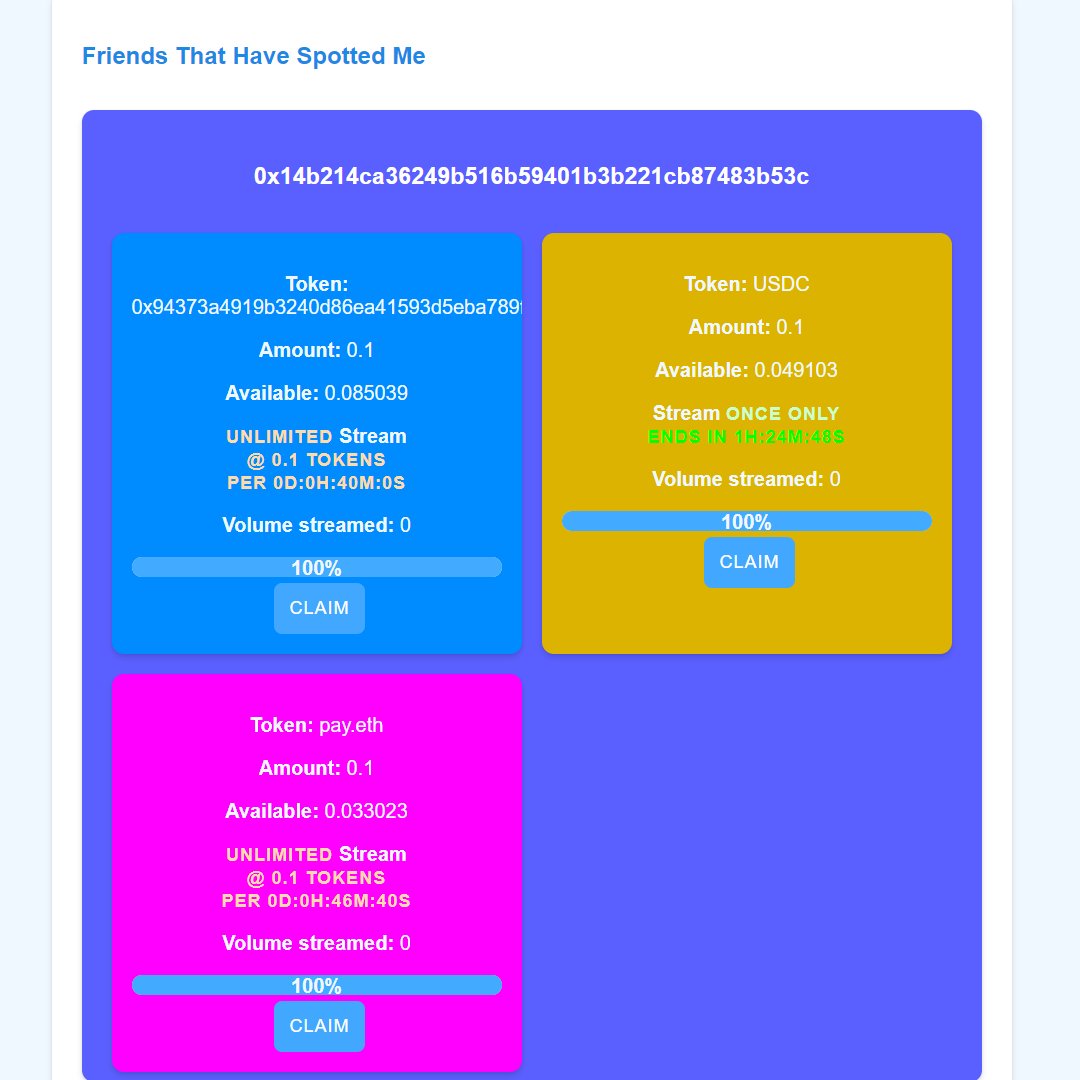
🌊 Stream: The Coolest Way to Stream Tokens to Your Friends! 🌊 stream.spot.pizza Introducing Stream, the hottest platform that's revolutionizing the way you stream tokens to your friends. No more locking up tokens or sending them away. With Stream, you can keep your tokens safe and sound in your own wallet while still being the ultimate generous friend. 😎 Here's how it works: 1️⃣ Choose the tokens you want to stream and the amount you're willing to share. It's all up to you! 2️⃣ Connect your wallet to Stream. It's a breeze and works perfectly with popular wallets like MetaMask. 3️⃣ Set allowances for your friends. You decide how much they can stream from you and for how long. You're the boss! 4️⃣ Your friends can stream the tokens directly from your wallet, based on the limits you've set. The tokens stay in your wallet until they're streamed. Cool, right? 5️⃣ You can track your streaming allowances and see how much has been streamed. It's all organized and easy to understand. The beauty of Stream is that you maintain control over your tokens while making them available for streaming. They remain in your wallet, and you can manage them as you please. 🙌 Stream makes it a breeze to keep track of your streaming allowances. You can see how much you've allowed your friends to stream, how much they've actually streamed, and the duration of the streaming period. It's all presented in a user-friendly way. 📈 Whether you want to support a friend's project or even give your kids an allowance, Stream has got your back. It's fast, secure, and puts you in control. 🚀 Ready to jump into the world of Stream and experience the future of token streaming? Let's go! Step 1: Connect your wallet 🔒 First up, connect your wallet to Stream. It's a piece of cake! Click on the "Connect" button in the bottom left corner and select your preferred wallet provider. MetaMask, WalletConnect, you name it - Stream supports them all! Step 2: Set streaming allowances for your friends 🎉 This is where the fun begins. In the "Stream" section, you get to be the awesome streaming friend. Choose the token you want to stream from the dropdown menu. If it's not listed, no worries! Select "Custom" and input the token address manually. Next, enter your friend's Ethereum address or ENS (Ethereum Name Service) in the "To Address/ENS" field. Decide on the amount you want to stream and enter it in the "Stream Amount" field. Now, choose how long you want the streaming to last. You can either set a specific number of days in the "Days to Stream Amount" field to stream them the amount every x days or select a custom end date using the date picker. Toggle the switch to choose between a one-time stream or an unlimited stream. Click "Set allowance" and voila! You've just opened the floodgates of generosity for your friend. 🎊 Step 3: Monitor your streaming greatness 📊 Scroll down to the "Allowances to Friends" section to view all the friends you've blessed with streaming allowances. Each friend's section displays the tokens you've allowed them to stream, along with the limit, available amount, streaming type (unlimited or one-time), streaming rate, and volume streamed. You can adjust the allowances anytime by entering a new amount, selecting the streaming duration, and clicking "Set allowance." Step 4: Enjoy the stream from your friends 🌊 When your friends have set streaming allowances for you, head over to the "Friends That Have Spotted Me" section to see who's got your back. Each friend's section shows the tokens they've allowed you to stream, the amount, available balance, streaming type, rate, and volume streamed. When you're ready to claim the streamed tokens, just click "Claim." It's that simple! Congratulations, you're now a Stream streaming master! 🥳 Remember, Stream is all about sharing, generosity, and supporting each other. So, be an amazing friend, stream responsibly, and spread the good vibes! 🌈 If you ever need assistance or have any questions, feel free to reach out. The Stream team is always here to help! Happy streaming! 🌊✨ stream.spot.pizza
PR0 // pay.eth tweet mediaPR0 // pay.eth tweet mediaPR0 // pay.eth tweet media
English
1
1
5
441
addrs
addrs@addrsTo·
Build with addrs! Use addrs.to's new Pay feature for your site! addrs.to/pay Integrating addrs Payment Requests for Developers addrs offers a simple way for developers to generate payment request links and embed them directly into their websites or applications. This allows end-users to easily send cryptocurrency payments without having to touch wallet addresses. Fully non-custodial. addrs is a simple interface for devs to accept Crypto on the fly with a ready to use interface. Anyone can pay you easily - the link opens their wallet prefilled with your address, token and amount. Web2 simplicity for Web3 payments! Also supports paying with Visa/MC directly to your address and QR/Metamask. Web2 simplicity for Web3 payments! Using the Payment Request URL The main URL format for addrs payment requests is: addrs.to/pay?token=COIN… You can construct this URL with the following parameters: token (required): The ticker symbol of the cryptocurrency (e.g. BTC, ETH, USDC). address (required): The recipient's wallet address for the specified coin. name (optional): A human-readable name/handle for the payment request. amount (optional): The amount of the coin you are requesting for payment. Example Usage addrs.to/pay?token=USDC…"> Pay 20 USDC This will generate a link that, when clicked, will open the user's Ethereum wallet with the provided address pre-filled and an amount of 20 USDC pre-populated. Embedding the Payment Request Alternatively, you can directly embed the payment request UI into your website using an iframe: The iframe embed will render the payment request interface inline, complete with QR codes and wallet integration. Dynamic Amounts For cases where the payment amount needs to be dynamic (e.g., based on a user's cart total, subscription fee, or other calculation), you can construct the payment request URL using JavaScript and update it whenever the amount changes in your application. In this example: The user enters an amount in the field. The updatePaymentRequestUrl function is called whenever the input event is triggered on the amount field. The function constructs the payment request URL with the dynamic amount value and updates the src attribute of the