🚢🚢🚢DevLink Export is now GA. DevLink connects designers and developers through a shared component system via the @webflow CLI.
Export to code: webflow devlink export
Import to Webflow: webflow devlink import
Let's dig into how your whole team, and AI agents can work with Webflow CLI.🧵
Most Webflow designers still set up Marquee animations wrong.
The common mistake: using a page load animation.
That means it runs in the background the entire time, even when the user has scrolled far past the section.
That puts unnecessary load on the GPU and CPU.
The smarter approach is a scroll trigger. You start the animation when the element enters the viewport, and pause it when it leaves.
The new GSAP Timeline in Webflow makes this cleaner than ever. No custom code needed.
First time using GSAP inside Webflow for a slider. @oliver_gareis he had some very special requirements (of course 😄) but it turned out beautifully.
Before this, I spent way too long trying it with Swiper with autoplay, free mode, draggable options etc. But once you add loop, it never felt truly buttery. Even with autoplay delay set to the minimum, it still didn’t feel “free”. It stutters and get stuck. Swiper is great, but this type of always-smooth loop just isn’t what it’s built for.
I honestly had never heard of GSAP’s Inertia Plugin before but wow it feels so good. Together with Draggable Plugin you can grab it and glide it back and forth like butter.
Little detail I love: when you hold the mouse down, I toggle an active/pressed class on the slider list, and CSS slightly scales down all items in 1000ms → instant “pressed” feedback. Super simple, super satisfying.
The best part: I converted the whole thing into a reusable component, so it works with images, CMS items, and even videos.
I originally found the idea from an cloneable on the Webflow Showcase site of @osmosupply, then extended it with the help of AI:
- added autoplay (still loops nicely)
- added the scale-on-drag interaction
- kept everything smooth + independent (even with multiple sliders on one page)
- added options in the JS to simply change speed of autoplay etc
Entrance animation:
As soon as the slider enters the viewport, I animate the slides in using native Webflow GSAP interactions. Key trick: wrap the media inside each slide with an extra inner div and animate that wrapper so you don’t mess with the loop/autoplay measurements.
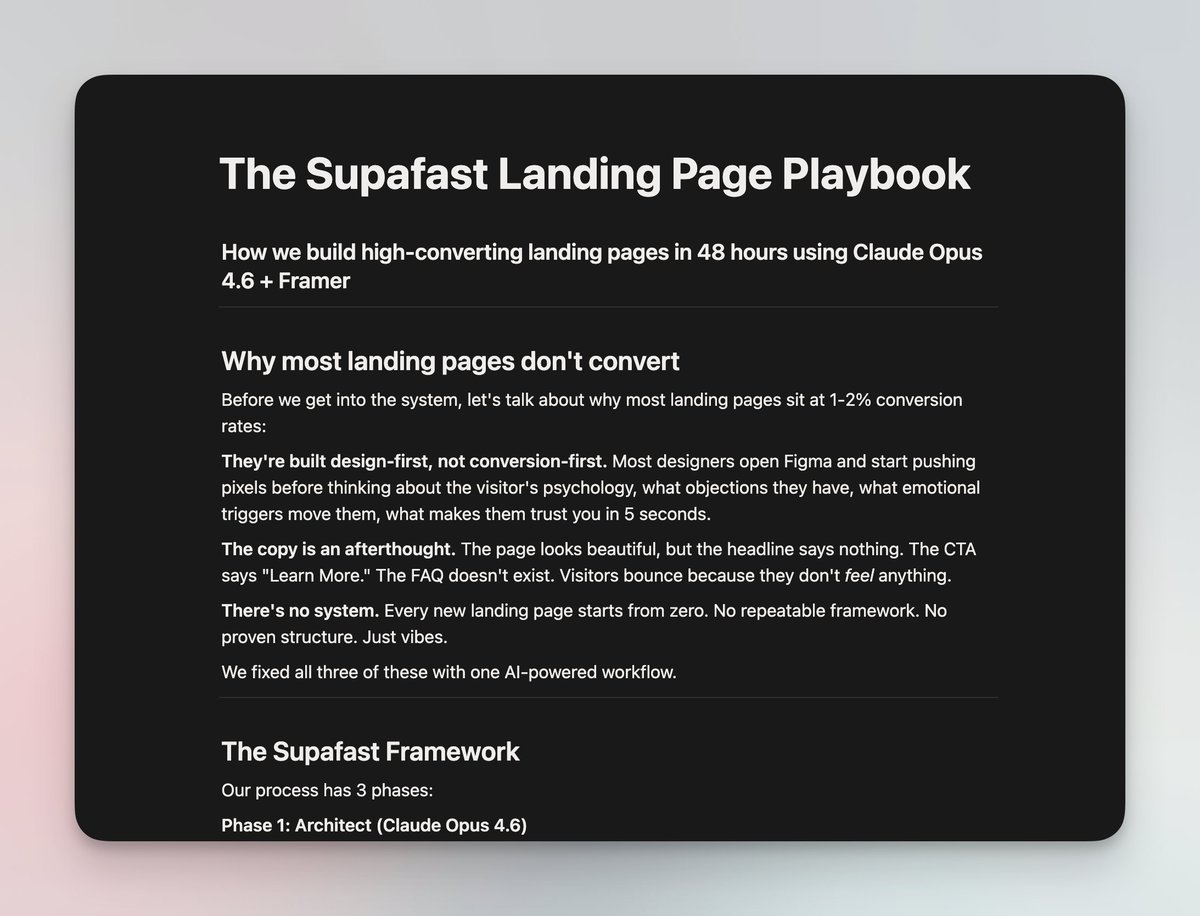
Most agencies take 4-5 weeks to deliver a landing page.
We ship ours in 48 hours. And they convert at 7.8%.
We built an AI-powered system using @claudeai Opus 4.6 + @framer that handles everything: copy, structure, design specs in a single sprint.
We packaged the entire playbook into a free Notion doc.
Comment "LANDING" + follow and I'll DM it to you.
@aurischibli@leinwand@webflow Yes it does! I’ve been working with the product team to test the new release. It’s a beaut *chefs kiss* updates to BLOCKS incoming
My Twitter feed is so curated that it tricks me into thinking the whole world is just a bunch of god-tier designers shipping nonstop and I’m completely cooked
You can rank #1 in ChatGPT in 45 days (not 12 months like Google SEO)
ChatGPT handles 2.5 billion searches daily and will overtake Google by 2027.
I reverse-engineered exactly how to do it (giving away the full playbook at the end).
Here's what changes when you rank #1 in AI search:
- Your brand gets recommended when people ask "What's the best [your category]?"
- You show up in comparison requests against competitors
- ChatGPT, Perplexity, Claude, and Gemini cite YOUR content as the authority
- You capture buyers BEFORE they even visit Google
- Your content gets seen by people who never click traditional search results
The difference between AI search and traditional SEO:
Traditional SEO:
12-18 months, domain authority aging, endless backlink building
AI search:
30-45 days, content freshness, structured data, and expertise
Companies already winning with this playbook:
Deepgram: 24x traffic in 60 days
Webflow: 40% traffic lift in DAYS
Chime: 3x AI citations in under a month
They're not doing traditional SEO anymore.
They cracked AI search while everyone else is still optimizing for Google.
Inside the playbook:
- How to audit your current AI visibility across all platforms
- The 7 ranking factors AI prioritizes (completely different from Google)
- Content formats that get cited 10x more than generic articles
- How to reverse-engineer competitors dominating AI search
- The refresh strategy that keeps you ranked (not just published)
This is the exact system brands like Webflow and Klaviyo are using to dominate AI recommendations.
And you can start implementing it today.
Follow + comment "SEARCH" and I'll DM you the complete playbook.
One of my biggest frustrations with @Webflow right now is this:
There is no way good way to share components from one workspace to another.
Example:
We've built this really nice modal component, which basically supports anything you'd ever want in a modal - can trigger on page load, button click, mouse exiting page, cookies, utms, accessibility, etc.
There's 20+ properties added to the component to make this all happen.
The problem is currently If I want to take this component and add to it to a site in one of my clients workspaces, there is literally no good way to do this quickly.
I've tried every possible workaround with the shared libraries feature. Tons of snags and drawbacks with everything I've tried.
The ONLY way to do this is to unlink the component and all the properties, copy it over and then RELINK everything. With all the properties and everything that needs to be configured, it's probably a good 15-30 minutes to get it all ported over and working perfectly.
At that point it's usually not even worth doing that instead of using an alternative solution.
This is super frustrating as it's a great component, but it really only gets used if the project you are working on get's cloned from starter project that has it in it. This really prevents us from being able to share it and allow the community to benefit from it.
There's a couple possible solutions I see here:
1. Make it possible to just copy and paste components into another site without them unlinking all the properties. (ideal but might be more difficult)
2. Update the Designer API to be able to create & edit component properties. This would allow us to be able to create an app that would automate the relinking process when unlinking and pasting a component.
3. Make shared libraries more accessible - Currently only paid workspaces can use shared libraries and only Agency/Enterprise workspaces can have more then 1 shared library. This pretty much kills the possibility of using shared libraries as a way to transfer and move components around.
What do you guys think? Have you found any other workarounds or ways to do this?
Is it just me or is google analytics one of the most poorly designed applications out there?
Like every time I try to go in there to find an answer to a question I'm left clicking around a bunch of screens and getting frustrated and having a hard time really getting the result I want.
I'm sure if I spent time digging in and learning the platform I'd get the hang of it, but I just feel like they made this thing so unnecessarily hard for a beginner level user to mess around with.
I feel like they need to implement some sort of chat interface where I can just say:
"Show me how many users are coming from chatgpt over the last year"
and it can spit out the visualization that I want.
We just put together our full guide on how to get started with AEO in @webflow!
We’ve bundled everything we learned into cloneable google sheet with checklists, schema templates, and page-by-page tests to help you get your site AI-ready.
Want a copy? Comment "aeo" if you want it and i'll send it your way :)
🎉 Just launched my first @framer template!
→ Interactive brand guidelines | Perfect for brand designers that want to ask more for their package!
Giving away 3x for free | just comment "BRAND"
i built an AI web development agent that creates full websites from voice commands.
(Save 15+ hours per project, eliminate designer bottlenecks, deliver websites while you sleep)
Here's how the automation works:
→ AI voice agent takes natural language requests through 11Labs
→ Automatically scrapes existing websites for context and content
→ Generates comprehensive product requirement documents
→ Controls browser automation to build sites in Lovable
→ Handles client feedback and edits without human intervention
→ Delivers production-ready websites in hours, not weeks
This system turns last-minute panic into competitive advantage. No more "can you have this done by tomorrow" stress.
The secret sauce? Agent orchestration. Instead of one mega-prompt trying to do everything, I built specialized sub-agents:
✅ Website Planner Agent (scraping & requirements)
✅ Browser Control Agent (Lovable automation)
✅ Parent Orchestrator (intelligent routing)
Result: What used to take a web dev team 2-3 weeks now happens in 3-4 hours, completely automated.
Want the full blueprint? Here are the steps:
1. Like & RT this post
2. Follow me so I can DM you
3. Comment 'BLUEPRINT'
I'll send you an entire step-by-step video walkthrough & the full n8n workflow system for free (including all of the prompts).
Let's get it.
#Webflow people! Did you know you can use @relume_io to vibe code websites?
Here is what I was able to do in under 30 mins. Relume components and custom design setup.
I'm hosting a workshop on how to do that, if interested reply "workshop" and I'll send you details.
@webflow I get the benefit of client billing on the agency side but have to add a seat if I want them to edit content. If the client has his own workspace they get a free designer seat and can invite the agency for free. Can we have one free editor seat per client project?